 6 articles
Dredge is a horror-themed fishing game where you explore the seas, catch fish, upgrade your tools, and uncover the mysteries of the sea.
Of course, fishing will be your most basic function in this game. It’s not a particularly complicated fishing system, but it’s fairly unique and has some things you should know about when diving into the game.
In this guide, we’ll teach you how you can start fishing and how you can find the best fishing spots in the game!
How to Fish and Find Best Spots in Dredge
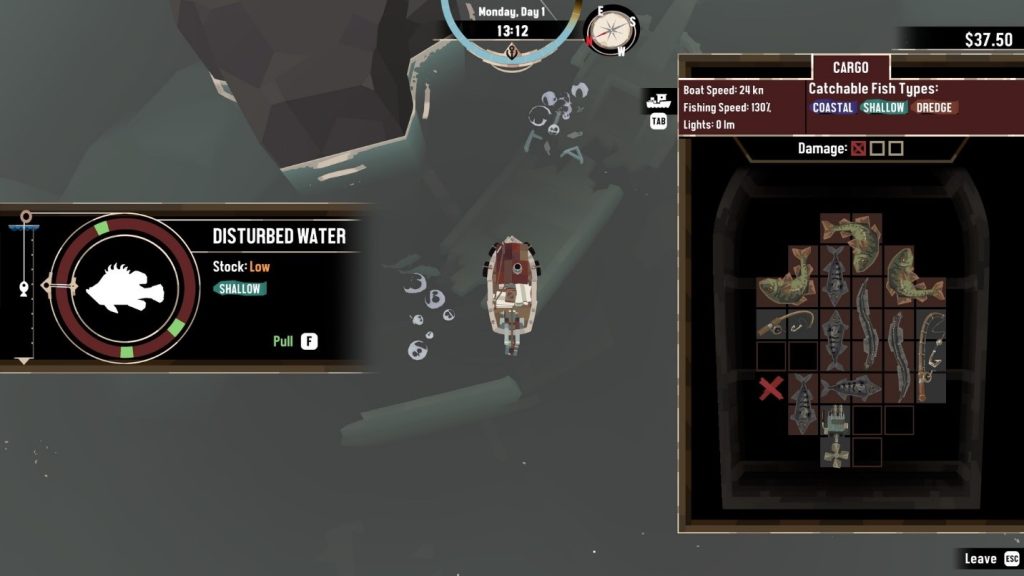
To fish, you will need to sail toward bubbling spots on the water. These are called “Disturbed Water” in the game, and they’re considered the best fishing spots.
 Dredge: How to Get Explosives (Dynamite)Sep 18, 2023
 Dredge: How to Get Different Ending (Bad & Good Ending)Sep 18, 2023
 Dredge: Where to Find the Best Free Starting Gear LocationApr 17, 2023
Approach the spot and press the interact button. This is F on PC, X on PlayStation, and A on Xbox.
This will make the fishing and cargo windows. For now, simply press the interact button a second time to drop your line.
Once you hook a fish, it will be automatically reeled toward you. The progress is shown on the left side of the screen. Once the hook reaches the top, the fish will be pulled out and put in your cargo.
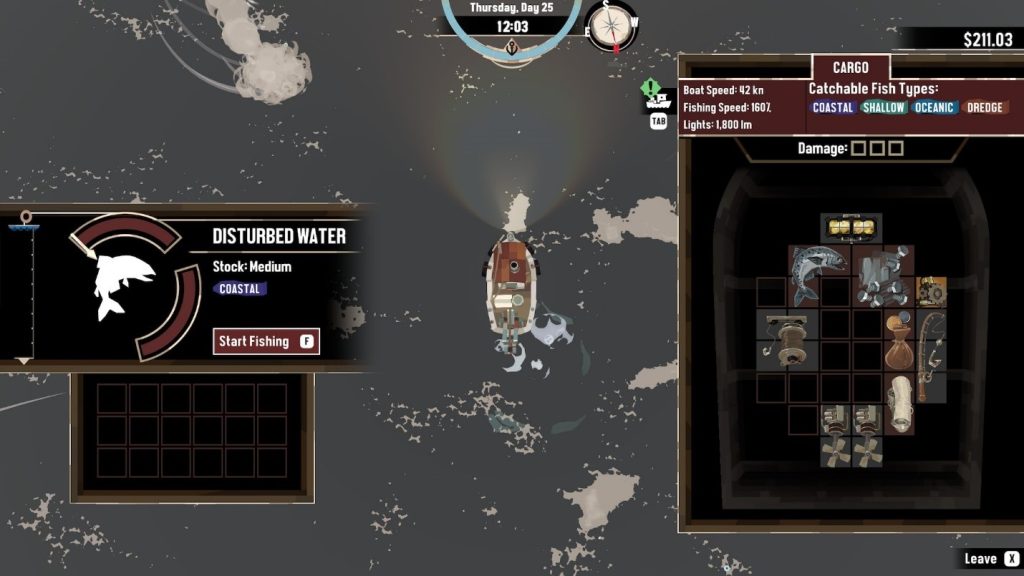
Note also that every fishing spot has a “Stock” that goes from High to Empty. This tells you how many fish are remaining.
However, that’s not all! Did you notice the spinning meter next to the reeling distance?
Press the interact button as the arrow goes over the green spots of the circle to speed up the reeling. This is absolutely crucial at night due to the dangerous water creatures that appear!
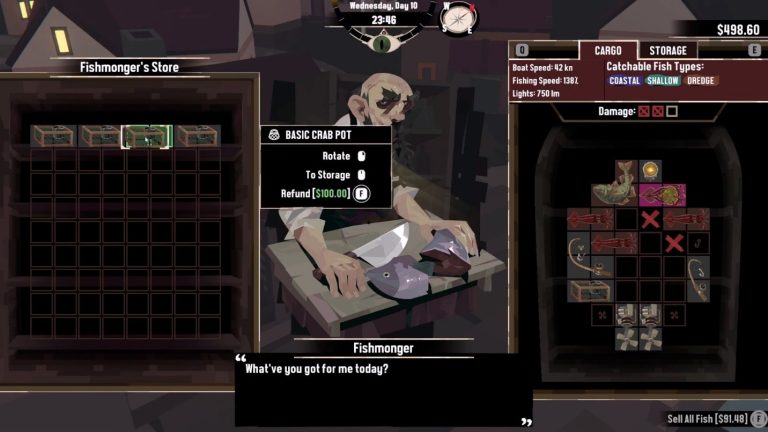
Either way, you will need to fit your fresh catch into your cargo. Every fish has a different shape and size that they occupy on your cargo. Keep this in mind as you fish.
You can rotate stuff in your cargo by pressing Right Mouse Button on PC, L2 or R2 on PlayStation, and LT or RT on Xbox.
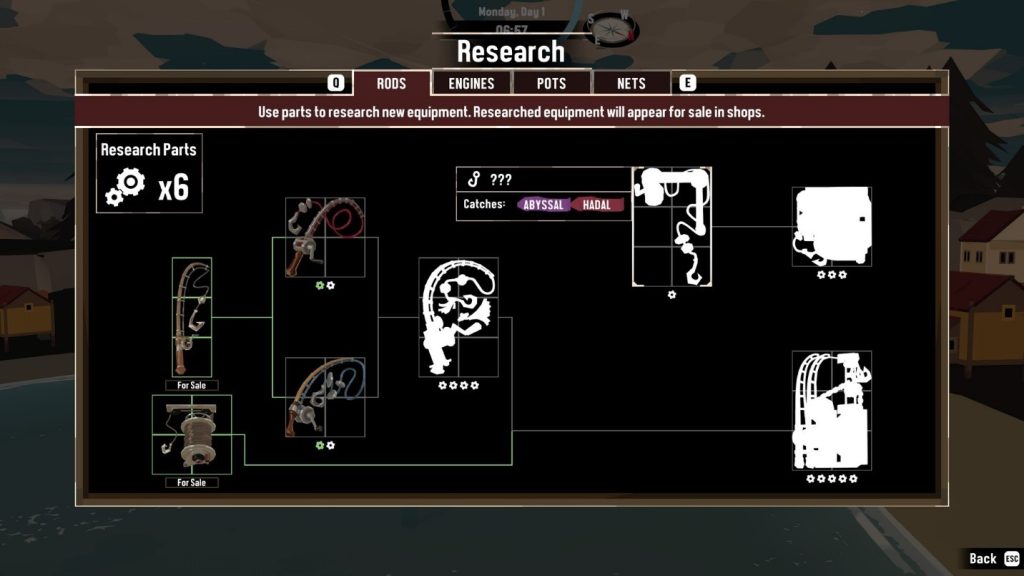
As you progress through the game and complete quests, you will unlock more tools. These will allow you to fish in different places, or fish up different resources and creatures.
ALSO READ: Dredge: How to Unlock Crab Pots