 89 articles
Crafting gear is one of those systems in The Cycle: Frontier that can make or break how quickly you climb into better loadouts on Fortuna III. Unlike simple looting, the game forces you to actually print gear using blueprints and materials.
Thankfully, it’s fairly easy to do. Without further ado, let’s look at how crafting and repairing works in the game.
Crafting and Repairing Guide in The Cycle: Frontier
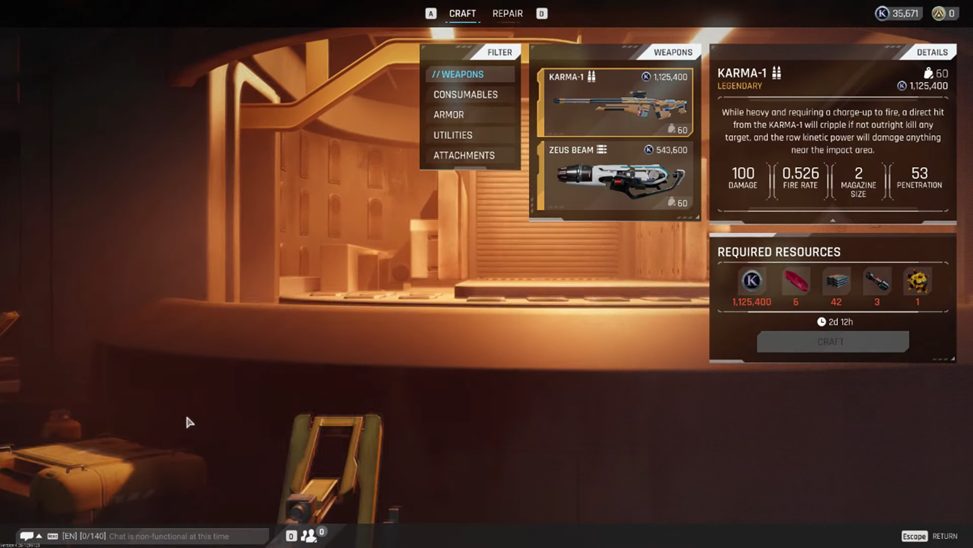
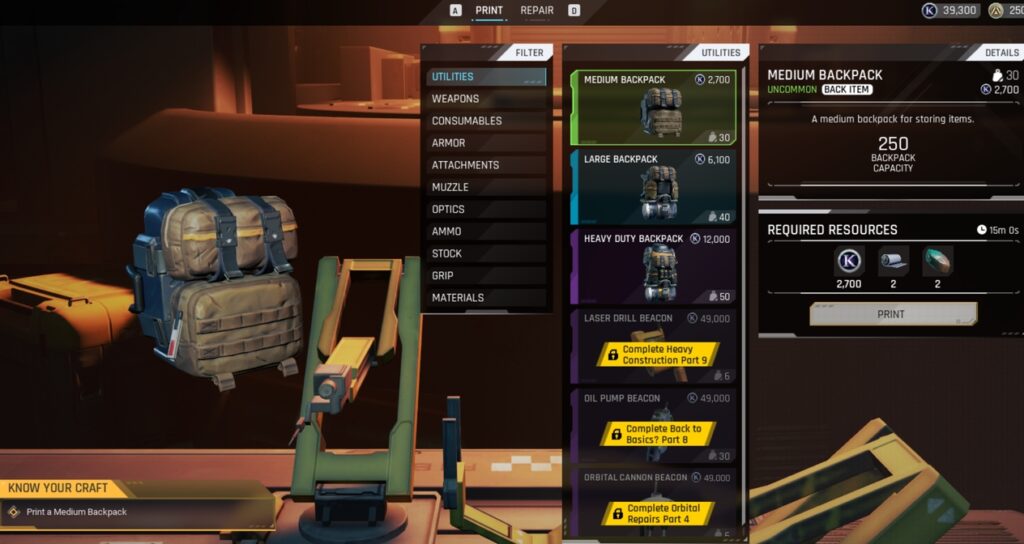
Everything that you want to craft has to be done at the Public Gear Printer back at Prospect Station. It’s usually on the right side of the launch terminal under that big orange sign.
The print station lets you switch between the Craft and Repair tabs.
 The Cycle Frontier: Ultimate Key Farming Guide Bright Sands & Crescent FallsApr 6, 2023
 The Cycle Frontier: What Items to Keep or Sell in Season 3 | Loot GuideApr 4, 2023
 The Cycle Frontier: How to Kill Marauders in Season 2Nov 5, 2022
Crafting Gear and Items
In The Cycle: Frontier, you will need two things before you can craft something. One is the blueprint and the other is the required materials. You’ll also need enough K-Marks to pay the cost.
You unlock Blueprints by leveling up your faction reputation. Meanwhile, you can obtain materials by looting containers and enemies on the surface during a match.
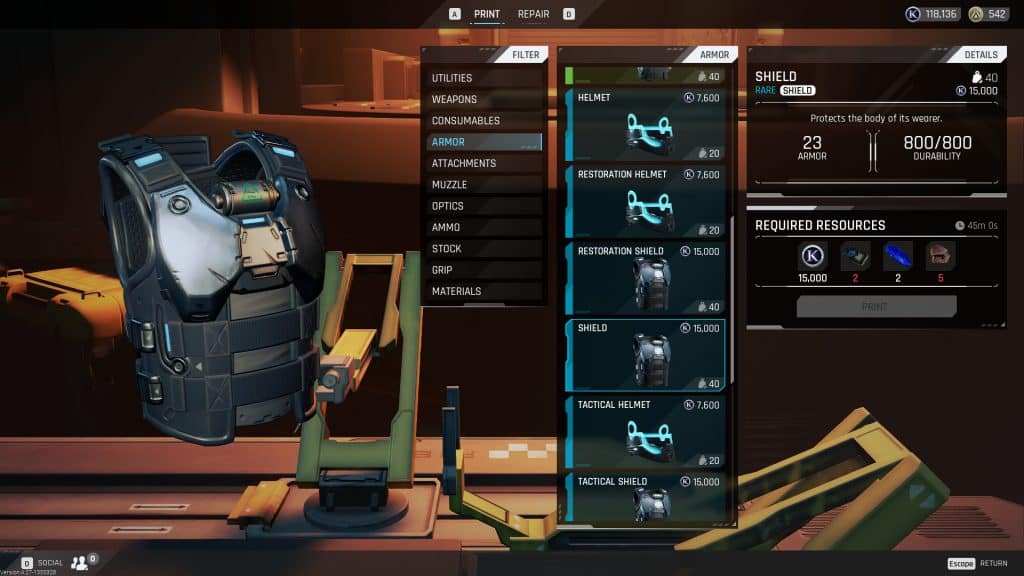
When you find everything needed and you’re at the printer, simply hit “Craft” and the game starts printing it for you. Higher-tier items take longer to finish, and you can often skip those times with Aurum if you’re impatient.
Craftable items include weapons, armor pieces, backpacks, and tools. It’s worth noting that most gear prints take real time to complete. Essentially, the rarer the item, the longer the print.
Repairing Gear
Armor and other gear don’t last forever in The Cycle: Frontier. Every time you take hits or absorb damage, your helmet and shield lose durability.
The moment an item drops to zero durability, it stops protecting you. However, you can still repair them to restore their durability.
To repair damaged stuff, you simply head to the Public Gear Printer. Switch to the Repair tab, hover over the pieces that need work, and you’ll see what it costs in K-Marks.
The price scales with rarity, with higher tiers costing more to fix, but it’s usually still way cheaper than printing a new piece.
Simply pay the K-Marks and the item’s durability goes back up.
The game categorizes gear as anything reusable like helmets, shields, backpacks, and tools. Armor pieces have durability and sometimes bonus effects like extra stamina or passive health regen, but they all wear down the same way.
There’s also a special crafting system called The Forge deep on Tharis Island that lets you alter gear perks and do unique upgrades.
However, this isn’t part of the standard hub printer. It’s intended for players who are deep into season content.
ALSO READ: The Cycle Frontier: Looting Guide