60 articles
If you’ve found yourself with no way to get rid of unwanted items in your inventory in Schedule 1, you’ve come to the right place.
Thankfully, there’s actually a pretty simple way to discard items in this game. Doing so magically deletes them from existence, which is extremely convenient. We sure wish we could do that in real life sometimes, it would make cleaning a lot easier…
Anyway, read on and we’ll quickly tell you everything you need to know to discard items in Schedule 1
How To Get Rid Of Items | Schedule 1
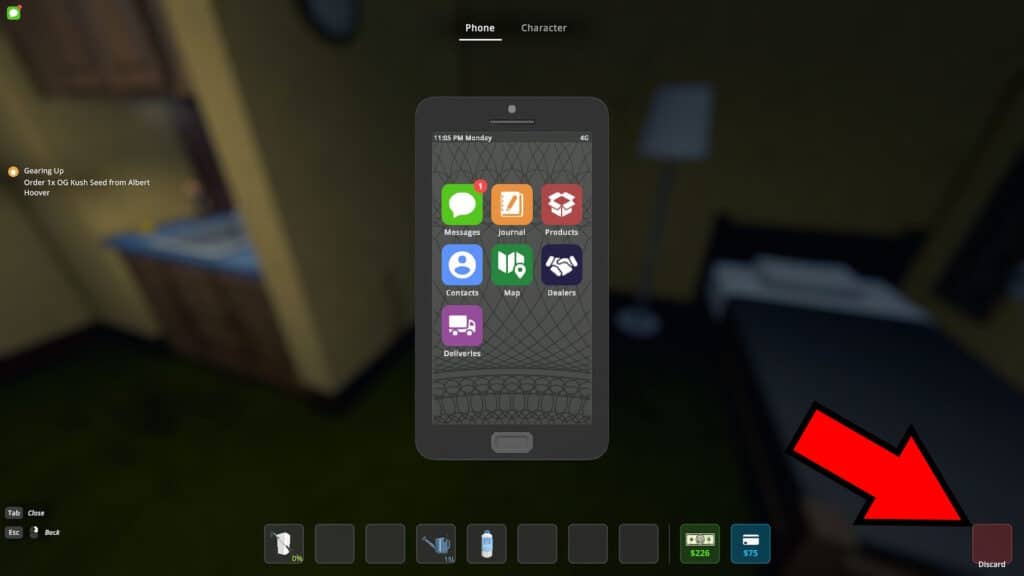
You can get rid of unwanted items at any time by simply discarding them. To do that, press the Tab key to bring up your phone and get a view of your full inventory.As you might notice, there’s a red box subtitled “Discard” on the bottom right of the screen.
 Fully Automated Coca Docks Warehouse Build – Schedule 1Mar 20, 2026
 How to Get Watch & Chains in Schedule 1 | Jewelry Shop LocationMay 13, 2026
 West Bridge Location in Schedule 1 – Under the West BridgeApr 8, 2025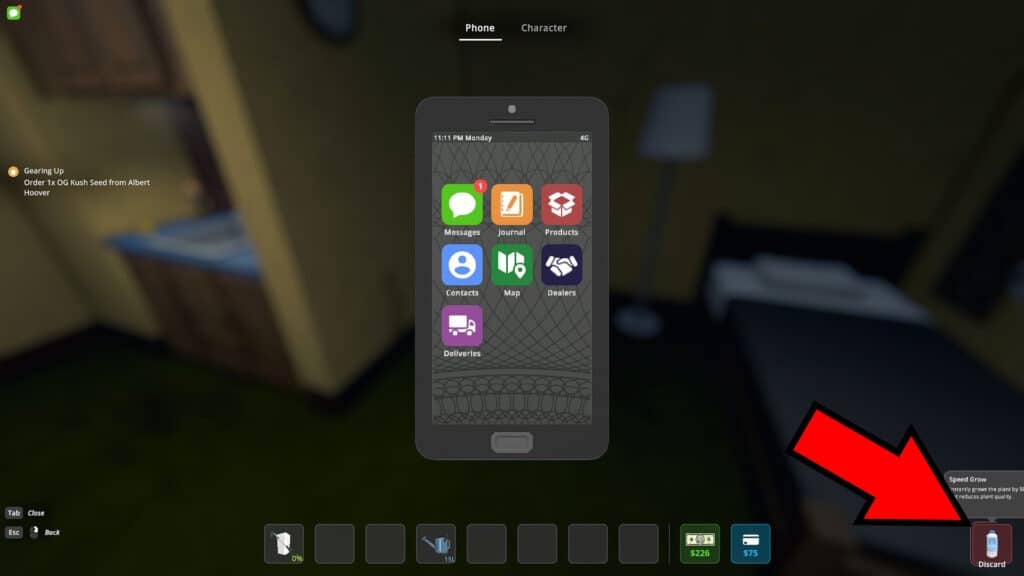
All you really need to do now is to simply drag and drop any item from your inventory to the Discard box. Then, wait a couple of seconds as the red outline fills. Voila, just like that your unwanted item will be discarded into the void!
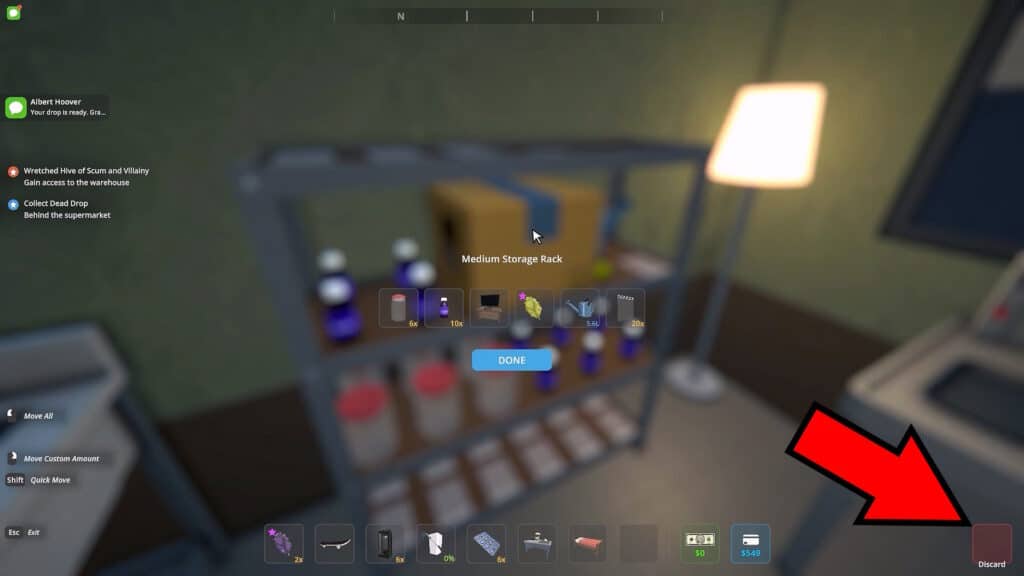
It’s worth noting, the helpful little Discard box also appears while browsing shelves and the like. The process there is the same, just drag anything you want to get rid of into the Discard box and wait. Poof, gone!
Do note, though, that this fully deletes the item. It isn’t dropped on the floor or anything like that, it completely disappears. Be careful not to try this out with something you don’t actually want to lose. As of version v0.3.3f14, there’s no way to just drop things on the floor, so keep that in mind.
Also, you can’t do this for trash you pick up. Those aren’t put into your inventory, so you need to manually drop them at trash bins.
So, there you have it, that’s how to get rid of unwanted items in Schedule 1! Make good use of this to poof anything unwanted out of existence.
Do you want to roll around at the speed of sound in this game? Well, you can’t quite do that exactly, but a skateboard comes fairly close! Check out our guide on how to get a skateboard in Schedule 1.