
 60 articles
If you’ve ever wished that you could just use a command to clear all trash in Schedule 1, the latest version of the game has you covered.
As of v0.3.3f15, there’s a console command you can use anytime to just make all the trash in the game disappear. This can come in handy for multiple reasons, even just to improve the game’s performance.
In this short guide, we’ll tell you how to easily use the command console in this game to delete all trash.
How to Use Clear Trash Command | Schedule 1
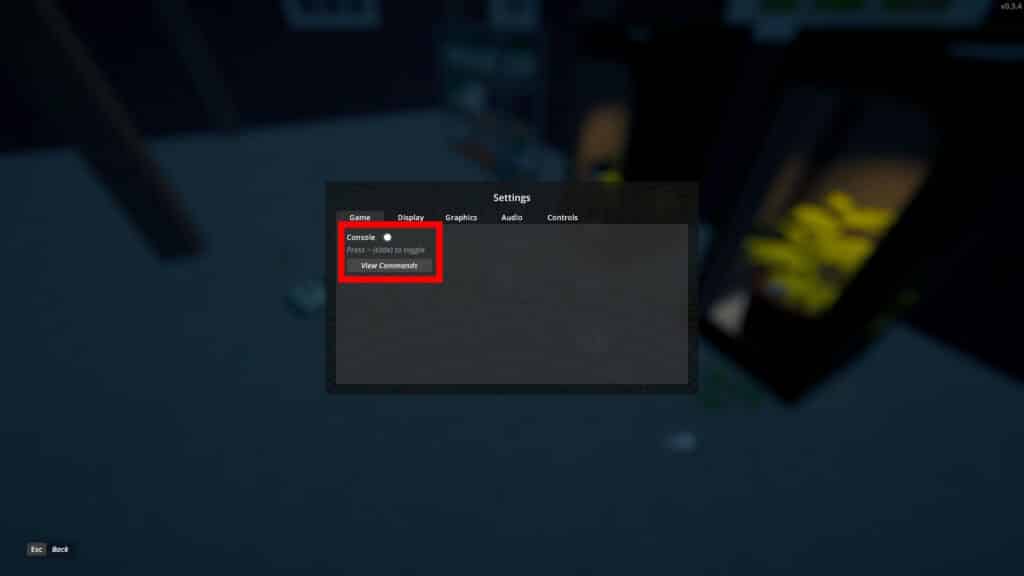
Before we start, the first thing you need to do is press the Escape key to pause the game. Then go into Settings and make sure that the Console is enabled, as shown above. This will allow you to bring up the command console in-game whenever you want by pressing the ~ (tilde) key. Keep in mind that you can’t bind the console to another key currently.
 Fully Automated Coca Docks Warehouse Build – Schedule 1Mar 20, 2026
 How to Get Watch & Chains in Schedule 1 | Jewelry Shop LocationMay 13, 2026
 West Bridge Location in Schedule 1 – Under the West BridgeApr 8, 2025
If you want more details on this process, check out our guide on how to use the console. It also includes a full list of all the commands in the game, which double as cheats!
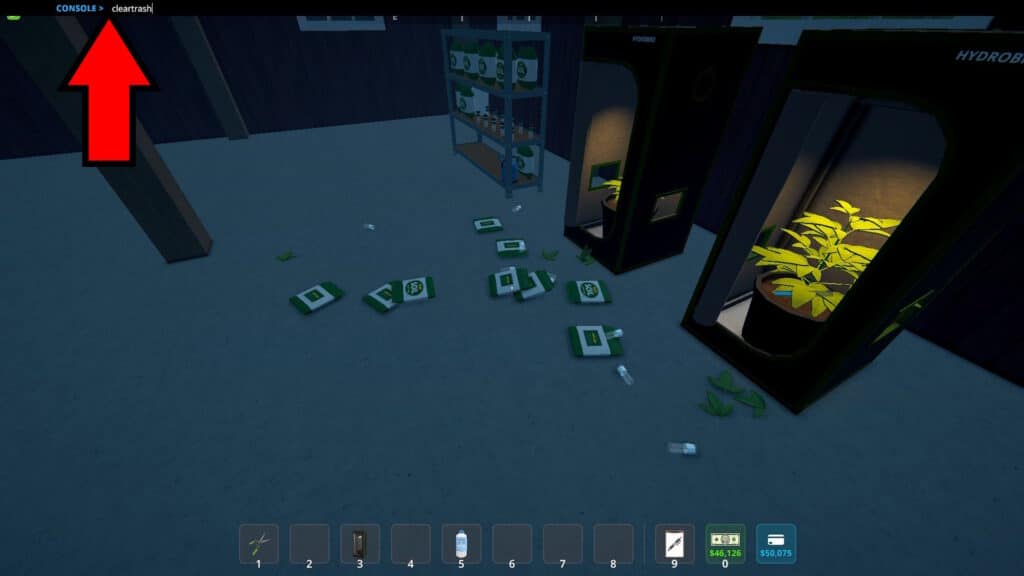
Once that’s done, press the tilde key and a black bar will appear on the top part of your screen. When it does, just type cleartrash into the black bar. Make sure you don’t make any typos and press Enter after typing it.
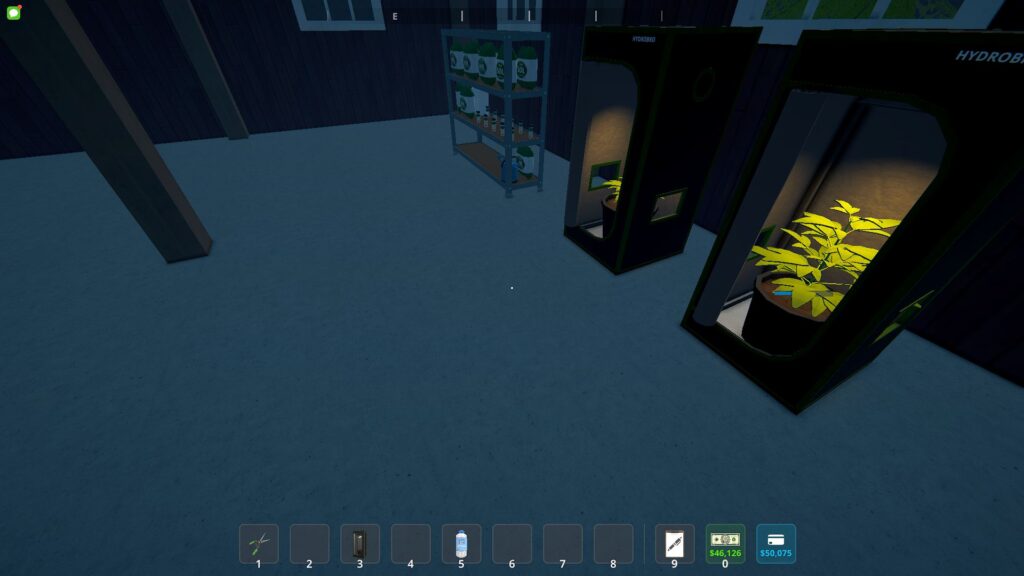
Just like that, all of the trash in the game’s world will magically disappear. Poof, it’s all gone! Makes you really wish that one little trick worked in real life, doesn’t it?
If the command doesn’t work for some reason, make sure that your game is updated to v0.3.3f15 or newer. The game’s current version as of this writing is v0.3.4.
So, there you have it! That’s how you can use the new “cleartrash” command to clear trash whenever you wish in Schedule 1. Make good use of it to get rid of litter if there’s so much that the game’s giving your performance issues… or use it to cheat so you never have to hire Cleaners. It’s up to you!