

 34 articles
The fact that Overwatch 2 has gone free-to-play means that Blizzard has to put in some form of monetization to the game somehow. And they actually did that by providing several customization options for players which they can obtain from the Battle Pass.
One such customization comes in the form of a name card. Let’s find out how you can get one in this guide.
How to Unlock and Equip Name Card in Overwatch 2
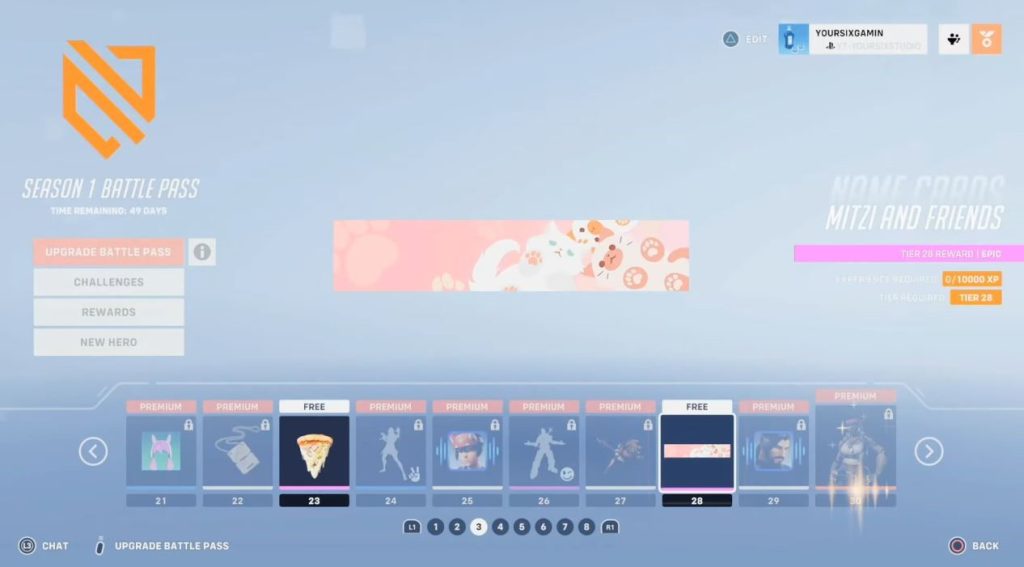
Name cards (also called calling cards) are purely cosmetic items that show up on your Career Profile and in some UI screens. They don’t affect gameplay, stats, or matchmaking.
Rather, they show off stuff you’ve unlocked through Battle Passes, Twitch Drops, or seasonal eventss.
 How to Climb in OverwatchMay 21, 2026
 Overwatch 2: How to Change Hero SkinMar 22, 2023
 Overwatch 2: How to Ping Enemy Location | Communicate With Team with No MicMar 22, 2023
You’ll see name cards in your profile instead of just a blank background. Many people treat them like bragging rights, as it’s basically showing people you did some grind or showed up for an event.
Back then, to unlock a name card, you simply need to progress your Battle Pass in the game. You can do this by leveling it up by completing daily quests and objectives.
You can actually obtain a handful of name cards in the free version of the Battle Pass.
Overtime, Blizzard introduced a handful of ways that players can obtain name cards. In some cases, Blizzard gives away name cards for logging in during events.
For example, the OWCS Neon Streets name card could be earned just by logging in during that eSports event period.
During seasonal events like Pride Month, Overwatch 2 handed out Pride-themed name cards tied to new heroes (Venture in Season 10). Players just needed to log in during the event to receive them.
Certain seasons (like Season 20) have given out name cards through Twitch Drops if you watch streams for set hours and have your Twitch linked to your Battle.net account.
How to Equip a Name Card
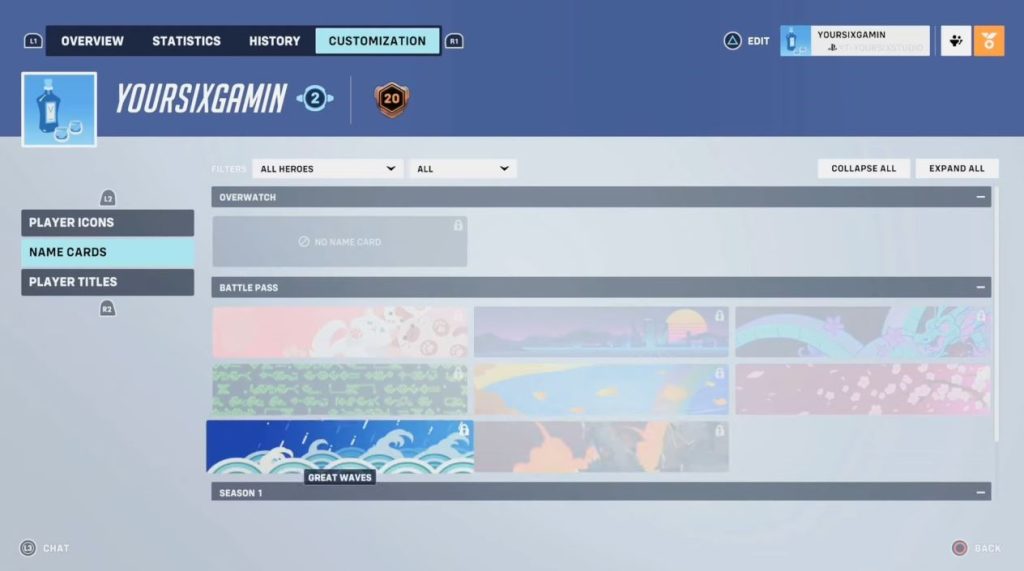
Once you have a name card, head over to your main menu and choose Career Profile. Inside, move to the Customization tab.
Here, move to the Name Cards section, and simply choose the name card you want to use under the list of available cards.