104 articles
In Last Epoch there may be a time when you want to change the keys that some of your abilities are linked to. It might be because of technical difficulties or personal preference.
Regardless, of whether you’re playing with a mouse and keyboard or controller, it is an easy fix. Here is how to easily change the keybinds (aka. key mapping) to whatever layout suits you best.
How to Change Keybinds in Last Epoch

First, open the Settings menu. It can be accessed via the character selection screen at login, the main menu, and the menu button. Similar to when optimizing the graphics in the game.

From there, make sure you are in the Gameplay tab at the top of the window then click on Change input keys.
 Everything New In Last Epoch Season 4Mar 29, 2026
 How To Progress Through Endgame In Last Epoch For New And Returning Players (Season 4)Mar 28, 2026
 How To Get A Lot of Corruption in Last Epoch Season 4Mar 28, 2026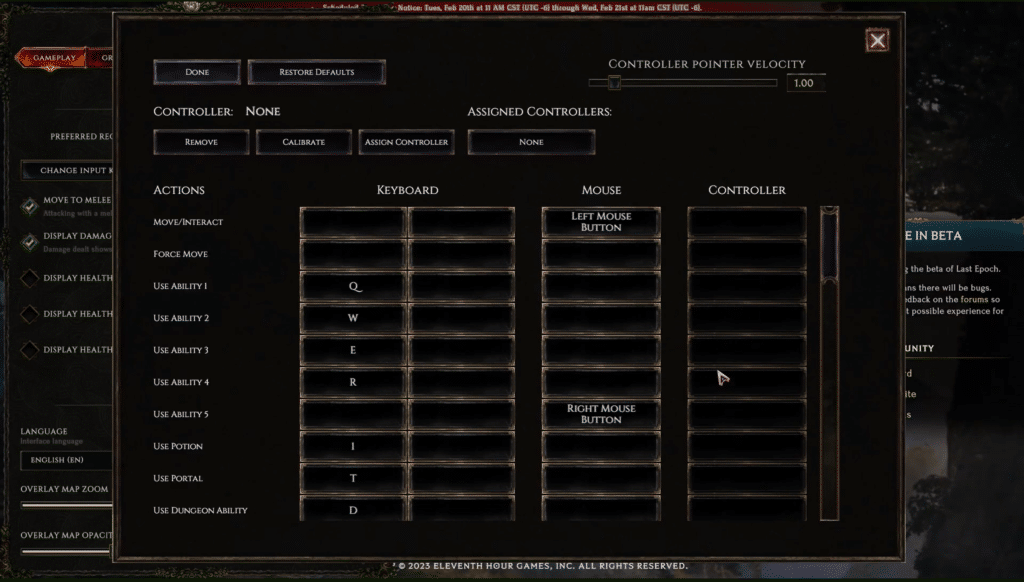
The window where you can change the keys that your abilities are bound to will open. Many aspects other than ability keys can be changed here. This includes buttons for movement, portals, potions, and more.
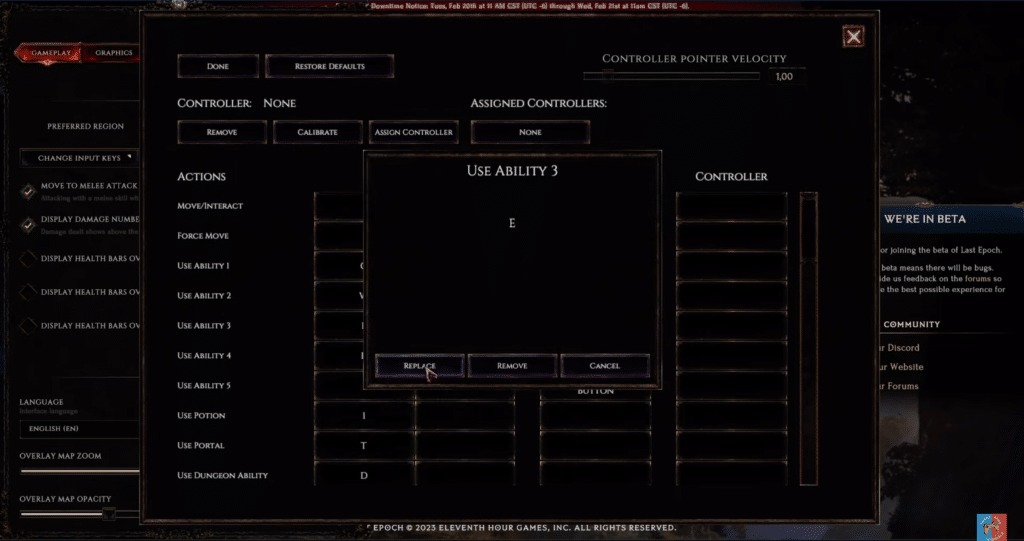
To change a keybind, left-click on or select the key you would like to change and click Replace on the window that opens. This process is identical to updating controller settings.
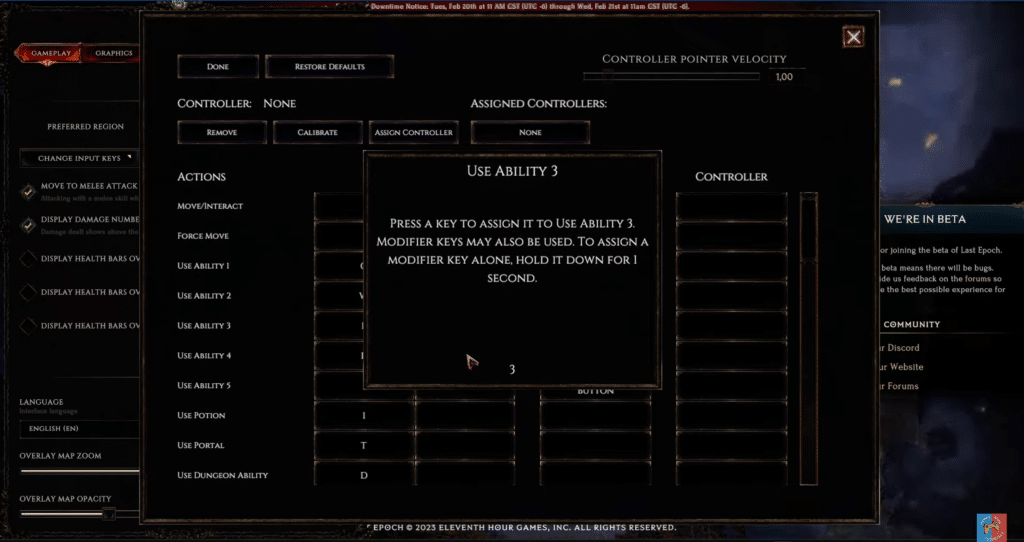
You will be prompted to press a key to assign it to the ability or action you selected. The key you press will be displayed at the bottom of the window.
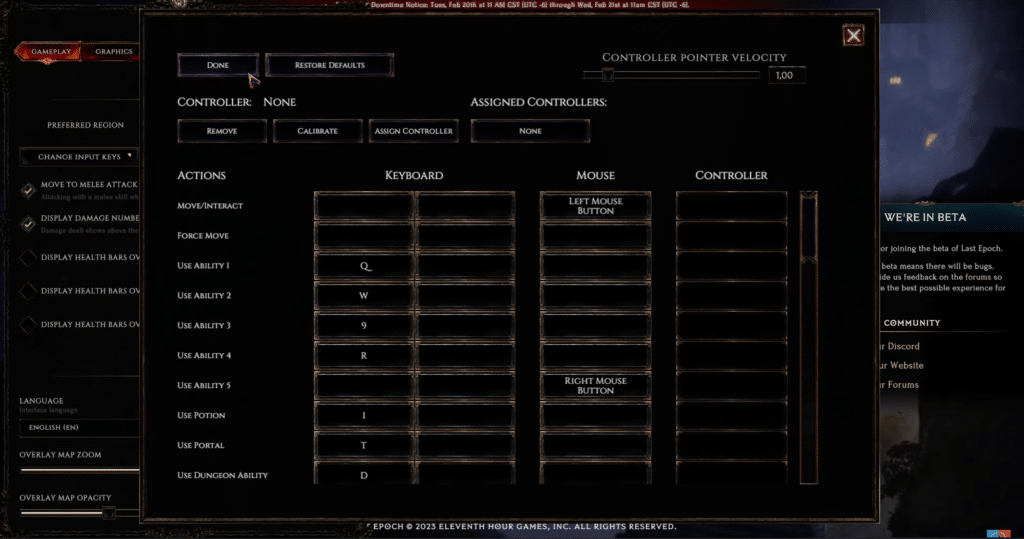
When you are finished, simply click Done at the top left. If you mess with too many things, get confused, or want the original settings back for someone else playing on your device, just click Restore Defaults.
There are a number of player-recommended keybind settings out there that can really help improve your gameplay so go have a look if you are interested!
ALSO READ: Last Epoch: How to Farm the Ashen Crown