 16 articles
Building and managing your airship in Everwind is one of the most important things to understand in the game, and it goes a lot deeper than just slapping parts together and hoping it flies. The power system, component connections, and upgrade paths all work together, and getting any one of them wrong means your ship either crawls along at a frustrating pace or refuses to function properly.
In this guide, I will break down how the airship building mechanics work and what you need to know to keep your ship running well as you expand and upgrade it over time.
How Airship Mechanics Work
Building your first flying ship is not something that you can skip in Everwind. You can put it off for a while. But eventually, you will need it since it is directly related to your progression in the game. It serves as your primary mobile base. Without it, you cannot reach new areas or keep the game moving forward.
If you still haven’t built your first flying ship, I have a dedicated guide on how to rebuild the flying ship where I explain the entire process in great detail. Once you have that sorted, this guide will help you understand the actual building mechanics and power systems. These are the foundations you need to keep your ship running as you move into the later stages of the game.
 Everwind: Energy & Power UI Update GuideMar 28, 2026
 Everwind: Stone Golem & Abyssal Grimcore Guide (Altitude Upgrade)Mar 25, 2026
Main Components of an Airship
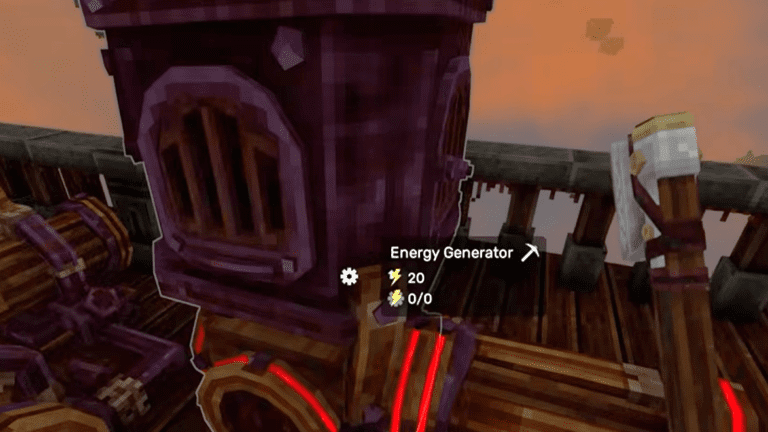
There are four components to make an airship complete. First is the Cockpit, which is used to control and steer the ship. Next is the Energy Generator, which acts as your power source. You also need an Engine to propel your ship forward. Finally, the Balloon is what actually gets your ship in the air. Also, once you place the Cockpit down, you can then instantly teleport there by using your Compass.
Connections
To power your engines and balloons, you need to connect them to the Energy Generator. You can do this by placing them directly next to each other or by running pipes between them if they are further apart on your ship. One Energy Generator can power up to four devices at a time. This means you can mix and match however you like, whether that is one balloon and three engines or two of each.
Once you start expanding your ship and adding more components, you will need to add additional Energy Generators to keep everything powered. Planning your layout around this limit early on will save you a lot of restructuring later.
Fuel
To run your airship, you’ll need to fuel the Energy Generator. Just interact with it to open the menu, then place the item you want to use as fuel. Early on, I recommend using Wood Logs or Wood Planks as they are easy to gather.
One tip I want to give you on saving fuel is to turn off the Energy Generator whenever you stop or park your airship. It keeps burning fuel even when you are stationary, so if you leave it running while you explore or build, you’ll waste resources for no reason. Make it a habit to shut it down every time you land.
Upgrading Your Airship
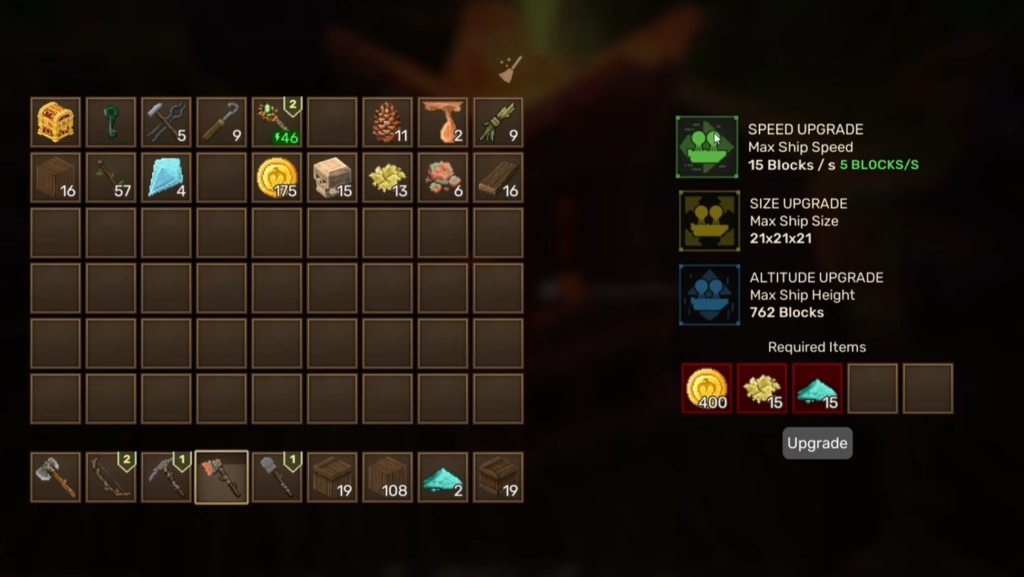
You can interact with the ship core to open the upgrade menu. There are three types of upgrades available: speed, size, and altitude. Each one plays a crucial role in how your airship performs, so understanding what they do will help you decide which to prioritize as you progress.
What Each Upgrade Does
- Speed:
- This determines the maximum horizontal velocity your airship can reach. Early on, the default speed is enough to get you around, but as you start exploring further distances, upgrading your speed becomes essential. Faster travel also means less fuel consumed per journey, which adds up over time.
- To actually take advantage of your maximum speed, you need to install enough engines to match it. Each engine provides 2.5 blocks per second of speed, so if your max speed is 7.5 blocks per second, you’ll need three engines running to reach that velocity. If you only have one or two engines, your ship won’t go as fast as your upgrades allow.
- Size:
- This upgrade expands the overall building area of your ship. This is particularly important once you start adding more components like additional Energy Generators, storage containers, crafting stations, and so on. If you find yourself running out of space or having to cram everything together awkwardly, it’s time to invest in a size upgrade. Planning for future expansion early will save you from having to rebuild your entire layout later.
- Altitude:
- This determines how high you can actually ascend. This might seem less important at first, but higher altitudes unlock access to floating islands, rare resources, and unique biomes that simply can’t be reached otherwise. Some areas of the game are gated behind altitude requirements, so you’ll eventually need to upgrade this to progress.
- However, upgrading your altitude ceiling isn’t enough on its own. You also need to place more balloons to actually reach those heights. Each balloon can lift your ship to 250 blocks, so if you’ve upgraded to a maximum altitude of 512 blocks, you’ll need at least three balloons to get there.
My recommendation is to prioritize altitude upgrades first, as they allow you to access better islands. Next, I’d go for speed, and finally size upgrades, since the initial size you get is plenty anyway.
Switching to a Better Airship
You will come across more abandoned airships throughout your journey. These are easy to spot because of the red object in the middle known as the Flying Ship Core. If you find a ship that looks better than yours, you can actually make the switch. You just need to move your objects over from your current airship.
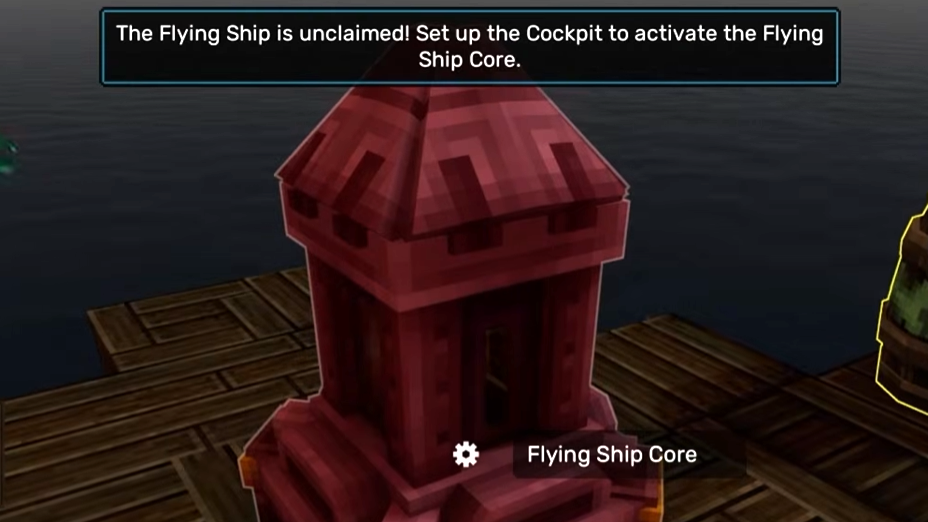
One important thing to keep in mind when switching ships is that once you break the Cockpit, your Compass fast travel point will disappear. It resets back to the starting tutorial tower area. That means if you die or use your Compass fast travel feature, you’ll respawn at the tower, not on your ship. Your ship will essentially be lost. So be extremely careful when dismantling your old ship or swapping to a new one. Make sure you’re ready to set a new fast travel point before breaking the Cockpit.
Final Thoughts
There’s no single ‘right way’ to build your airship, but understanding these core mechanics gives you the freedom to experiment and find what works best for your playstyle. The time you invest in planning your layout and prioritizing the right upgrades early on will pay dividends as you progress through the game and tackle more challenging content.
Your airship is just the beginning, though. Everwind has much more to offer beyond building and flying. If you want to optimize your gameplay and discover advanced strategies, check out my Tips and Tricks guide for Everwind.