 16 articles
If you have been struggling to figure out why your airship engines suddenly died or your processing station just would not turn on, I have some good news for you. The latest Everwind patch finally brings a massive overhaul to the energy and power interface, completely removing the guesswork when working with power components.
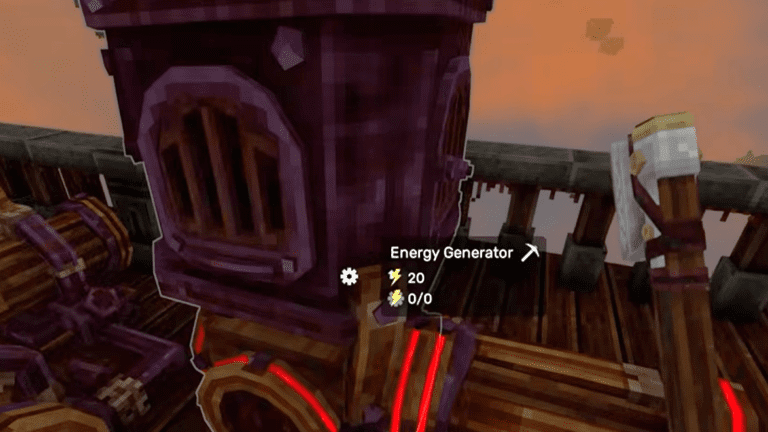
The new update introduces a highly requested popup system for all your mechanisms. Now you can instantly see exactly how much energy your generators produce and your components require, complete with red highlights when you run low on juice.
New Energy & Power UI
So now whenever you point your cursor at a power component, you will see two numbers displayed. Understanding what these numbers mean is essential for managing your airship’s power system effectively.
Energy Generator
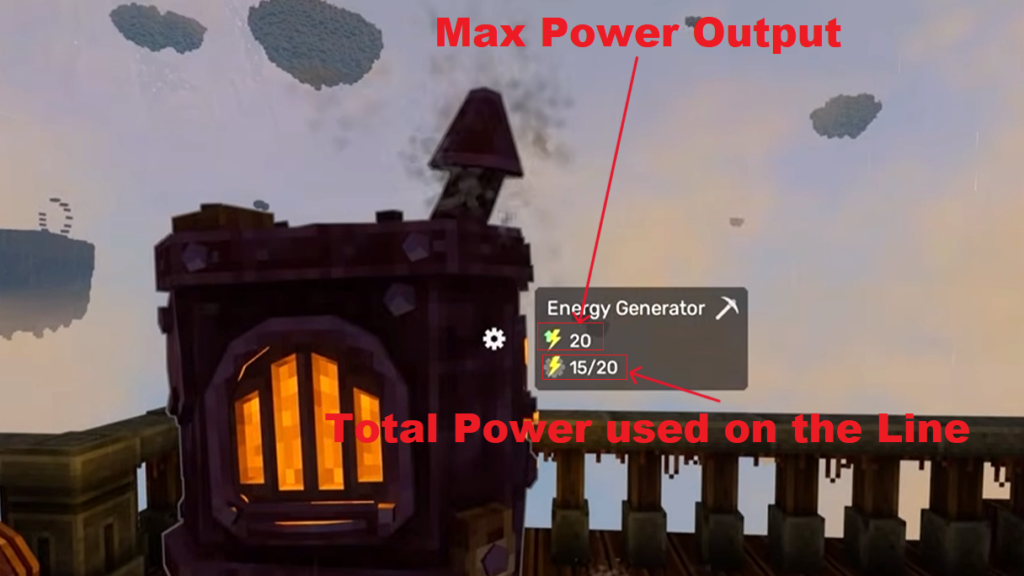
The upper number shows how much total power that specific generator can produce. The lower number shows how much power is currently being used out of the total available power on that connected line.
 Everwind: Airships & Building Mechanics ExplainedMar 25, 2026
 Everwind: Stone Golem & Abyssal Grimcore Guide (Altitude Upgrade)Mar 25, 2026
Let me give you a more detailed example to make this clearer. In the image given below, the Energy Generator is showing “20” and “15/20”. The first number means that this generator can produce a total of 20 power units. The bottom number is showing “15/20,” this means that 15 power is currently being used out of the total 20 available on that connected power line.
If you connect another similar Energy Generator to the same power line, the total available power increases. So that “15/20” would instantly become “15/40” because you now have two generators contributing to the same network. The power consumption stays at 15, but your capacity has doubled to 40.
Other Power Components (Balloons, Processing Station, etc.)
The top number represents how much power that specific device requires to function. For example, a Capybara Balloon requires 10 power while a Processing Station requires only 5. The bottom number still shows the same thing as before, how much power is being used out of the total available on that connected power line.
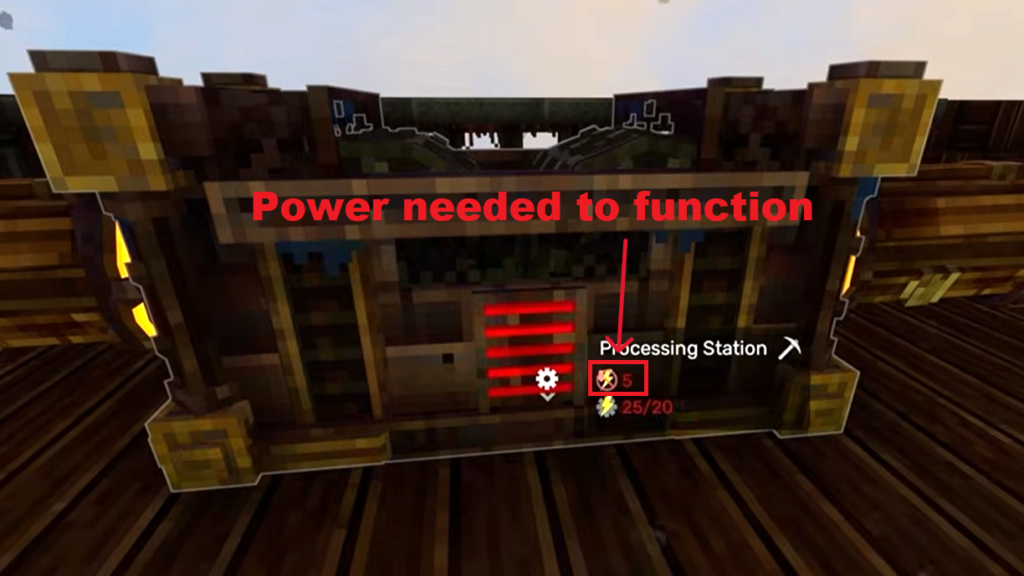
If the numbers shown are red, that means there isn’t sufficient power available for that device to function. You’ll also notice red lines on the power component itself, which gives you a visual confirmation of the problem.
Summing Up
The new power UI takes the mystery out of managing power on your airship. Look at a generator and you’ll see exactly how much power it produces and how much is currently being used. Look at any device you want to power and you’ll see what it needs and whether your network can support it. When the numbers turn red, you instantly know you need to add another generator or lighten your load.
If you want to dive deeper into how to build efficient ships and plan your layouts, then check out my full guide on airship building mechanics.