


 2 articles
Meccha Chameleon looks simple on the surface. Every player starts as a plain white figure and Hiders have to paint themselves to blend into the environment before the Hunters come looking. But anyone who has jumped in blind will tell you it is a lot more involved than it sounds. Color matching is only part of it. Pose, silhouette, lighting and surface texture all matter just as much, and ignoring any of them is a reliable way to get spotted in the first ten seconds.
In this guide I will walk you through how a round actually works, everything you need to know about the paint tool, posing correctly and the core habits that win rounds on both sides of the hunt.
Ultimate Beginner’s Guide
When you first boot up Meccha Chameleon, you will be greeted with two main ways to get into a game. The first is creating your own server. You set a name for it, assign a password if you want to keep it private, choose your player limit, select your region, and add various server tags that make it easier for other players to find and join you.
The second option is browsing and joining already existing servers, both public and private. The server browser can feel a little overwhelming at first if there are a lot of lobbies showing, but you can narrow things down quickly by filtering for specific regions and server tags. Doing this ensures you are only seeing servers in your region, which keeps your ping low and your matches running smoothly.
 Meccha Chameleon: Best Hiding SpotsJun 18, 2026
Console
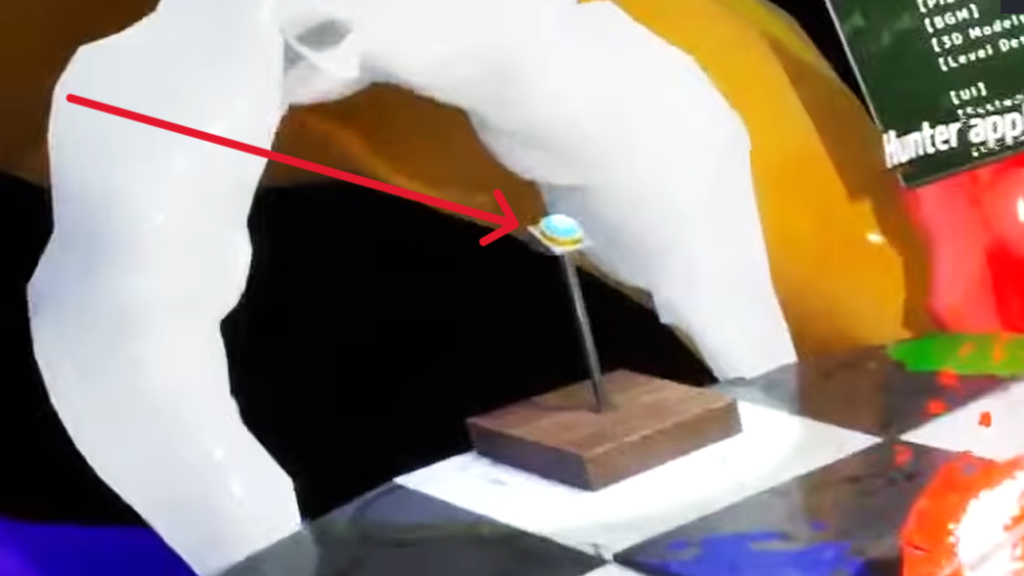
Once you spawn into your server, head over to the console which I have marked in the image below. Interacting with it lets you adjust various game settings, select which map you want to play from the five default options, and choose your preferred game mode.
Game Modes
There are three game modes available in Meccha Chameleon. Here is a quick breakdown of each one:
- Basic splits players into two teams. One team hides and the other hunts. Hiders win by surviving until the timer runs out. Hunters win by tagging every Hider before time is up. It is the most straightforward mode and the best one to start with as a new player.
- Infection starts with a standard split between Hiders and Hunters. The key difference is that any Hider who gets caught immediately switches over to the Hunter team. The pressure builds as the round goes on since the Hunter team grows larger with every elimination. Hiders win by surviving to the end without getting tagged.
- Double works differently to the other two modes entirely. Every player starts by hiding at the same time. Once the hiding phase ends, everyone switches to searching simultaneously. The first player to successfully reveal every other hidden player wins the round.
Teams Separation
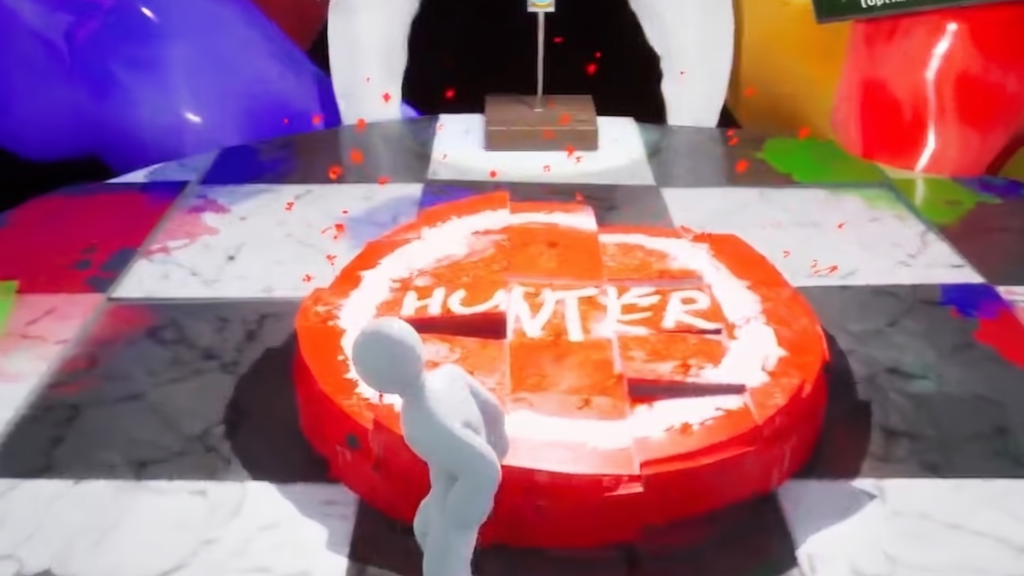
Before the game starts, you will find yourself in a waiting room with a red circular pedestal in the middle labeled “Hunter.” Any player who wants to be a Hunter needs to step onto the pedestal. Everyone standing outside of it will automatically become a Hider when the round begins.
If too many players crowd onto the pedestal, the game will randomly select a set number of them to actually play as Hunters depending on the lobby size. The rest will be moved over to the Hider team automatically. If nobody steps on the pedestal, the game assigns the roles randomly on its own.
How to Play As A Hider
As a Hider, your job is to camouflage yourself well enough that the Hunters cannot find you before time runs out. Before getting into the painting mechanics, let me go over the basic controls first.
You can hold “Shift” to run around the map during the preparation phase. Pressing “Space” attaches your character to a surface. Once attached, pressing “Space” again moves you upward along the surface and pressing “Ctrl“ moves you downward. To detach from a surface, simply press “Shift“.
This movement system essentially lets you climb onto and access almost anywhere in the map, opening up a huge range of hiding spots that would otherwise be completely out of reach.
Poses
The game gives you a variety of poses to choose from which can make a significant difference to how convincingly you blend into the environment. Press “R” to bring up the Pose Wheel and select whichever one suits your hiding spot.
Your character will immediately move into that pose. Choosing the right pose is just as important as getting your paint job right. A perfectly painted body in the wrong pose can still give you away because your human silhouette remains visible even when your colors are accurate.
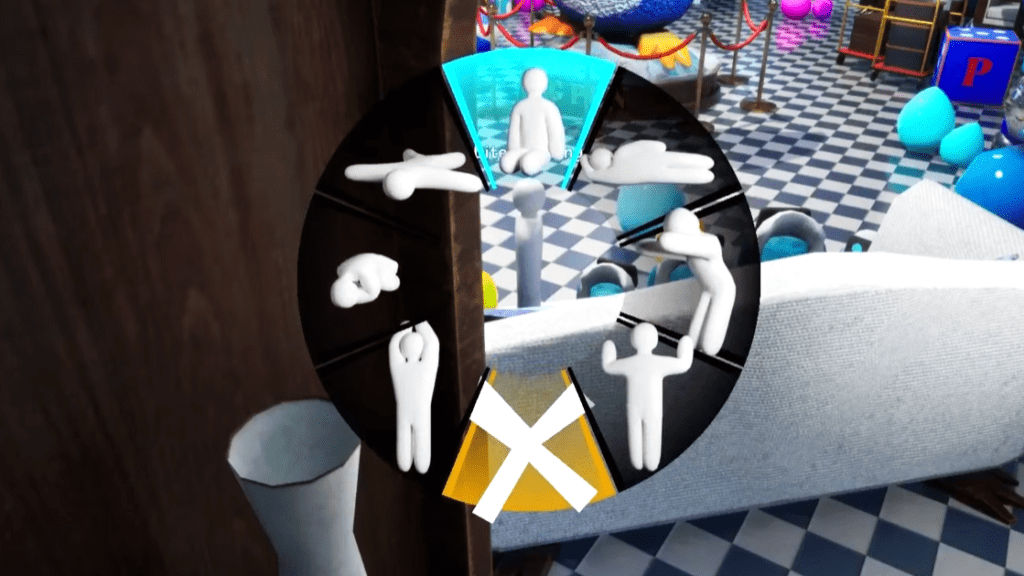
The two poses worth prioritizing above all others are “Lie Down” and “Crouch“. Both drastically reduce your visible profile and make it significantly easier to blend with floors, low surfaces and objects at ground level.
Get into the habit of using one of these two whenever possible rather than defaulting to a standing pose and you will find yourself surviving rounds much more consistently right from the start.
Paint Mode
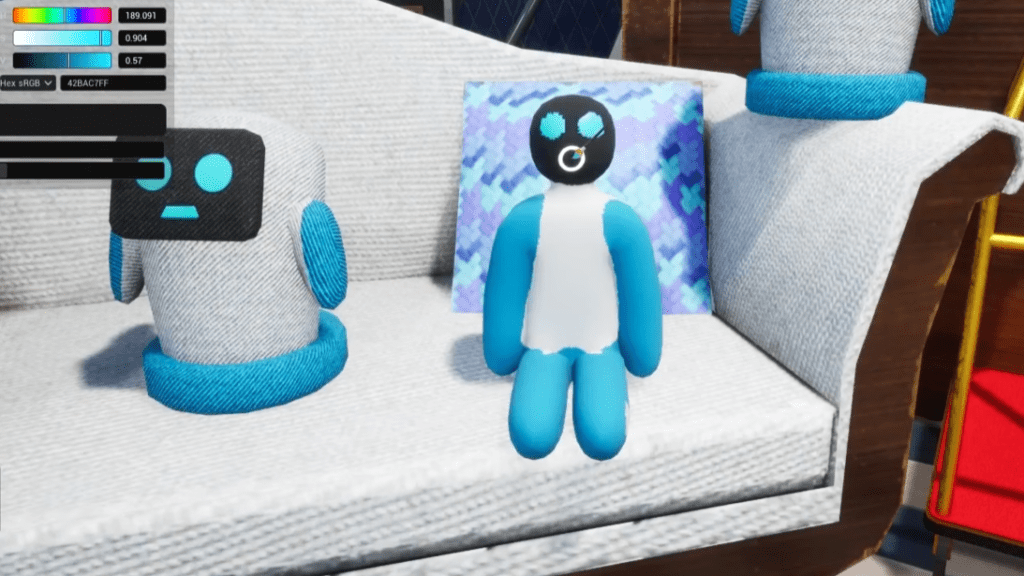
This is where things get genuinely exciting. Press “F” on your keyboard to open Paint Mode. Once you are in it, your cursor transforms into a paintbrush that you can use to color your character directly.
To adjust the brush size, hold “Right Click” and drag to the right to increase it or to the left to decrease it. You can zoom in and out using the mouse “Scroll Wheel“. To move the camera while in Paint Mode, press the “Scroll Wheel” button and move your mouse in the direction you want to pan.
In the top left corner you will find a color wheel. Select any color from it directly or fine tune your selection by manually adjusting the RGB values displayed below the wheel. You also have sliders available for Roughness and Metallicness.
These control how your painted surface catches and reflects light. A lot of new players skip these entirely but they matter. A color that matches perfectly can still look unnatural if the sheen does not match the surface you are hiding against.
The single most important tool in Paint Mode is the Eyedropper. Point your brush at any surface in the environment and press “Space” to extract the exact color of that surface. In my opinion this is what separates convincing disguises from ones that get you spotted immediately.
Rather than trying to guess or approximate a color manually, the Eyedropper copies it perfectly. Use it every single time without exception and your paint jobs will improve dramatically from your very first match.
How to Play As A Hunter
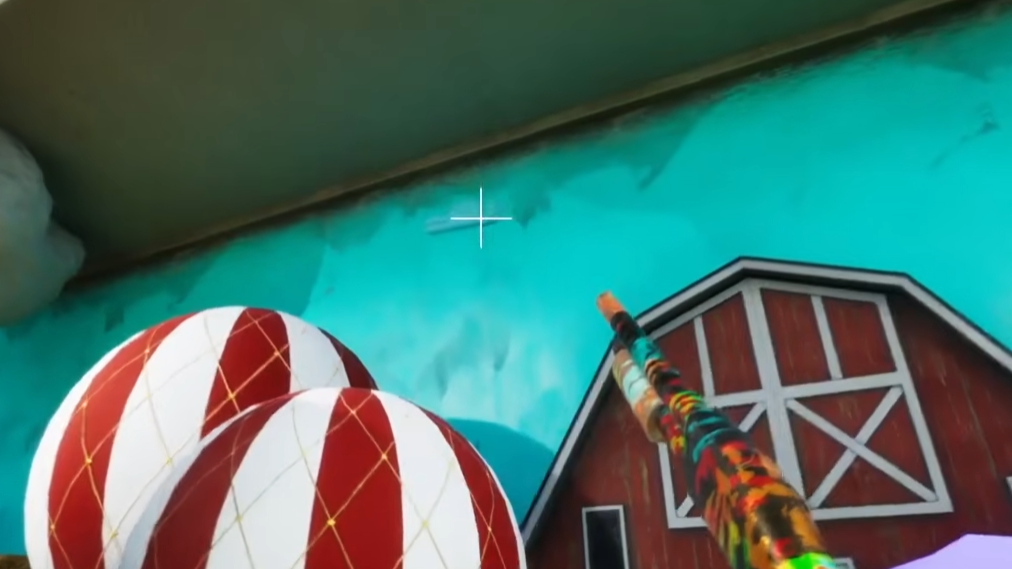
As a Hunter, the game hands you a gun and your job is straightforward. Aim at anything you suspect is a Hider and shoot it. If you are right, they are eliminated. Hunters can also climb walls and surfaces in the same way Hiders can, but you do not attach to them the way Hiders do.
One thing worth knowing is that your FOV as a Hunter is significantly wider than what Hiders see. This makes the environment feel more expansive but also means Hiders appear smaller on your screen, which can make them harder to spot at a glance.
One critical thing to keep in mind is that every missed shot costs you health. Blindly testing objects one after another will drain your health rapidly and can leave you severely weakened or even dead before you find everyone.
This mechanic forces you to be deliberate with your shots. Only shoot when you are reasonably confident something is a Hider rather than spraying at every suspicious looking object in the room.
That said, the majority of Hiders in public lobbies do not put much effort into their disguise. A careful sweep of each room will reveal most of them without too much trouble. Occasionally you will come across a genuinely skilled Hider who blends in so well that nobody finds them until the very end of the round.
Those encounters are rare but they are a good reminder of how effective a well executed disguise can actually be. Beyond shooting and searching there is not much more complexity to the Hunter role. It comes down to patience, careful observation and not rushing your scans.
Wrapping Up
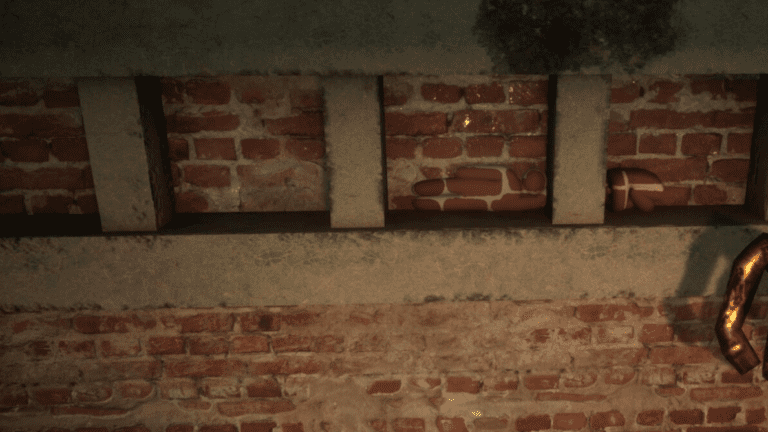
That covers everything you need to know to get started in Meccha Chameleon. The game rewards patience and attention to detail above everything else. Use the Eyedropper, pick a pose that breaks your silhouette, and stay completely still once the hunt begins. Get those habits down early and you will be surviving rounds that most new players do not make it through.
Once you have the basics down, check out my guide on the best hiding spots for every map to start pulling off disguises that even experienced Hunters will walk straight past.

Found another tip?
Share your extra strategy, correction, or question below. Helpful comments can make this guide better for everyone.