 3 articles
In the world of WRC, you can build the rally car of your dreams and experience the excitement of the FIA World Rally Championship. To fully immerse yourself in this thrilling game, optimizing your Thrustmaster T300 RS force feedback settings is essential. Follow this guide to get the best force feedback experience.
Thrustmaster T300 RS Force Feedback Settings

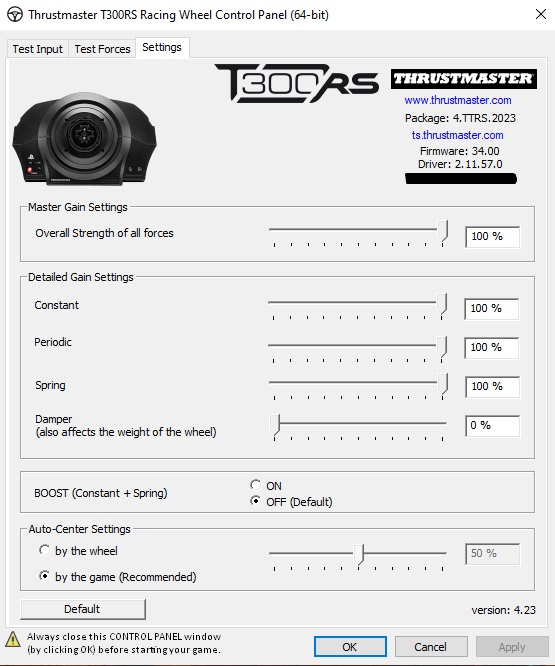
In-Game Settings
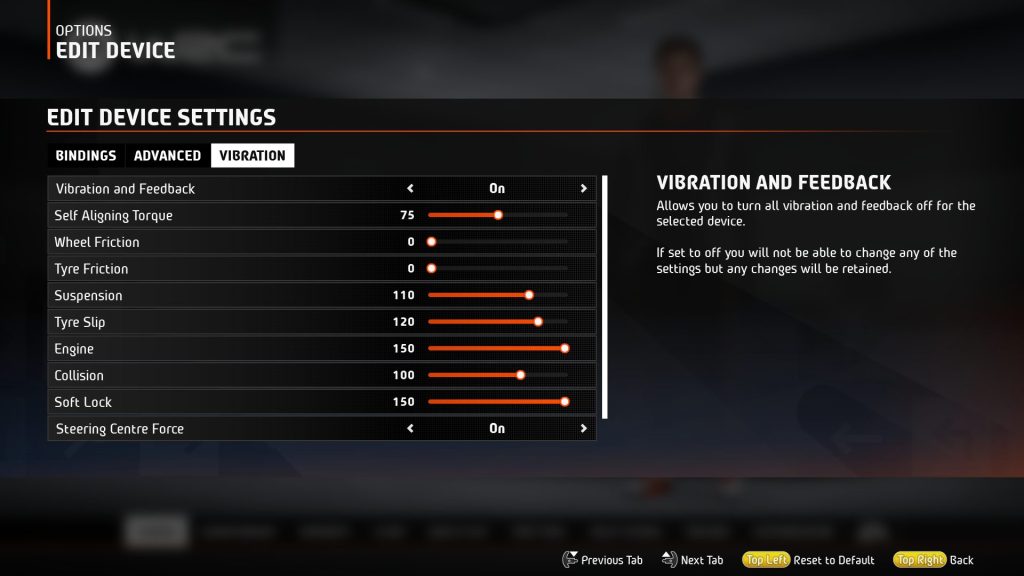
Self-aligning torque: This setting determines the level of resistance you encounter while navigating corners and regaining control of the car’s rear. If it feels too intense, consider reducing it by 5 to 10 points.
Suspension: This setting impacts the force feedback (FFB) you experience both on and off the track. If it feels excessively strong, you may want to try reducing it to 100.
Tire Slip: This setting regulates the intensity of vibrations when your driving wheels lose traction.
 WRC: Best Logitech G932 Force Feedback SettingsJan 23, 2026
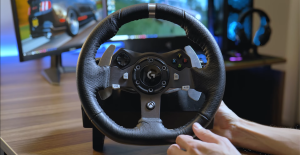 WRC: Best Logitech G920/G29/G923 Force Feedback SettingsJan 20, 2026
Engine: The Engine setting exclusively influences the vibration feedback when your engine hits the rev limiter, primarily during acceleration.
Collision: Currently, the Collision setting does not appear to have any noticeable effect (possibly a bug).
Soft lock: Soft lock simulates the resistance you encounter at maximum steering angles, enhancing the realism of your steering experience.
ALSO READ: Radiant Silvergun: All Merry Dog Locations | Top Breeder Achievement