

 40 articles
Skate 4 has Cross-Play enabled by default, allowing you to party up and play with friends cross platform. It sure is a nice feature to have, because it always sucks when your gaming group has different platforms and can’t play together. That said, you do still need to figure out how to actually invite your friends to take advantage of Cross-Play! That’s exactly what we’ll explain in this guide.
How to Invite Cross Platform Friends & Party Up | Skate 4
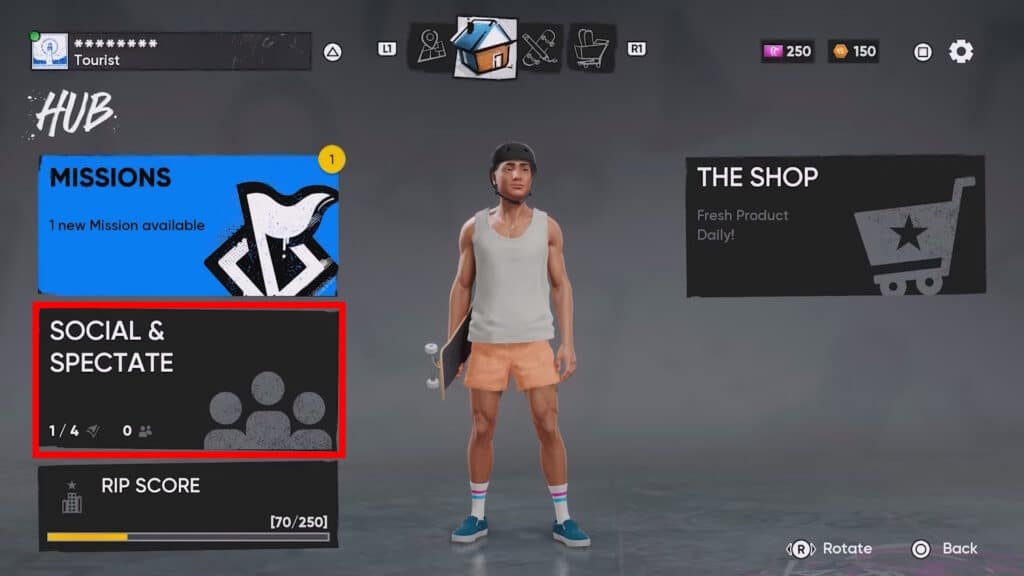
To invite your friends to play across different platforms, start by opening the Social & Spectate menu in the Hub. You can find that by just opening the pause menu.

Then, in the Social & Spectate menu you just need to use L1/R1 (PlayStation) or LB/RB (Xbox) to switch over to the Search tab. In there, just type your friend’s username to find them. This can be either their platform-specific username or their EA ID, both seem to work. That said, we recommend using the EA ID ideally, since it’s platform-agnostic.
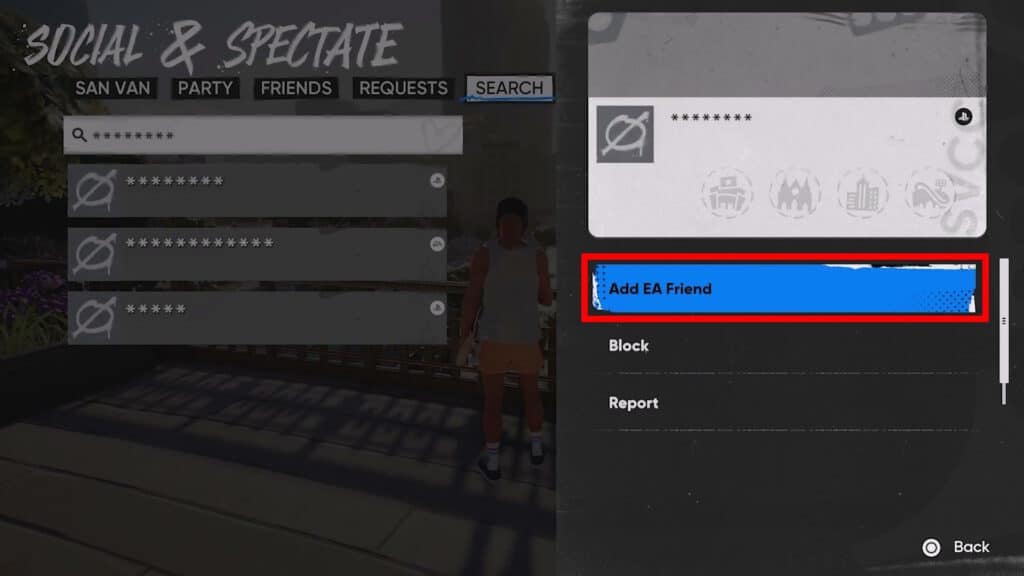
Once you’ve found your friend, just select them and choose Add EA Friend. They can then accept your request from the Requests tab in Social & Spectate.
 Skate 4: How to Get Tix & Level Up Skate PassOct 22, 2025
 How to Fly in Skate 4 (Glitch)Sep 30, 2025
 Skate 4 – Backwash Goals GuideSep 26, 2025
After that, you just need to find your friend in the Friends tab of Social & Spectate. Select them in that tab and choose Invite to Party. Wait for them to accept and you’re all done! You’ll be put in the same party together, allowing you to play together.
This can even help you and your friends progress by completing co-op Goals. These count towards the requirements to unlock zones!
Error: Cross-Play Disabled
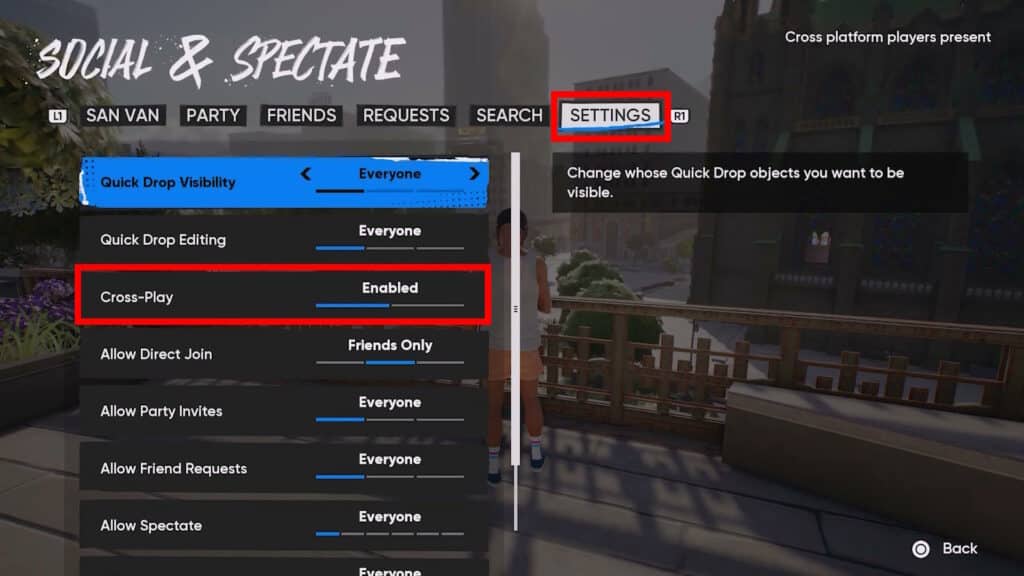
If you happen to get an error telling you that Cross-Play is disabled, make sure that it’s enabled. You can find it under the Settings tab in Social & Spectate. It should just say Cross-Play Enabled, as shown in the screenshot above.
If you still get an error despite the setting being enabled for you and your friends, it’s likely out of your control. Some players report that they get this error even when everything is set up properly, meaning it’s likely another one of the game’s bugs. There’s also some speculation that this is an error due to the game’s servers or that EA simply disabled Cross-Play temporarily.
Either way, there’s not much to do if you do get this error, sadly. You’ll just need to wait it out and try again later. We know it’s a bummer, but these kinds of errors are bound to happen for Early Access games… though we do hope it gets solved shortly!
Nonetheless, at least now you know all you need to know to invite your cross-platform friends and party up in Skate 4. We hope you can manage to get a nice skating session with your pals!