 40 articles
As is no surprise for an early access game, Skate 4 has many bugs and glitches, with the fly glitch being the most useful. This glitch allows you to launch your character up into the sky almost anytime you want! It allows you to get wherever you want faster, too. Especially if you didn’t want to climb up the skyscrapers in San Van. Read on, we’ll tell you how to use this glitch!
How To Do The Fly Glitch | Skate 4
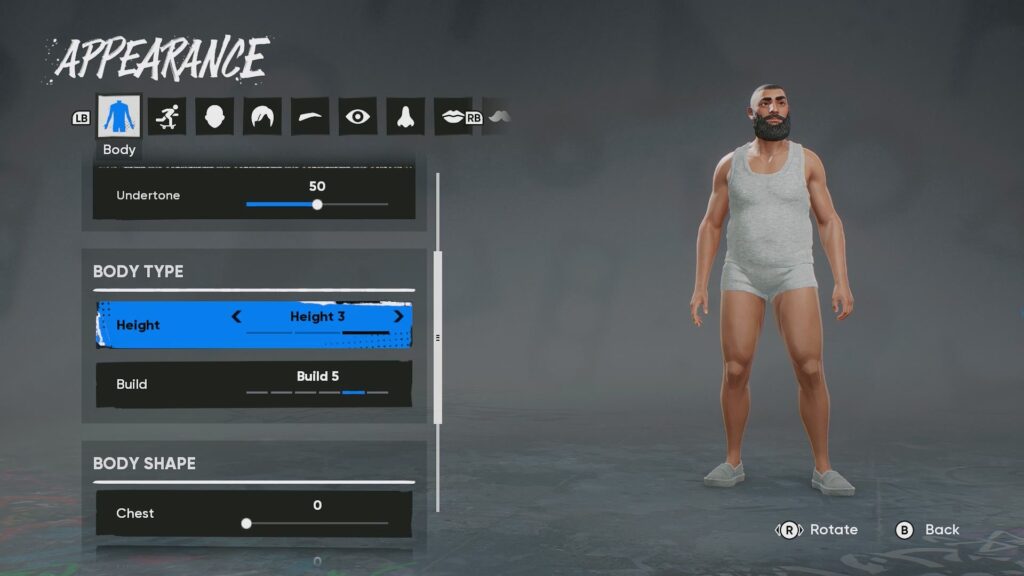
Before we start, you should first pause the game and go into the Appearance settings for your character. You need to make sure that your character is at Height 3. Otherwise, the glitch will not trigger at all! It’s exclusively for tall people, it seems…
Now, how to do the glitch proper. You’ll need to follow these steps:
- Get off your board.
- While off your board, get back on your board by pressing Triangle (PlayStation) or Y (Xbox).
- As your character gets back on the board, slowly move the right analog stick down. It’s more or less the same motion as doing a manual. However, you also need to ensure that the right stick is all the way down by the time the skateboard is fully on the ground. This is the trickiest part of the glitch, as the timing can take some getting used to.
- If you did the previous step right, your character will now be stuck in a T-pose while on their board.
- Next, press L1 + D-Pad (PlayStation) or LB + D-Pad (Xbox) to do an emote. Any emote works for this, there’s no specific requirement. This will launch your character up into the sky!
- After your character shoots up, try doing other emotes or just waiting until the camera re-centers back on them.
- When you can see your character again, hold Up on the D-Pad and hold it to create a session marker.
- Then, press Up on the D-Pad to go back to the midair session marker you just placed.
- You can now freely fly down to the city by using the Spread Eagle (R1 + X on PlayStation, RB + A on Xbox) to slow down and the Torpedo (R1 + Circle on PlayStation, RB + B on Xbox) to speed up.
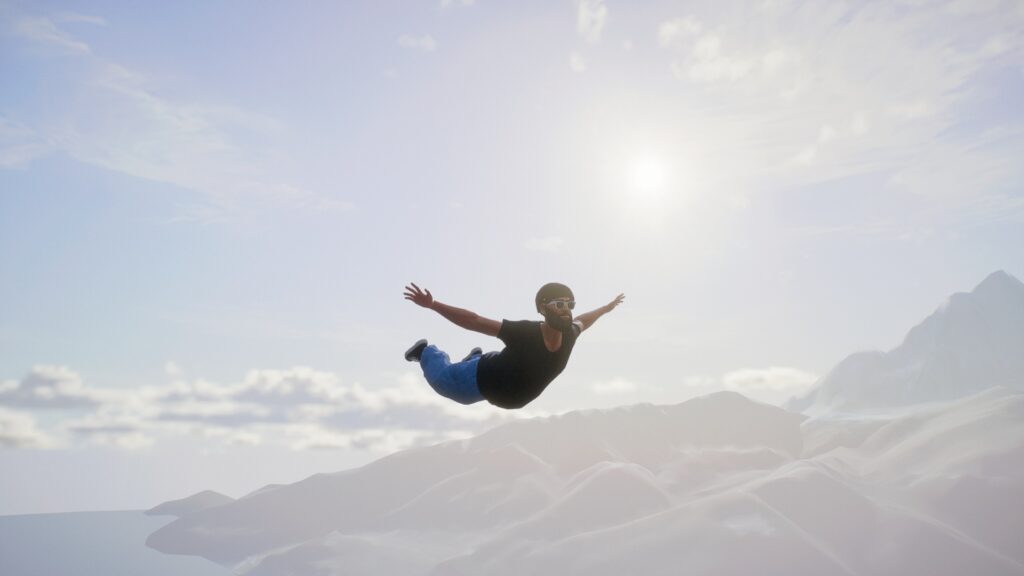
Do note, sometimes this glitch can launch you extremely high. In that case, it’ll take a while for your character to fall back to San Van… so, we recommend just returning to a session marker from before attempting the glitch. Alternatively, reload the game. Either way, it’s just faster to try again than to freefall!
 Skate 4: How to Get Tix & Level Up Skate PassOct 22, 2025
 Skate 4 – Backwash Goals GuideSep 26, 2025
 Skate 4 – How to Inward HeelflipSep 26, 2025
Nonetheless, that’s all there is to it! Now you know how to do the extremely silly fly glitch in Skate 4. This is still working as of this writing (version 0.27.7), so enjoy it while it lasts!