 110 articles
You can quickly use the Town Portal spell in Path of Exile 2 by clicking on its designated button when playing with a keyboard and mouse on PC, but it requires a bit more work when using a controller or playing on a console.
This is actually explained normally during the tutorial. However, the game doesn’t give you the tutorial if you didn’t start with a controller or console from the get-go. It never explains how to use the Town Portal if you first play on PC with keyboard and mouse and then switch to controller, for example. Plus, it’s a bit unintuitive…
Fret not, though, our quick guide will tell you everything you need to know to use the Town Portal while playing with a controller!
How to Portal to Town on Controller or Console | Path of Exile 2
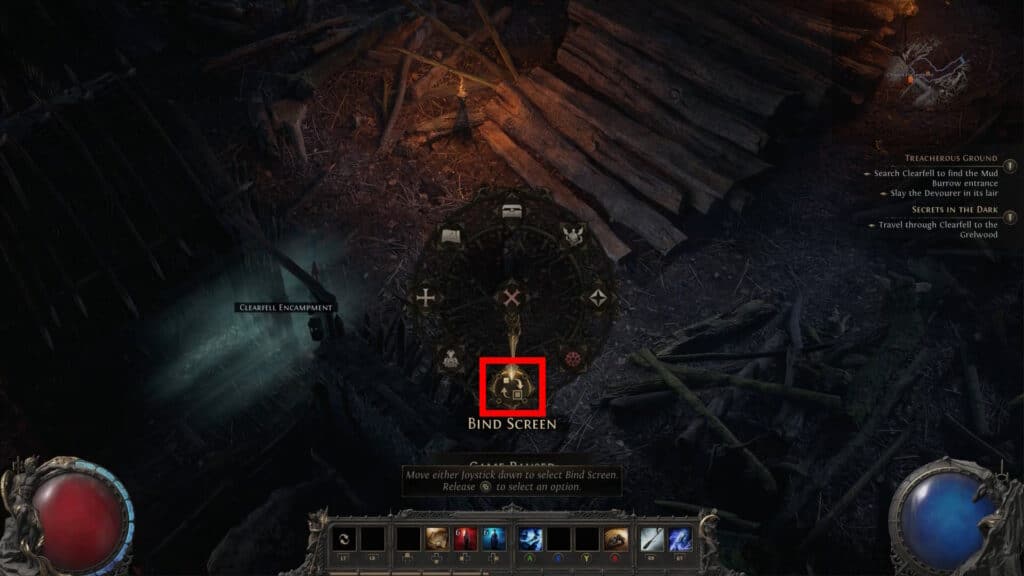
To be able to use the Portal to Town in Path of Exile 2 on a console or controller, you must first bind it to one of your skills. To start, hold down the View Button (Xbox) or the Touchpad (PlayStation DualSense) to bring up the Radial Menu.
 Path of Exile 2: In-Depth Breach GuideJun 4, 2026
 Path of Exile 2: Crafting Explained After Patch 0.5Jun 4, 2026
 How to Get More Divines in Path of Exile Return of the AncientsJun 4, 2026
If you have another controller brand or style, you have to press whatever the equivalent button is on your controller. It can be many things, such as Select or Back, depending on what your controller is.
With the Radial Menu open, use either joystick on your controller and move it down to select the Bind Screen. Then release the button you’re holding to open the Radial Menu.
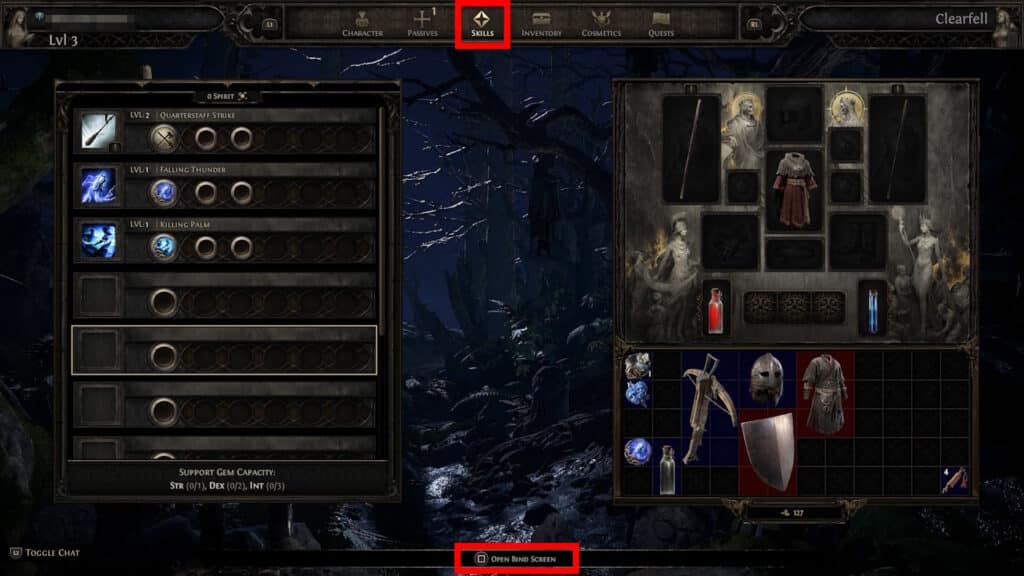
Alternatively, you can also bring up the Bind Screen by pressing X (Xbox) or Square (PlayStation) while looking at the Skills Tab in the Character Menu. That’s slower than the Radial Menu, though!
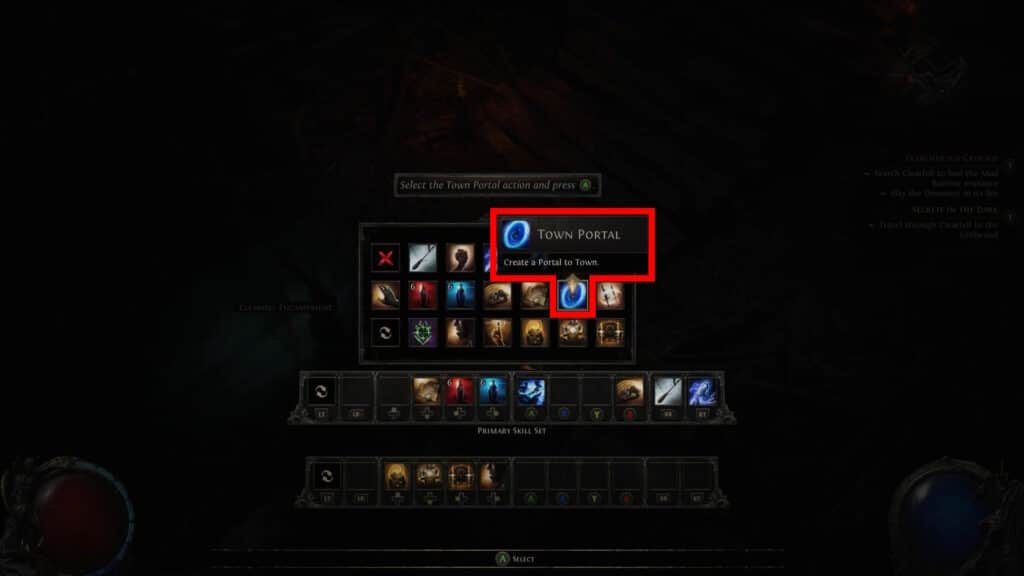
Either way, select any empty skill slot you want and press X (Xbox) or Square (PlayStation) to bring up the list of bindable skills. Lastly, simply select the Town Portal to bind it. It’s the black and blue vortex icon.

Now, just press whichever button you bound the Town Portal to and you’ll cast it!
So, there you have it, that’s how to use the portal to town when playing Path of Exile 2 with a controller or on a console! You can now quickly use it whenever you wish to return to town. Knowing how to use this feature is crucial, especially if you decide to play the game in couch co-op. That mode forces both players to use a controller, even on the PC version of the game!