 19 articles
Battlefield 6 has full Crossplay support, which means you can add your friends who play on other systems. You’re on PC while your friends play on PlayStation? No problem! Just add them using the platform-agnostic EA Connect ID and you can play together. It’s as simple as that! Navigating the game’s menus can be a bit cumbersome, though… so read on, we’ll tell you exactly how to use this feature.
How To Add Crossplay Friends | Battlefield 6
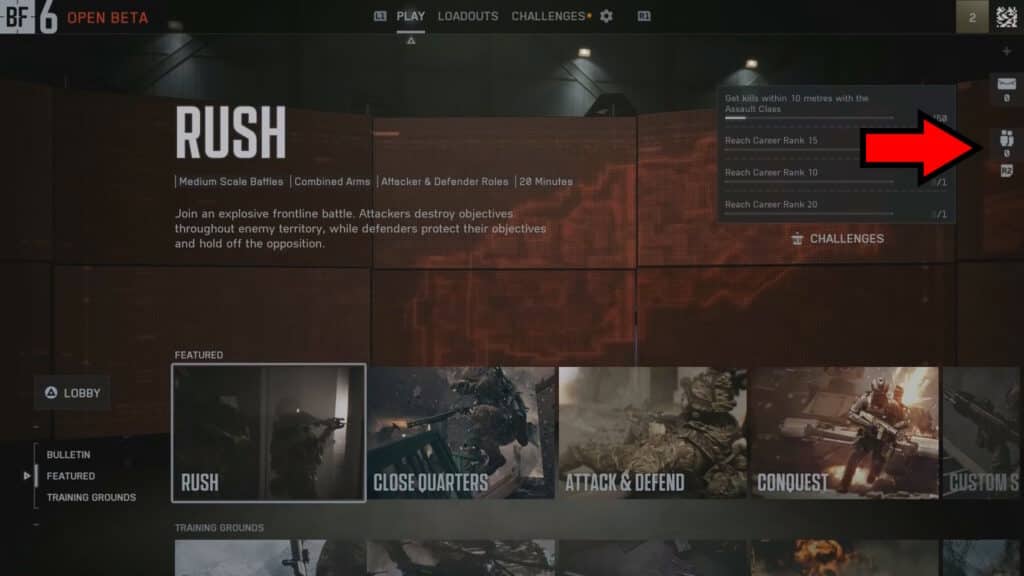
The first thing you need to do here is to open the EA Connect menu inside the game’s Main Menu. It’s on the rightmost side of the screen, represented by an icon of a pair of people. If you’re on PC, you just need to click on it. For controller users, you’ll need to press R2 (PlayStation) or RT (Xbox).
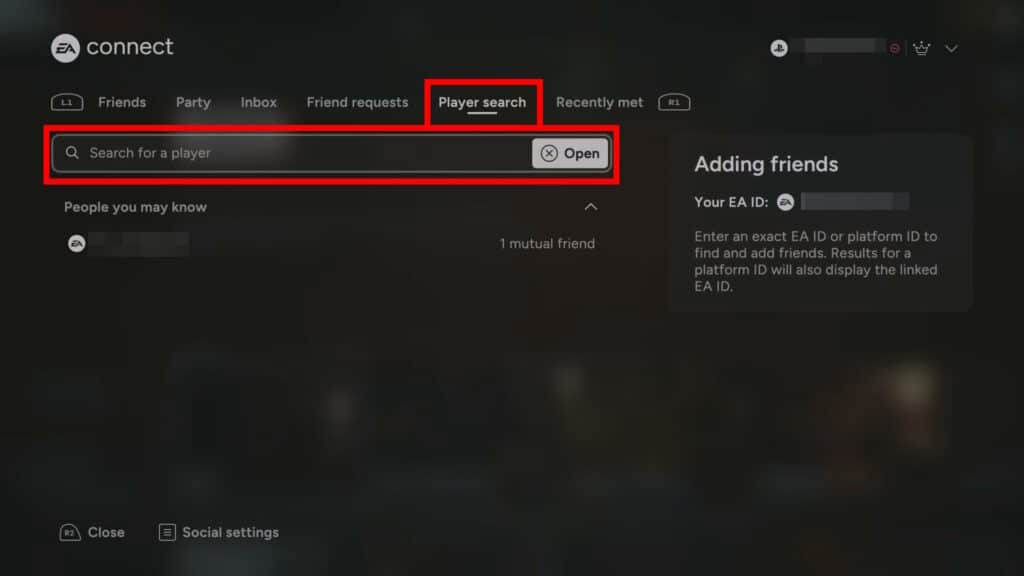
Next, navigate to the Player Search tab within the EA Connect menu. In there, you’ll need to type your friend’s name into the search bar. Use their EA ID here preferably, though platform-specific usernames should also work.
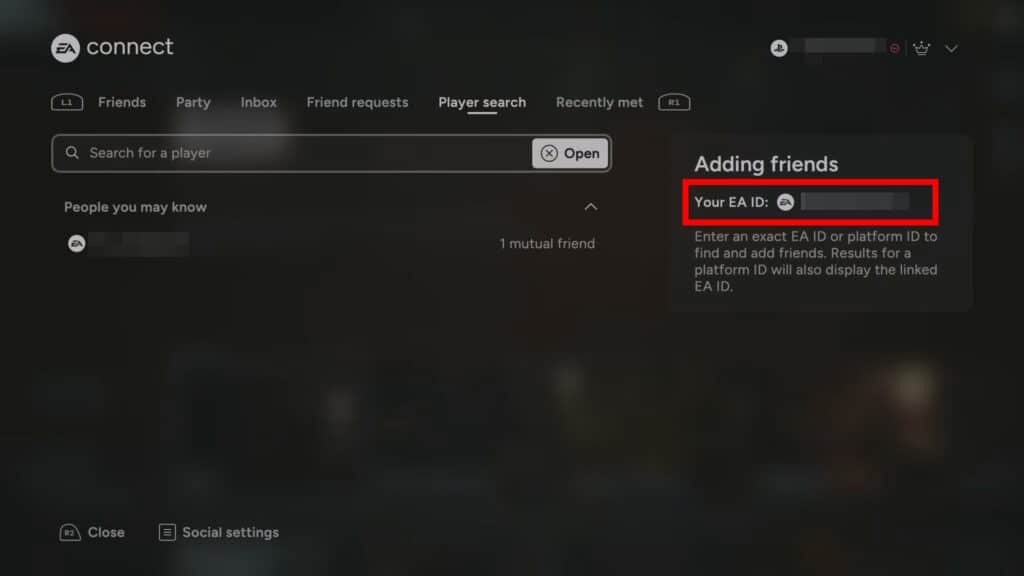
If they don’t remember their EA ID, they can check it on the right-hand side of this very same menu, as shown above. Tell them where it is, if need be.
 Battlefield 6 No Longer Counts Bot Kills Toward Your Kill-Death Ratio Following a Recent UpdateNov 19, 2025
 Battlefield 6: Best Attachments to Use And What Do They DoNov 18, 2025
 Battlefield 6 Players Found a Secret Room in the Shooting Range, Prompting a Handful of TheoriesOct 31, 2025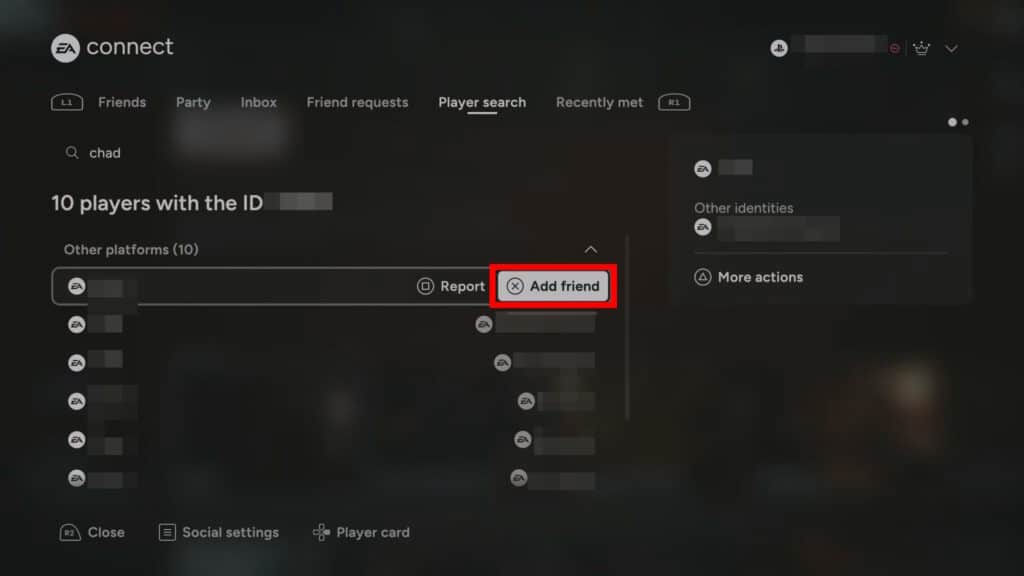
When you find your friend in the search, you just need to hover over their name and click on “Add Friend”. For controller users, you’ll need to select their name with the d-pad and then press X (PlayStation) or A (Xbox). This will send a friend request to them, which they just need to accept. And they will accept, if they’re your real friends!
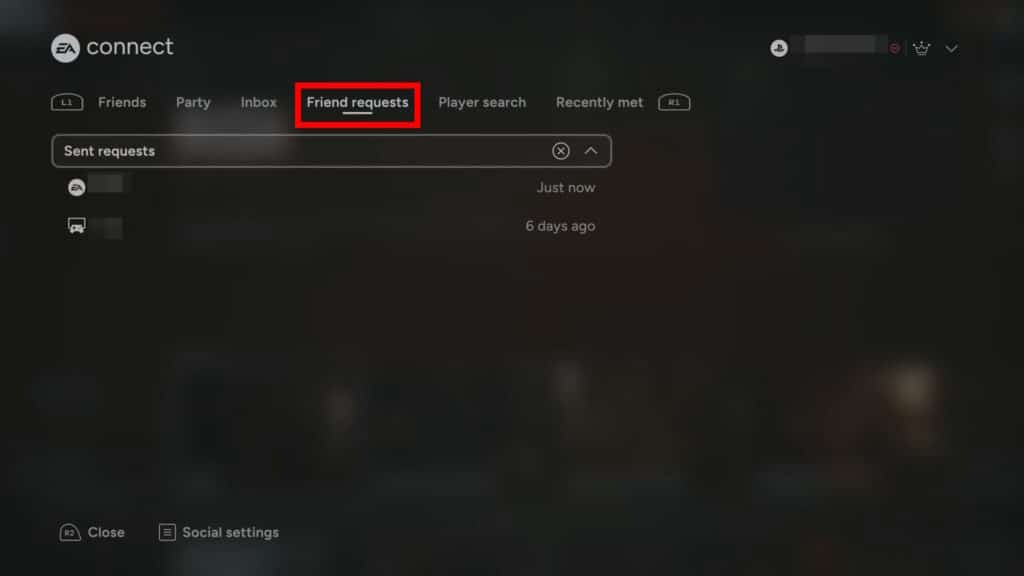
On that note, remember that Friend Requests you send or receive will appear under the aptly-named Friend Requests tab of the EA Connect menu. You can accept, reject, or cancel them from that tab.
That’s pretty much all you need to do to add friends via Crossplay in Battlefield 6! While you’re at it, you should also remember to enable Crossplay to make the most out of it. If you need help with that, check out our guide on how to enable Crossplay.