


 167 articles
Base building has always been one of the main strengths of Palworld. However, with the release of Palworld 1.0, there’s far more to the game’s base building mechanic than meets the eye.
In the game’s current version, building pieces have been expanded, automation is much more reliable, and certain layouts can significantly increase the productivity of your worker Pals. Needless to say, you can make your base layout way more optimized than before.
But to achieve that, you need to learn some strategies for building your base properly. Here are some tips you might want to consider.
Remove the Structure Limit Before Building a Large Base
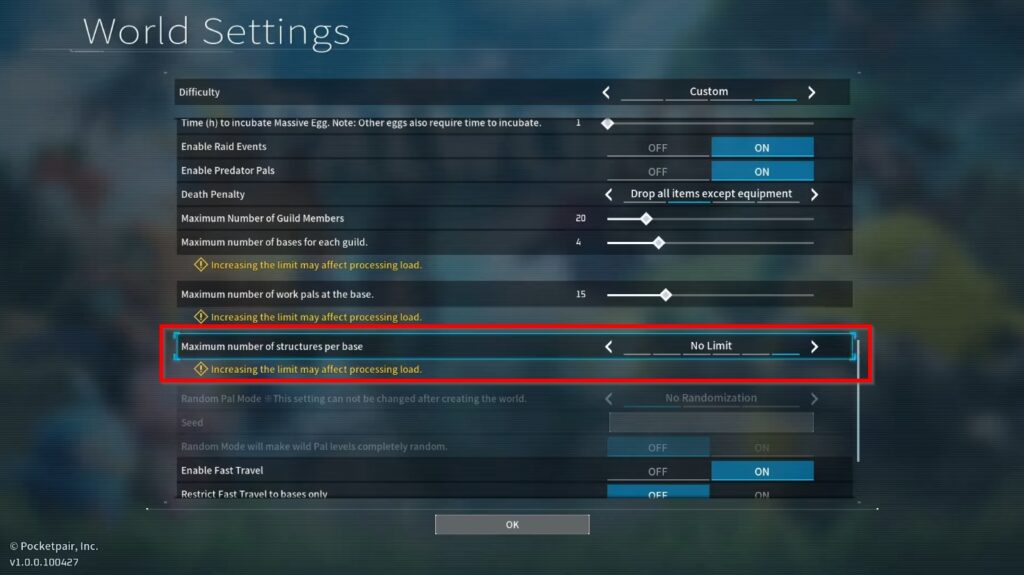
Before you get started, you want to adjust a key setting first. I’m referring to the game’s structure limit.
 Best Ancient Ruins to Complete First in Palworld 1.0Jul 15, 2026
 How to Farm Giant Pal Souls in Palworld 1.0Jul 15, 2026
 Palworld 1.0: Best Ways to Farm Every ResourceJul 15, 2026
By default, the game will set your structure limit to 500, which is actually enough for smaller bases. However, if you’re planning to build a large one in the first place, you have to adjust it via the settings.
To do this, head to the main menu and go to the World Select section. There, choose your world and click on Change World Settings. After that, look for the Custom Settings in the Custom Difficulty section.
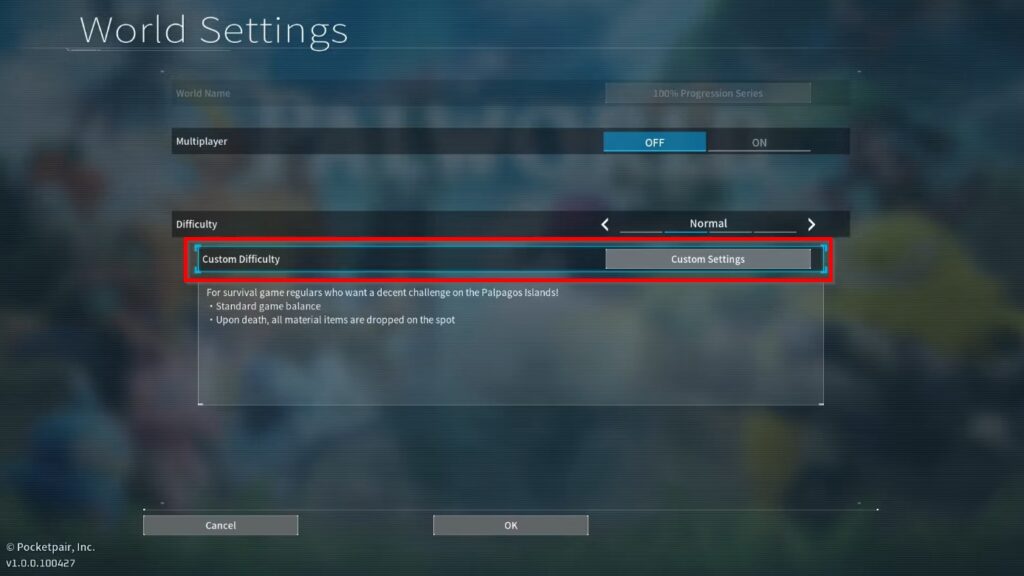
From there, scroll down and look for the “Maximum number of structures per base” option then change it to No Limit.
With this, you can add pretty much any number of structures that you want in your base. However, keep in mind that it may affect the overall performance of your game, especially if you start adding way too many.
Unlock the Japanese Floor Cushion as Soon as Possible
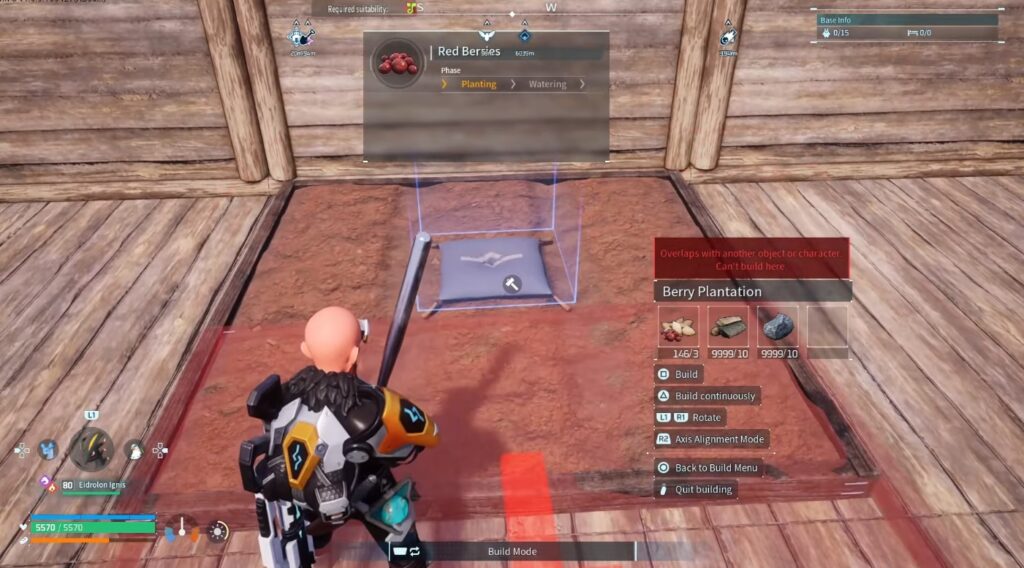
One of the biggest discoveries for advanced builders in Palworld is the fact that you can use the Japanese Floor Cushion to stack structures so they can sit on top of each other.
It’s for this reason why I recommend unlocking it as soon as you can.
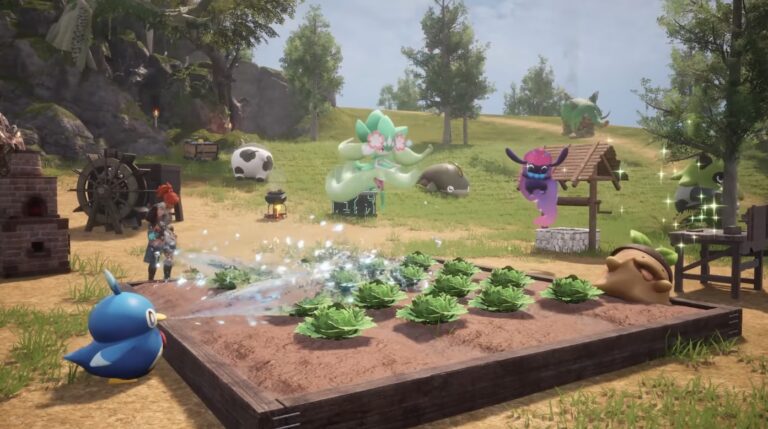
This trick is primarily used for plantations. As soon as you unlock the Japanese-style furniture set at Level 55, place a plantation, position a floor cushion near its center, then use Alignment Mode to snap another plantation above it instead of directly onto the previous one.
This effectively doubles, or sometimes even triples, your farming output without increasing your base’s footprint.
However, while the game technically allows taller stacks, you don’t want to stack it higher than four. Going beyond that will cause your Pals to get stuck instead.
Build at the Edge of Your Base Radius
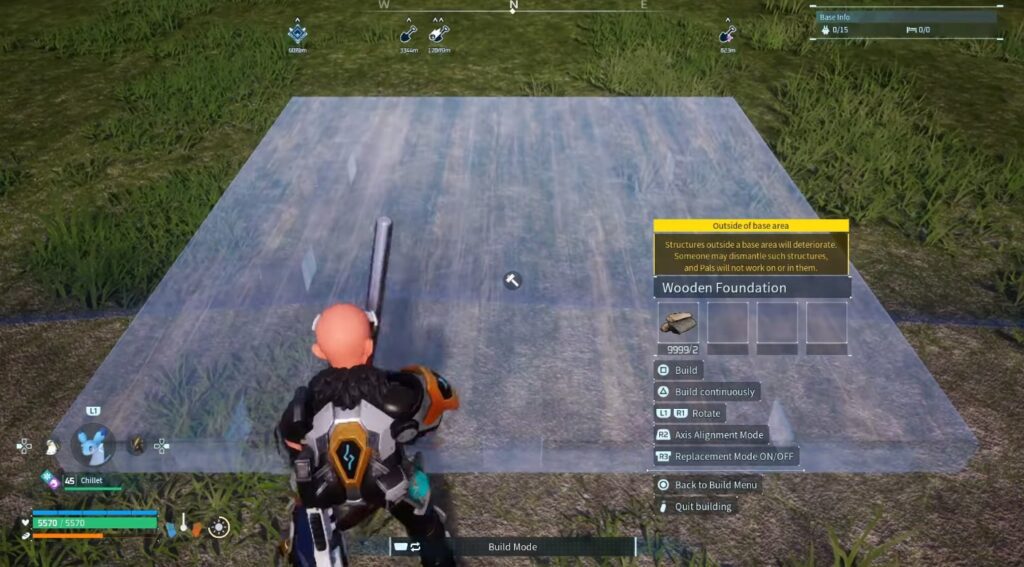
Most players waste a surprising amount of building space without even knowing, and chances are, you might be one of them too.
It’s worth noting that Palworld doesn’t require an entire structure to remain inside your base radius. Instead, a structure is considered part of the base as long as more than half of it remains inside the blue boundary.
This means you can place oversized buildings like the Pal Expedition Station or Breeding Farm beyond the visible border and they will still function normally. Doing so gives you more room for production buildings and storage inside your main working area.
However, be a little more conservative with Ranches, as resources dropped too far outside the boundary can’t be collected by your Pals.
Use Alignment Mode Whenever Possible
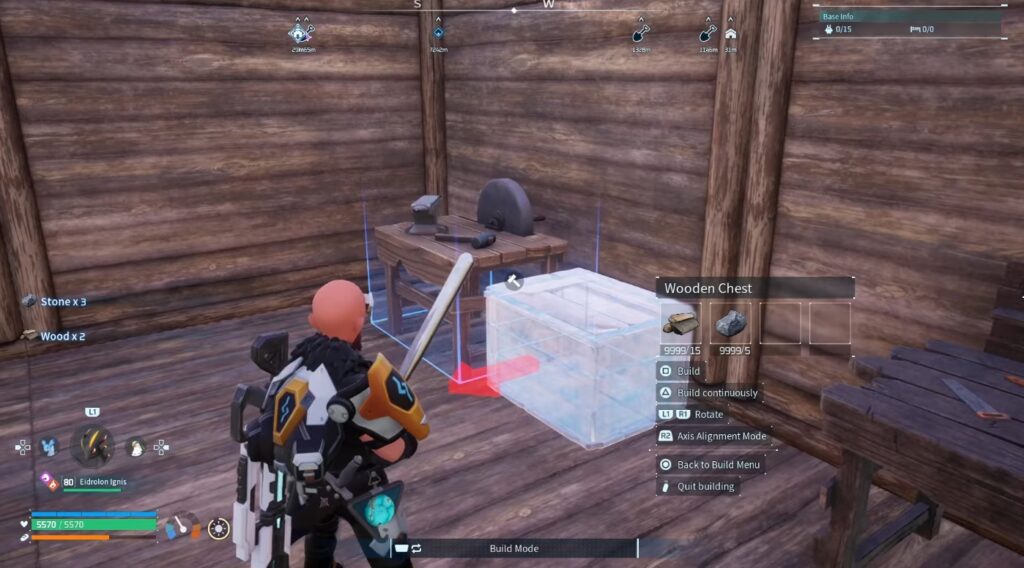
Alignment Mode is easily one of the most valuable additions that you can use to optimize your base building efforts.
A lot of players only use it for snapping walls together, though it has far more applications than that. With the Alignment Mode, you can perfectly align plantations, place stairs into uneven terrain, snap storage against walls, and more.
When you place workstations, make sure to pay close attention to the placement arrow. Most production buildings work best when the arrow faces toward the center of your base rather than toward a wall or the outside perimeter.
Keep in mind that incorrect orientation can force Pals into awkward routes or prevent them from reaching the station altogether.
Design Around a Circular Foundation
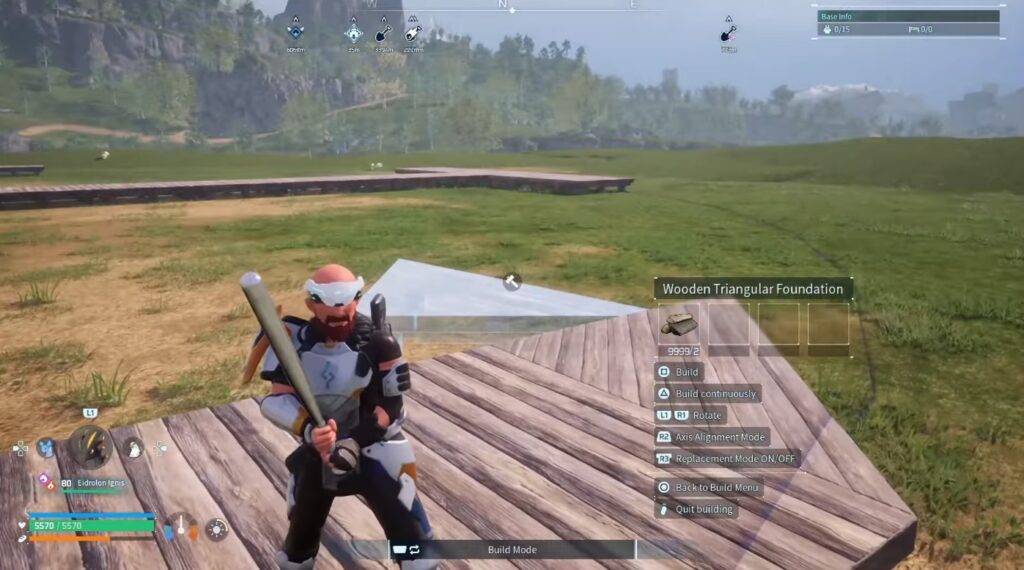
The building area for your base will always be a circle, and you can use that to your advantage by actually designing around a circular foundation.
Decide the area where you’re going to build your base, then place a single foundation. Afterward, place a Palbox at the top via the Alignment Mode, but don’t proceed to build it. Instead, use it to check the edges of the building area before you commit to it.
Then, remove the Palbox and build a 3×3 foundation from the first foundation you placed. Snap the Palbox back again into the middle.
Next, you then want to extend each middle side of the 3×3 foundation all the way to the edge of the building area. Connect the edges that you just built by using a combination of normal and triangular foundations until you achieve a nearly perfect circular foundation.
This foundation will allow you to use almost all buildable tiles inside your base radius. It also minimizes any awkward corners that might be present in a traditional square layout.
Get Rid of Raids Completely by Using Walls
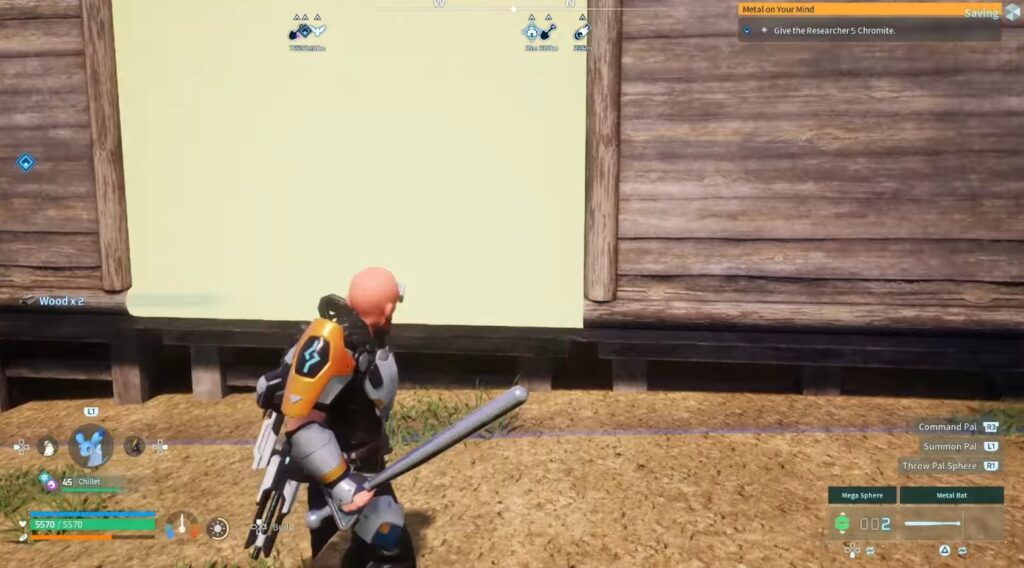
Base raids are one of the events that can happen around your base. It’s one where a group of humans or hostile Pals attack your base with the goal of damaging your structures.
That said, raids can happen at any given time, though they have a higher tendency to occur when you’re at your base. However, there’s one way to get rid of it completely if you dislike the mechanic.
All you have to do is surround your base with walls, leaving no opening behind. Though take note that this will also prevent event NPCs from visiting your base.
If you want to restore raids, simply open up one side of your base or place a passage entrance. Either works.
Separate Automation from Manual Work
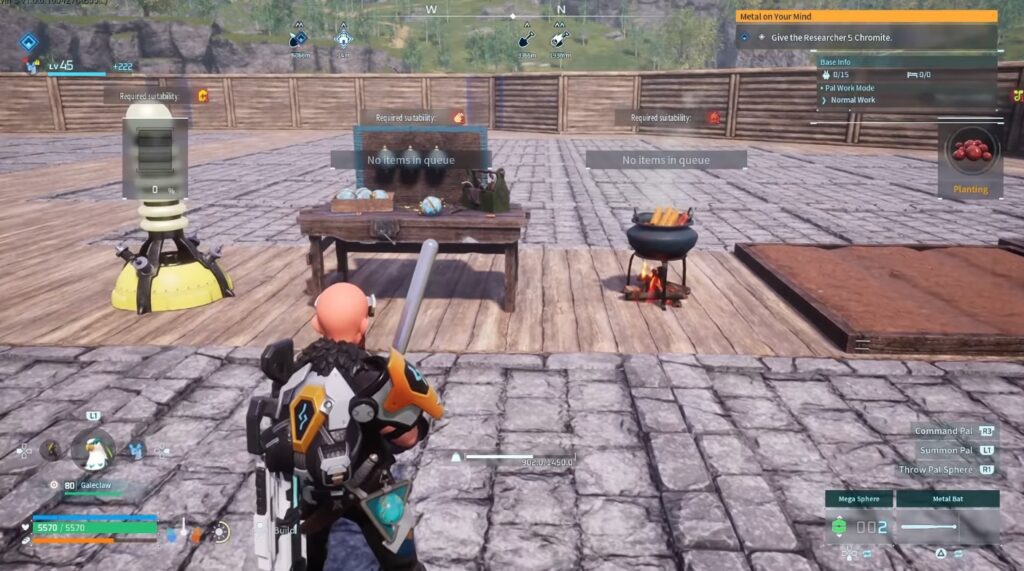
Workstations are categorized into automated and manual. Automated stations such as Mining Sites and Electricity Generators can continue running without any player interaction.
Meanwhile, manual stations are those that only become active when you queue a task. Some good examples include Workbenches and cooking stations.
Due to this, you want to group your automated stations closely together. This allows your worker Pals to move immediately from one task to another without crossing the entire base.
On the other hand, you want to position your manual stations farther away since Pals only visit them when work has been assigned.
Final Thoughts
You might not realize it yet, but building an efficient base in Palworld 1.0 is actually all about making life easier for your Pals. A well-planned layout with organized production areas and enough room for movement will keep everything running smoothly.
You can then combine these ideas with advanced techniques like stacked plantations and better use of your build radius, and you’ll have a base that’s easier to manage and far more productive as you progress through the game.
Hope these tips will help you become a better base builder!



Found another tip?
Share your extra strategy, correction, or question below. Helpful comments can make this guide better for everyone.