 14 articles
In Cash Cleaner Simulator, you help shady individuals launder money, and in most cases, you do this in the most literal sense possible. In case you have forgotten or cannot seem to figure out how it works to begin with, here is a quick guide on how you are supposed to handle dirty money in the game!
How to Clean Dirty Money in Cash Cleaner Simulator
In order to clean dirty money, which is pretty much the whole namesake of the game, you will first need a washing machine. You can get this from the black market or as a reward from one of the yellow quests. Either way, set it up and be ready to pick up a lot of dirty cash at once.
While holding up a pile of dirty cash, simply walk up to the washing machine and then drop them in. There should be a green highlight in the machine indicating that you are inserting stuff in it.
Once all of the cash you want to clean is in the machine, close the door and then press the red power button on the upper right corner of the machine. That is all! You just need to wait for it to finish now, and there is a handy timer beside the power button that you can monitor.
 How to Turn On the Broken Switch in Cash Cleaner SimulatorMay 13, 2025
 Cash Cleaner Simulator – How to Dry MoneyMay 12, 2025
 How to Get Trash Bags in Cash Cleaner SimulatorMay 12, 2025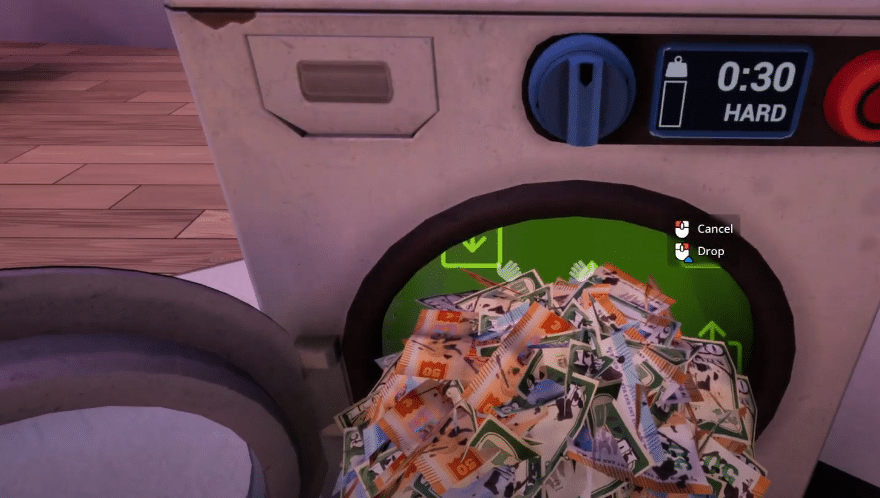
After you clean up the money, you have to dry it up too! Make sure to check out our guide on how to unlock and use the dryer in the game so you can pack and deliver your bundles of cash without any issues.
And that is pretty much all you need to know in order to clean money in the game. It is literally just a cycle of using the washing machine and the dryer, and the whole process takes just around a minute or two!
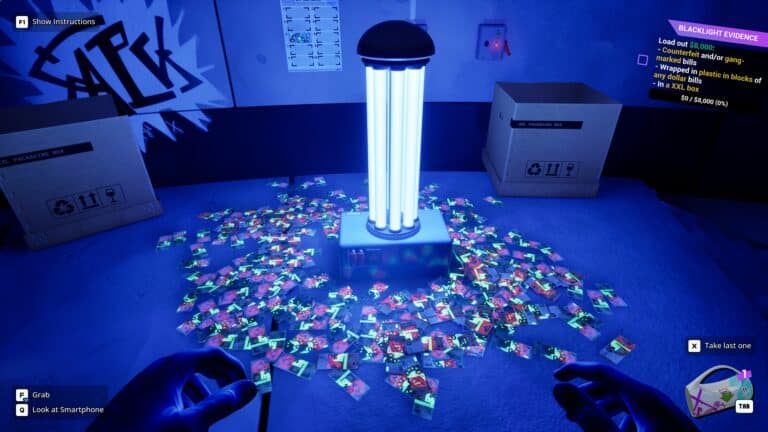
While you are here, go ahead and read our guide on how to use the UV light to spot fake bills in Cash Cleaner Simulator. This will help you ensure that every single thing you are delivering is correct, as the shady people you work for tend to, well, do shady things!