 14 articles
Not all of the bills you get in Cash Cleaner Simulator are the same, as you’ll sometimes even find marked money that comes with various types of markings.
While these markings don’t really denote that a bill is illegal, they definitely aren’t the same as regular, legit bills. Sometimes you need to get or avoid these bills for specific quests! But, how do you even spot these markings in the first place? And what do they mean!?
Read on and we’ll tell you everything you need to know about marked money.
How to Find Marked Money + All Types Explained | Cash Cleaner Simulator
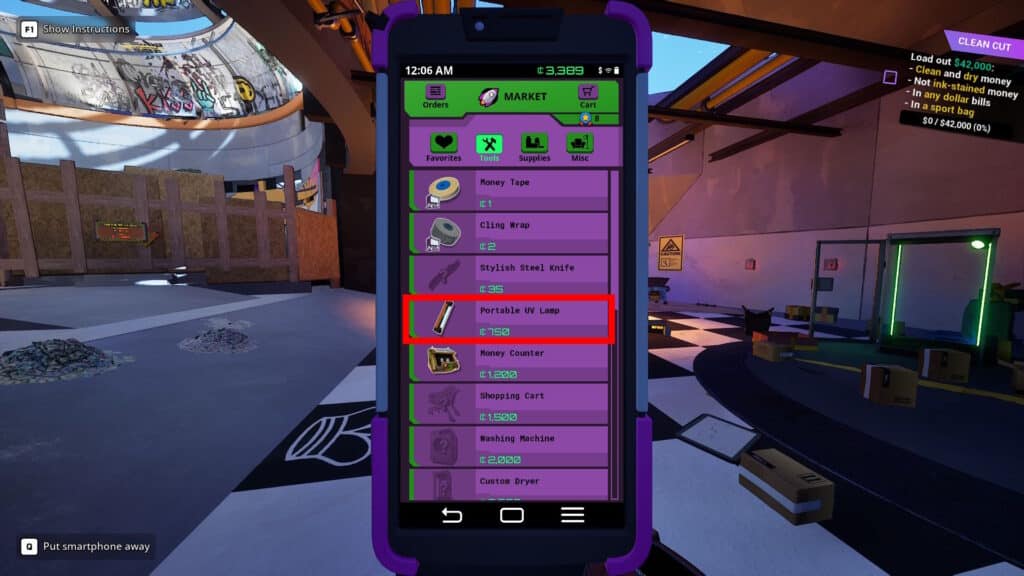
Much like we’ve explained in our guide on how to find fake bills, you’ll need a UV light to spot marked money. If you’re early in the game, the standard Portable UV Lamp is enough. You can get it from the Black Market for 750 Crypto. Better options become available later, however.
 How to Turn On the Broken Switch in Cash Cleaner SimulatorMay 13, 2025
 Cash Cleaner Simulator – How to Dry MoneyMay 12, 2025
 How to Get Trash Bags in Cash Cleaner SimulatorMay 12, 2025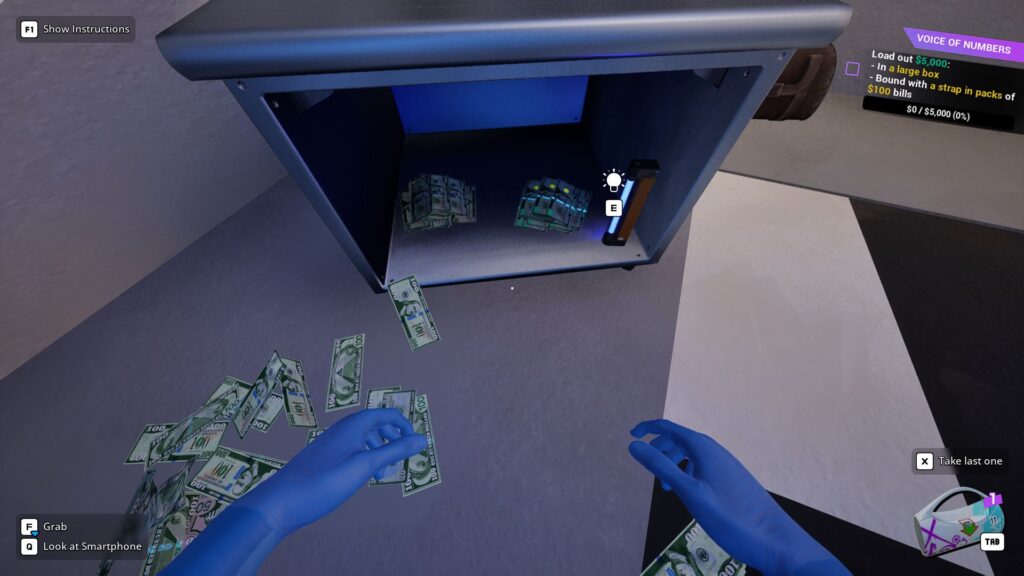
Now, to make the most of the UV light, make sure to use the levers along the walls to turn off the lights. Alternatively, use a Steel Work Table or the Workshop if you have unlocked it already. You need to minimize other sources of light as much as possible, or the red markings will be hard to spot.

With that said, you can use the image above as an example of what to look for. It’s a comparison between legit, fake, and marked bills.

A good trick to try to separate marked bills from other types is to grab stacks of money by holding the left click. Then, just hold the right click and hold the X key while moving your mouse from side to side. This will allow you to “fan” out the stack, which should help you quickly spot marked bills!
It’s worth noting that the advanced versions of the Money Counter do not spot these marked bills. They do separate fake bills, but not marked ones.
All Types of Marks Explained
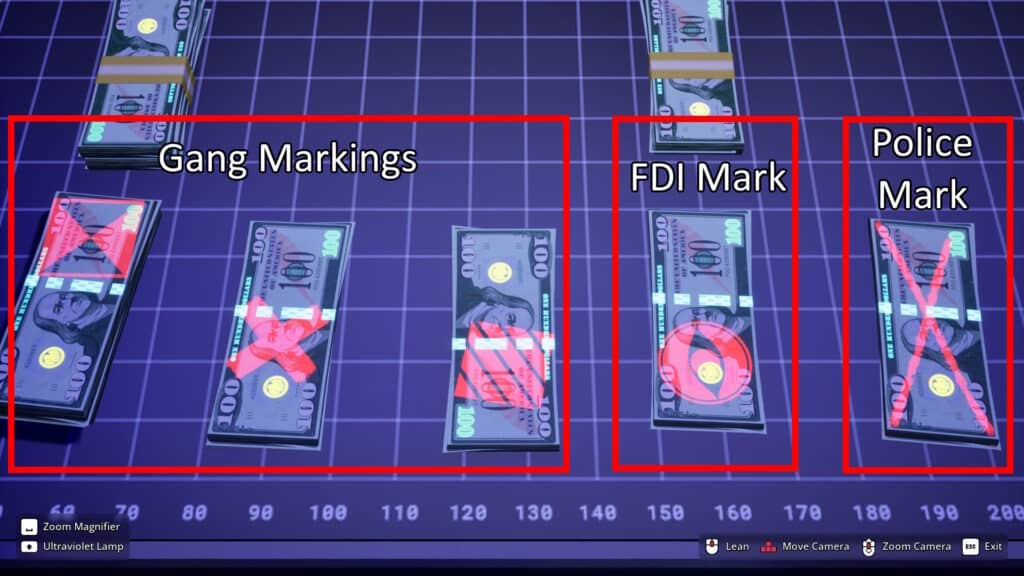
As for the marks themselves, there are three known types, as shown above. This denotes who they belong to, as follows:
- Gang Markings – These appear as things such as a striped square, a square with an hourglass inside, or a thick small cross.
- FDI Markings – A big eye covering about half of the bill.
- Police Markings – A large thin cross that covers the full side of the bill. Make sure not to mix this one up with the small, thick cross for gangs!
Lastly, it’s worth noting that these markings seem to only appear on United States Dollars. Other currencies in the game seem not to have these markings, at least in the current version of the game.
Nonetheless, that’s all you need to know to find marked money and what all the types mean in Cash Cleaner Simulator. Now, all that’s left for you is to carefully go over the thousands of bills you have to check for these markings… at least you know what they mean now, though!