 14 articles
Cleaning money in Cash Cleaner Simulator is extremely literal, which means you’ll also find yourself needing to dry a bunch of wet money often.
No matter how much you just wait, though, money doesn’t get dry automatically in this game. Instead, you’ll need to get a specific machine and use it properly to dry the money. Thankfully, it’s nothing too complicated either, so don’t worry!
Read on and we’ll tell you everything you need to dry those piles of wet money you’ve got lying around.
How to Dry Money | Cash Cleaner Simulator
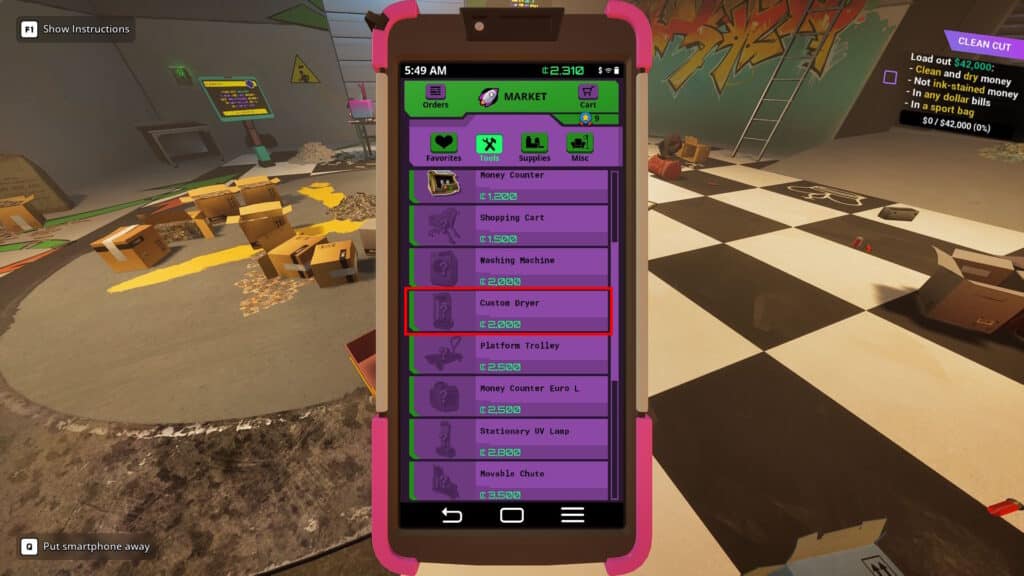
The first thing you’ll need to dry your money is a Custom Dryer. You can get one for free by progressing the main quests in the game, which are marked as yellow on your in-game Quests app. Alternatively, purchase it from the Black Market for 2000 Cryptos.
 How to Turn On the Broken Switch in Cash Cleaner SimulatorMay 13, 2025
 How to Get Trash Bags in Cash Cleaner SimulatorMay 12, 2025
 Cash Cleaner Simulator: How to Find Marked Money + All Types ExplainedMay 12, 2025
Once you get your Custom Dryer, approach it and click on its door to open it.
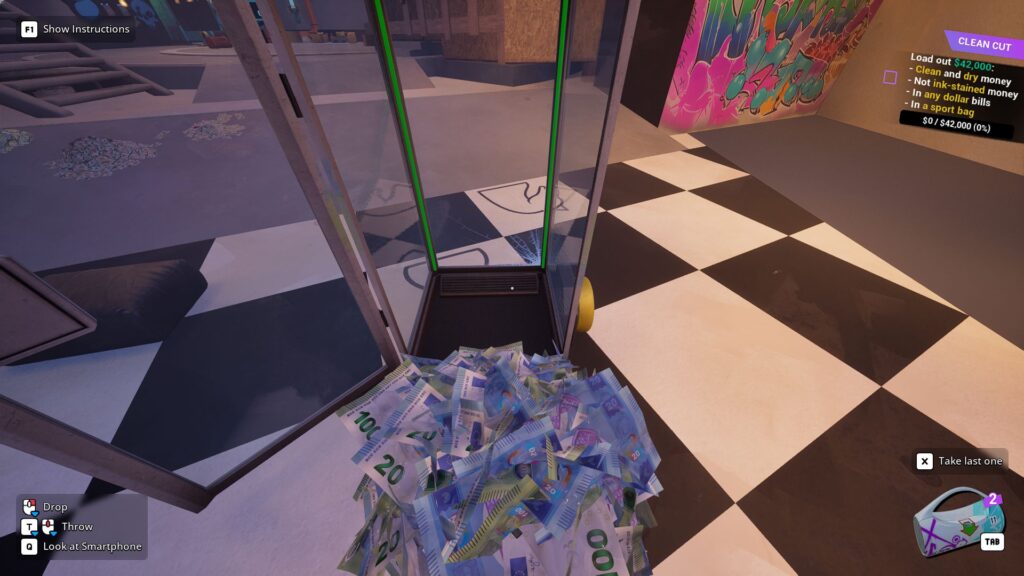
Then, grab the pile of wet money you wish to dry. You can either grab stacks (hold left click) or piles (hold F key and press left click). Whichever you need at the time! Then, just use either middle click or right click to drop the wet money into the Custom Dryer.
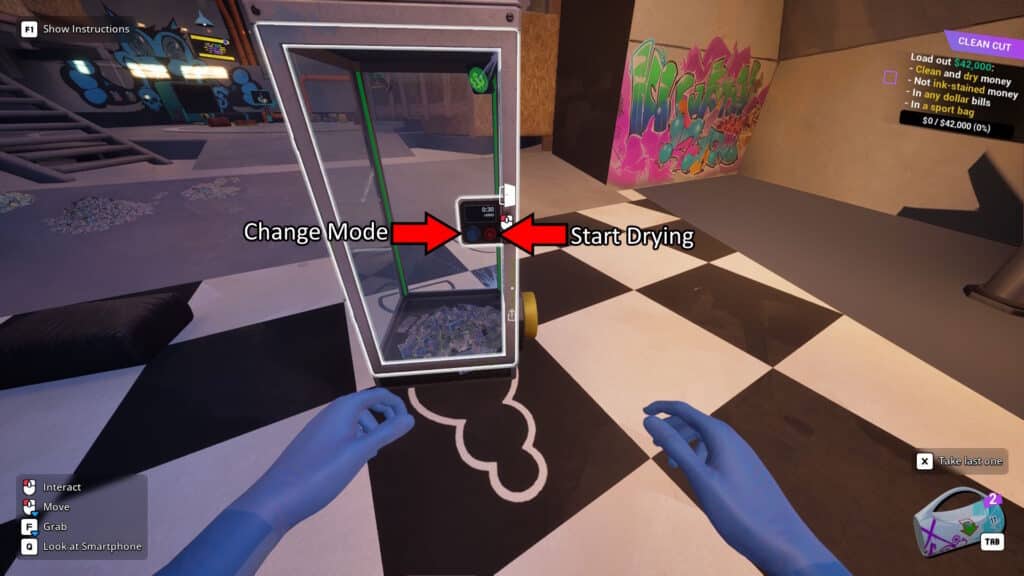
Next up, close the dryer’s door. You can now use the control panel on the door’s exterior. The blue knob allows you to swap between soft (15 seconds) and hard (30 seconds) cycles. We recommend setting it to hard! Then, press the big red button on the door to start the drying process.
As far as we’ve seen, there’s really no good reason to use the soft drying cycle. The hard one does take a bit longer, but the soft cycle seems to often be insufficient anyway. So, just stick to hard.
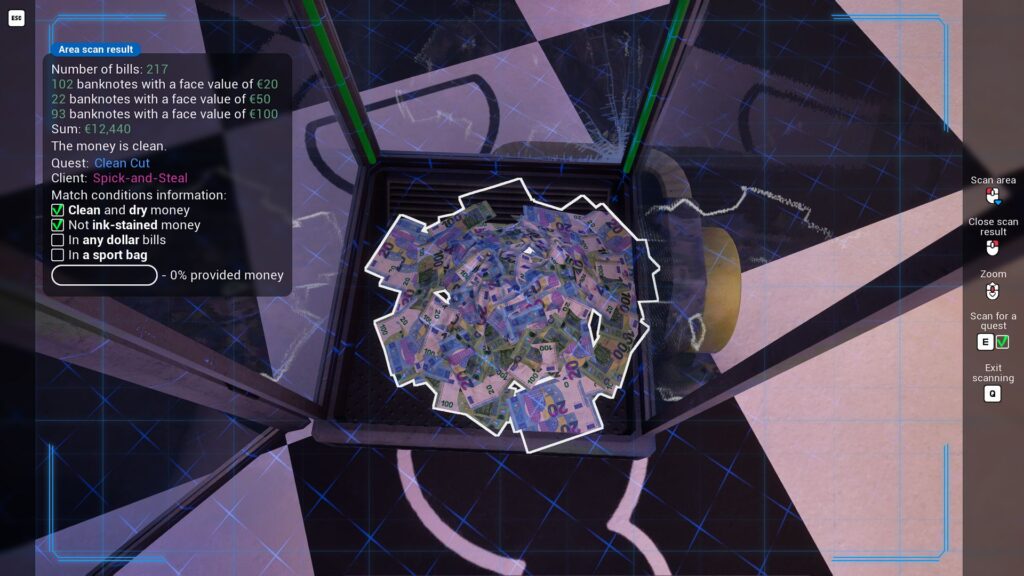
Just like when you use a washing machine to clean money, the Custom Dryer will make a noise to let you know when the process is finished. At that point, you just need to left click on the door to open it and grab your freshly dried money!
That’s all you need to know to dry your wet money in Cash Cleaner Simulator. The Custom Dryer is pretty useful and speedy, so make good use of it whenever you need it.