
 19 articles
Playing as a sniper in Battlefield 6 can be pretty daunting, since hitting shots at long range requires some finesse in this game. There are a lot of things to keep in mind, such as zeroing your scope for accuracy and holding your breath to keep your aim steady. That might sound basic, but getting these basics down is crucial for victory! In this mini guide, we’ll give you a variety of tips and tricks to help you make the most out of sniping.
Sniper Mini Guide & Tips + Tricks | Battlefield 6
Use Zeroing for Accuracy
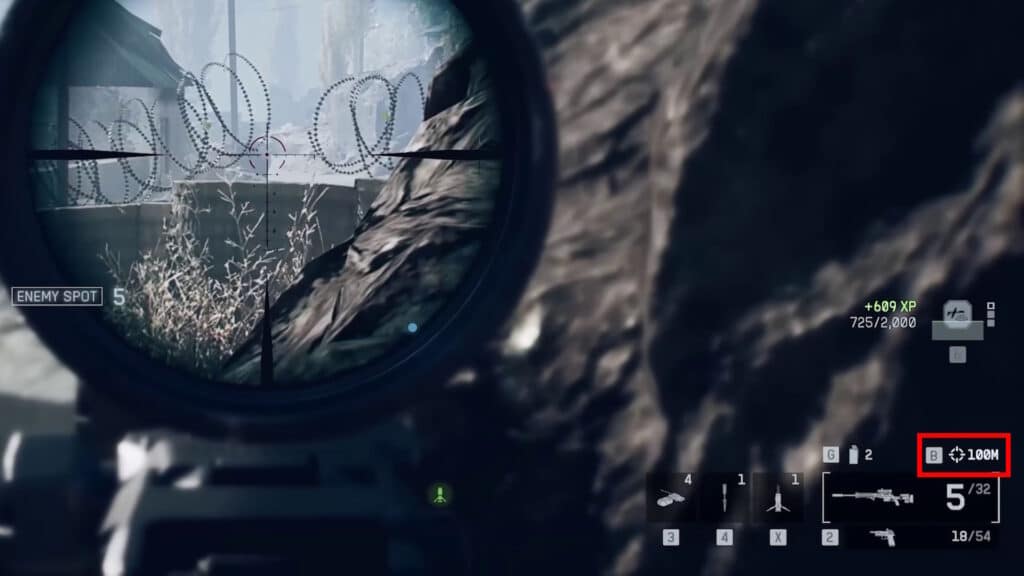
One of the main things you need to learn when using a sniper in Battlefield 6 is zeroing. To keep things simple, this means adjusting your scope to match the actual distance you’re aiming at. This helps the scope accurately predict bullet drop off for you, making it much easier to land shots.
You can see your current zeroing distance in the bottom right corner, which also tells you the button to change it. By default, you can only change the zeroing distance in increments of 100 meters from 100 to 500 meters. On top of that, it can be hard to accurately tell the distance to a target. This is something you kind of have to get a feel for yourself.
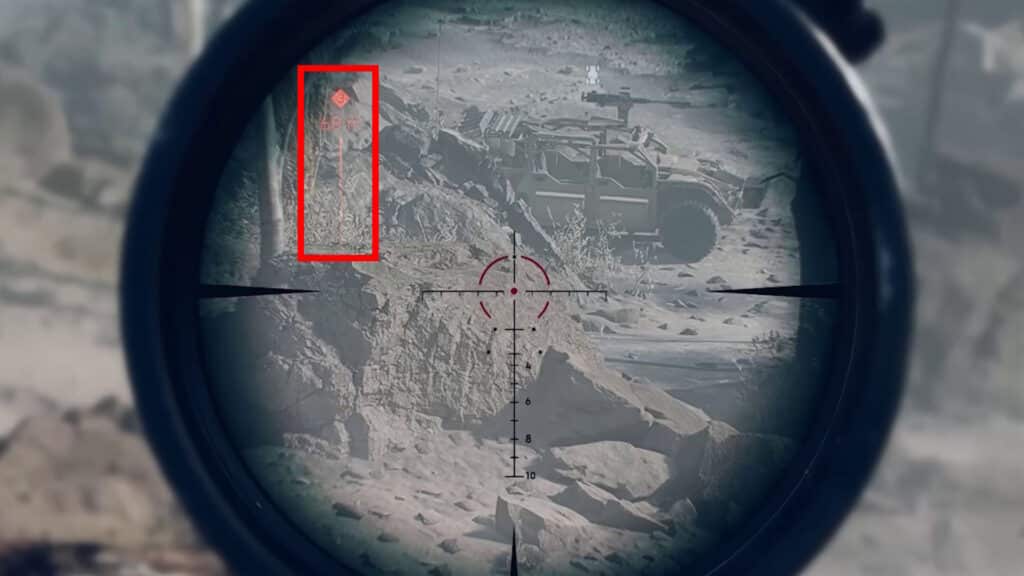
As a quick tip to help with that, using a ping will show you the distance to that ping in meters. You can use this to ping near an enemy to gauge what zeroing distance to use.
 Battlefield 6 No Longer Counts Bot Kills Toward Your Kill-Death Ratio Following a Recent UpdateNov 19, 2025
 Battlefield 6: Best Attachments to Use And What Do They DoNov 18, 2025
 Battlefield 6 Players Found a Secret Room in the Shooting Range, Prompting a Handful of TheoriesOct 31, 2025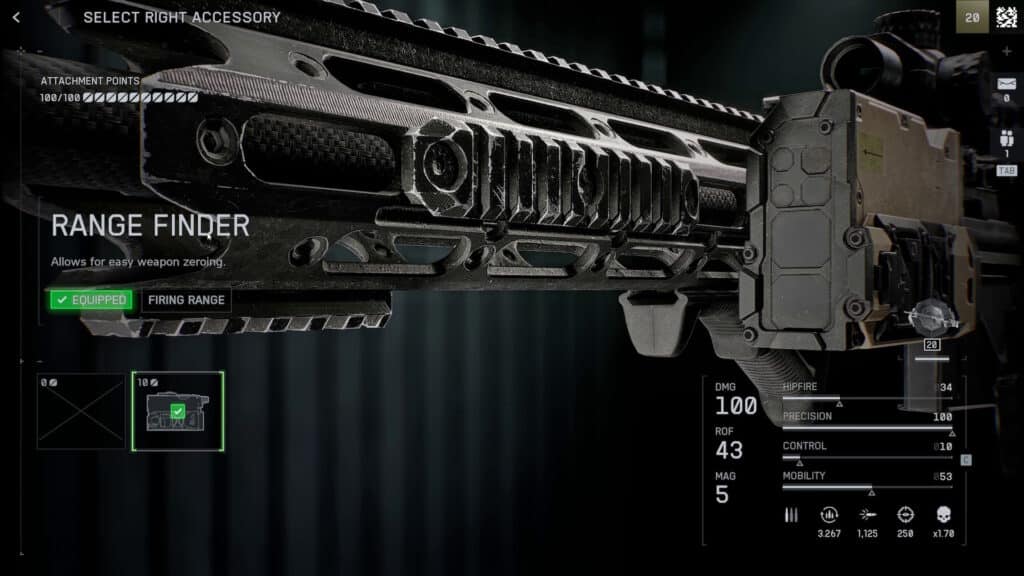
Later on, you can unlock the Range Finder attachment for your sniper. When you have it equipped, aim down sights and hold down the zeroing key (such as B on PC, by default). This will automatically set your zeroing distance to match the target you’re pointing at. It’s a total game-changer, as you’ll no longer need to guess or feel out the proper zeroing distance!
Make good use of zeroing to keep your scope accurate, reducing how much you need to predict bullet drop off yourself. As a bonus tip, though, we highly recommend using 100M as a default most of the time. At least in the Open Beta, this works best in most maps.
Breathe In, Breathe Out
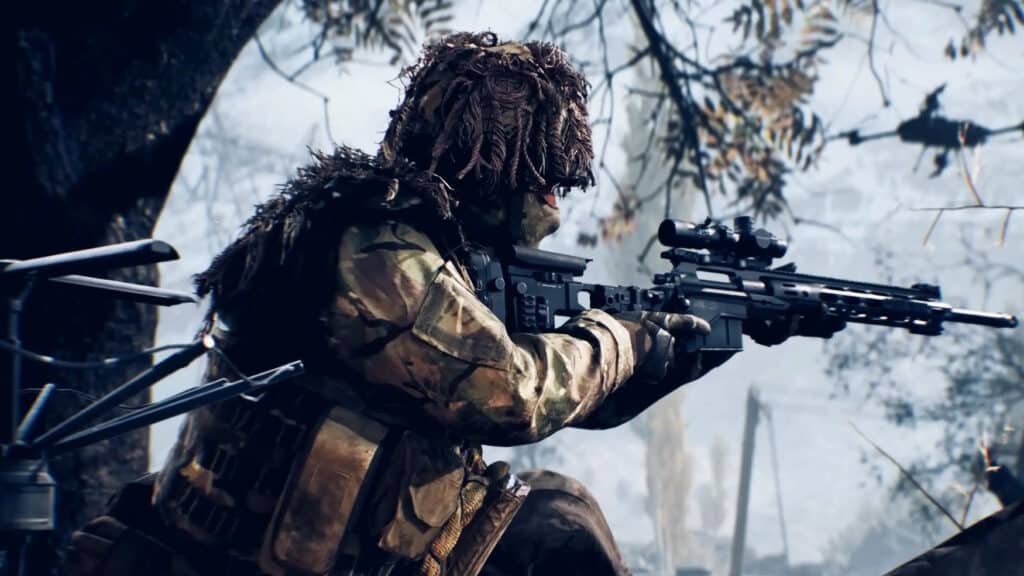
Another important tip when using a sniper is that the Recon class allows you to hold your breath while sniping. Simply press the left stick (controller) or left shift (keyboard and mouse) to hold your breath and steady your aim. This nearly removes all swaying while aiming, making your shots a lot more accurate.
Now, as a bonus tip, some players recommend binding the Steady Scope activation to the same key or button you use for Zoom (aiming down sights). If you do that, you’ll automatically hold your breath while aiming down sights. No need to use two keys or buttons! Particularly helpful for controller users, as the default left stick bind isn’t really ideal.
On the downside, this does somewhat limit how long you can aim down sights, as you do run out of breath eventually. However, it takes you about 10 seconds before you run out of breath, so it shouldn’t be an issue. It’s up to you whether this fits your preferences, of course, but we do recommend at least trying it out.
Be Aware of Scope Glare
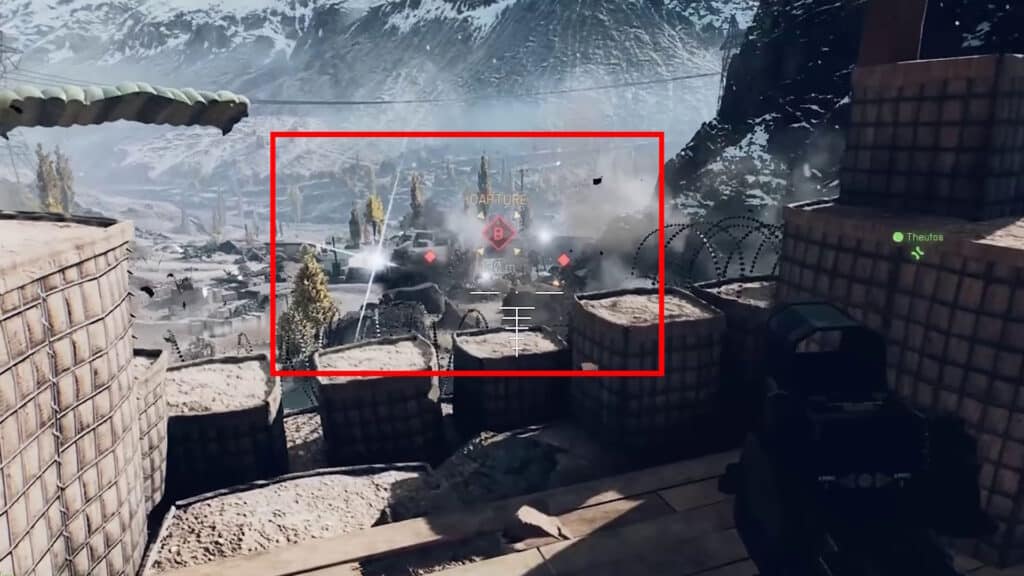
Whenever you aim down your sniper’s scope in Battlefield 6, you’ll give away your position in the form of a massive white glint. The example above shows what it looks like when other players do it. It’s extremely noticeable, making it easy to spot enemy snipers! This is allegedly getting toned down in the full release, but it will still remain as a feature.
Of course, this does also mean that you’re susceptible to this, too. As such, you’ll want to minimize how much you use your scope. Remember, the glint is only visible to other players while you’re actively aiming down the scope! Be smart about when to use it and when not to, so that you don’t give away your position.
The One-Shot Sweet Spot
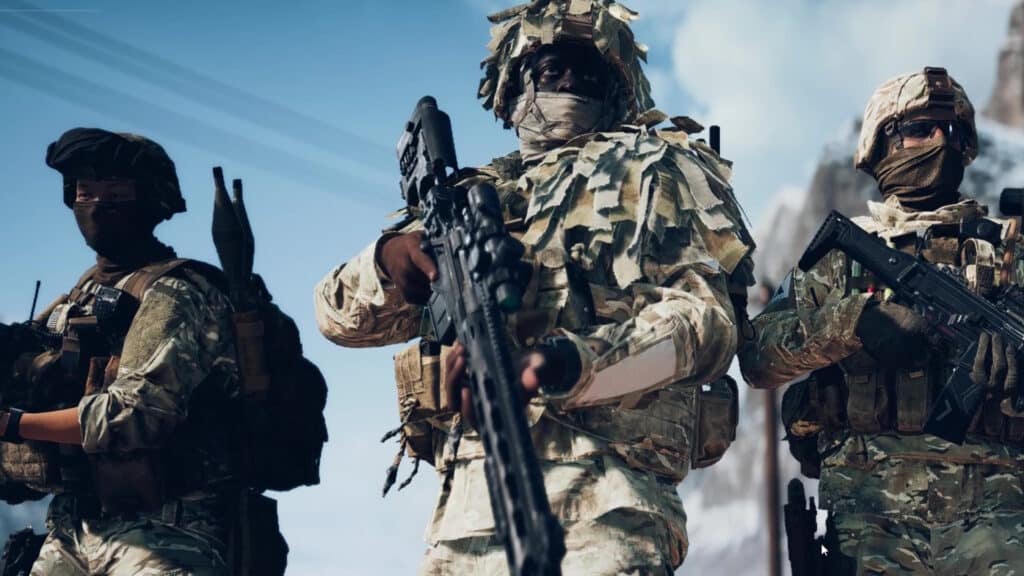
When using a sniper in Battlefield 6, there’s a bit of a changing sweet spot to the one-shot kill area on your enemies. The further away your target is, the larger the sweet spot becomes. To keep it simple: it’s easier to one-shot enemies who are further away.
More specifically, enemies that are further than about 60 meters will take more damage to their neck area. This also means you don’t necessarily need to go for the head, as shots to the neck and upper torso will deal enough damage for instakills at ranges past 60 or so meters.
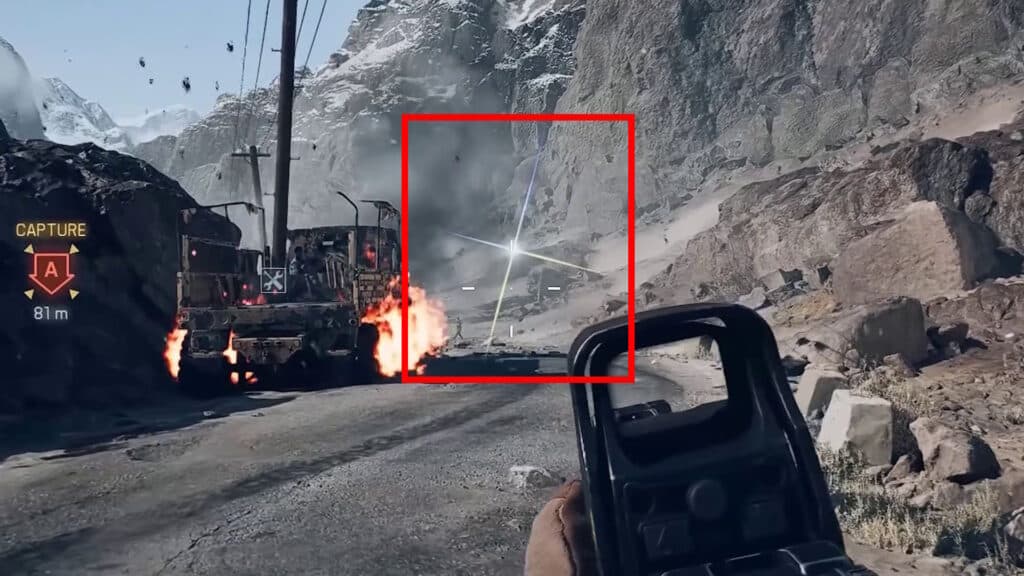
As a bonus, you can also tell when you’re in an enemy sniper’s sweet spot. When you are, the glare from their scope will have a rainbow tint to it. It can be hard to see in the heat of combat, but that’s your cue to get into cover ASAP!
Loadout Recommendations
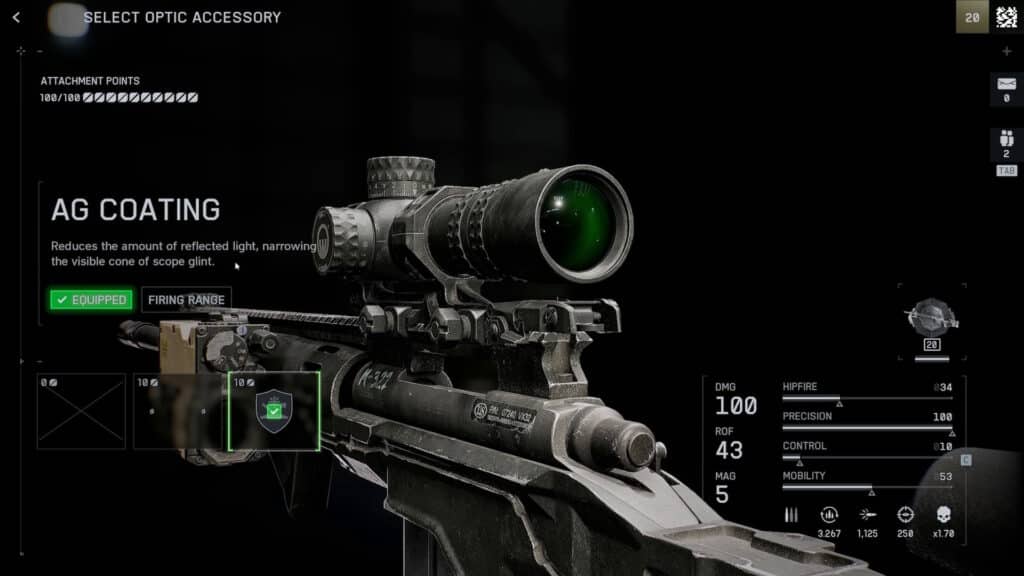
Last but not least, let’s finish this mini guide by giving you our recommended loadout for the sniper rifle in Battlefield 6. There’s not much to pick currently, of course, as the open beta is quite limited! Nonetheless, these recommendations should help when the full game releases, as well:
- DLC Bolt (Ergonomics) – Allows you to rechamber while aiming. You won’t need to scope in and out between shots.
- 26” Carbon (Barrel) – Extended barrel allowing for higher bullet velocity. Makes shots more accurate, as faster bullets mean lower leading required when aiming.
- AG Coating (Optic Accessory) – Reduces the glare glint we’ve mentioned before, making you harder to spot while using the scope.
- Range Finder (Right Accessory) – As we covered already in the zeroing section, this allows for more accurate zeroing.
So, there you have it! That’s the end of our sniper mini guide for Battlefield 6. While this is mainly based on the open beta, we expect that a lot of this will still be important in the full game.
While you’re at it, though, it’s a good idea to adjust aim assist to your liking. It’s important for accuracy, after all. For more details, check out our guide on how to turn controller aim assist on or off in BF6.