2 articles
One of the biggest issues with Tomodachi Life: Living the Dream is simply the fact that it does not natively allow you to share and import your Miis.
However, that does not necessarily mean that there’s nothing you can do! There are a few ways to work around this issue. For example, you can try using Miitopia to help you out!
In this guide, I’ll tell you everything you need to know about how you can share and import Miis into Tomodachi Life.
Import and Share Through Miitopia
How to Receive Miis in Miitopia
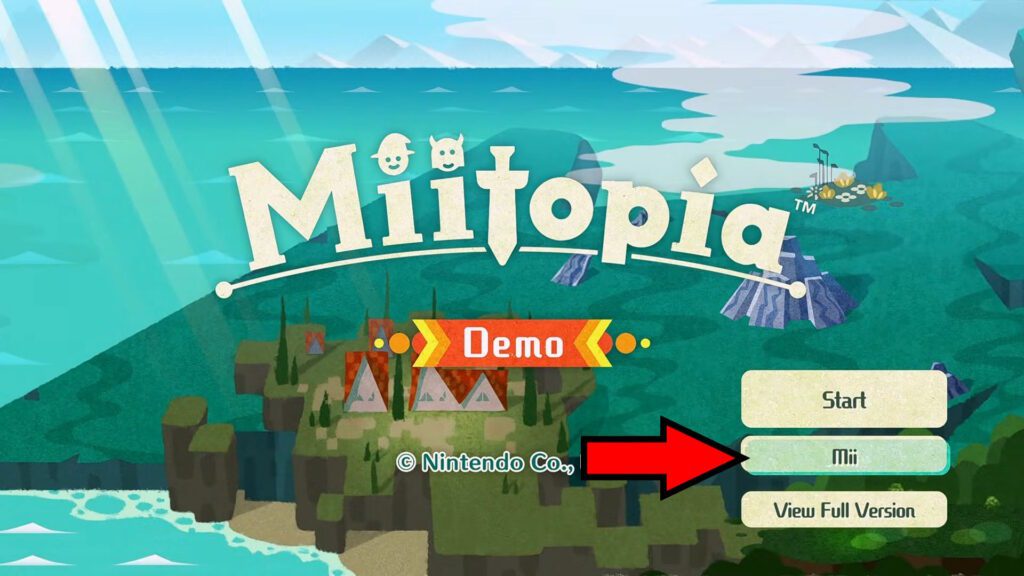
The first method, and the easiest of the two, is to use Miitopia as a sort of “in-between” for your Miis. Note that you don’t need to own the full game either, as you can just use the Miitopia demo. It’s available from the Nintendo eShop.
 How to Romance Mii Characters in Tomodachi Life: Living the DreamMay 9, 2026
So, for this method, first launch Miitopia or its demo and select Mii from the title screen.
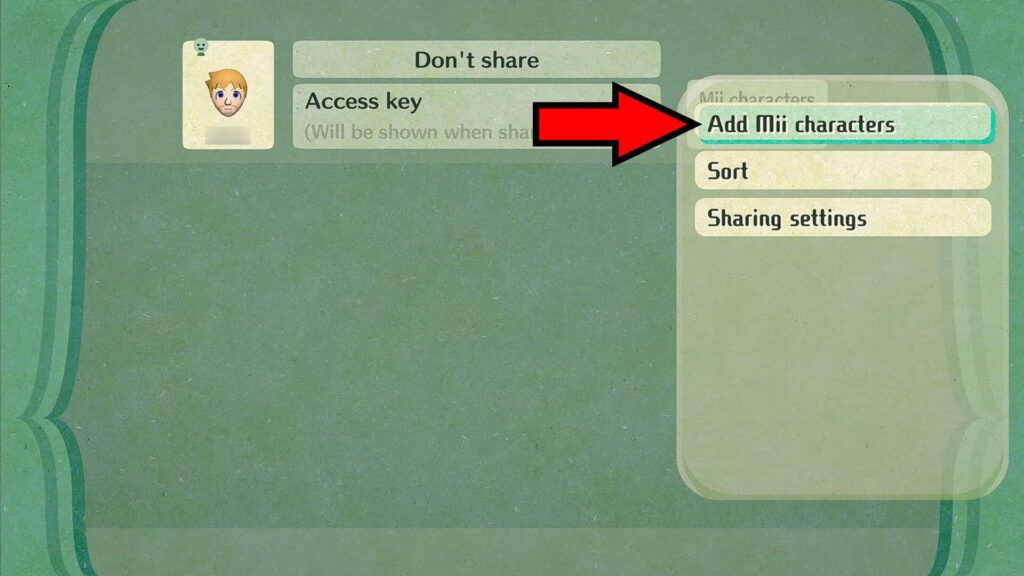
In the Mii roster screen, press X to bring up the menu and then select Add Mii Characters.
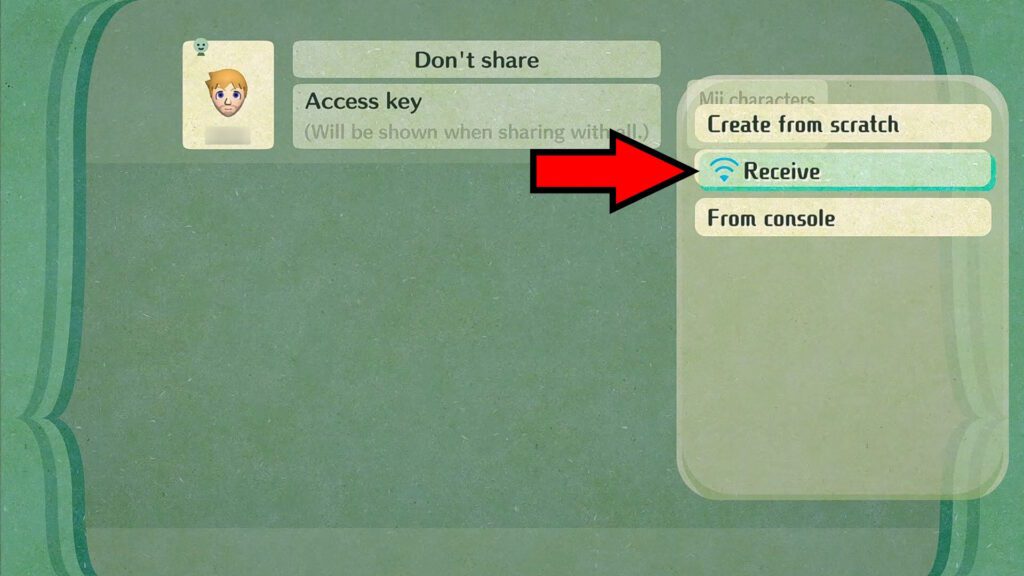
If you want to import Miis from other players here, select the Receive option.
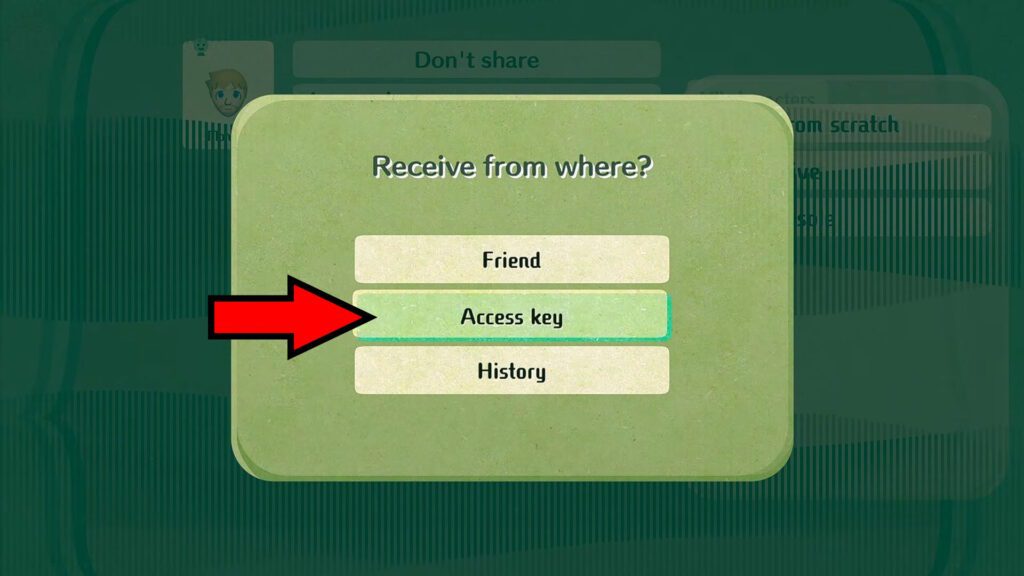
When you get the prompt asking where to import from, select Access Key. This will bring up the in-game keyboard, which you can use to type in any Access Key code you have!
As for the Access Keys, you can find them online on various fan-made websites. For example, the Miitopia section of Miipedia. You can find many Miis made by other players there, along with their Access Keys!
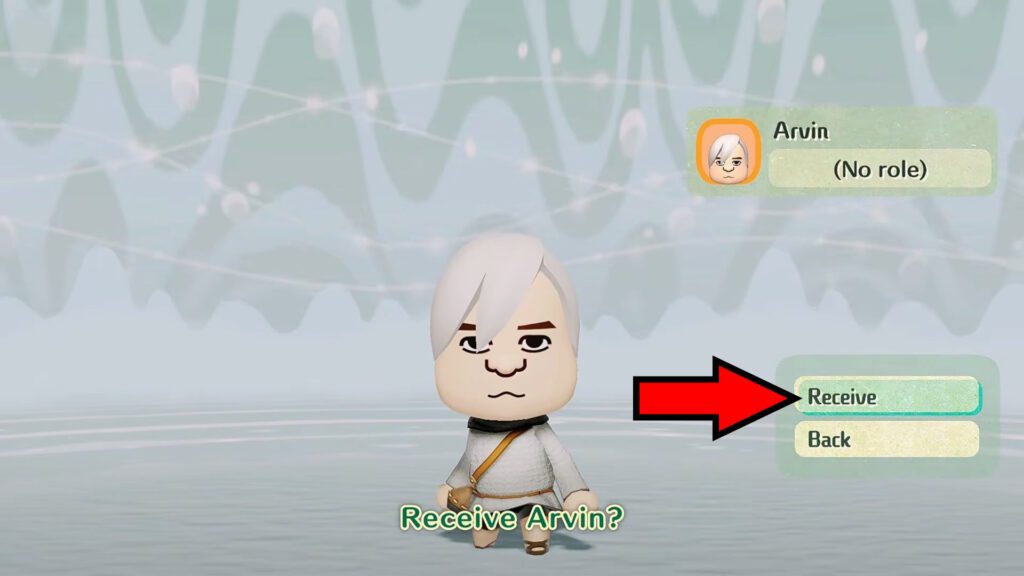
Once you input the Access Key, find the Mii you wish to import and select it. Then, click on Receive to import it into your Miitopia roster.
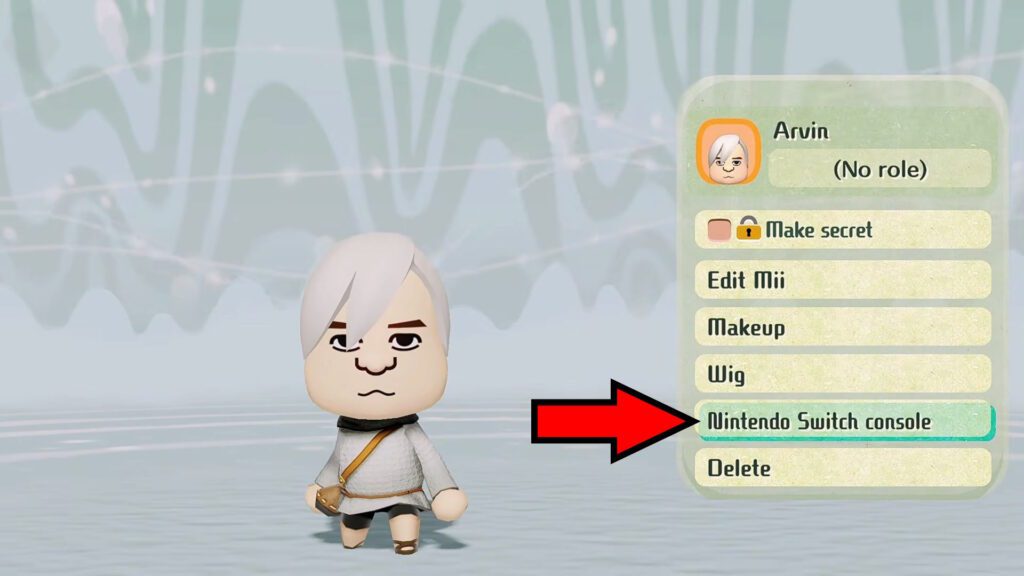
After receiving the Mii, go back to the Mii roster by pressing B. Then, select the received Mii again and choose Nintendo Switch Console. This will copy the Mii to your Nintendo Switch’s Mii roster.
Importing the Miitopia Mii into Tomodachi Life
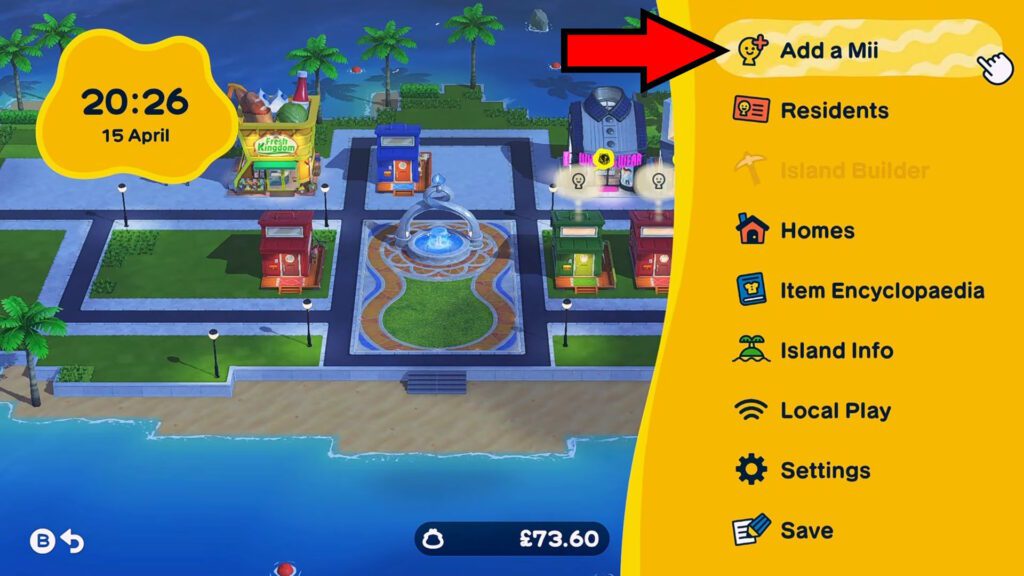
Now that you’ve transferred the Miitopia Mii into your Nintendo Switch, launch Tomodachi Life. Go into the pause menu and select to Add a Mii once you’re in-game.
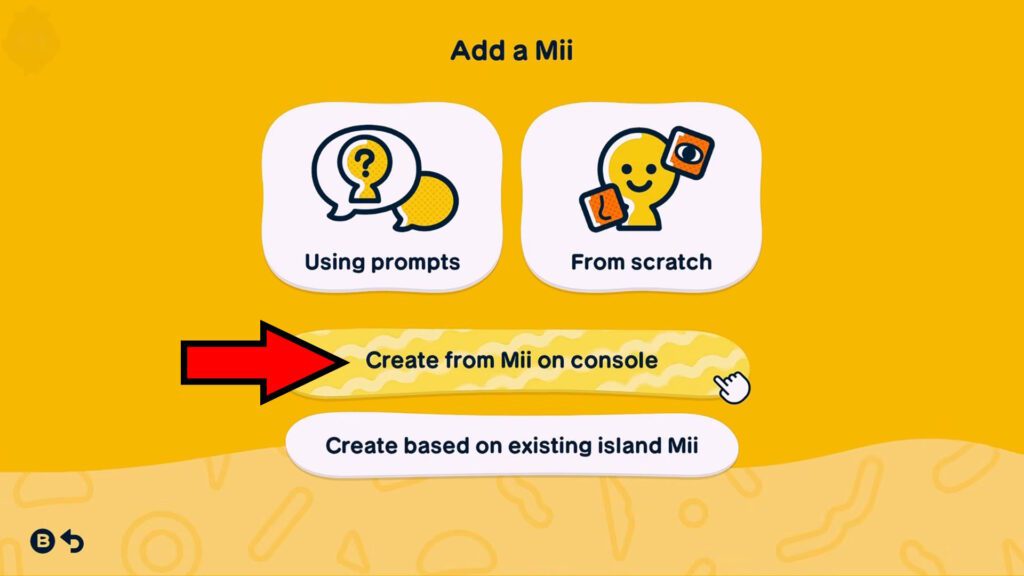
In the next screen, simply choose to Create from Mii on Console.
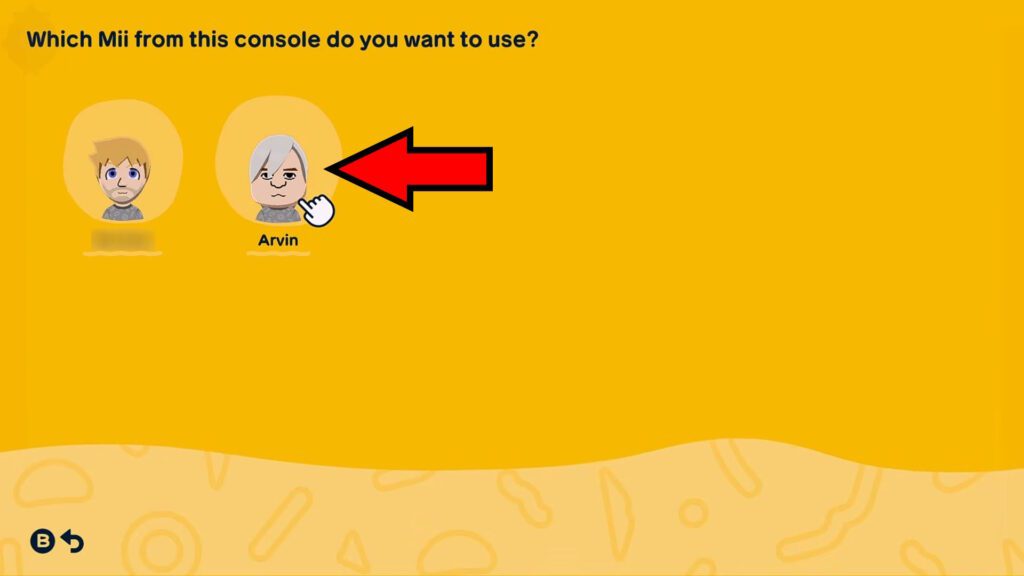
You should now see all of the Miis you have stored on your Nintendo Switch’s Mii roster, including the Miitopia Mii you imported earlier. It’s quite a process, but they’re there!
How to Share Through Miitopia
To share your Miis, you’ll need to go back to the Miitopia Mii roster. That is, launch Miitopia or its demo and select Mii on the title screen.
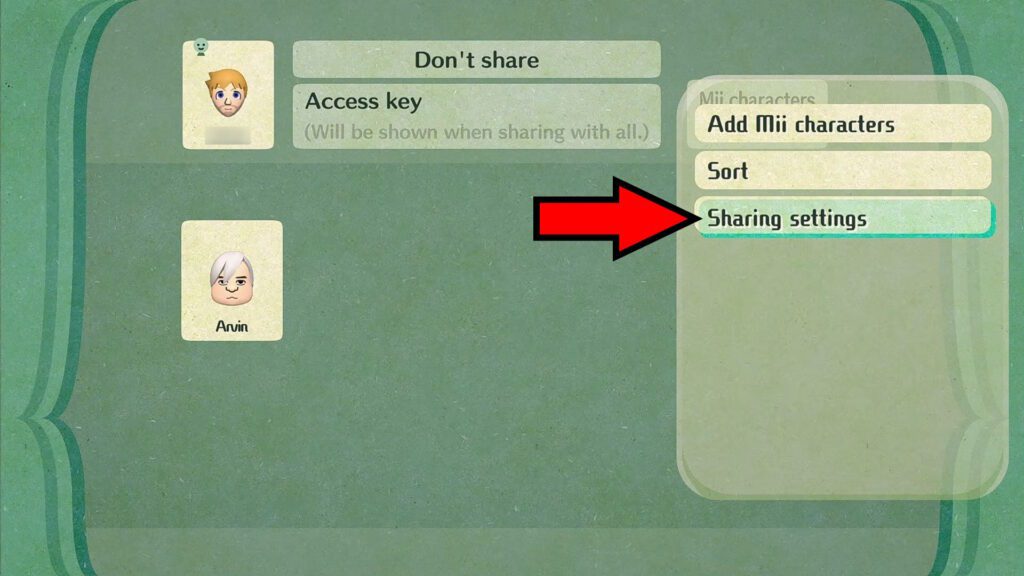
Once you’re in the Mii roster, press X to bring up the menu and select Sharing Settings. Make sure to pay attention to the details the game gives you about sharing while you’re at it!
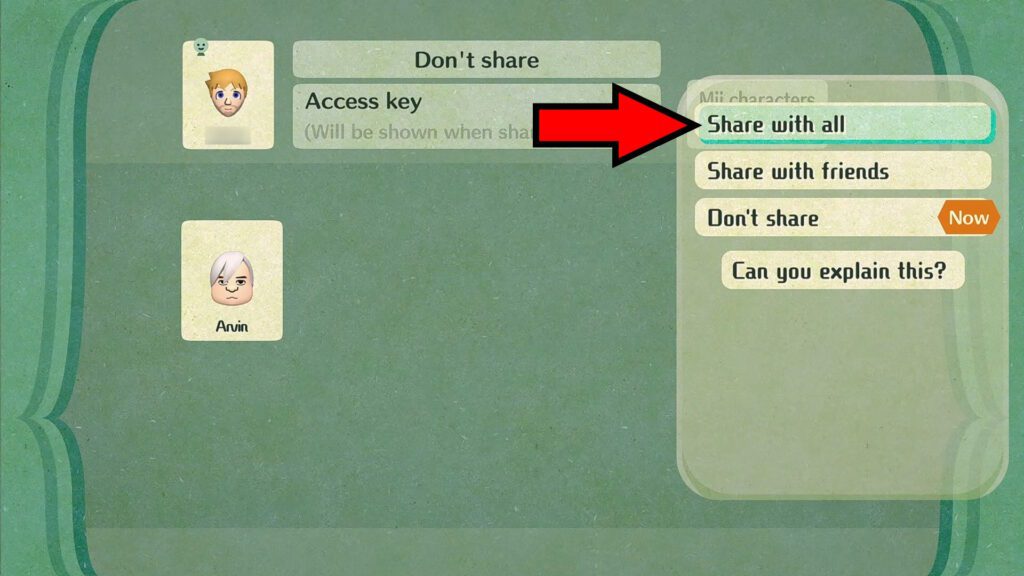
Then, select Share With All. This will give you an Access Key, which other players can use to download the Miis you shared.
Note that all of your Miitopia Miis will be shared together via the same Access Key. However, you can mark Miis as Secret to hide them from others. Keep that in mind!
Caveats to This Method
Now, with all of that said and done, there is one major caveat to this method: makeup and wigs from Miitopia are not stored. This also means you will not receive any facepaint from the Miitopia Miis once they’re imported into Tomodachi Life.
Essentially, you’ll just get the bare minimum, so to speak. Anything that is beyond the scope of the Nintendo Switch’s innate Mii creator can’t be imported. There is sadly no workaround for this.
This can be a dealbreaker, depending on what Miis you want, so keep it in mind. It’s a shame, but it is what it is…
Use Fan-Made Websites
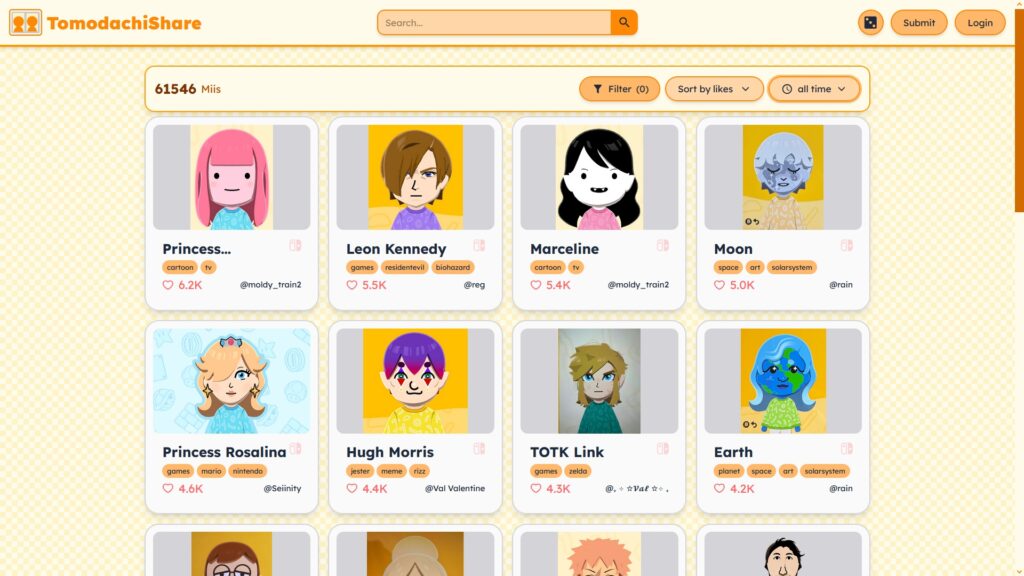
Aside from the Miitopia method, the only other way to share Miis is through fan-made websites. The massive caveat here being that these websites essentially just tell you how to recreate Miis.
That means that you can’t just download them into your game or anything like that. Tomodachi Life doesn’t have any share features, after all!
However, these websites do give you the “recipe” to create certain Miis. This can greatly help you if you can’t quite get a Mii just right.
Now, the biggest issue with these sites is simply that you can’t download the facepaint, either. You’ll have to recreate that yourself in-game, which can be tough depending on the Mii.
Regardless, these are the best sites I know for sharing Miis:
- Miipedia – As I mentioned in the Miitopia method, this site is primarily focused on Miis for Miitopia. However, it also has some Miis for Tomodachi Life.
- TomodachiShare – A site focused purely on Tomodachi Life Miis. It has a much larger roster of Miis available than Miipedia, with over 60000 Miis posted as of this writing.
These sites should help you create the Miis you want, even if they’re not quite as nice as having a proper sharing feature would be!
Wrapping Up
So, ultimately, it’s still a shame that Tomodachi Life: Living the Dream doesn’t have any real way to import and share Miis and other creations. But at least you have the workarounds outlined above!
While neither method is completely flawless, mainly due to makeup and facepaint limitations, they’re still better than nothing. Plus, it’s always fun to just browse and see the myriad creations from all the players around the world.
But well, now you know how to import and share your Miis in Tomodachi Life to some extent! How about making them fall in love, though? Check out our Tomodachi Life Romance guide for that.