
 26 articles
The Finals is a highly anticipated new arena shooter that has a huge focus on destructible terrain. If you’re following the hype for this unique FPS, you will know a playable beta is around the corner!
This beta will last for about 2 weeks, giving players ample chance to get a taste of the game. But how can you join this closed beta and start playing? Let’s find out!
How to Get a Beta Key for The Finals
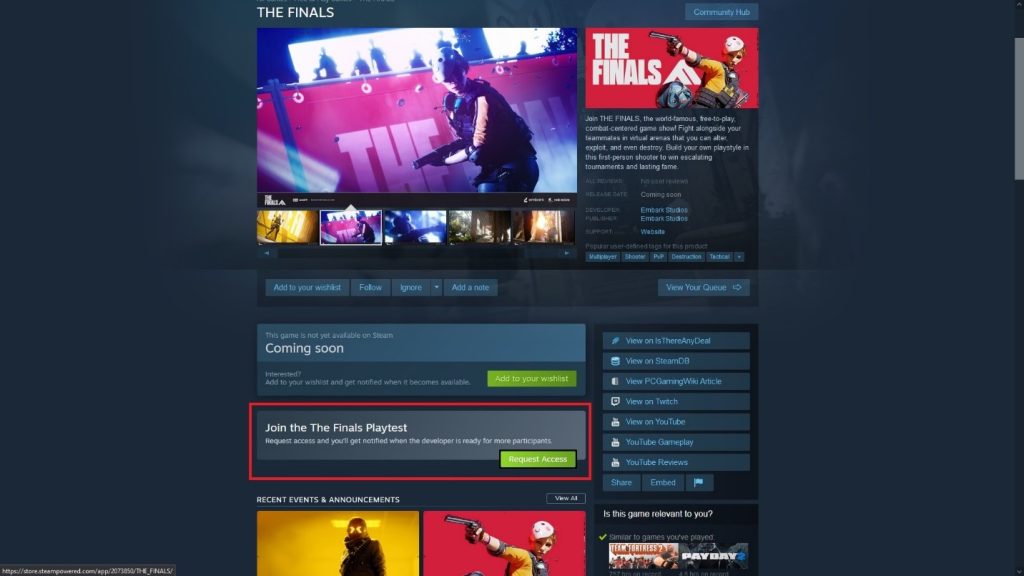
If you’ve been scoping out the Steam page for The Finals, you might have already noticed that you can just request access.
However, this won’t guarantee that you’re chosen for the beta. With the large influx of players eager to try the game out, you’re likely to be put at the back of a long queue!
 The Finals: Is the Battle Pass Worth Buying?Jan 17, 2024
 The Finals: Top Players Allegedly Caught CheatingJan 11, 2024
 The Finals: Toxic Gas Complete Guide | How To UseDec 30, 2023
That said, you should still try to request access. While it’s not guaranteed at all, it doesn’t hurt to try!
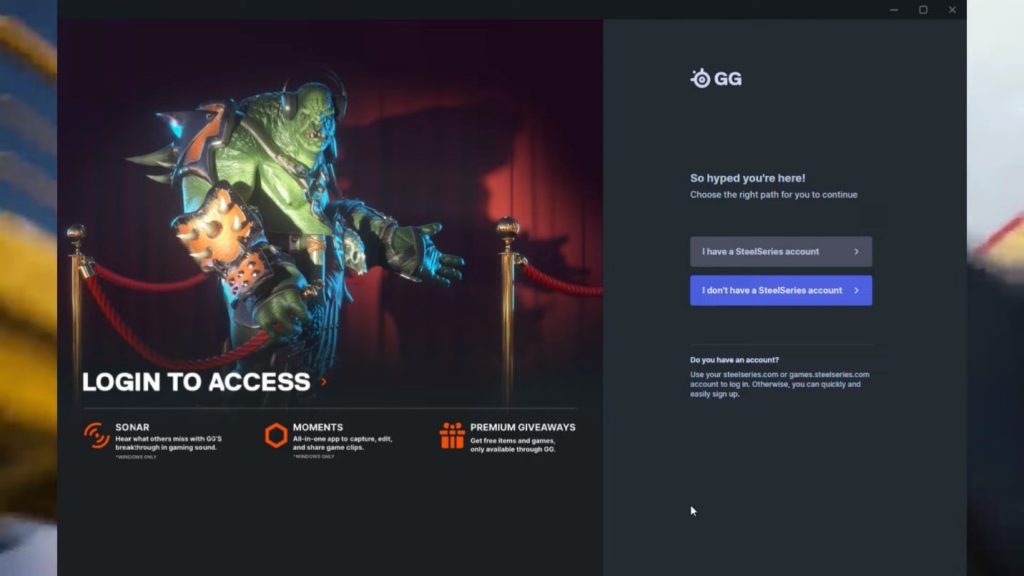
Next, you will want to take advantage of a giveaway from SteelSeries. They’re giving away a large number of keys, so you’re guaranteed entry to the beta if you act fast.
You will need to head over to SteelSeries’ website here: https://steelseries.com/gg
Download their SteelSeries GG program and log in to your SteelSeries account. If you have no SteelSeries account, make sure to sign up first. It’s really quick and easy.
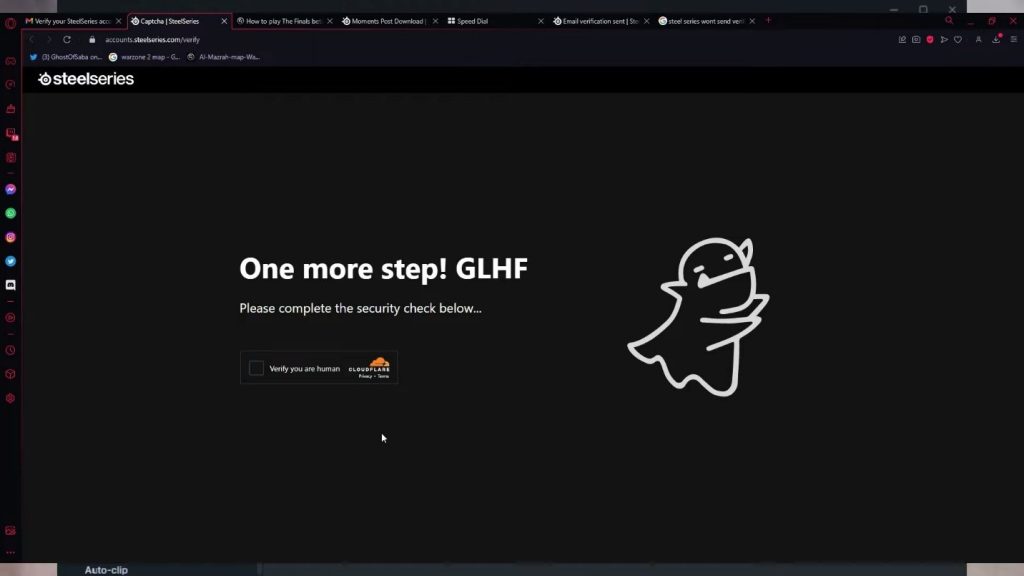
Also, make sure to validate your e-mail address! You won’t get a key if you don’t. You can do this here: http://accounts.steelseries.com/verify
Be patient, as the verification e-mail might take a while to arrive.
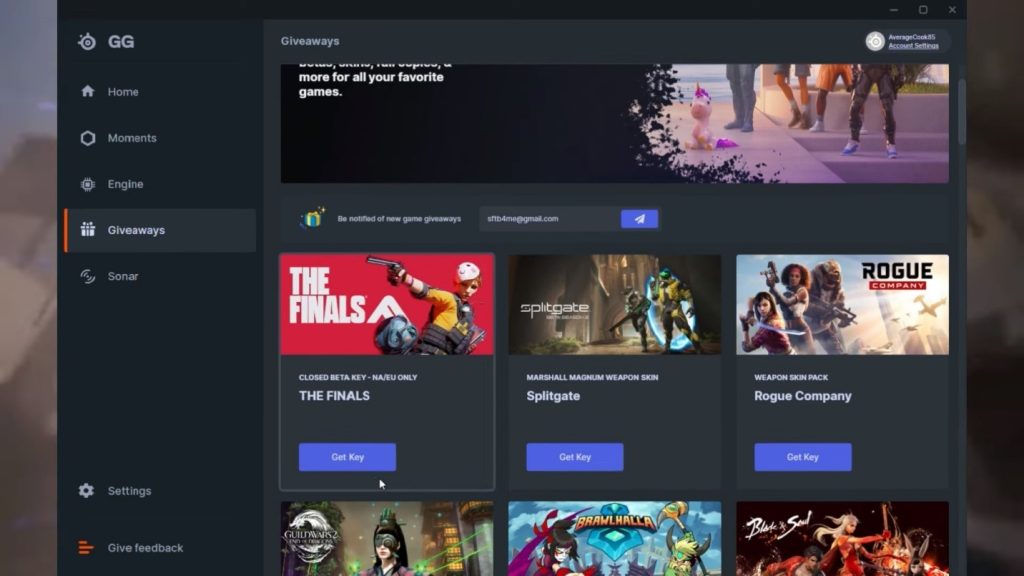
Once you’ve opened the SteelSeries GG app and logged in, click on the Giveaways icon on the sidebar. You should see The Finals Closed Beta here. Click on Get Key.
Now that you have your key, just open your Steam client and click on Activate a Product. Redeem your key and you’re all set!
There’s still no guarantee it will work. The promotion is limited, so they might run out of keys. However, it’s the best bet currently.
It’s also possible they might start giving away more keys later. If that happens, you’ll be all set to swoop in and take a key when the promotion gets refreshed!
ALSO READ: Wayfinder: Everything You Need to Know | Classes, Combat, and More