 40 articles
If you’ve been playing Skate 4 and you get hit with a bug that breaks your map, you’re not alone in looking for a fix! This is a very random bug, but also a particularly annoying one. When it happens, the Challenges on your map either disappear or just become unusable. This prevents you from finding and starting them, essentially softlocking you. In this quick guide, we’ll give you some potential fixes for this nasty map bug.
How to Fix Map Bug | Skate 4
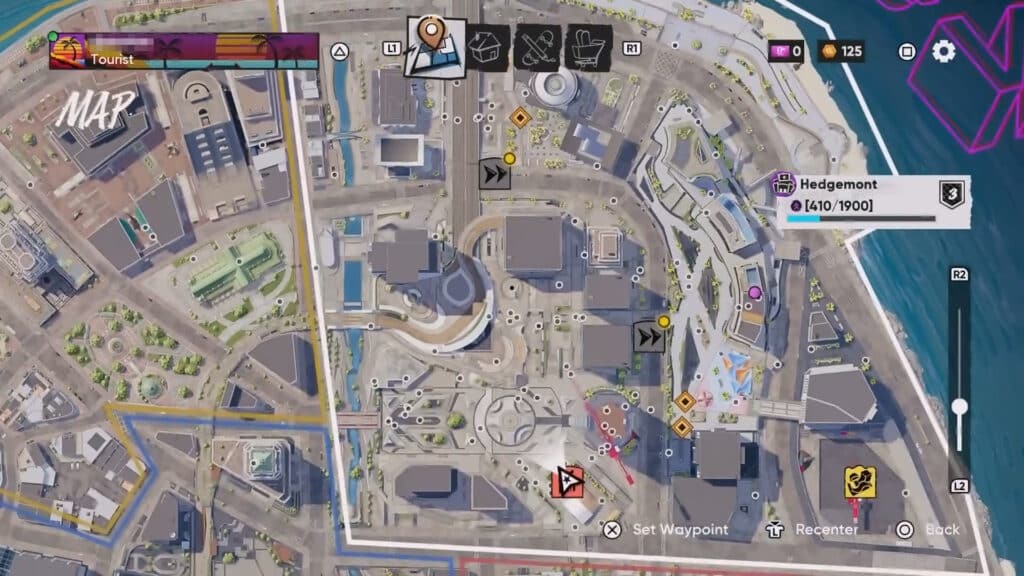
Now, before we begin, we want to have a little disclaimer. We can’t 100% guarantee that the fixes we provide will actually work for you. There’s no harm in trying them, of course! But do keep in mind that even these potential fixes might not work. Frankly, the game is in such a buggy state right now that nothing is very reliable…
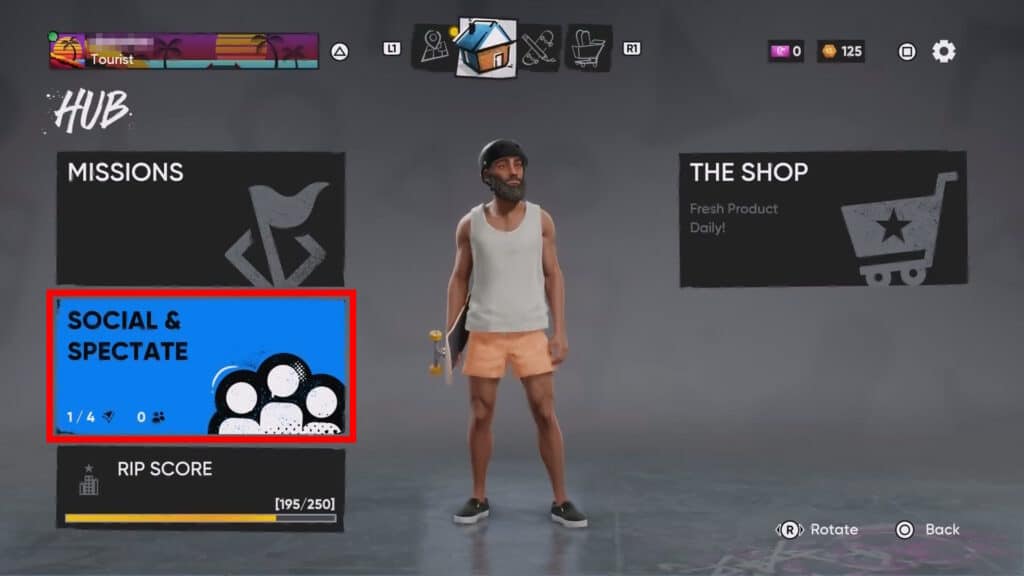
With that out of the way, let’s go over the first potential fix! For this one, you’ll need to pause the game and go into the Social & Spectate menu in the Hub.
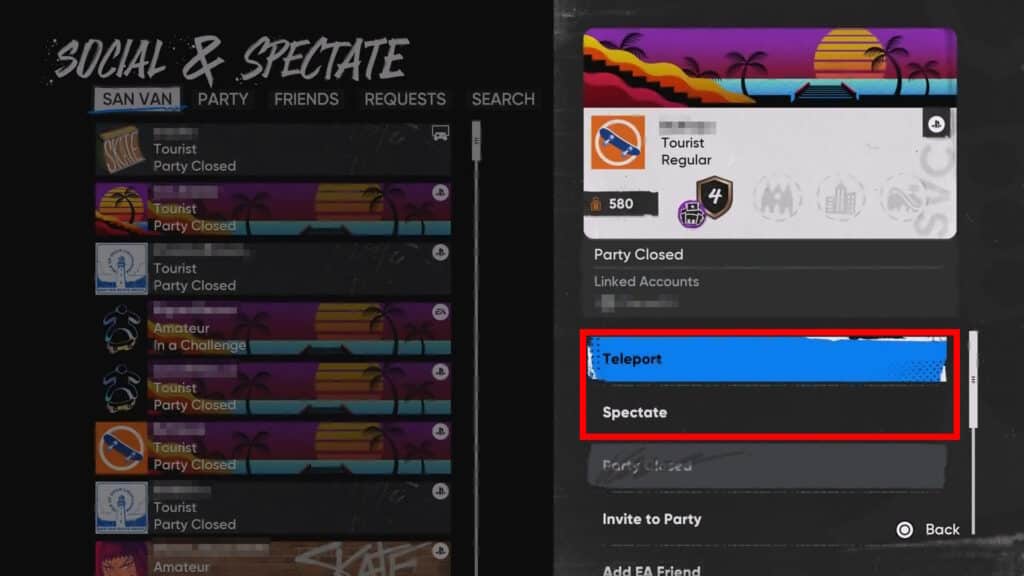
In that menu, you just need to look for any random player and select them. Then, choose to either Teleport or Spectate. This will take you where that player is, which forces the game to reload. With some luck, that will include forcing the game to reset your map, fixing any bugs you had.
 Skate 4: How to Get Tix & Level Up Skate PassOct 22, 2025
 How to Fly in Skate 4 (Glitch)Sep 30, 2025
 Skate 4 – Backwash Goals GuideSep 26, 2025
If that didn’t work, the only other potential fix we know of is to close and restart the game. This can be a bit of a pain due to server queues, and is also not a guaranteed fix. Nonetheless, it has worked for some players, so it’s worth a shot.
Sadly, that’s all we know about how to fix the map bug in Skate 4. We hope one of these two potential fixes works for you! If not, you’ll sadly have to wait for an update or patch to address the issue. That’s just how it is with Early Access games sometimes…