31 articles
The Crystal Extractor in Old School RuneScape (OSRS) is extremely useful, but it can be hard to keep track of unless you set up a plugin for it.
This boat facility generates a Crystal Mote every 60 seconds. Harvesting it is useful, as it gives you a free Wind Mote and 600 Sailing XP. However, it’s pretty easy to forget to check it out every single minute…
Fret not, though, because we’ll help you set up a plugin to remind you when it’s ready for harvest!
How to Setup Crystal Extractor Plugin | OSRS

For this guide, you’ll need to be using the RuneLite client. This simply doesn’t work without it, as it requires it to install the relevant plugin!
 OSRS: Leagues 6 Complete Echo Thermonuclear Smoke Devil Guide For Shadowflame QuadrantApr 20, 2026
 OSRS: Echo Amoxliatl EASY Guide, League 6Apr 20, 2026
 OSRS: Leagues 6 Guide for Fast & Easy PointsApr 9, 2026
If you already have RuneLite, you’ll need to click on the wrench-shaped icon on the top right of the screen. Then click on the plug-shaped icon and search for the Watchdog (Custom Alerts) plugin. Install that one.
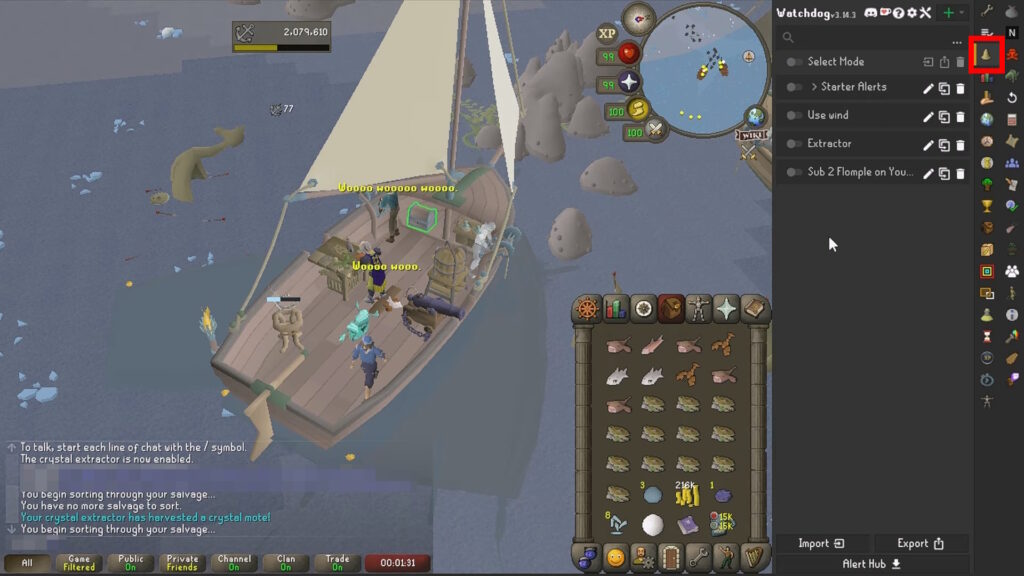
Once that’s done, you’ll need to go into the settings for the Watchdog plugin. It should be on your sidebar, as a bell icon.
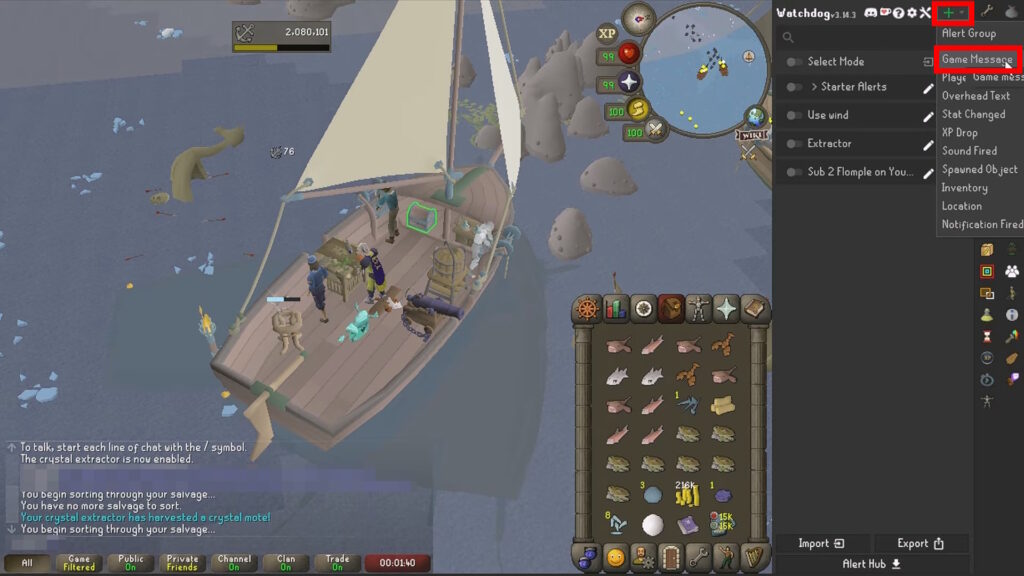
Then click on the green plus sign to add a new alert. Select “Game Message” from the drop-down.
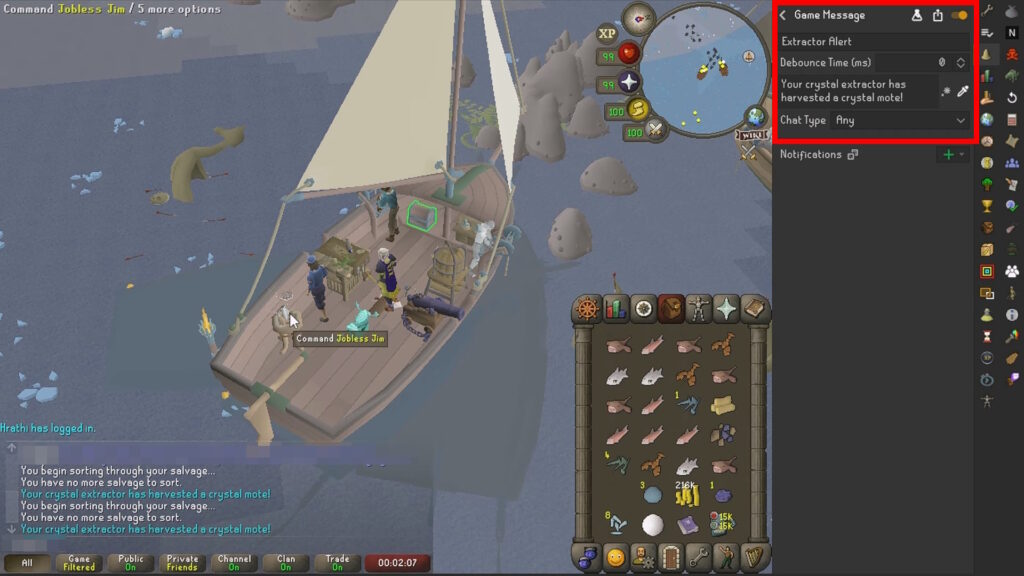
Next up, make sure to give the alert the title you want, such as Extractor Alert in this example. Then, enter “Your crystal extractor has harvested a crystal mote!” in the trigger message box. It should look like the example above.

Note that you can also pick the message yourself from chat if it’s still in your log. Just click on the picker and then select the message, as shown above.
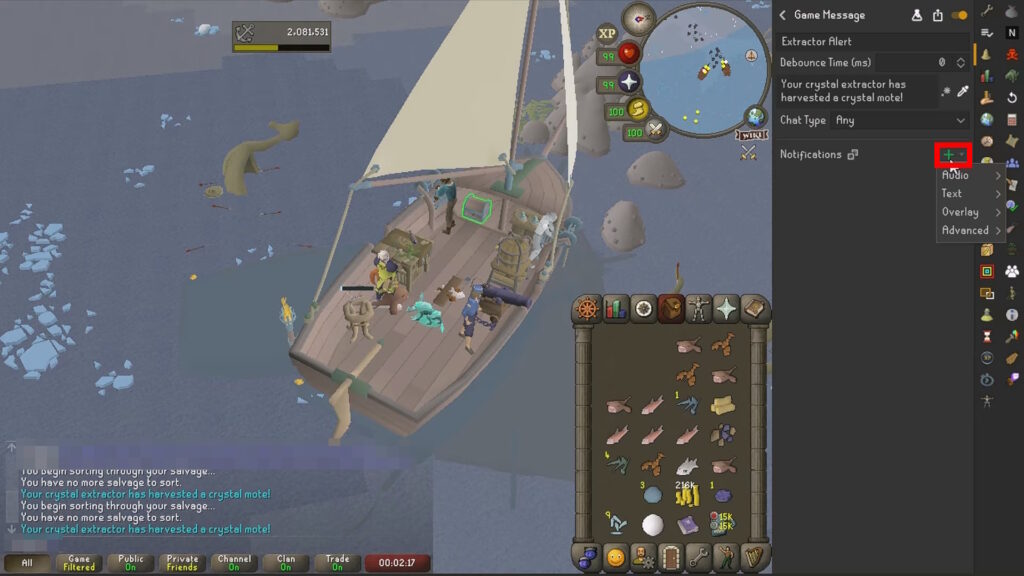
Moving on, click on the green plus sign next to Notifications. You can choose anything you want here, as long as you make it something that you’re sure you won’t ignore. It’s up to you, really, but we recommend either Audio or Overlay. They are the most noticeable!
With that, you will now receive the notification you created whenever your Crystal Extractor is ready to harvest. It’s as simple as that.
That’s all you need to know to setup a plugin to notify you about the Crystal Extractor in OSRS! This pairs well with AFK leveling, so we recommend checking out our guide on how to train Sailing AFK!