 8 articles
One of the most hotly requested features for John Carpenter’s Toxic Commando was the ability to increase the FOV.
After all, the PC-only demo weeks before the game’s release didn’t feature the ability to increase the FOV. Well, at least not without modding or using third-party tools. Is this still true in the full release?
Well, in this quick guide, I’ll answer that question and tell you how to possibly increase the FOV!
How to Increase FOV – First Person and Third Person
As I mentioned before, the demo during the February 2026 Steam Next Fest did not have an FOV setting at all. It required you to mod the game to increase the FOV, sadly. Thankfully, this is no longer the case!
 Best Medic Class Build & Skill Guide in Toxic CommandoMar 17, 2026
 Toxic Commando: All Easter Eggs & ReferencesMar 17, 2026
 Best Tips & Tricks for John Carpenter’s Toxic CommandoMar 16, 2026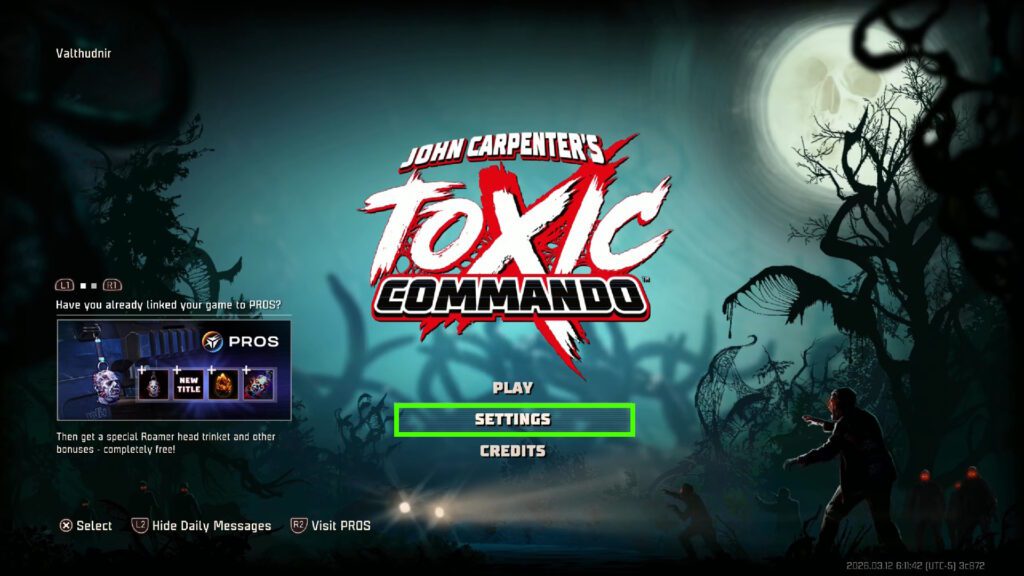
The launch version of John Carpenter’s Toxic Commando has an easily-accessible FOV slider. You can find it within the Settings menu, either from the main menu or the pause menu.
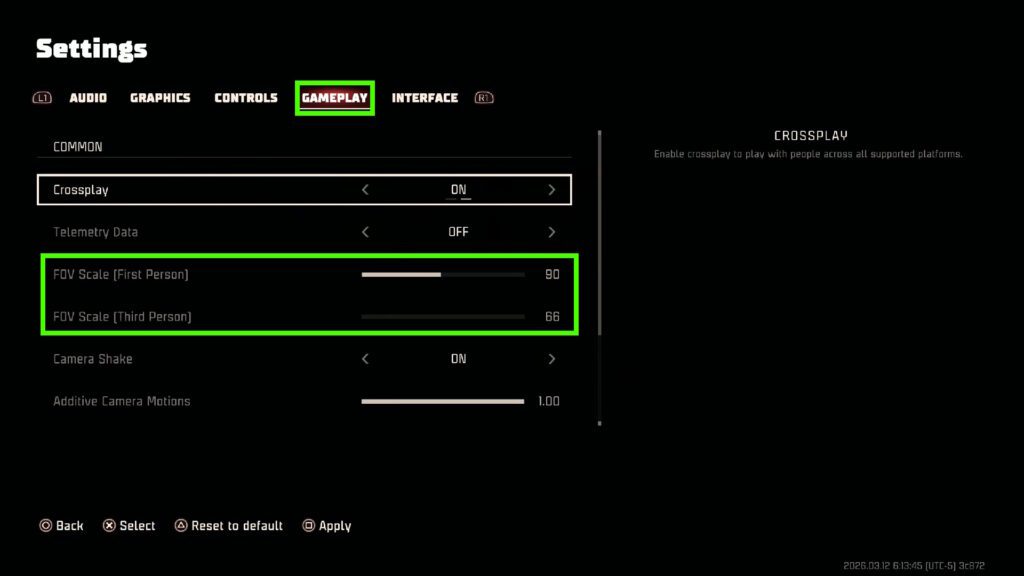
Then, you just need to switch over to the Gameplay tab of the settings. You’ll see separate FOV Scale sliders for both First Person and Third Person views. You can adjust them to your liking, even on consoles!
Worth noting that the default for First Person is 90 (horizontal), but it seems to go as low as 75 and as high as 129 (on PC) or 115 (on consoles). The default for Third Person is 66 and can only be raised, up to 90.
So, there you have it! Thankfully, the method to increase the FOV in the release version of John Carpenter’s Toxic Commando is as simple as just going into the Gameplay Settings. No mods or tools required, unlike the demo.
Eager to kickstart the game with your newly-set FOV but can’t figure out which class to play? Well, we can help with that! Check out our Toxic Commando classes tier list.