
 4 articles
EA Sports FC 24’s Ultimate Team keeps a record of your team’s performance, as you might expect. It tracks basically everything, such as your win/loss ratio and even individual team member stats.
The thing is, the game doesn’t make it obvious where this record is! No need to fret, tho, as we’re here to help you find it.
Now, read on and we’ll detail where to find your Ultimate Team record in EA Sports FC 24!
How to Check Your Record in FC 24 Ultimate Team
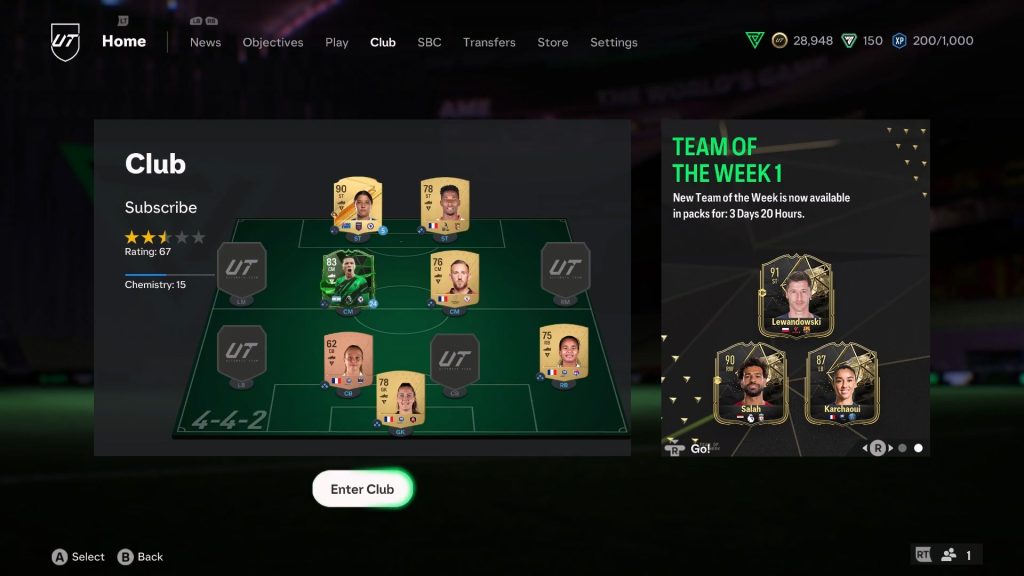
There are two distinct records for you to check in EA Sports FC 24’s Ultimate Team mode: your team’s total record and the stats for each individual player.
 How to Change Player Position in FC 24 Ultimate TeamOct 5, 2023
 EA Sports FC 24: Practice Arena GuideOct 3, 2023
 EA Sports FC 24: How to Get BetterOct 3, 2023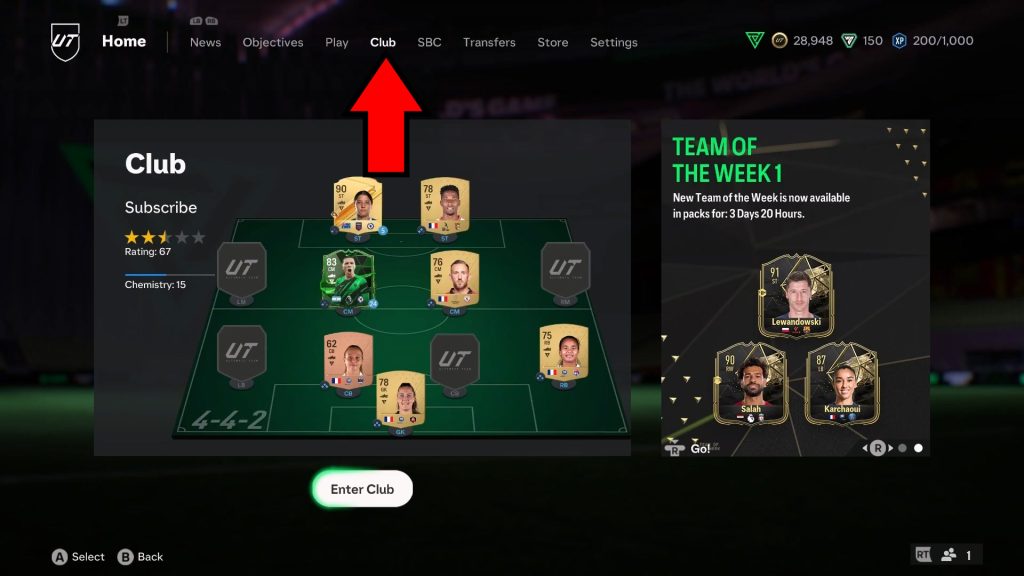
We’ll tell you how to check out both, but let’s check your team’s total record first. It’s found inside the Club menu, so start by selecting the Club tab while you’re in the game’s Home menu.
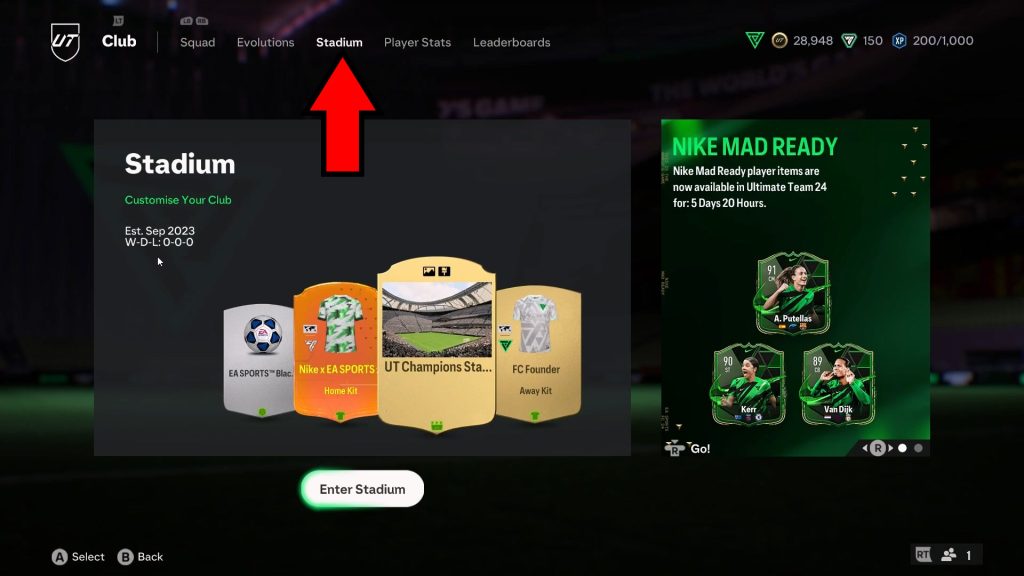
Now that we’re inside the Club menu, navigate to the Stadium tab. This will give you a quick breakdown of your team’s basics, but it also includes your W-D-L record! It’s just sitting there, quite unassumingly.
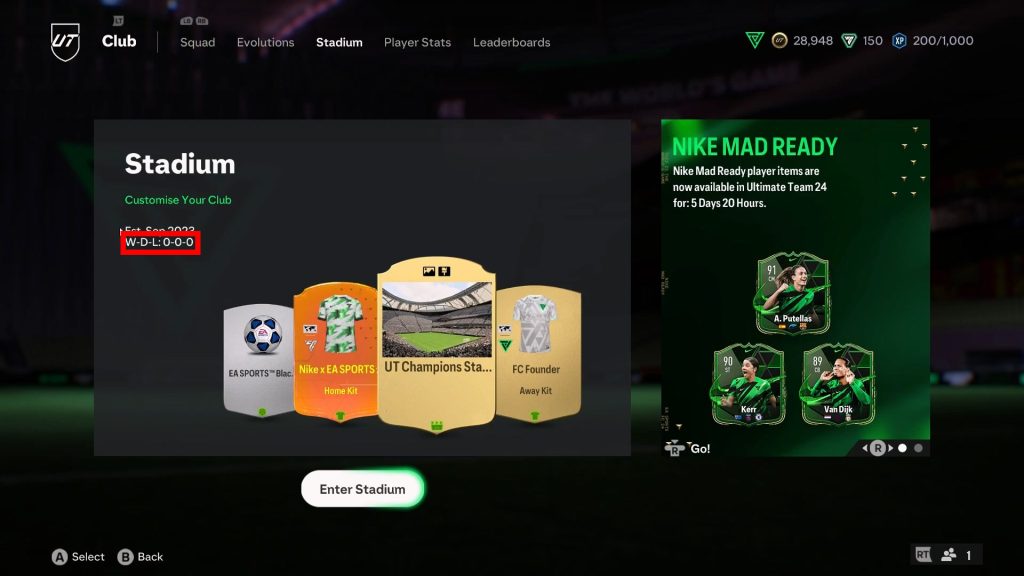
If you don’t know, W-D-L stands for Wins-Draws-Losses. The numbers next to W-D-L are the amount of wins, draws, and losses, in that same order. We hope you take more Ws than Ls!
Moving on, let’s check the individual stats for each player on your team! This is also done within the game’s Club menu, so we’re already halfway there.
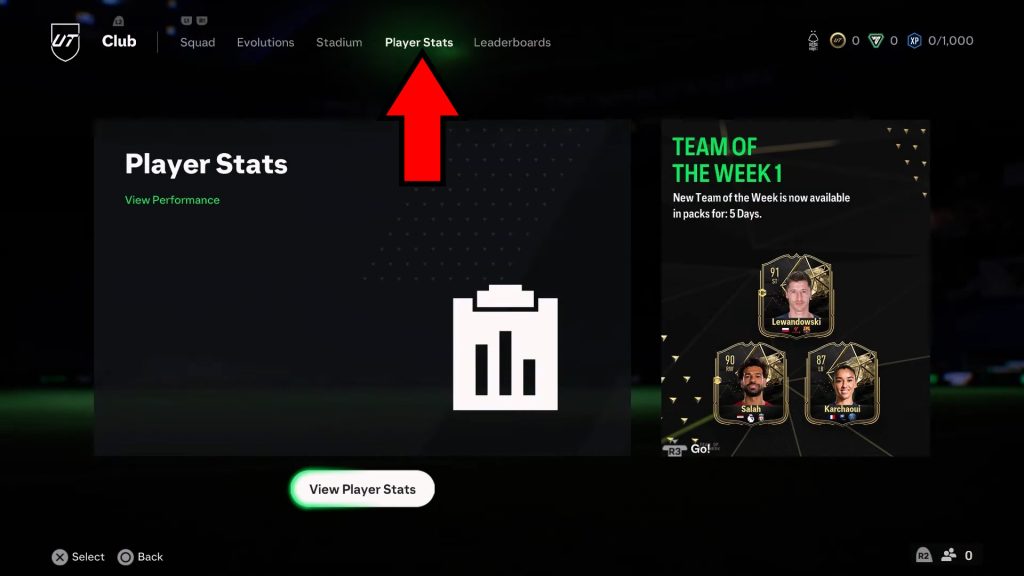
While you’re still inside the Club menu, head over to the Player Stats tab. Just in case, it’s the tab directly right of the Stadium tab we were checking out before. It’s just one button press away!
Open the Player Stats submenu by clicking on it, pressing X (PlayStation), or pressing A (Xbox). This will show you a leaderboard view of every team member you have in your squad.
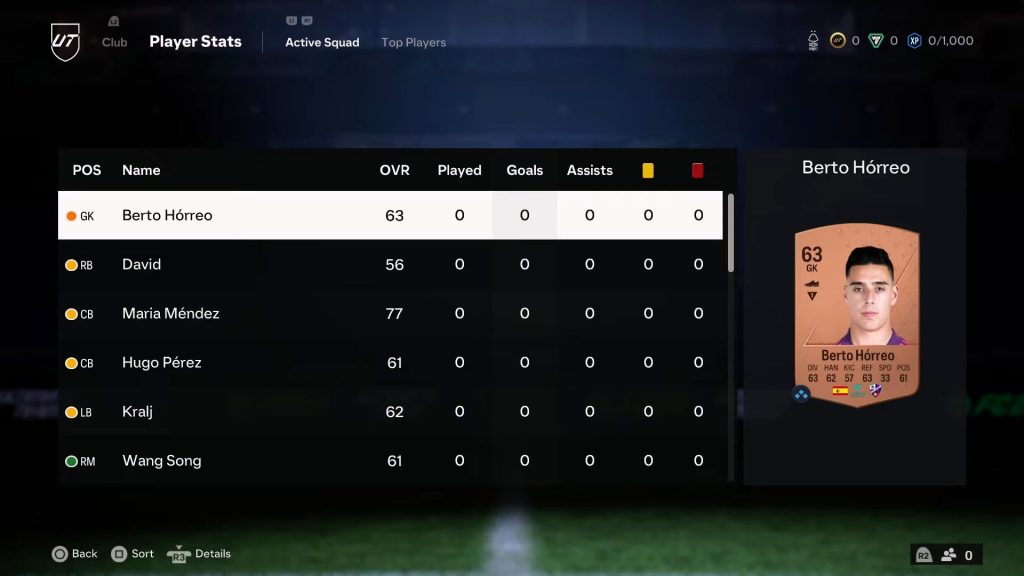
You can see every single important stat for each player, which includes their overall rating (OVR), how many goals they’ve scored, and even how many yellow/red cards they’ve received!
So, that’s the gist of it! Now you should know where to see your record in FC 24’s Ultimate Team, both for your whole team and individual members.
ALSO READ: COD: Modern Warfare 3: How to Get Pre-Order Bonus