5 articles
Pre-order bonuses are nothing new in games, but Modern Warfare 3 has some unique ones. You can get some of them right away in Modern Warfare 2 and Warzone, even!
If you’re having trouble getting your bonuses, though, we’re here to help. Just read on and we’ll tell you everything you need to know about how to get your pre-order bonuses.
How to Get Pre-Order Bonus in COD: Modern Warfare 3
Good news! You shouldn’t have to do anything to claim your Modern Warfare 3 pre-order bonus.
Just log in to the account with which you purchased the game and open Call of Duty HQ. Your pre-order bonus should already have been unlocked for your account.
 COD Modern Warfare 3: How to Text Chat on PS5 and XboxNov 24, 2023
 Modern Warfare 3: How to Change Enemy ColorOct 12, 2023
 COD Modern Warfare 3: How to Unblock PeopleOct 12, 2023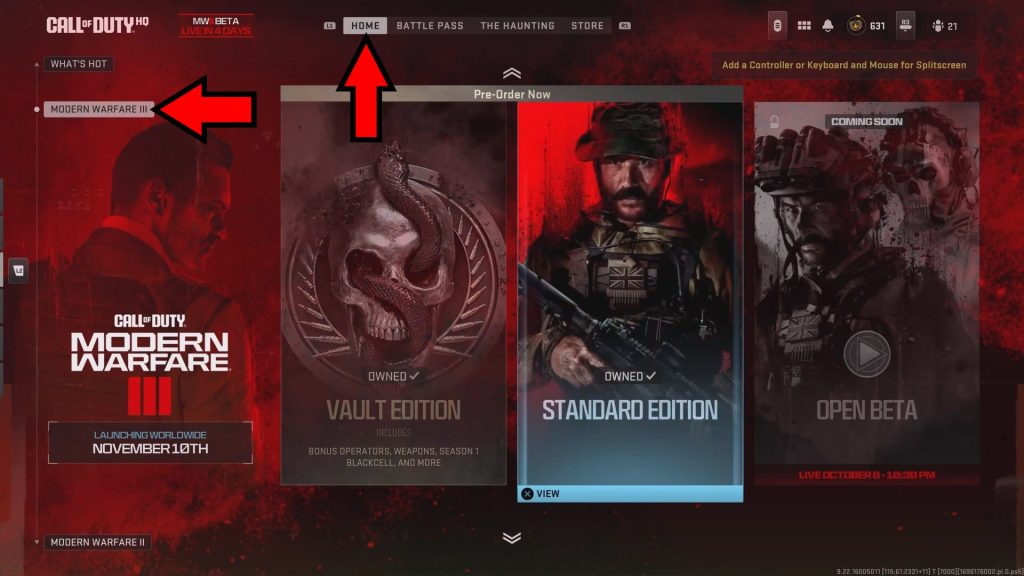
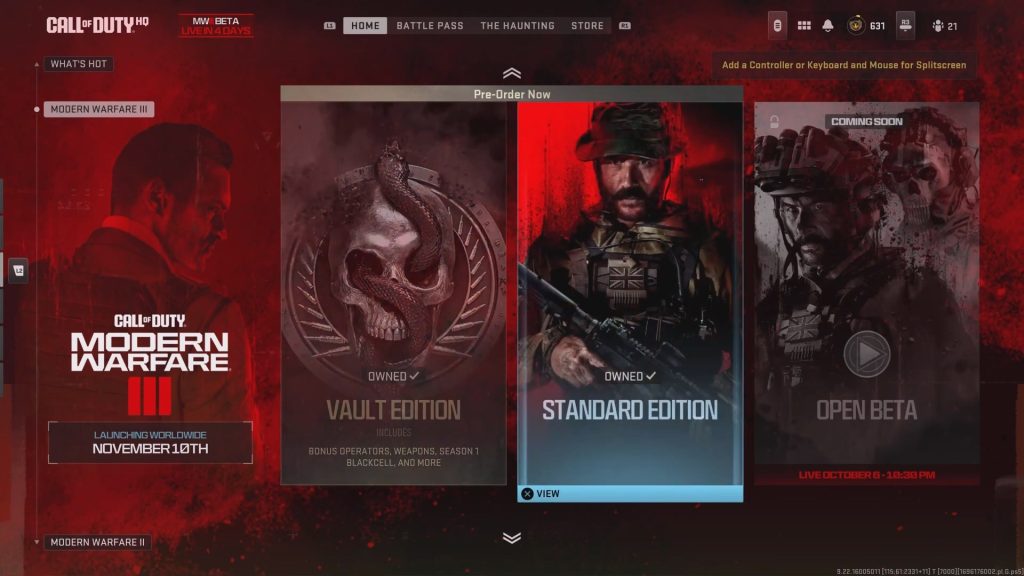
This can be confirmed by going down to the Modern Warfare III section on the Call of Duty HQ’s “Home” tab.
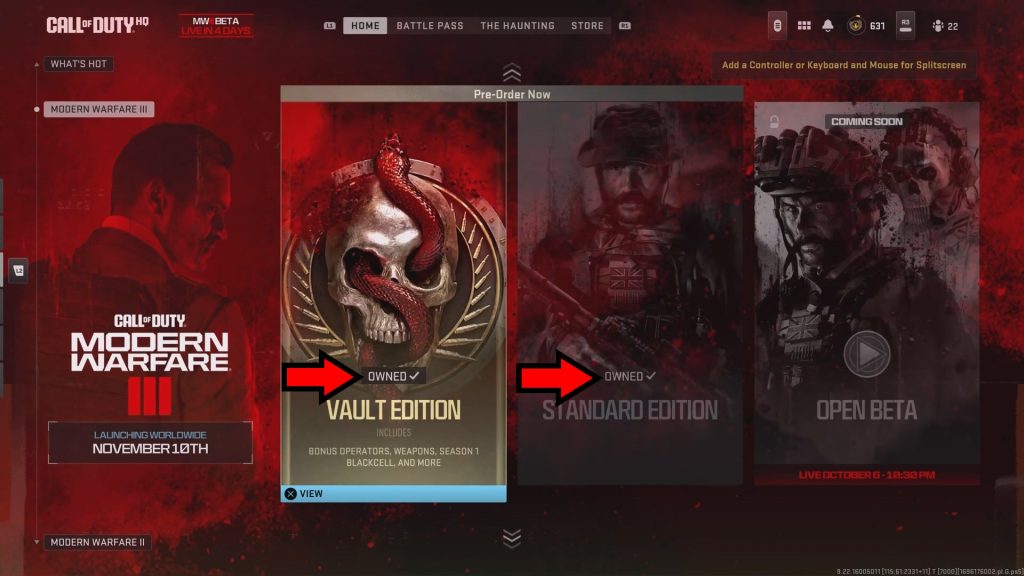
You should see a little text box saying “Owned” on top of the preview for the edition you’ve bought, just like it appears in the image above.
Pre-ordering the Vault Edition will make both the Vault and Standard editions appear as owned!
Do note that the console version of the Standard edition is also called “Cross-Gen Bundle”, as it includes both current-gen and previous-gen versions of the game.
Regardless, you can also view the contents of each edition by clicking on it on PC, pressing X on PlayStation, or A on Xbox.
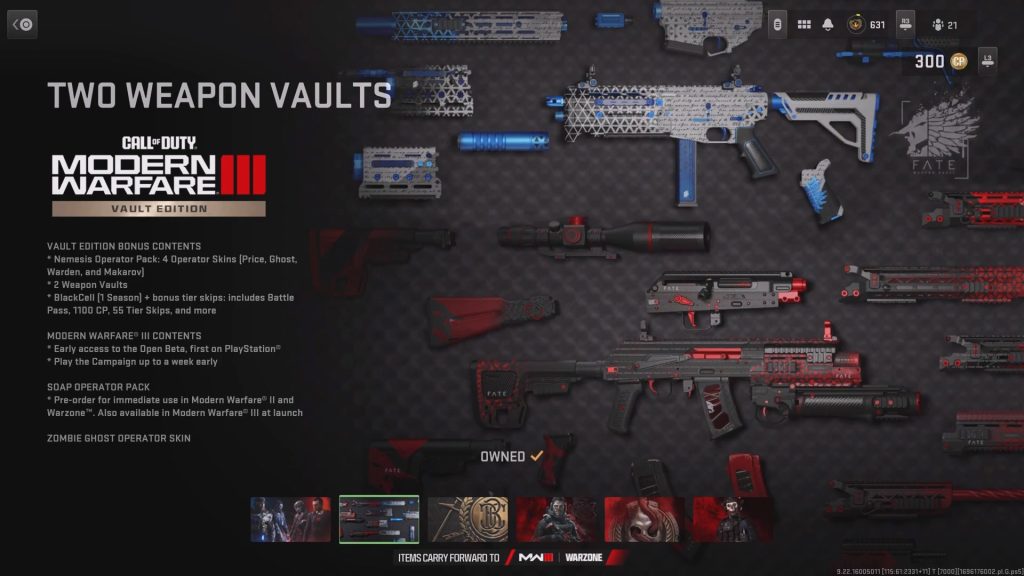
This will detail everything you get by pre-ordering, as well as confirm whether you own the content or not.
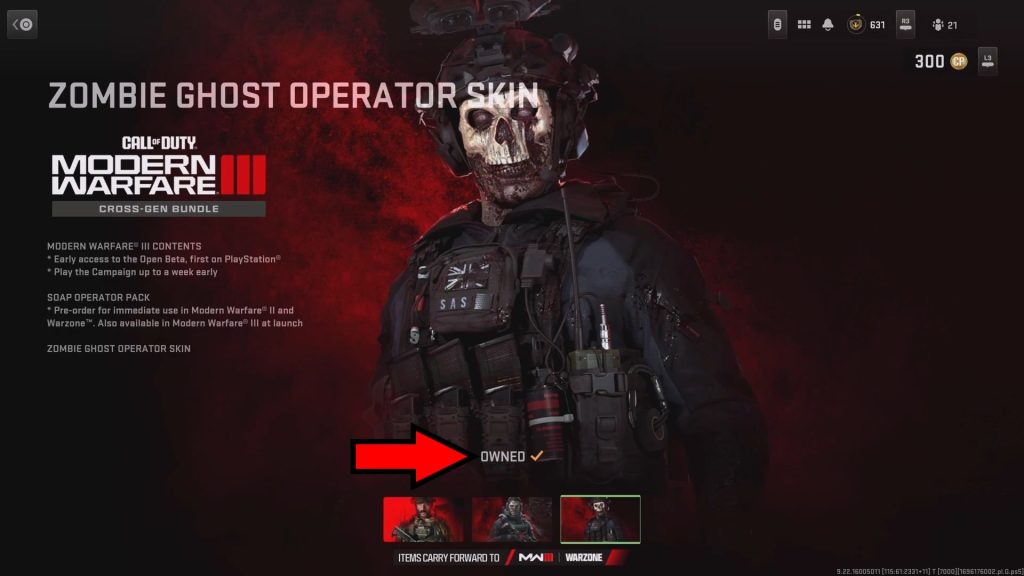
Just like with the game editions themselves, owned pre-order bonuses will display the “Owned” text as shown on the image.
But that’s not all! This Modern Warfare III section will also allow you to access the game’s Open Beta and Campaign early once they become available, provided you pre-ordered the game.
However, they’re not available as of this writing. You’ll have to wait for those to become available later, which depends on your platform as follows:
- PlayStation 4 and 5 – October 6, 2023
- PC, Xbox One, Xbox Series X/S – October 12, 2023
Keep an eye out on the Modern Warfare III section of Call of Duty HQ’s Home page to enter the beta once it starts!
How to Use the Modern Warfare III Pre-Order Bonus for MW2 and Warzone
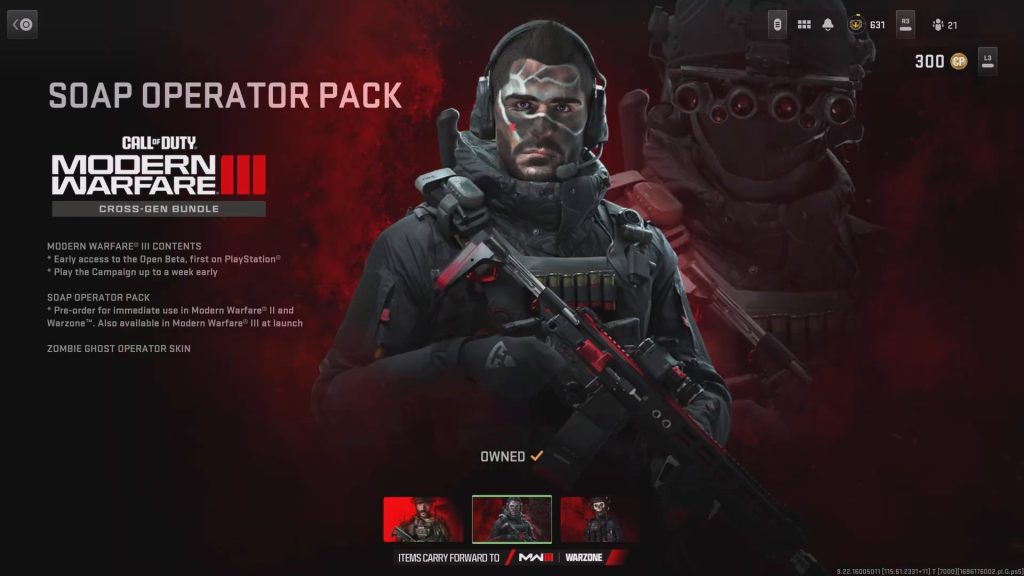
Besides the Modern Warfare III bonuses, there’s also a pair of nifty add-ons that you’ll get to use already in Modern Warfare 2 and Warzone: the Soap Operator Pack and the Zombie Ghost Operator Skin.
The Soap Operator Pack includes two operator skins, Masked Soap and Unmasked Soap. Both of them are, as might be obvious, based on Johnny “Soap” MacTavish from the Modern Warfare 2 campaign.
On the other hand, the Zombie Ghost Operator Skin is exactly what its title implies: a zombified version of the popular Ghost character as a skin.
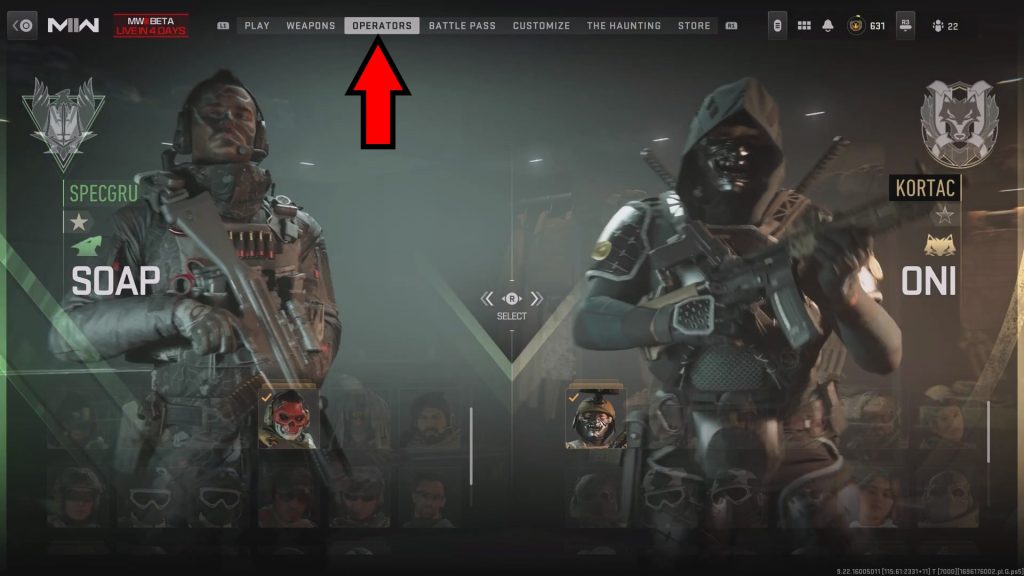
To use any of these skins, open the MW2 or Warzone multiplayer menus. You can do that by either launching the games normally on your system or by opening Call of Duty HQ.
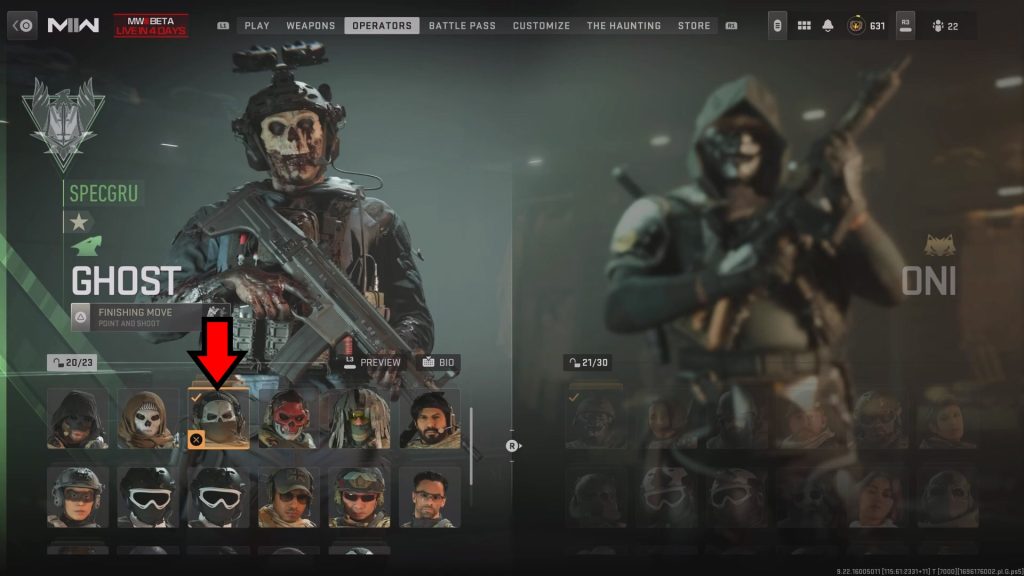
Then, navigate to the Operators tab and look for either Soap or Ghost. Select them by clicking on them, pressing X on PlayStation, or pressing A on Xbox.
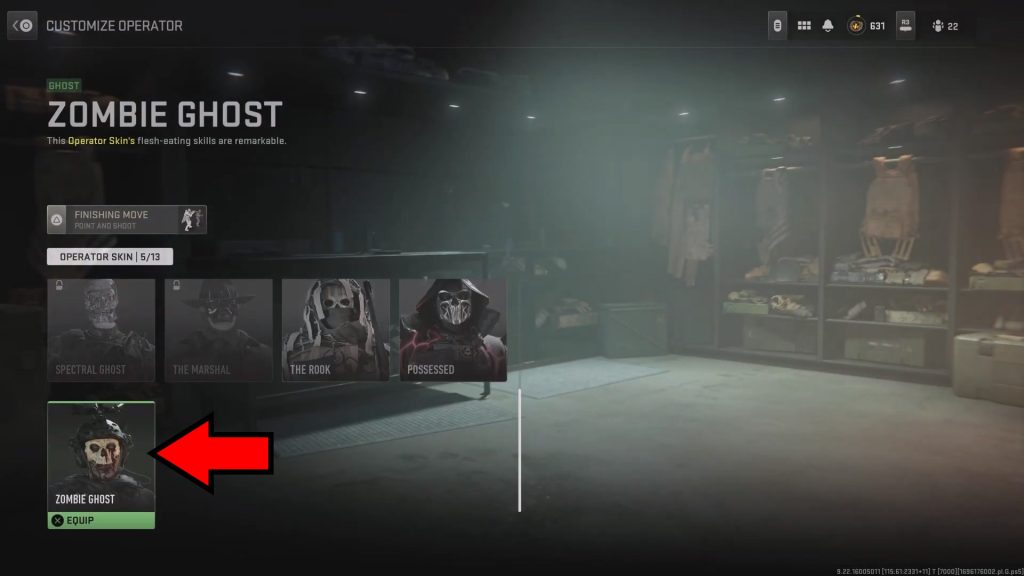
Lastly, just select one of the new operator skins and start rocking them when you go into the battlefield!
These operator skins will carry forward to Modern Warfare 3 as well, but it’s quite nice to get to use them already in MW2 and Warzone.
ALSO READ: Dredge: How to Get Explosives (Dynamite)