5 articles
COD Modern Warfare 3 allows you to block players whenever you want, which is a great tool to block obnoxious players and cheaters. Of course, that means you’re able to unblock someone too!
Whether you wish to give someone another chance or you just want to rescind an accidental block, the unblock feature is here for you.
In this short guide, we’ll tell you what exactly it is you need to do to unblock anyone in Modern Warfare 3!
How to Unblock People in COD Modern Warfare 3
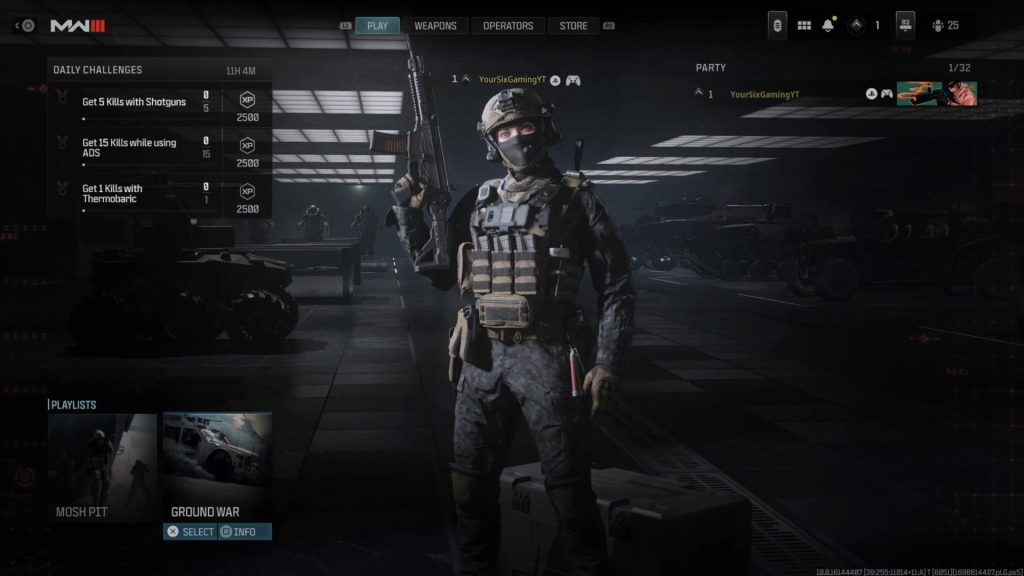
So, if you’re ready to give someone another chance, you’ll first want to head to the game’s main menu. It’s the menu with the “Play” option, as shown above.
 COD Modern Warfare 3: How to Text Chat on PS5 and XboxNov 24, 2023
 Modern Warfare 3: How to Change Enemy ColorOct 12, 2023
 How to Change Display Name Modern Warfare 3Oct 12, 2023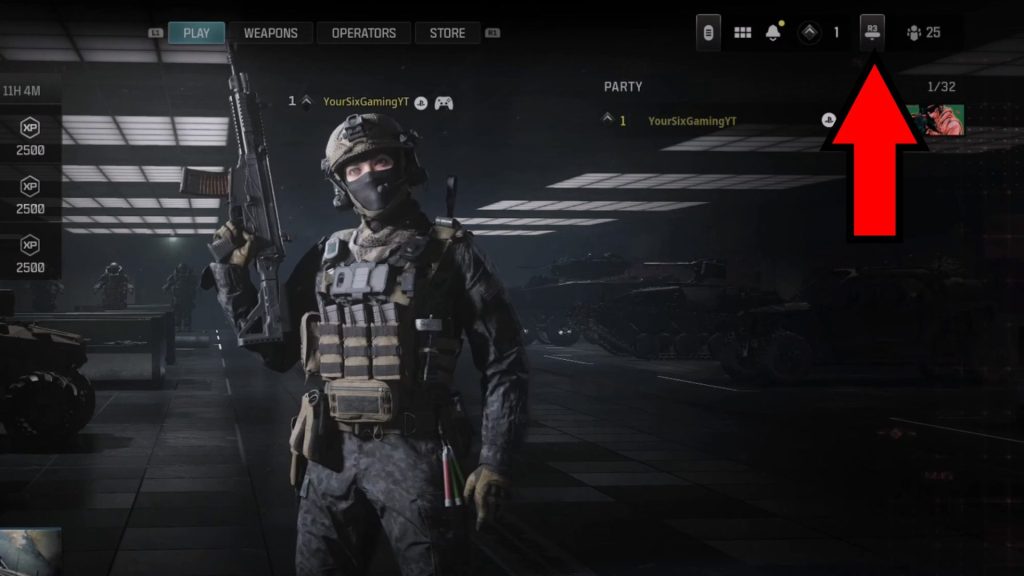
You’re already there? Press the right thumbstick (Xbox and Playstation) or the F2 key (PC).
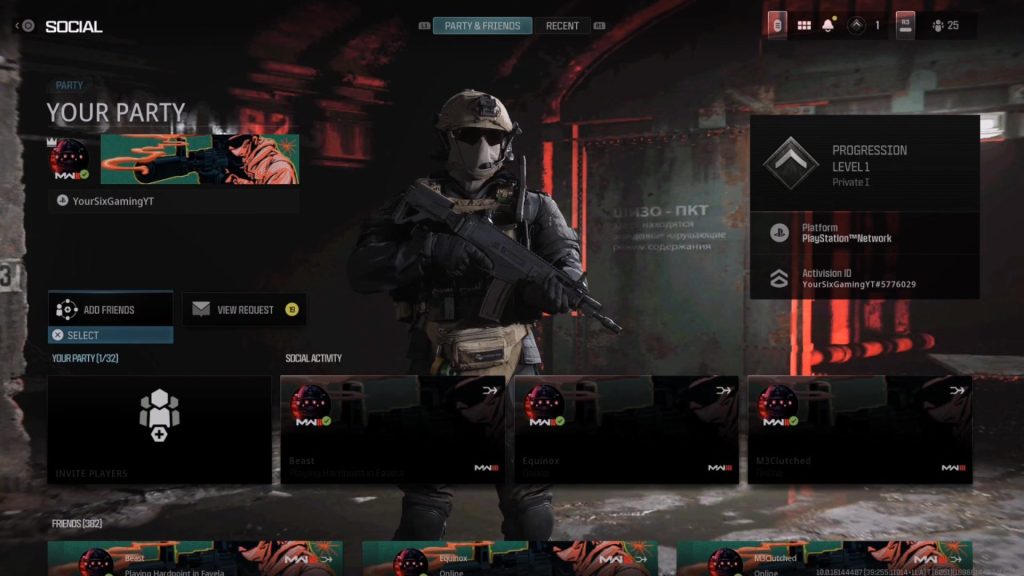
This will bring you to the game’s Social menu, which by default shows you the “Party & Friends” tab. We aren’t looking for a party or friends, though!
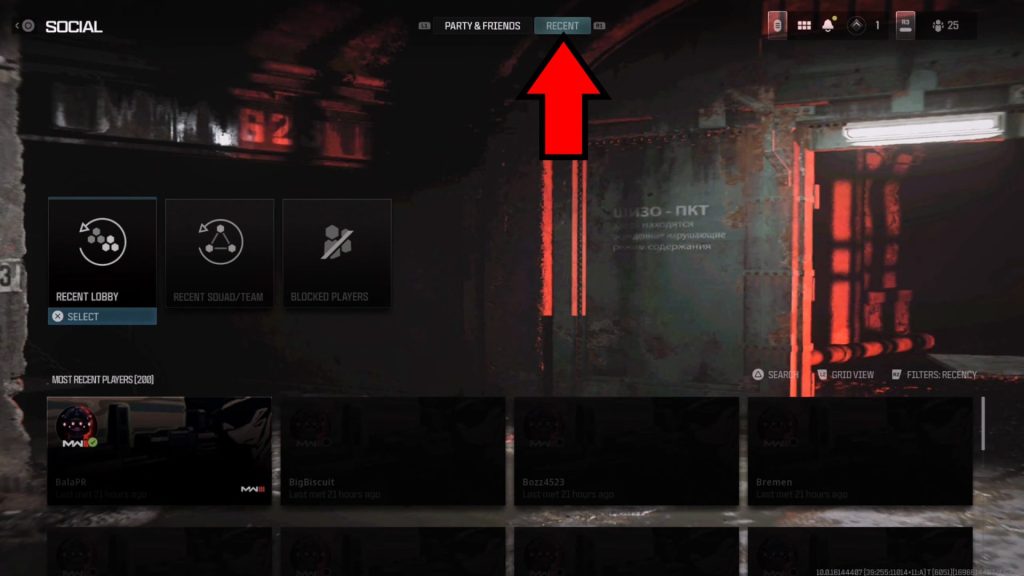
Instead, you want to switch over to the Recent tab. You can just click on it on PC, while console players can swap to it with LB (Xbox) or R1 (Playstation).
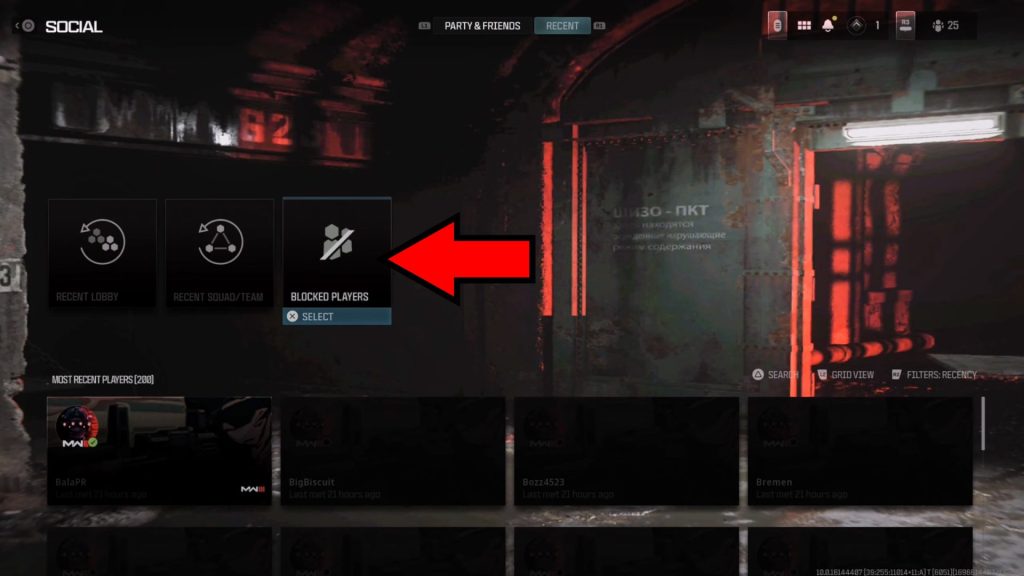
Now that we’re in the Recent tab, look for the Blocked Players icon as shown on the image. Just like before: PC players can just click on it; console players can press either A (Xbox) or X (Playstation) to select it.
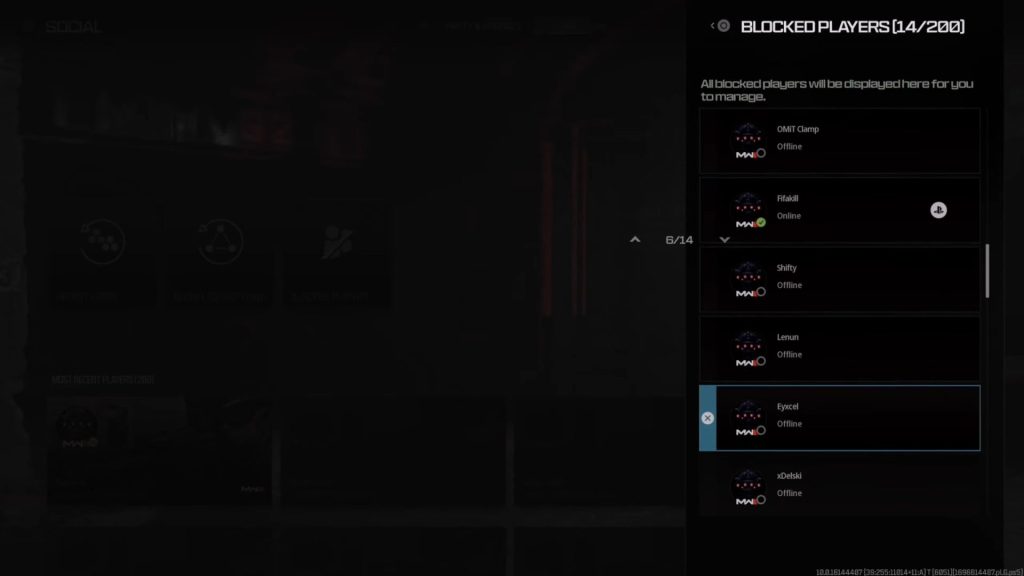
You’ll now see the list of every single person you’ve ever blocked. It also lets you know if they are currently offline or online, just in case!
Look for the player you want to unblock and select them. This will make a small text prompt appear, which asks you if you wish to remove the block.
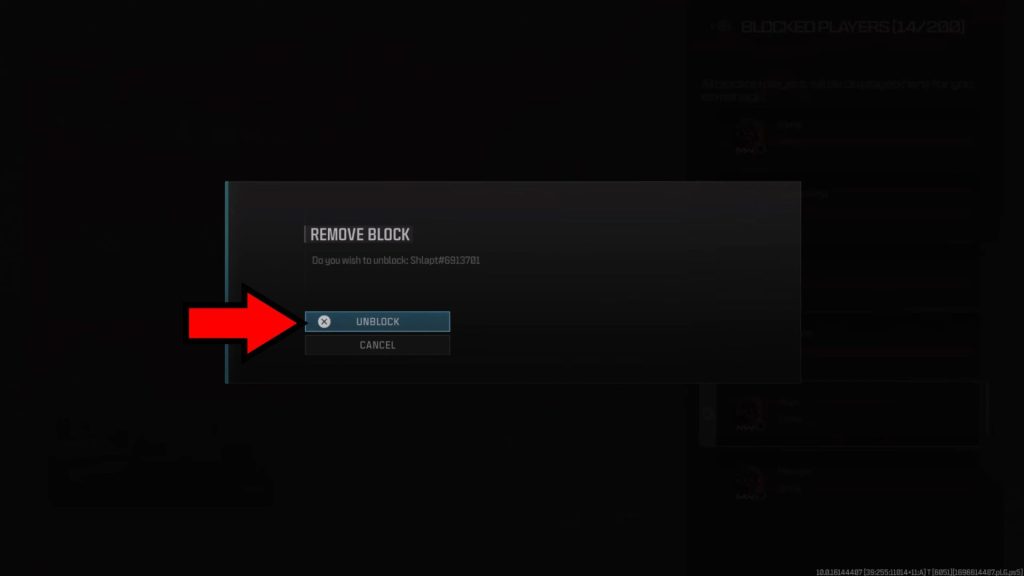
Choose the Unblock option and you’re all done! Now that the block is removed, the previously blocked player can interact with you once again.
We just hope whoever earned your block doesn’t make you regret unblocking them.
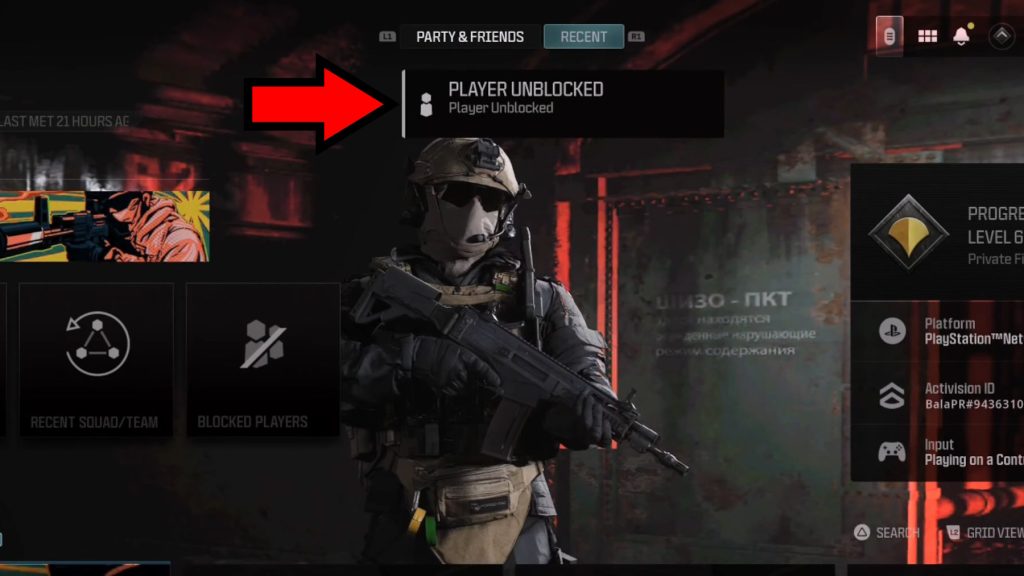
Nonetheless, now you know what to do whenever you wish to unblock someone in Modern Warfare 3.
ALSO READ: How to Change Display Name Modern Warfare 3