 2 articles
Kerbal Space Program 2 is a good game and all, but the Private Division launcher at the start can be an annoyance! Thankfully, you can bypass it.
A clever launch command on Steam allows you to launch your game normally, just without having to deal with the launcher.
In this guide, we’ll tell you how to make it so Steam bypasses the launcher for KSP2!
Bypass The Kerbal Space Program 2 Launcher
We’ll be using a launch command on Steam to bypass Private Division’s launcher in Kerbal Space Program 2. This will make the game ignore the launcher without breaking compatibility with Steam.
 Complete For Science! Guide in Kerbal Space Program 2Dec 29, 2023
However, it requires a bit more work than just copying the command! Don’t worry though, it’s extremely simple still.
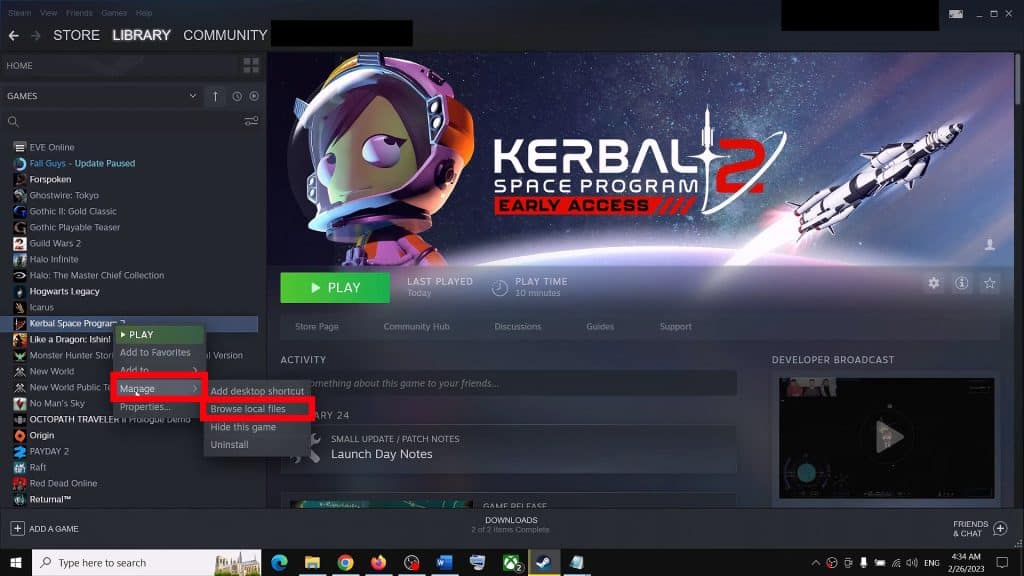
Start the process by finding Kerbal Space Program 2 in your Steam library and right-clicking on it.
Select “Manage” and then “Browse local files” from the drop-down menu to open Kerbal Space Program 2’s installation directory in a new Explorer window.
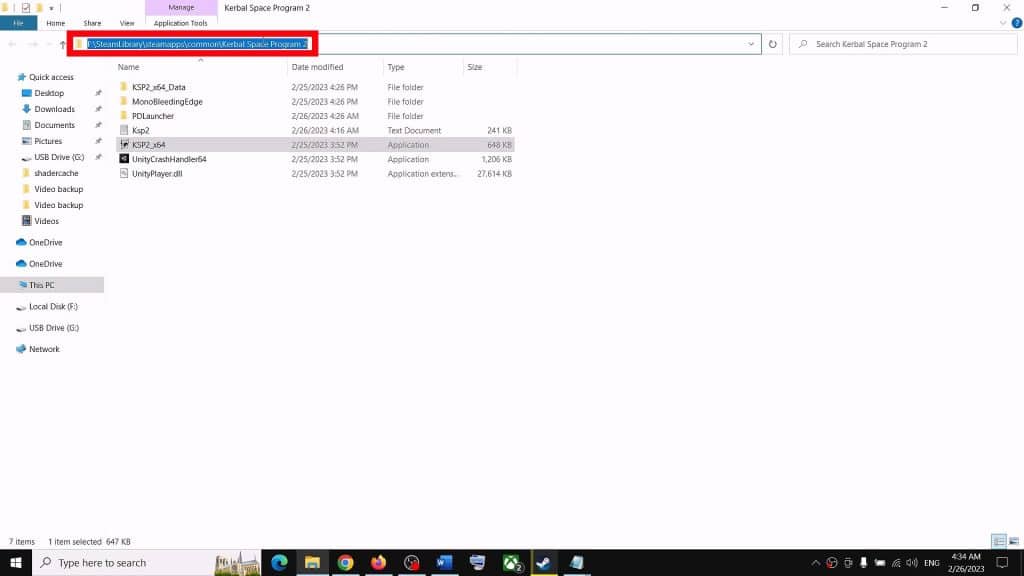
Now, in the Explorer window that just opened, click on the address bar at the top and select everything. Copy the entire address for later.
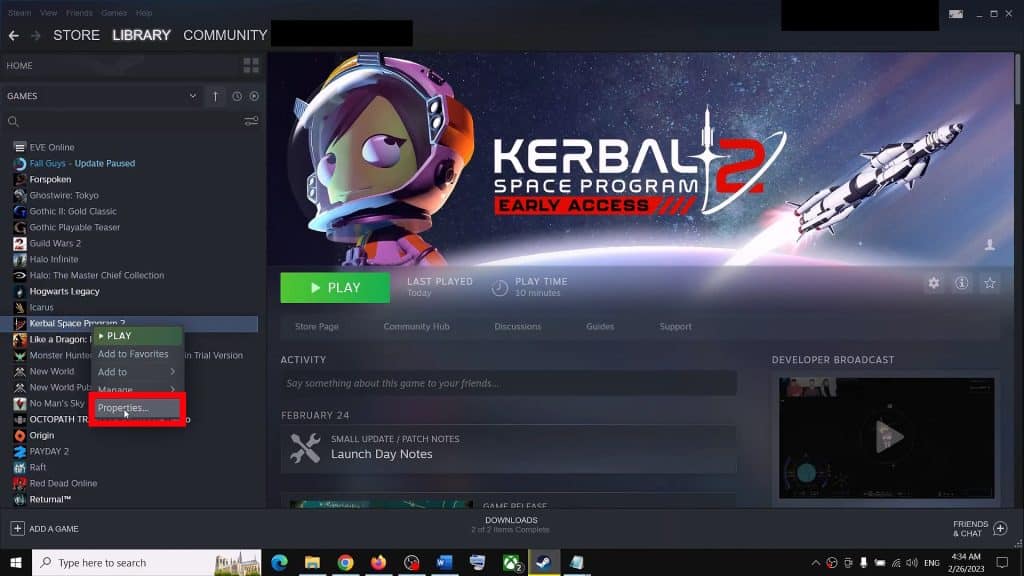
Next, go back to Steam and right-click on Kerbal Space Program 2 once again. Select “Properties” from the drop-down menu this time.
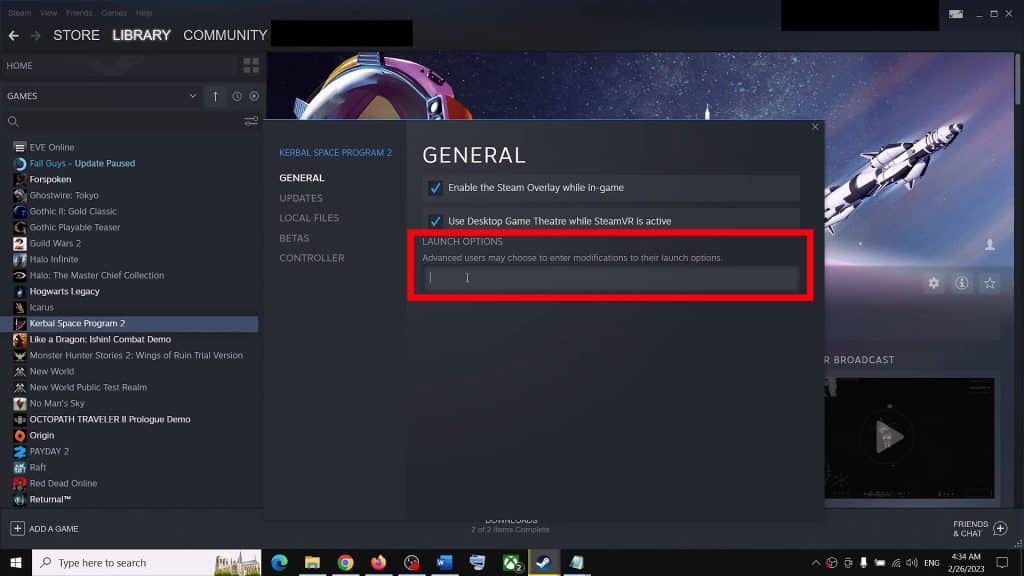
In the “General” tab of the properties, look for the Launch Options box at the bottom.
Add a quotation (“) mark and then paste the game’s installation directory address you copied earlier. Then add \KSP2_x64.exe” %command% at the very end of the address bar.
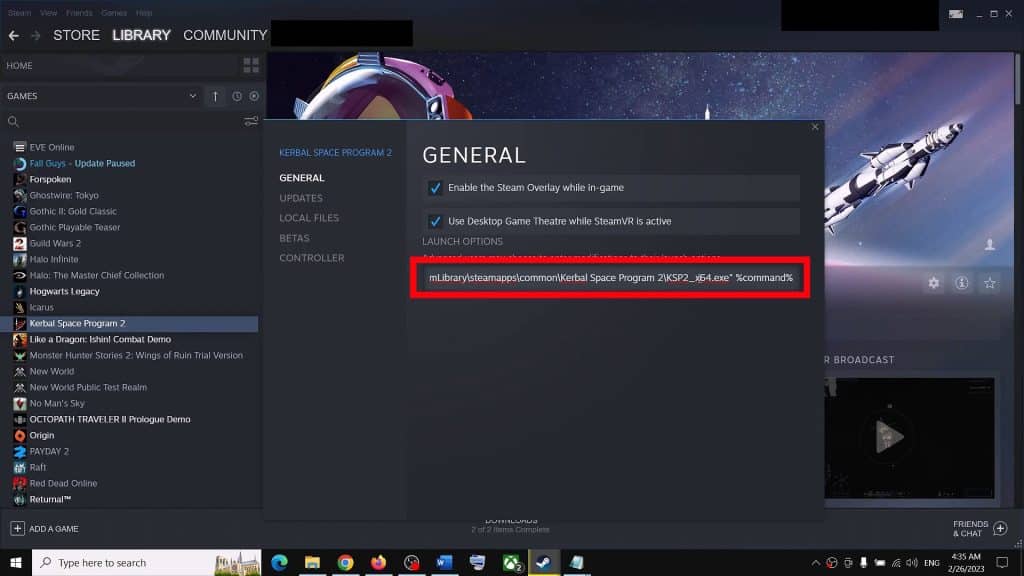
It should look like the screenshot shows above, and this basically makes Steam launch the game’s executable directly and ignore the launcher.
All that’s left to do is to launch Kerbal Space Program 2 and get back into the game, launcher-free!
Do note, however, that this might break compatibility with certain mods. It’s rare and unlikely, but it can happen!
You should remove the launch command to restore the launcher if you have issues with a mod.
ALSO READ: (the) Gnorp Apologue: How To Fix Game Not Running Issue