 22 articles
The Room of Requirement in Hogwarts Legacy is a great place to make potions, upgrade your gear, and spend time while you design the space.
You’ll also find that some ingredients for making potions require medium and large plant pots rather than small ones as you cultivate them.
Although you just have a table and a little pot as you start, it’s crucial to learn how to obtain various sizes so you can grow more plants.
In this guide, we’ll show you how to correct incorrect plant pot sizes in your Room of Requirement in Hogwarts Legacy.
 Hogwarts Legacy Memory Leak FixMay 6, 2023
 How to Beat the Spiders in Hogwarts LegacyApr 25, 2023
 Hogwarts Legacy: Ultimate Platinum Trophy GuideApr 25, 2023
How to Fix Incorrect Pot Size in Hogwarts Legacy
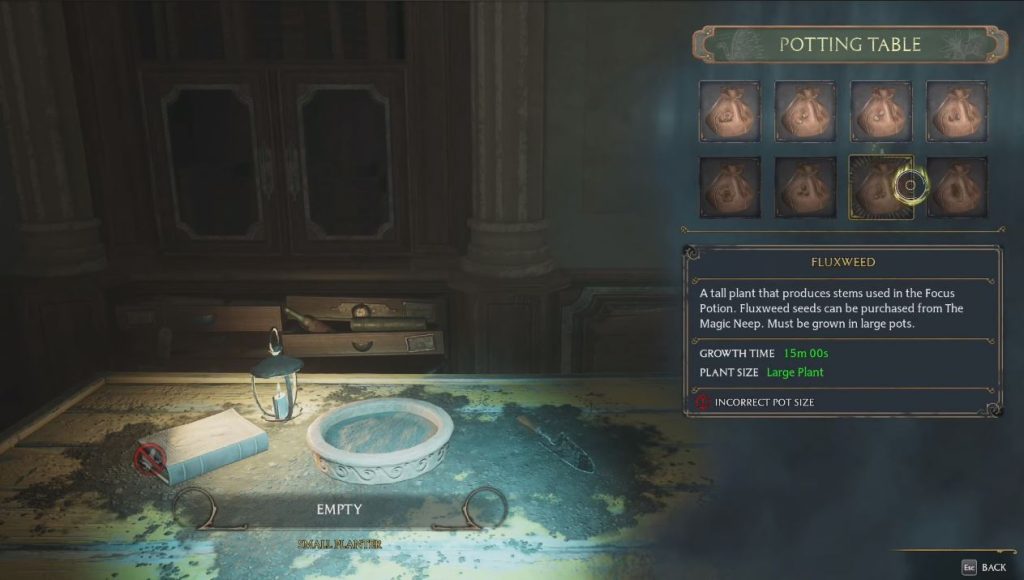
There are two steps that you can follow in order to fix incorrect pot sizes in the game. They’re as follows:
Get to Hogsmeade
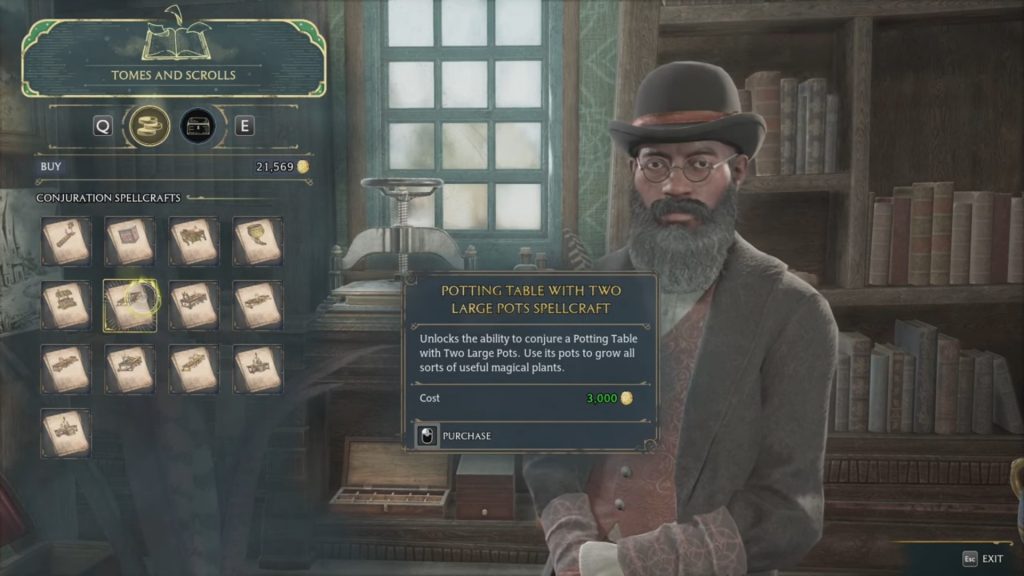
The simplest method is to buy a Conjuration Spellcraft from Tomes and Scrolls in Hogsmeade. It costs 1,000 coins to buy the potting table with the big pot, but it’s well worth it.
It’s not a crucial piece of equipment in the early stages of the game, but it will enable you to access every spell Professor Garlick gave you for her second task.
The shop also sells medium pots which you can buy.
Invoke it in the Room of Requirements
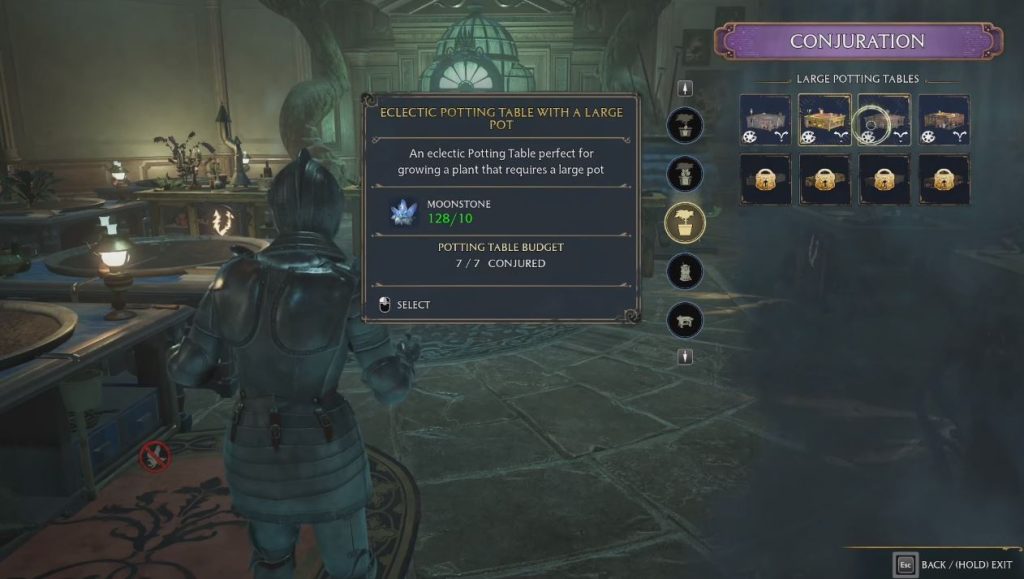
After buying the table, return to your Room of Requirements and locate a place for it. Now that you see it, you can use any plant seed you have in it.
You should be able to plant and grow anything you want after resolving the pot size issue. This also means you can now cultivate any seeds that need a big pot unlike before.
You can match the aesthetics of your own personal area with the various colors and styles that can be equipped, much like the other stations.
ALSO READ: How to Animation Cancel Stardew Valley