The Safehouse in the Hills update is now out for GTA V Online, and this DLC allows you to purchase a mansion (or three!) as a property.
This mansion acts as a unique safehouse. It has a massive garage with 20 slots, gives you quick access to all of your businesses, and even allows you to buff the production of your businesses! There’s a lot of utility here.
In this guide, we’ll tell you everything you need to know about the new mansion DLC!
Mansion DLC Complete Guide | GTA V – Safehouse in the Hills
Picking a Mansion
The most important part of the new update is, of course, the mansions. You can buy 3 of them from the Prix Luxury Real Estate website in-game. They are as follows:

The Tongva Estate – $11,500,000. This one is located on the western side of San Andreas, north of Los Santos. It is the same mansion as Devin Weston’s.

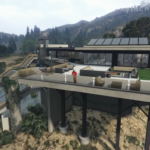



The Vinewood Residence – $12,200,000. You can find this one just a bit northeast of Los Santos, pretty close to the city itself.

Richman Villa – $12,800,000. This one is in the northwestern part of Los Santos, right next to Madrazo’s mansion.
Now, we do go into it in a bit more detail in our mansion buyer’s guide. But, to summarize things, which mansion you get doesn’t make a big difference.

All of them offer the exact same services, and their interiors are identical. What’s more, even the exterior is similar, with a few differences! So, all that matters is their location and pricing. Everything else is the same for all 3.
Besides that, you can also purchase all 3 if you have the money. You’re not limited to buying just one of them, thankfully!
So, in short? It doesn’t really matter which mansion you buy. They’re all functionally the same, so there’s no factual best one.
Mansion Management & Customization

While you are inside your mansion, you can bring up the Interaction Menu and select the Mansion Management option. As it says, it allows you to manage your mansion somewhat.
More specifically, it allows you to invite other players to visit it as well as customize the interior of the mansion.

You can change the statues and paintings around the mansion, hide gym equipment and pets, change what radio station plays in the mansion, the dress code for parties, and more!
We recommend fiddling around with this menu and getting used to it as soon as you get your mansion. It’s a good way to quickly customize it and make it fit your preferences, since there are a lot of options available.
Your Very Own AI Assistant

Your mansion also comes decked out with your very own AI assistant! You can access it from any tablet or television in your mansion. And no, it’s not really an actual AI, that’s just the flavor for it in-game.
This assistant is quite handy, as it allows you to manage all of your business from a single spot. It even allows you to enable a Business Production Boost, which increases the production of any business you pick. You can do this once every 24 hours.
Now, the community is still figuring out just how much the boost is. However, it seems to be pretty significant, so we recommend using it daily!

That aside, this assistant also allows you to Fast Travel to any of your other properties. It’s a great way to move around quickly.
If you wish to move around on your own, you can also choose to exit the mansion through one of your vehicles. As long as they are parked in the mansion, of course.
Plus, you can also order a champagne service or host a party if you wish. These are more just for fun than anything, but they’re there for you!
All in all, we recommend making good use of this new assistant feature to optimize your businesses more than anything. Remember to get that daily boost, at least.
Starting the New Missions

Aside from the mansion itself, there are also some new missions! Most of them are part of the new KnoWay Out Heist, which features Avi Schwartzman. They are marked with a yellow “A” on your map.
However, there’s also a special mission featuring the return of Michael de Santa. This one requires you to have purchased a mansion and completed the KnoWay Out Heist, but it’s worth the effort if you’re a fan of GTA V.
For more details on how to unlock these missions, check out our detailed unlock guide!
Some Mansion Quirks to Know About
Before we finish up, we wanted to talk about a couple of quirks related to how mansions work in this game.

The first quirk is that, much like other properties, mansions are instanced. That means that to see your mansion, you’ll need to enter it by standing on the blue circle in front of the main entrance.
If you don’t, you’ll just see a generic version of the mansion with its blinds shut, preventing a look at the interior.
Like with other properties, this is just how it works so that multiple players can own their own version of the property. So, if nothing else, this prevents other players from griefing you univited while inside the mansion!

The second important quirk is how the garage works. As we mentioned in our introduction, the mansion’s garage has 20 free slots for you to fill up with vehicles.
At the same time, you can also place 2 vehicles in your driveaway and 1 on your podium. We have a guide on how to use the podium if you need it.
Now, the quirk here is that the driveaway and podium do not free up space on garage. You don’t get 23 spaces total, you only get the 20 spaces.
What’s more, moving a vehicle to either the driveaway or podium will leave behind a reserved empty spot for it on the garage. You can’t avoid this, so it’s important to be aware of it, at least.
So, there you have it. That’s everything you need to know about the new mansion DLC for GTA V Online, the Safehouse on the Hills update. We hope this helped you get acquainted with your new home!