 11 articles
In Paralives, you can buy and sell a variety of houses for whatever reason you want!
You can buy houses to move into or split your Parafolk families, for example. You can also sell houses you no longer use to get some money back. After all, the funds are better than an unused property, right?
Either way, this quick guide will tell you all you need to know to buy and sell houses in this game.
How to Buy a House
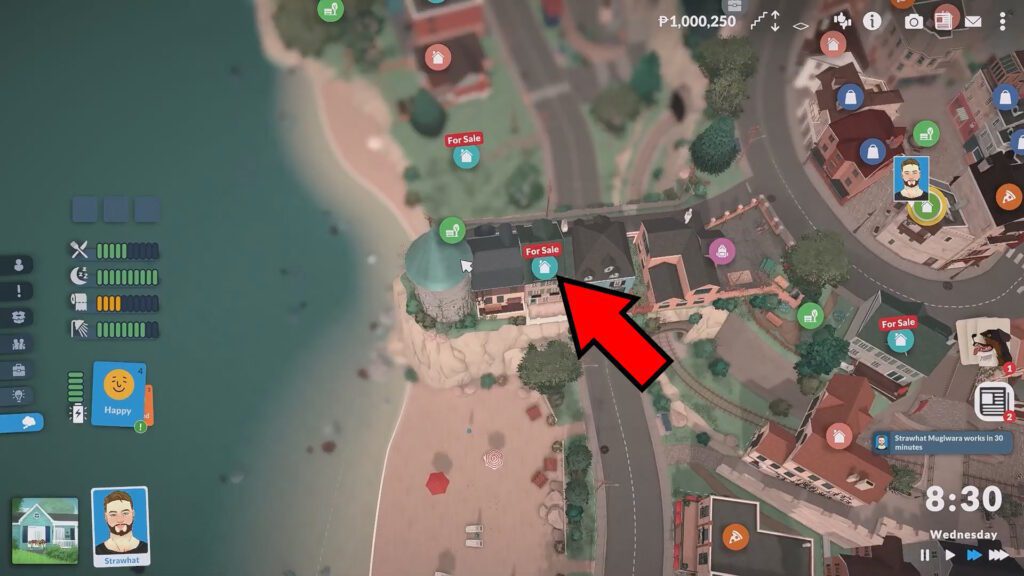
Buying a house in this game is pretty simple, unlike in real life. First of all, you just need to zoom out as far as you can or press the M key to enter the full map view mode.
 How to Unlock Hidden Item Catalog in ParalivesJun 12, 2026
 All Cheat Codes You Need to Know in ParalivesJun 10, 2026
 How to Try for a Baby in ParalivesJun 10, 2026
In this map view, you’ll notice that some houses have a blue icon with a “For Sale” text on it. These are the ones that are currently available for purchase.
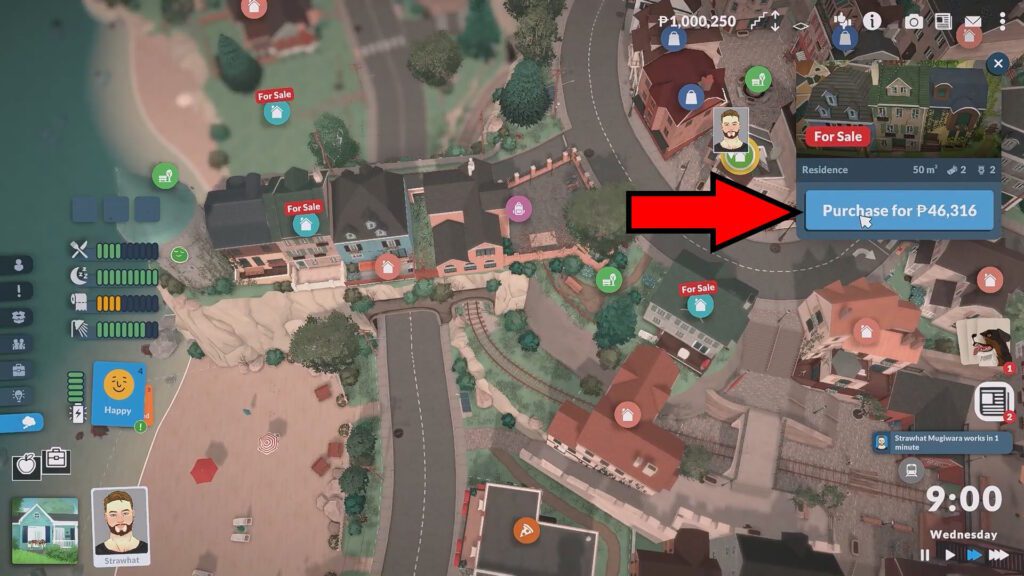
When you find the house you wish to buy, just click on the blue house icon on it. You’ll get a pop-up in the top-right corner of the screen. It has some more details on the house, as well as a button that allows you to purchase. Make sure to double-check the price, as well!
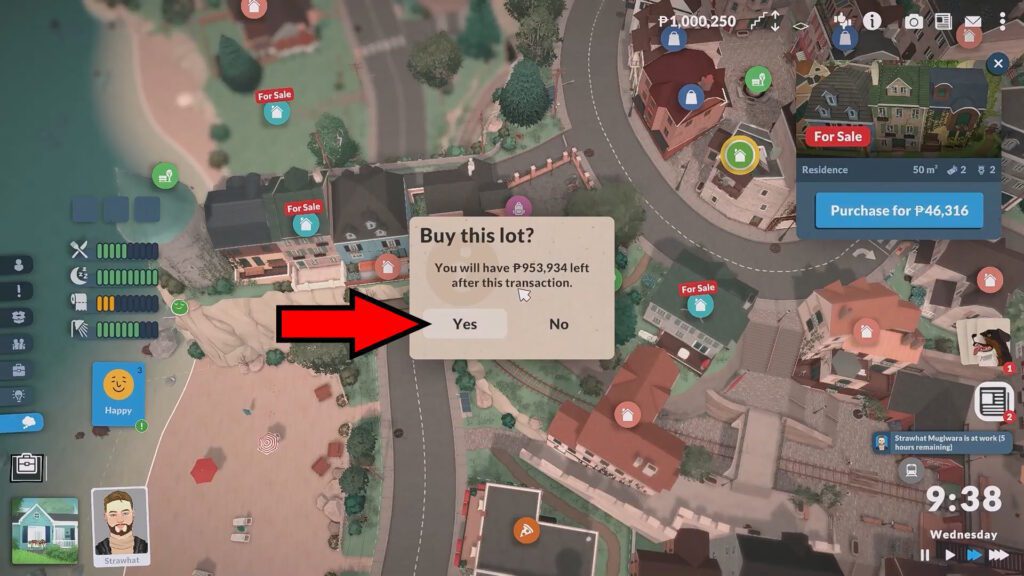
After clicking on purchase, you’ll get one last confirmation pop-up. This will tell you your remaining money after the purchase, so you can decide to confirm or deny the purchase. To buy, just click on Yes.
With that, you’ve purchased the house! It is now all yours to use. You can easily move in your Parafolk to it by just making them interact with any furniture within the new house.
How to Sell a House
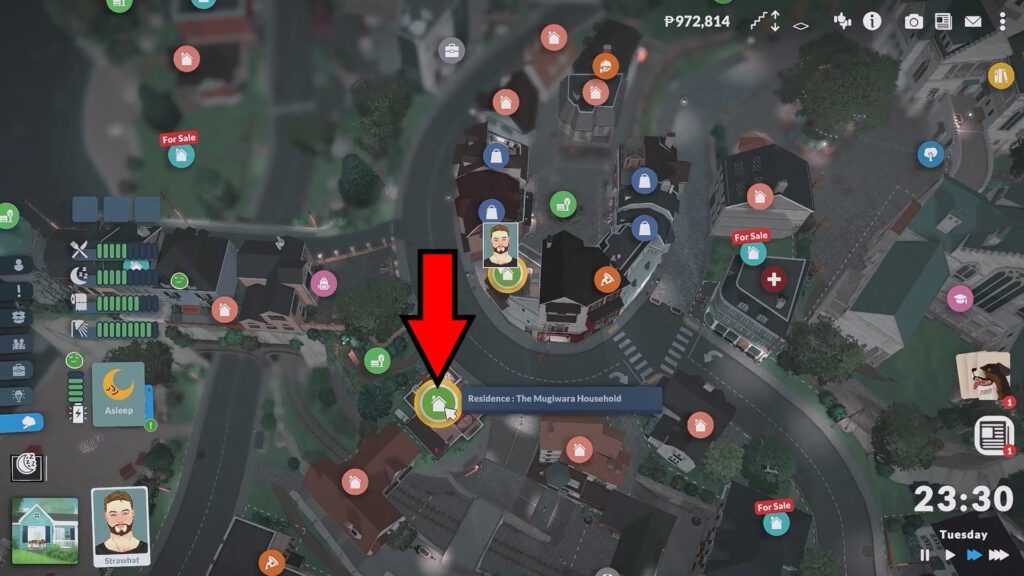
Selling a house is basically as simple as purchasing it was. Just like before, you’ll need to either zoom out fully or press the M key to enter the full map view mode.
While you’re in the full map, look for the house you want to sell. Your owned houses will have green house icons on them, as shown in the example above.
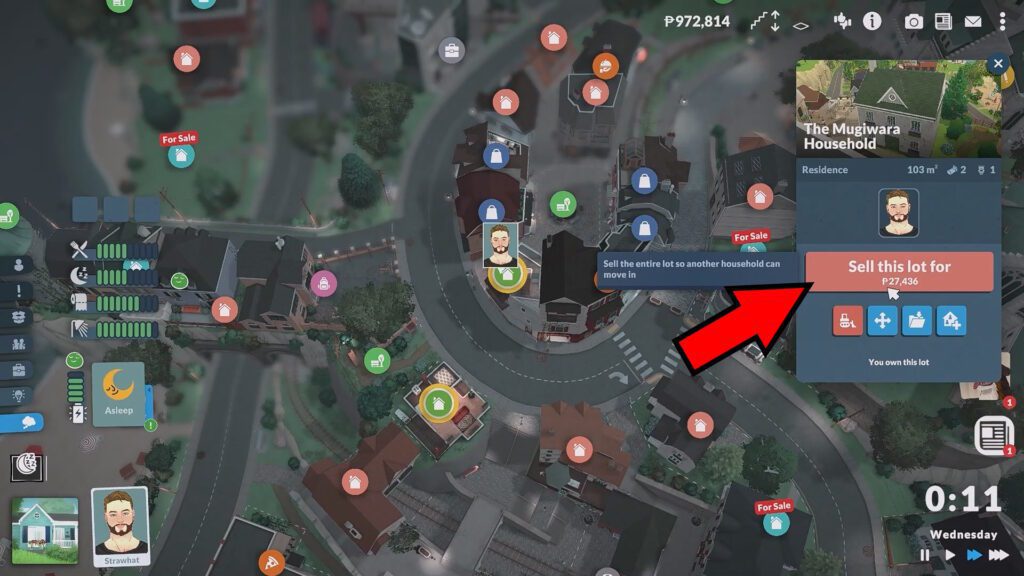
Click on the green house icon on the house you want to sell and you’ll get a pop-up on the top-right corner of the screen. You can select “Sell this lot” from this pop-up, which also tells you how much money you’ll get.
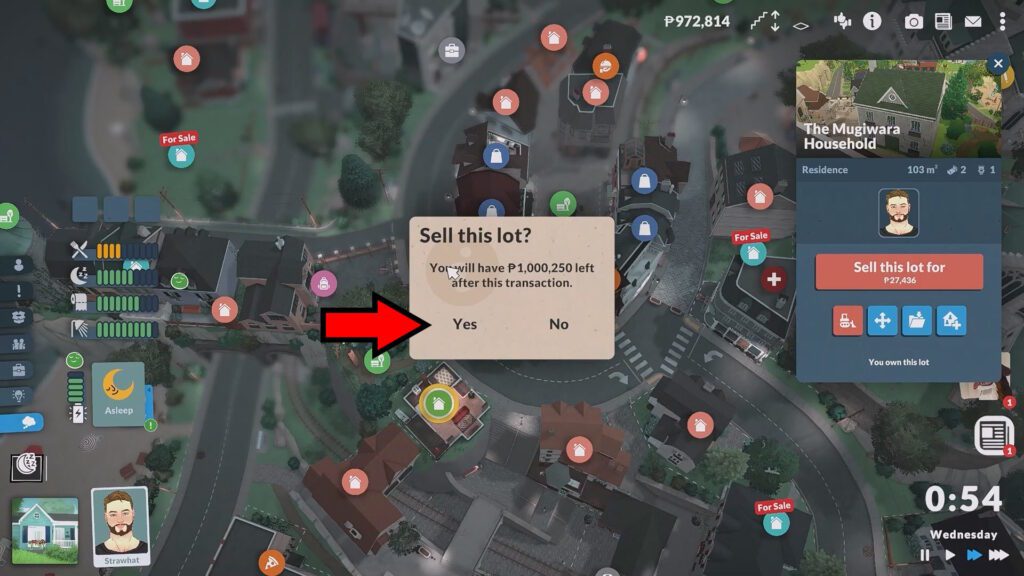
As with purchasing, you’ll get a last pop-up telling you the amount of money you’ll have after the sale. If you wish to confirm the sale, click Yes. Otherwise, click on No to cancel it.
So, there you have it! That’s all you need to do to buy and sell houses in Paralives. It’s a surprisingly simple and straightforward process, provided you’ve got the funds.
For more help with this game, check out our important hotkeys guide. It’ll tell you about important hotkeys that work as shortcuts for a variety of helpful actions!