 34 articles
The DualSense adaptive triggers and haptic feedback on the PS5 controller can be quite impressive as it provides more immersion when you’re playing a game. However, they can be quite annoying, even disruptive, if you’re playing a competitive first-person shooter such as Overwatch 2.
Luckily, the game has an option that lets you turn off both. Let’s find out how to do so in this guide.
How to Turn off Trigger Effect and Vibrations on PS5 Controller in Overwatch 2
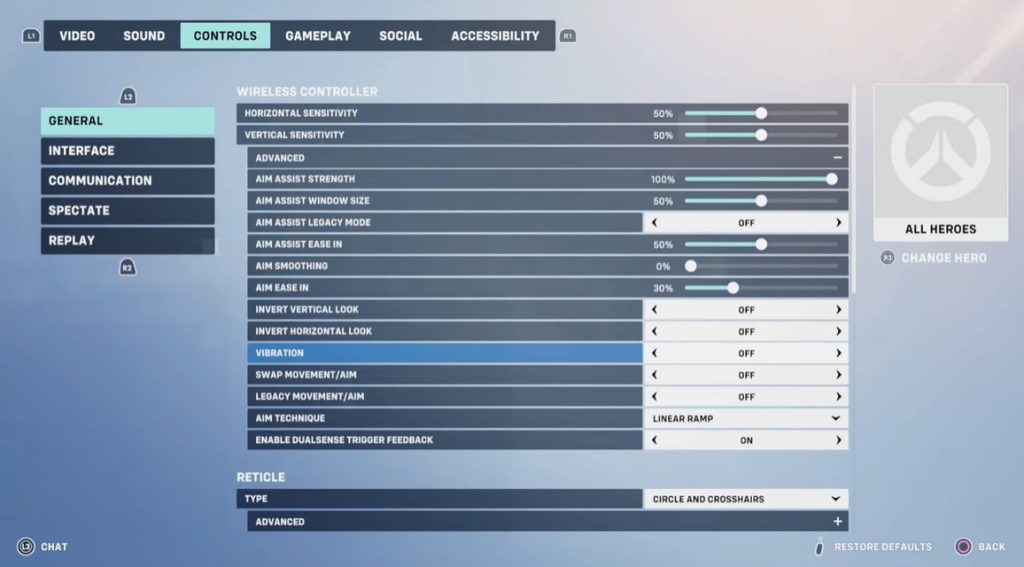
To turn off the vibrations and trigger effects, you first have to adjust some settings inside the game.
Luckily, Overwatch 2 has its own controller options that affect how the DualSense behaves.
 How to Climb in OverwatchMay 21, 2026
 Overwatch 2: How to Change Hero SkinMar 22, 2023
 Overwatch 2: How to Unlock and Equip Name CardJan 26, 2026
In the main menu, hit Options and go to the Controls tab. From here, scroll down to the Wireless Controller section and hit Advanced. In this submenu, there are two key switches you need.
First is Vibration. Set this to Off to stop the controller from rumbling when you shoot, get hit, or abilities trigger.
Next is Enable DualSense Trigger Feedback. You also want to turn this to Off to stop the adaptive trigger resistance the game applies on L2/R2.
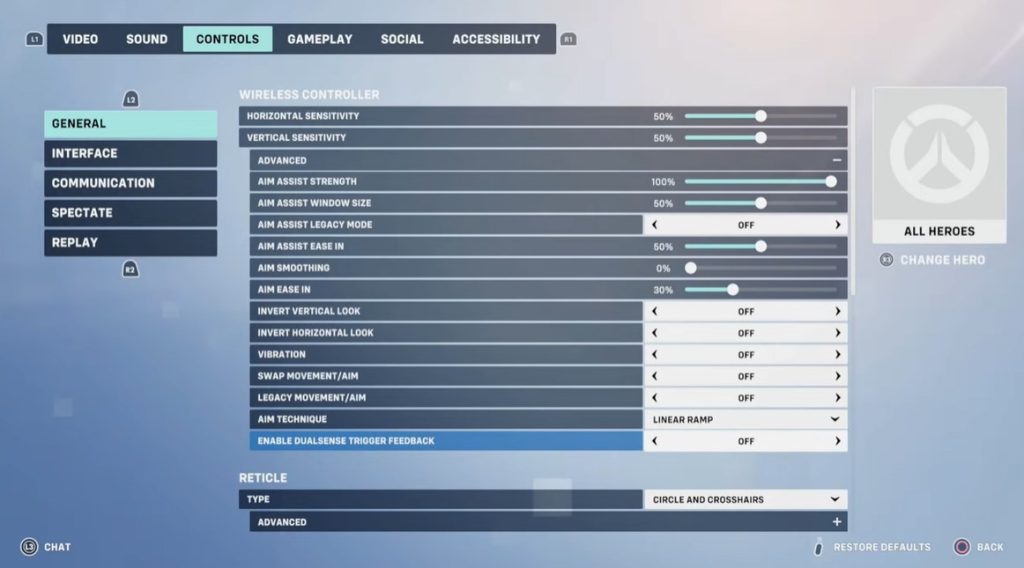
These two in-game toggles are what most console players talk about when they want all rumble and resistance gone inside Overwatch 2.
If you’ve adjusted those options and you’re still getting buzz or trigger resistance, you can kill it at the PS5 level. From the PS5 main screen:
- Go to Settings (the cog icon in the upper right)
- Scroll down to Accessories
- Select Controllers
Here you’ll find two options that affect everything the DualSense does.
First is Vibration Intensity. This defaults to strong but you can set it to Off to stop all rumble. Second is Trigger Effect Intensity, which is what Sony calls adaptive trigger feedback at the system level.
Set it to Off to kill resistance on L2/R2.
This will apply system-wide, so Overwatch 2 and other games won’t tinker with your controller’s haptics or trigger feel unless you bring them back on.
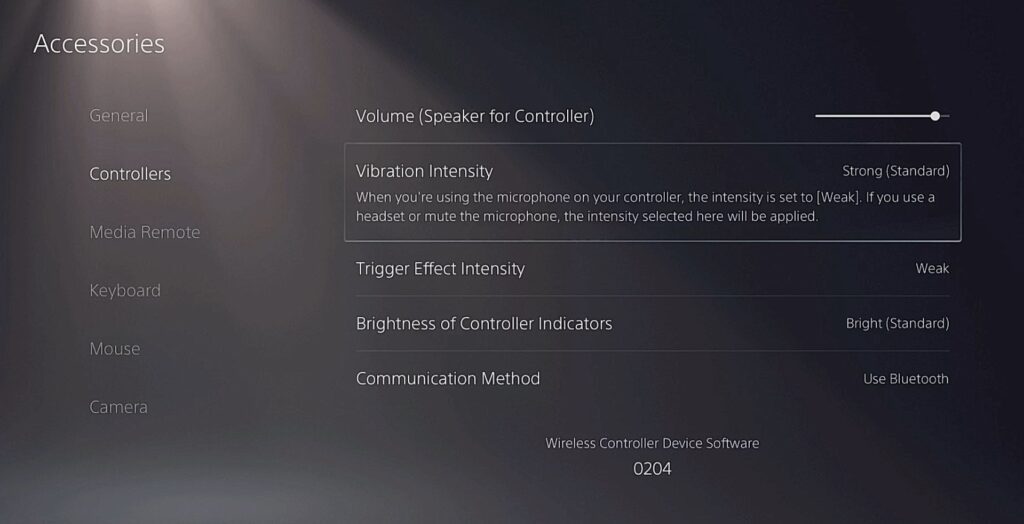
Most players who run into problems actually need both in-game settings and the PS5 controller settings to get everything fully quiet.
However, there might be times when you’ve turned vibration off in the game and in the console settings and still felt rumble until they restarted the game session.
If it doesn’t feel right immediately, try quitting the match and reloading the game after adjusting these.