 17 articles
The Abandoned Ruins are a type of ruin that you’ll encounter in My Time at Sandrock. They’re a lucrative area for mining ore as well as Old World technological relics. As of now, the only accessible Abandoned Ruins in the game is the one located behind the Eufaule Salvage.
The best part is that you can access it pretty early in the game. If you don’t know how just yet, then this guide is for you.
Abandoned Ruins Guide in My Time at Sandrock
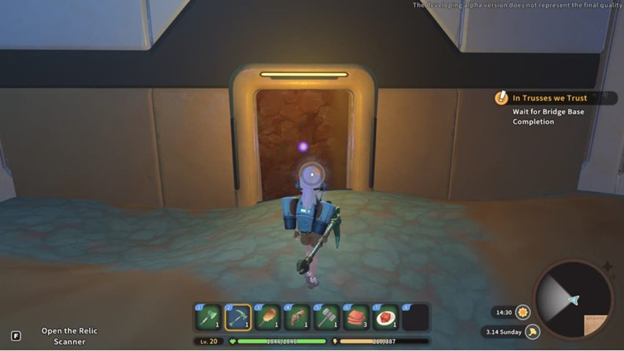
In order to unlock the ruins, you’ll need to build a Crane Lift which is part of the “Picking Up the Slack” quest. This lift will allow you to reach the area, and once unlocked, you’ll then be able to access the mine.
If you are planning to mine resources in this area, then make sure that you enter with a full stamina. The best option is to stock up on consumables that recover stamina.
 My Time at Sandrock: How To Have Custom Pictures in Picture FramesNov 7, 2023
 My Time At Sandrock: Our Top 5 Tips & TricksNov 6, 2023
 My Time at Sandrock: How to Unlock Planting and How Does it WorkJun 6, 2022
It’s worth noting that each time you enter a level inside the ruins with an odd number, you’ll be able to re-enter that same level the next time you enter the mines. You can also see the items you can obtain inside via the level selection screen.
What to Do Inside the Ruins
As mentioned, the area is a sweet spot for mining various resources. You’ll be able to see which resources you can mine via the level selection screen.
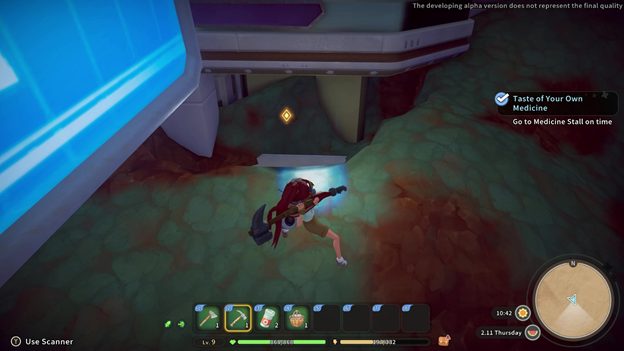
Inside, you’ll be able to use a scanner that lets you scan nearby resources. By pressing F (default key), it will detect any hidden entrances which you have to dig to uncover them. This will allow you to go down to the lower levels of the ruins.
Aside from that, the scanner will also show information about any special relics on the ground. They will be displayed via a gold diamond icon. Once near, you just have to dig the relic and then interact with it to place it into your inventory.
You can also find nodes inside which you can mine for some ores. Once you’re done or want to go back, just open your map and press R to get to the entrance.
ALSO READ: My Time at Sandrock: How to Increase and Recover Stamina