28 articles
Helldivers 2 allows you to switch the Point of View between third-person and first-person, each one with its own pros and cons.
That said, this change is exclusively for when you’re aiming! Nonetheless, switching between both POVs on the fly will give you a lot more versatility as you take on the hordes of hostile Terminids and Automatons.
In this short guide, we’ll tell you how to switch your POV whenever you want in Helldivers 2.
How to Switch Point of View (POV)
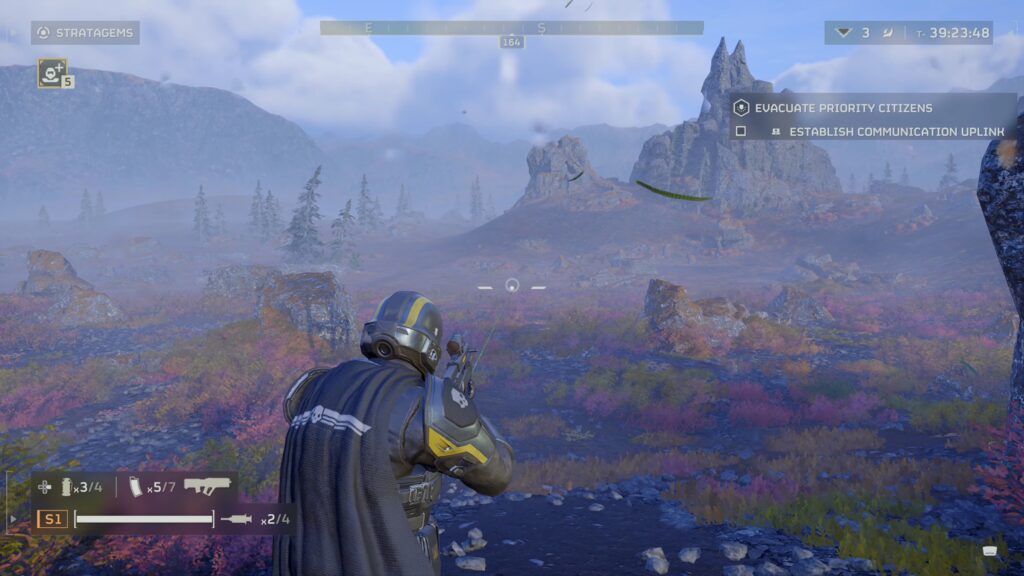
You can switch the Point of View from third-person to first-person only when you are in “Aim Mode”. That’s when you focus your sights and zoom in the screen a bit.
 Helldivers 2: Best Warbonds Tier ListDec 4, 2025
 Helldivers 2 – How to Farm Super Credits, Medals and Samples Fast (New Update)Sep 13, 2025
 Helldivers 2: Best 5 Weapon Combos for Illuminate InvasionMay 29, 2025
Then, while aiming, press the Right Thumbstick (R3) on a controller or press the middle mouse button on PC. It’s simplicity itself!
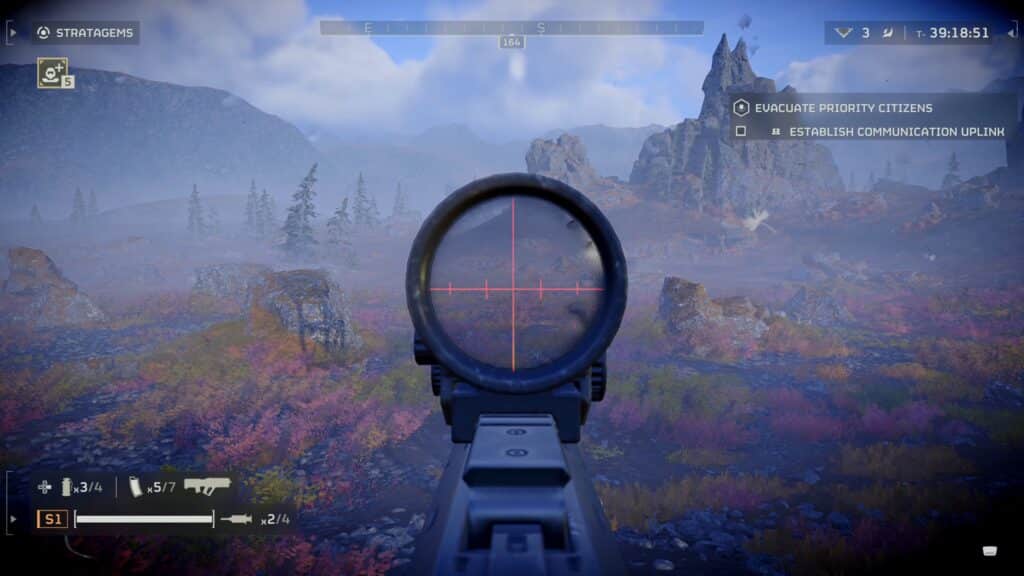
You’ll instantly switch over to a first-person view of your weapon’s sights. It’s amazing for precision aiming, especially if you’re trying to snipe some ugly bugs or annoying robots from a distance.
That said, it’s absolutely godawful for close-range encounters. Your limited field of vision will make it easy for enemies to sneak up on you and tear you to shreds before you can read.
Be sure to know what’s around you before switching to the first-person point of view! Or, at the very least, make sure you have some pals covering you.
The last aim mode POV you used will be remembered by the game, as well. So, next time you pull a weapon and aim you will instantly go into first-person, if it was the last mode you used.
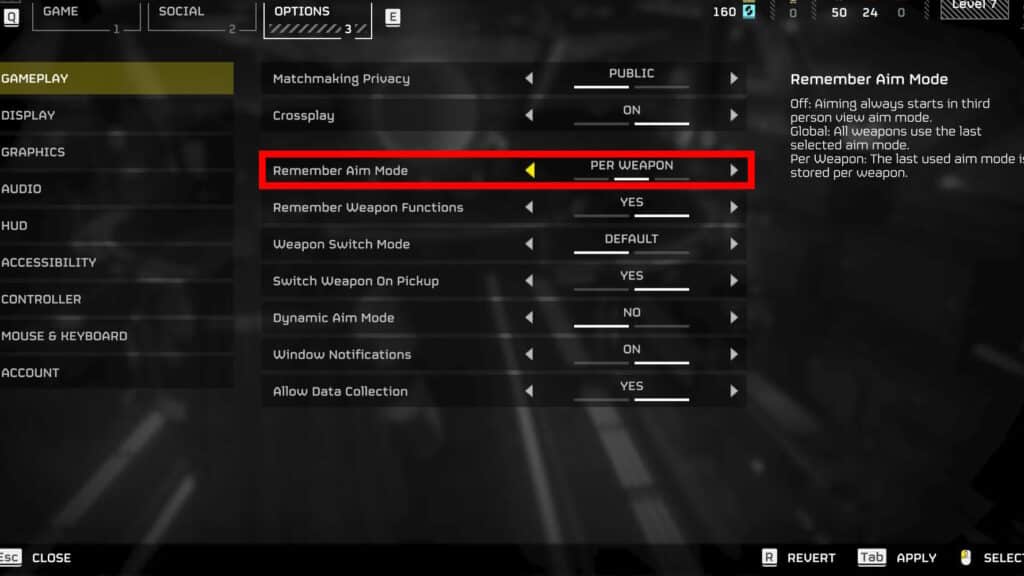
This setting can be changed under the “Gameplay” settings. Just look for “Remember Aim Mode” and select one of the three options:
- Off – You’ll always default to third-person aiming.
- Per Weapon – The game remembers your last-used aiming mode on a per-weapon basis.
- Global – The game remembers your last-used aiming mode and applies it whenever you aim, regardless of weapon.
With all that said, now you know everything you need to know to switch your aim mod Point of View whenever you want! Make good use of it to give you more versatility as you blast bugs and robots in Helldivers 2.
ALSO READ: Helldivers 2: How to Get Warbonds