
 14 articles
You’ll be showered in thousands of bills in Cash Cleaner Simulator, so it’s pretty important to learn how to count money faster if you wish to succeed.
While you have ample time to do things in this game, counting thousands of bills really does eat up your time. This is especially true since you can’t just put a note on your stacks to write down how much they are worth… but there are still some tricks you can do to make things easier for you!
Read on and we’ll tell you everything you need to know to count money faster in this game.
How to Count Money Faster | Cash Cleaner Simulator
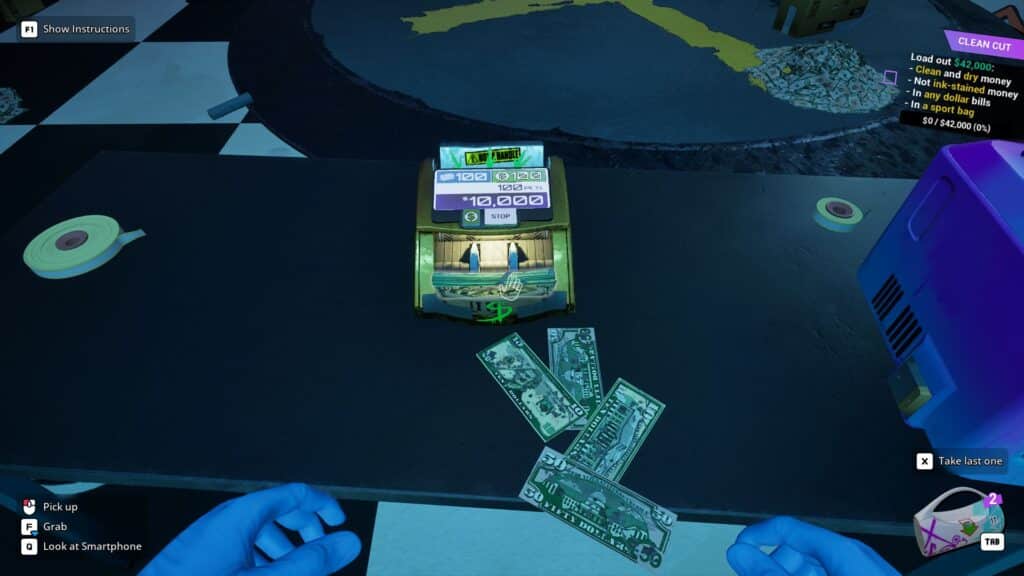
The best thing you can do to count your money faster in this game is to simply be organized. What that means is to make sure you don’t mix and match different denominations of bills unless it’s necessary.
 How to Turn On the Broken Switch in Cash Cleaner SimulatorMay 13, 2025
 Cash Cleaner Simulator – How to Dry MoneyMay 12, 2025
 How to Get Trash Bags in Cash Cleaner SimulatorMay 12, 2025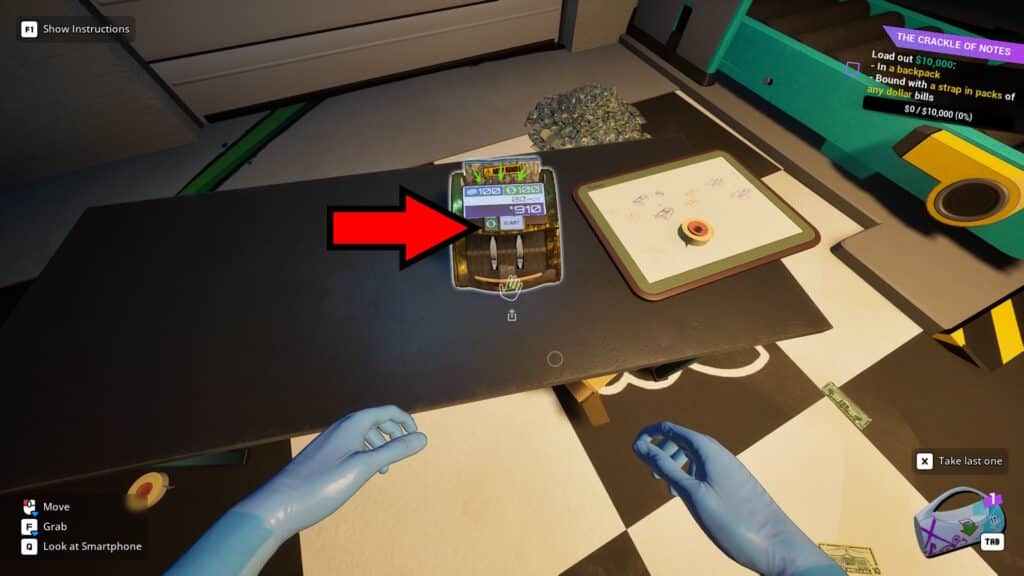
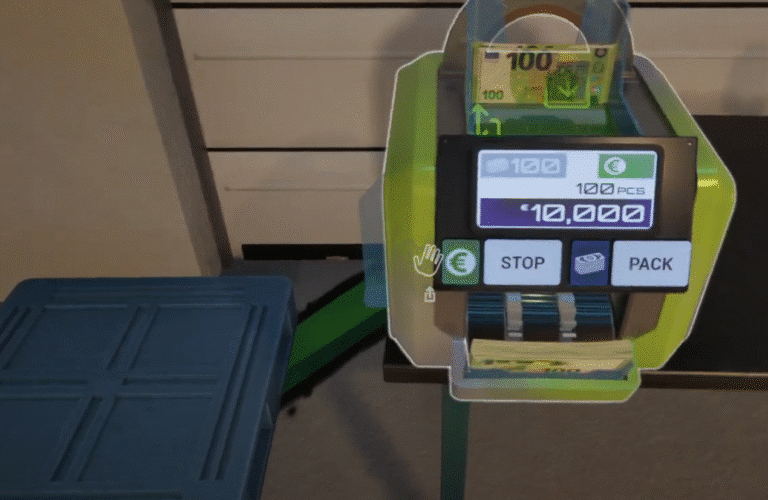
Conveniently, your Money Counter machine can separate denominations for you. Just click on the green $ symbol to switch between modes between $100, $50, $20, $10, and Any. The Money Counter will simply spit out any bills that don’t match whichever denomination you set it to.
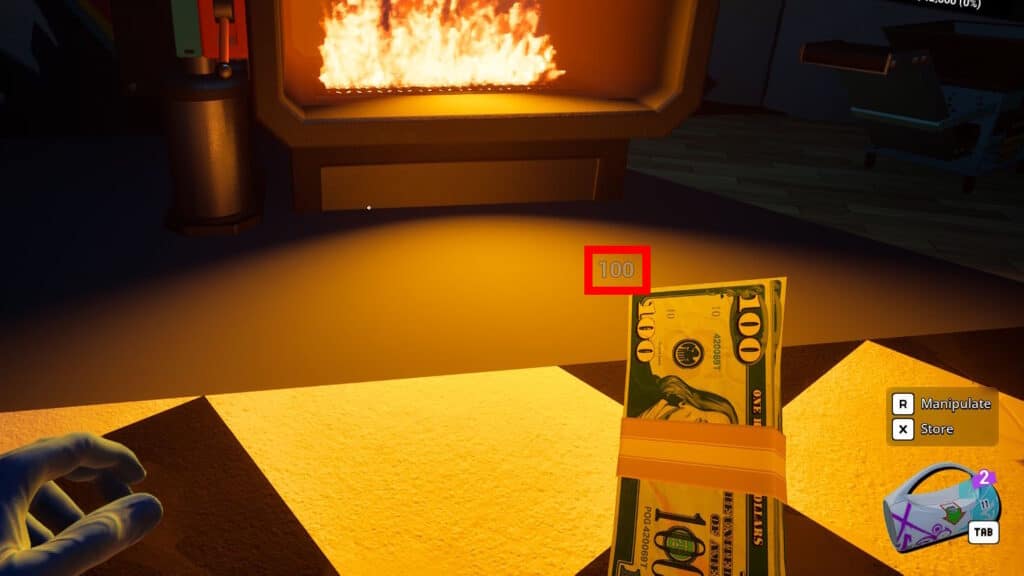
It’s also worth noting that the stacks you hold will show you how many bills there are in the stack. You can see it in the example above; it’s the number right above the held stack. As long as all bills in the stack are of the same denomination, this makes it easy to count at a single glance.
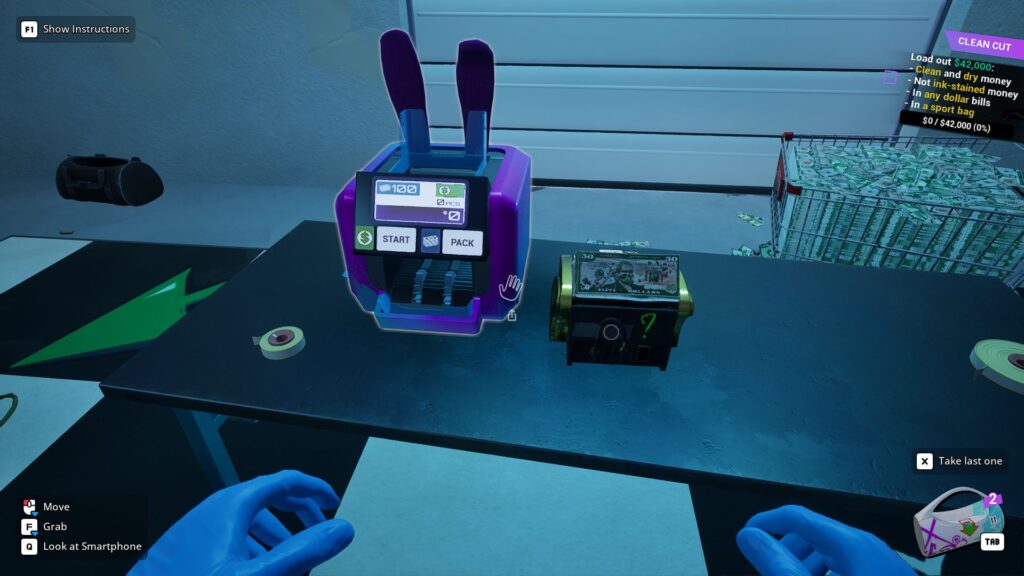
Now, you can also get the Money Counter L from the Black Market once you increase your Reputation. It can process larger amounts of bills and is a tad faster, but the process is still largely the same. So, it’s still important not to mix and match denominations when making stacks.
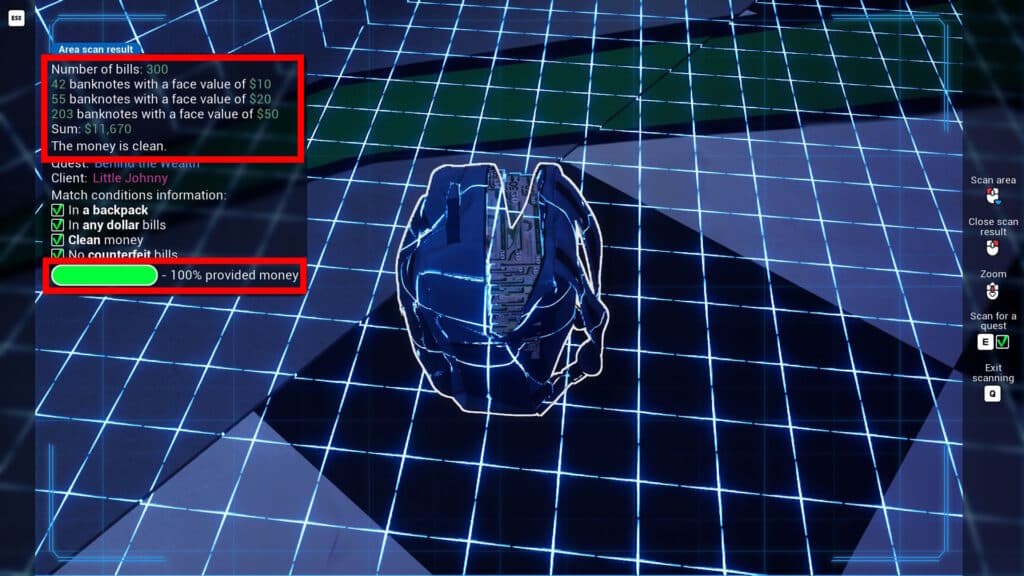
Lastly, you can also use the Scanner function in your in-game phone later in the game. It can be used to scan what’s ahead of you, which includes summing up all the money within the scan range. It even lets you see if you meet the required amount for your current active order at a quick glance!
Nonetheless, that’s all you need to know to count money faster in Cash Cleaner Simulator. Practice proper organization to speed things up! You should also make sure to learn how to tell fake bills apart with a UV light.