 118 articles
Path of Exile 2 lets you activate Loot Filters to better highlight or hide the random loot you find.
Using a Loot Filter lets you completely remove unwanted items from even being visible to you. It also lets you highlight the loot that you actually want to ensure you don’t miss it. They’re quite useful when you start getting picky with loot as you develop your build!
In this guide, we’ll tell you how to get and activate Loot Filters in Path of Exile 2.
How To Activate Loot Filters | Path of Exile 2
Path of Exile 2 doesn’t currently have an in-game interface to create Loot Filters. Instead, you have to create them as TXT files on your PC or download them from other players. This also means that the console versions don’t currently support Loot Filters. However, it’s expected to be added at a later date. After all, Path of Exile 1 does support them on console!
 Path of Exile 2 0.5: How to Craft +2 Projectile Skill GlovesJun 14, 2026
 Path of Exile 2 Return of the Ancients: Best Endgame Build Tier ListJun 10, 2026
 PoE 2 Return of the Ancients: How to Craft S-Tier ItemsJun 10, 2026
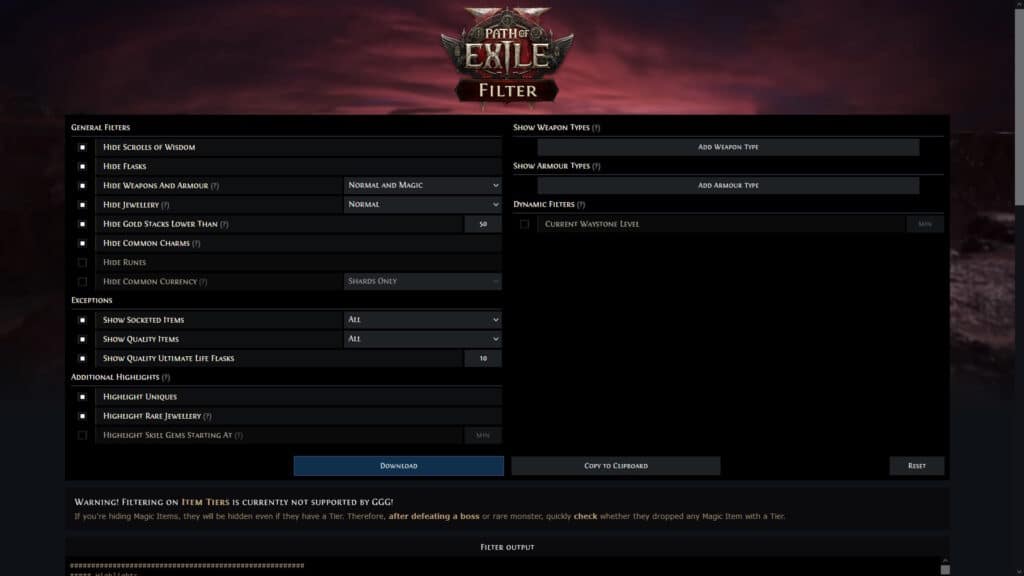
If you wish to create your own Loot Filters, we recommend using a community-made website like PoE2 Filter. It gives you an interface to use, making it a much easier process than writing a TXT file manually. Alternatively, you can download Loot Filters shared by other players in the game’s official forums.

To install a filter, boot up Path of Exile 2 and go into the game’s Options menu. Then, look for the Item Filter setting under General in the Game tab, as shown above. Click on the folder-shaped icon to open the folder where Loot Filters are stored. Copy any filters you created or downloaded to the folder that appears.
By default, the folder should be \Documents\My Games\Path of Exile 2\ as shown above.
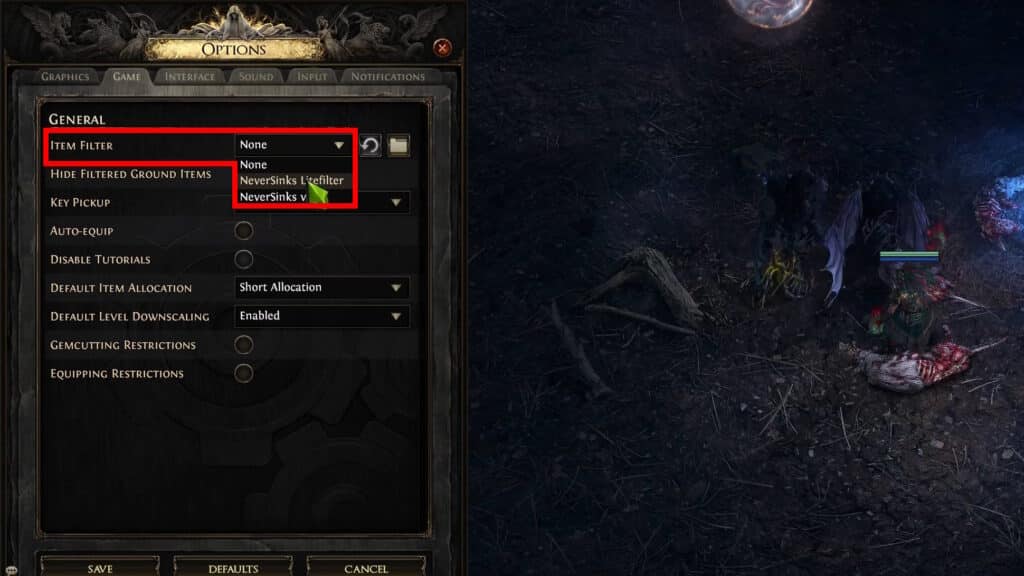
Once you’ve placed your Loot Filters in the folder, go back to the game. All of your installed Loot Filters will now be available in the dropdown selection next to Item Filters!
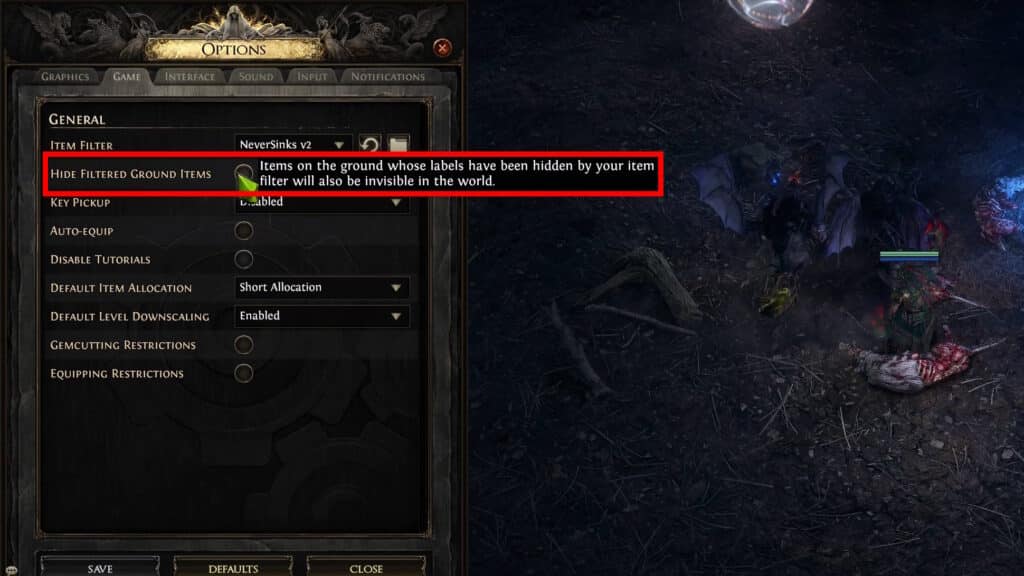
You can also toggle “Hide Filtered Ground Items” on or off. This setting will completely hide any items that are marked as hidden within the Loot Filter itself. By default, only their label is hidden.
Now you know how to activate Loot Filters in Path of Exile 2, use them to only get the loot you really want. Make sure you also know how Weapon Sets and Skill Points work!