 9 articles
Like most live-service games, Seven Deadly Sins: Origin has a feature that allows you to redeem Gift Codes for various rewards.
That said, redeeming the codes is a bit obtuse, as the option is hidden away within one of the game’s many menus. It can be a tad tougher to find than usual!
Fret not, though, as I’ll quickly tell you everything you need to do to redeem Gift Codes.
How to Redeem Gift Codes In-Game
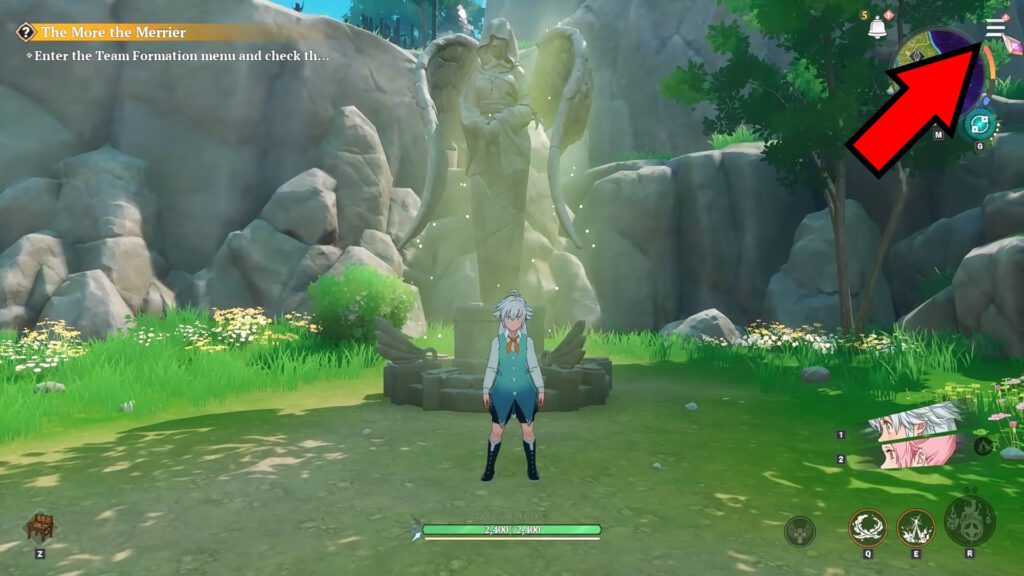
To be able to redeem gift codes in this game, you’ll just need to bring up the menu whenever you’re in-game. Either press the icon on the top right corner, the ESC key on PC, or the Options button on PlayStation 5.
 7DSO: 1-40 Progression Guide | How To Get Book Of Stars Level 40Mar 21, 2026
 Team Building Guide for 7DS: Origins | Best Heroes for Each SSRMar 20, 2026
 Best Meliodas Build & F2P Team For Beginners in Seven Deadly Sins: OriginMar 20, 2026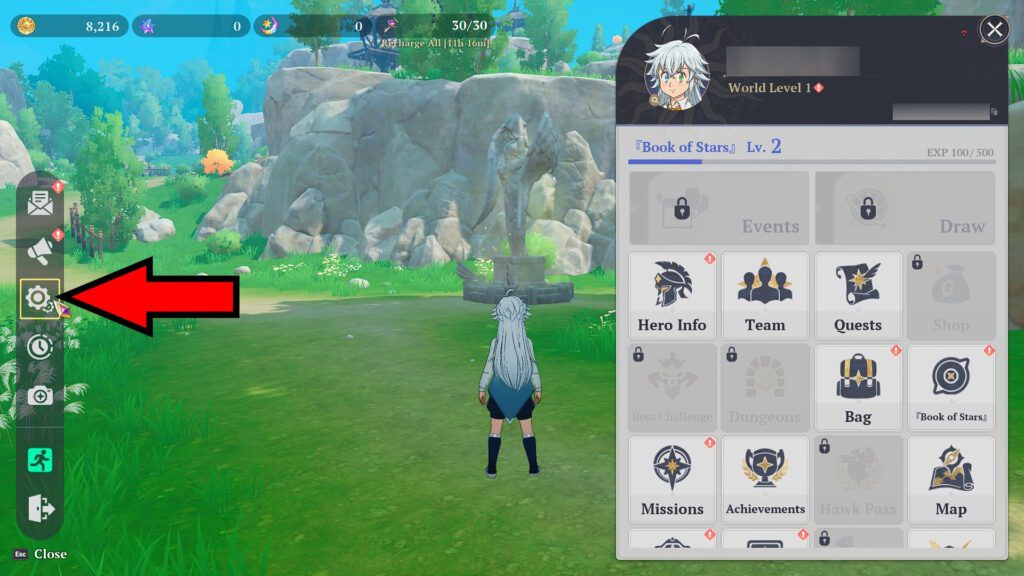
With the menu open, you’ll want to select the Settings icon. It’s the pair of gears on the leftmost side of the screen, as shown in the screenshot above.
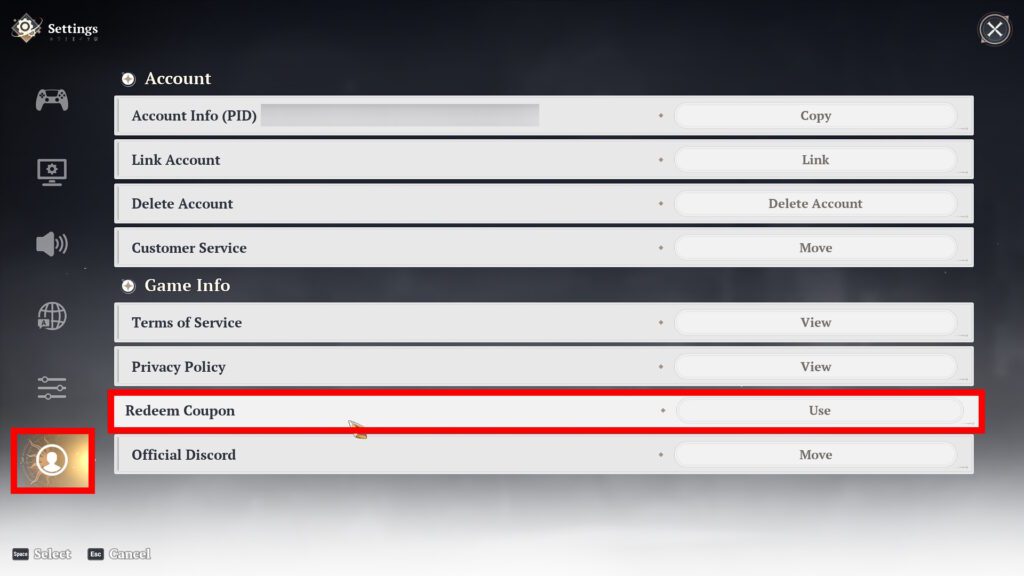
Inside the Settings menu, scroll down to the Account (person icon) tab at the very bottom. Then, look for the Redeem Coupon option, which should also be near the bottom of the settings. Now, all that’s left for you to do is to input the Gift Code you wish to redeem!
How to Redeem Gift Codes on the Website
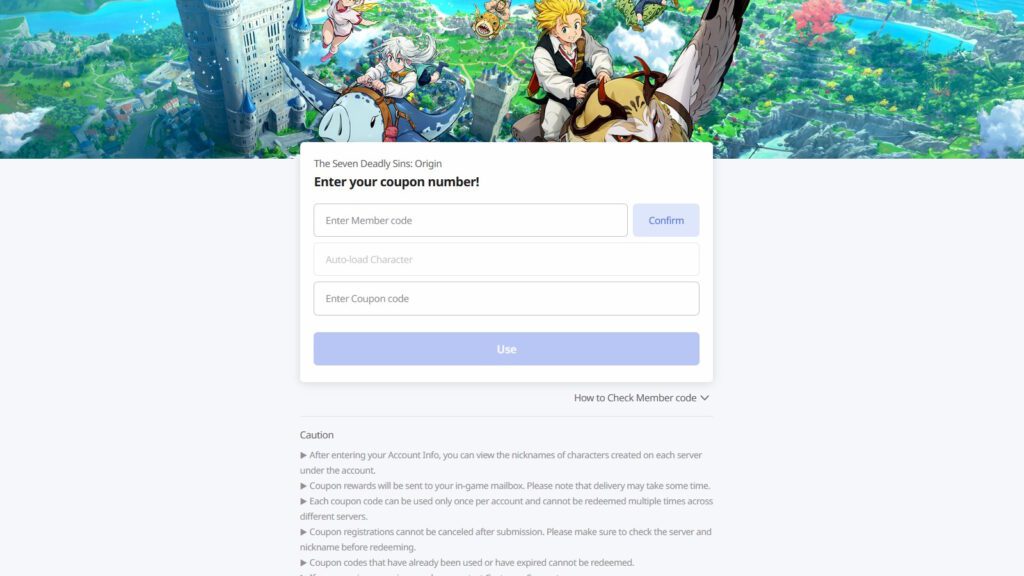
If you’re unable to redeem the codes in-game, you can also redeem them on the game’s official code redemption page. All you need to do is to enter you Member Code and Coupon Code, then click Use.
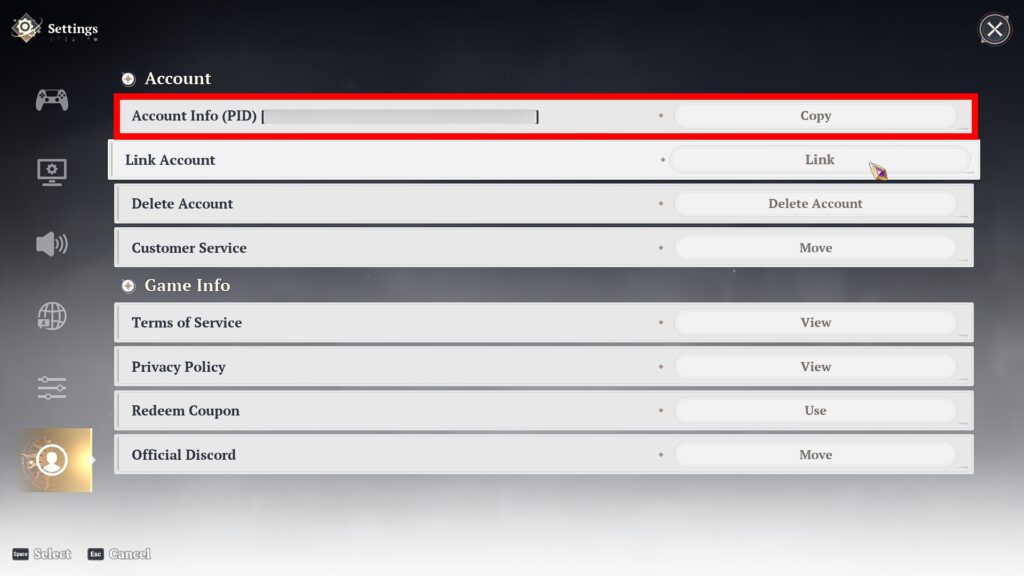
For reference, your Member Code is the same as your Account PID. You can find this within the Account Settings, as shown in the example above.
Various Gift Codes | Valid as of This Writing
Now that you know how to redeem Gift Codes, here’s a quick list of Gift Codes that are available as of this writing:
| Gift Code | Rewards Obtained |
| WELCOMEORIGIN | Regular Hero Draw Ticket x5 Supreme Mastery EXP x10 Supreme Refinement Stones x10 Gold x50000 |
| ORIGINX | Regular Hero Draw Ticket x1 Gold x50000 |
| ORIGINDISCORD | Regular Hero Draw Ticket x1 Small Cube Key Bundle x3 |
| ORIGINSTEAM | Regular Hero Draw Ticket x1 Supreme Mastery EXP x10 |
Do note that I have no idea when these codes will expire. The developers didn’t announce an expiration date when they released these codes. Either way, I recommend redeeming them as soon as you can.
How to Claim the Rewards
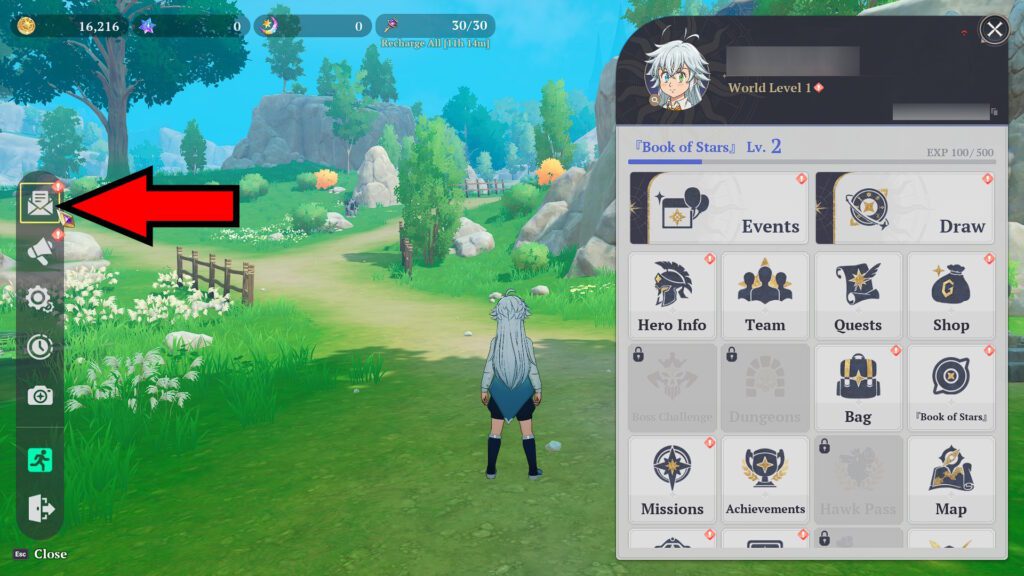
After you successfully input a Gift Code, you’ll notice that you don’t actually get the rewards immediately. Instead, you’ll have to go back to the menu and open your Mail. It’s the letter-shaped icon on the leftmost side of the screen.
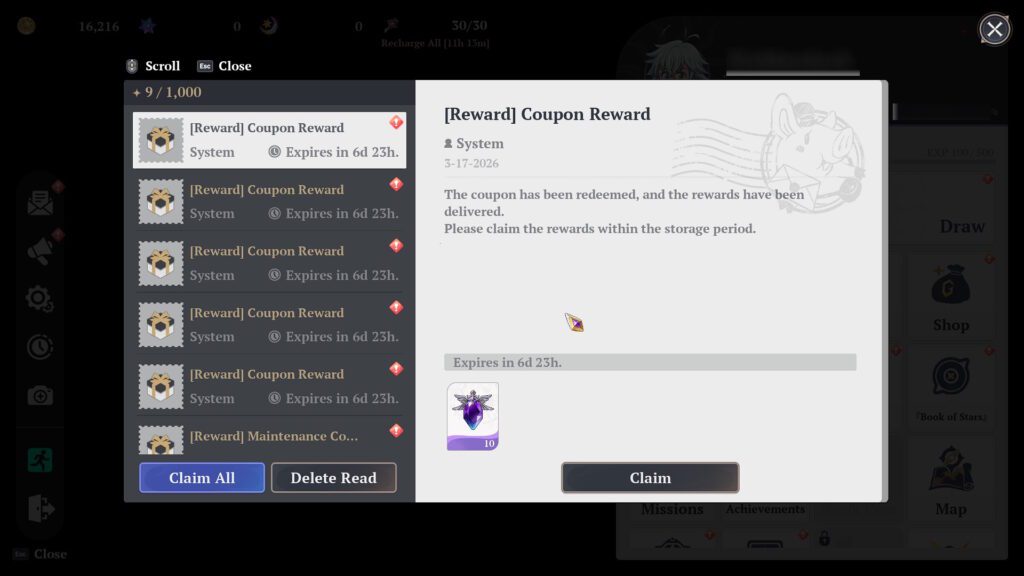
You should now see a list of mails titled something like “[Reward] Coupon Reward.” Those are your Gift Codes’ items! Either click on Claim All to get all of the rewards automatically, or open each mail and select Claim.

Do note that the Mail feature is not available until you complete “A Strange Statue.” This is one of the tutorial quests where you interact with a statue, so it’s very early on.
So, there you have it! That’s all that you need to do to redeem Gift Codes in Seven Deadly Sins: Origin. Make sure to redeem them whenever they become available so you can get some extra goodies.
Are you planning on rerolling in this game? Well, the process can be a bit of a pain. But, if you insist, check out our reroll guide! It will help you with the process.