 24 articles
Call of Duty: Black Ops 7 allows you to play split screen on Xbox Series systems and PS5.
Starting up split screen can be a bit complicated, though. It’s also not available for all of the game’s modes, and it’s exclusive to current-gen systems. But it’s nonetheless a nice and rare feature to have!
In this quick guide, we’ll tell you how to start up split screen on current-gen consoles.
How to Play Split Screen on Consoles | Call of Duty: Black Ops 7
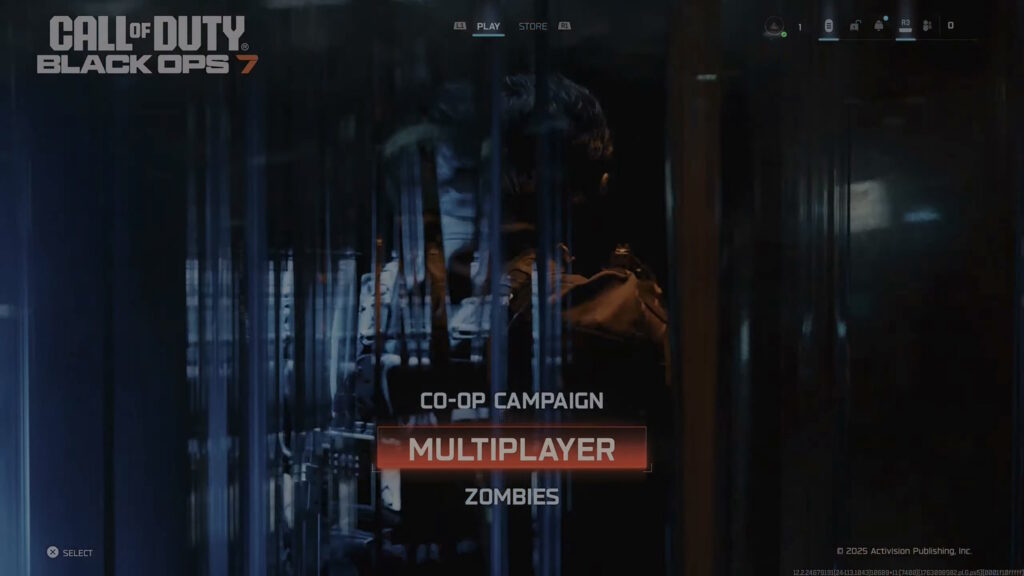
To play split screen, you’ll first need to select either Multiplayer or Zombies as your game mode. The campaign mode does not feature split screen co-op, only online! Also, split screen is limited to just 2 players.
 Black Ops 7 Zombies: Free Ray Gun World At War Easter Egg GuideJun 28, 2026
 Black Ops 7 Zombies: Secret Takeo Easter Egg Guide | Reunion Dark OpsJun 28, 2026
 Black Ops 7 Zombies: Nekomancer Wonder Weapon Guide (Kowakujo) All Correct StepsJun 27, 2026
Once you’re in the lobby, connect your second controller to your PS5 or Xbox console. Turn it on and log in to an account for the second player. If you don’t have another account on your console at this time, you can just choose to add another user.
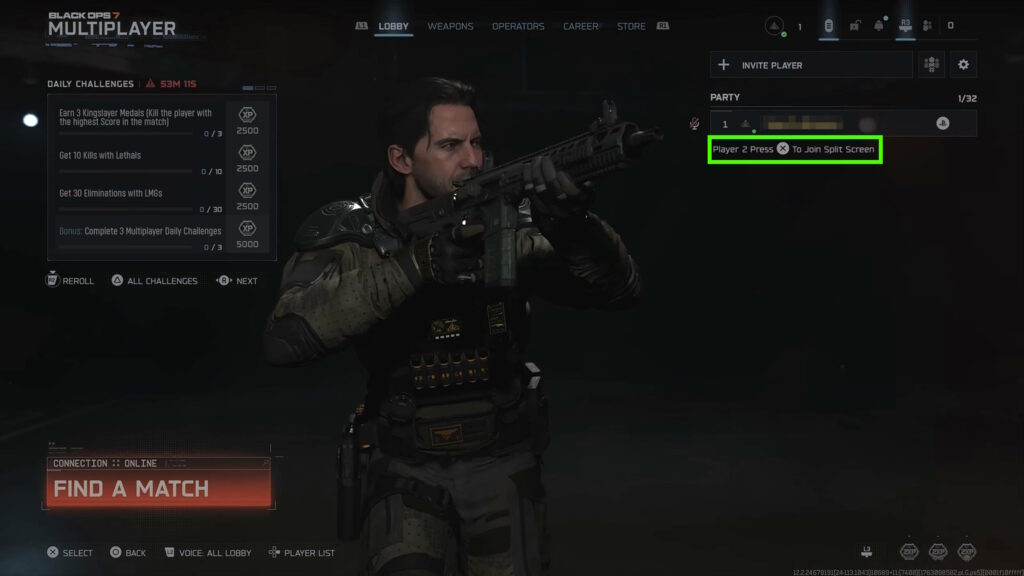
At this point, you should now see “Player 2 Press X/A To Join Split Screen” in the party section of the lobby. So, as the game says, just press the button on the second player’s controller to join the party!
Do note here that only one account requires an online subscription (PlayStation Plus or Xbox Game Pass). Ideally, that account should be used as the first player’s account, just in case.
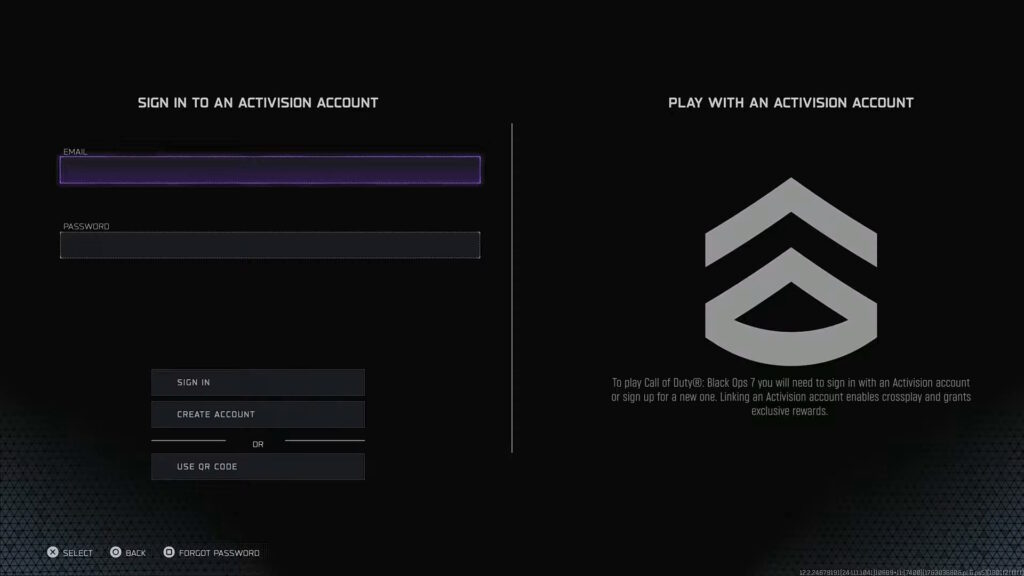
However, both accounts will require an Activision account. If the second player doesn’t have an Activision account yet, the game will ask you to make one. Just follow the instructions on-screen to create one and log in.
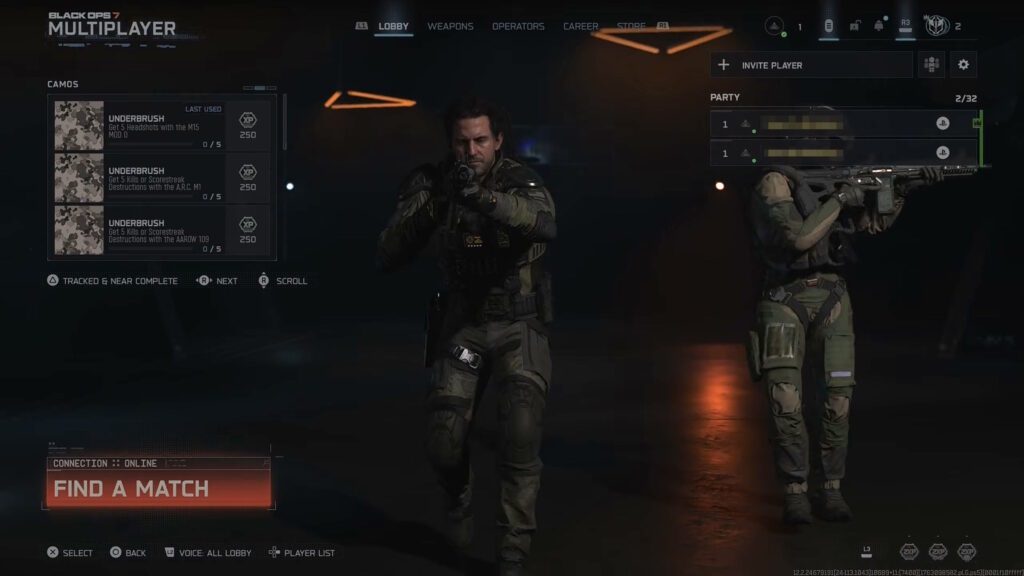
Regardless, both players should now show up in the party while in the lobby. You can now just set things up as you wish to start a new match and enjoy some nice couch co-op gaming!
That’s all there is to know to play split screen in Black Ops 7 on PS5 and Xbox Series systems. If this didn’t work for you, check out our split screen troubleshooting guide for help.