


 24 articles
Call of Duty: Black Ops 7 features split screen multiplayer on current gen consoles, but sometimes it requires you to fix an error or two to start it.
The game can sometimes fail to recognize that you have two controllers, for one. Or maybe it just stops you because an account is missing certain privileges. Whatever the cause, it can be hard to figure out what’s wrong with it.
In this troubleshooting guide, we’ll give you potential fixes to help you get split screen multiplayer going.
How to Fix Split Screen Not Working | Call of Duty: Black Ops 7
Reboot Your System
As silly as it might sound, turning off your console and turning it back on again really does just work sometimes! This seems to particularly work when the game itself fails to recognize that the second controller is turned on and connected to your console.
 Black Ops 7 Zombies: Free Ray Gun World At War Easter Egg GuideJun 28, 2026
 Black Ops 7 Zombies: Secret Takeo Easter Egg Guide | Reunion Dark OpsJun 28, 2026
 Black Ops 7 Zombies: Nekomancer Wonder Weapon Guide (Kowakujo) All Correct StepsJun 27, 2026
So, since this takes the least time and effort out of all potential fixes, give it a shot first!
Make Sure That Sharing Is Enabled
The second thing to do is to make sure that sharing is enabled for your main account. That is, the account that owns Black Ops 7 and also has an active PlayStation Plus or Xbox Game Pass subscription.
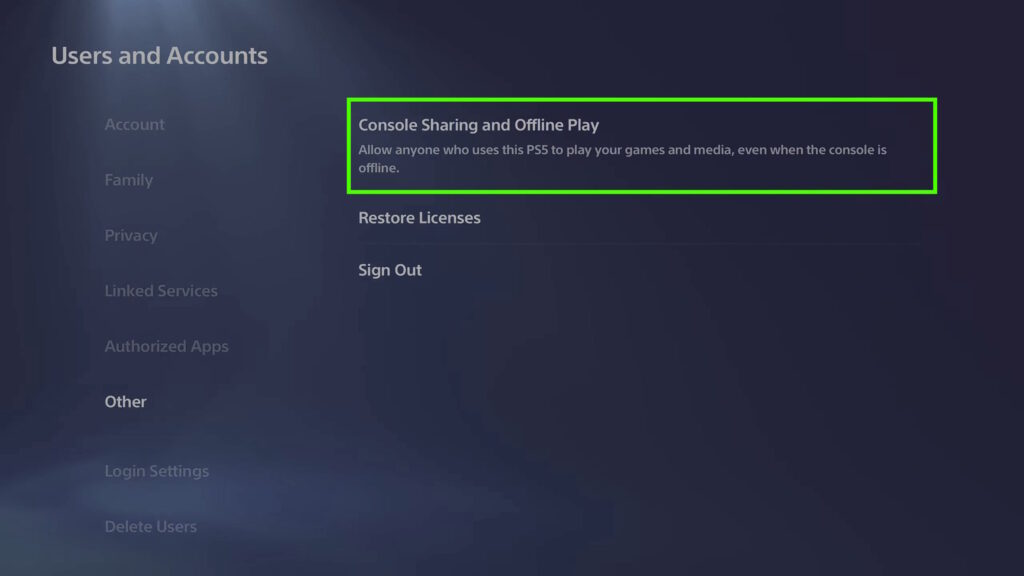
For PlayStation 5, log in to the account you want to share from. Then go into Settings > Users and Accounts > Other > Console Sharing and Offline Play. Make sure that it’s enabled. If it’s already enabled, just select Don’t Disable and you’re all set.
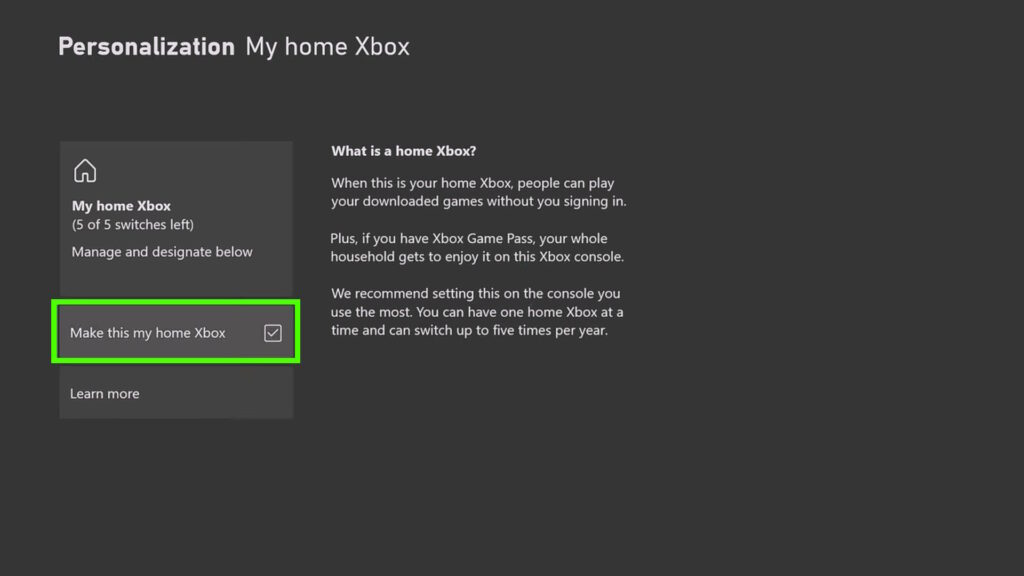
For Xbox Series, you’ll need to first make sure you’re logged into the account you want to share from. Then go into Settings > General > Personalization > My home Xbox. Then tick on the “Make this my home Xbox” setting.
If you’ve done this correctly, other users on your console can now use your online subscriptions and games. This is required for Black Ops 7’s online features to work.
Go Through the Initial Steps on the Second Account
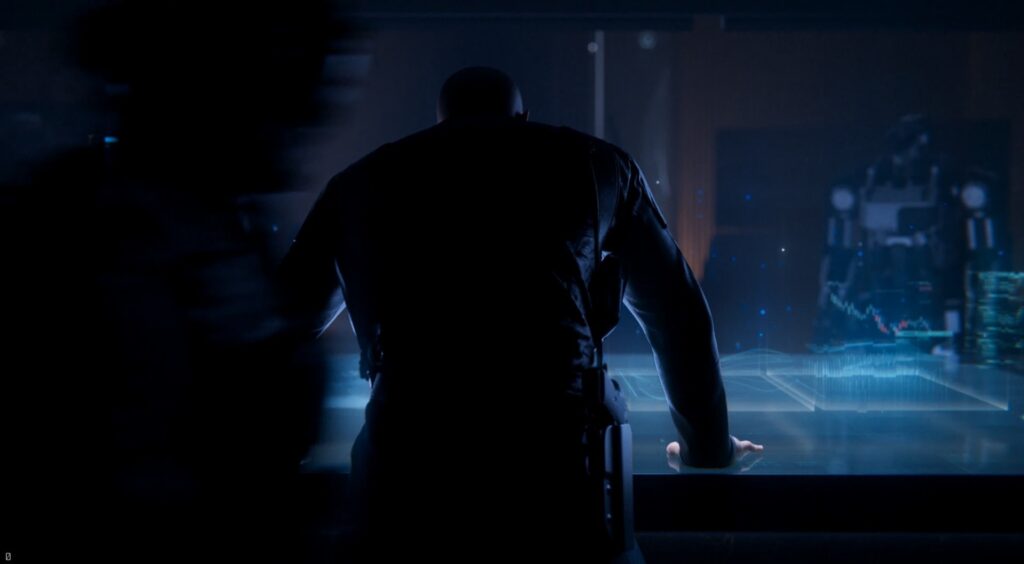
If you just made a new user account for split screen, you might need to go through its initialization process for Black Ops 7.
To do that, log into the new account on your first controller. Then go into Multiplayer and Zombies so that the game will provide you with the initial tutorials. You can do them or skip them at this point.
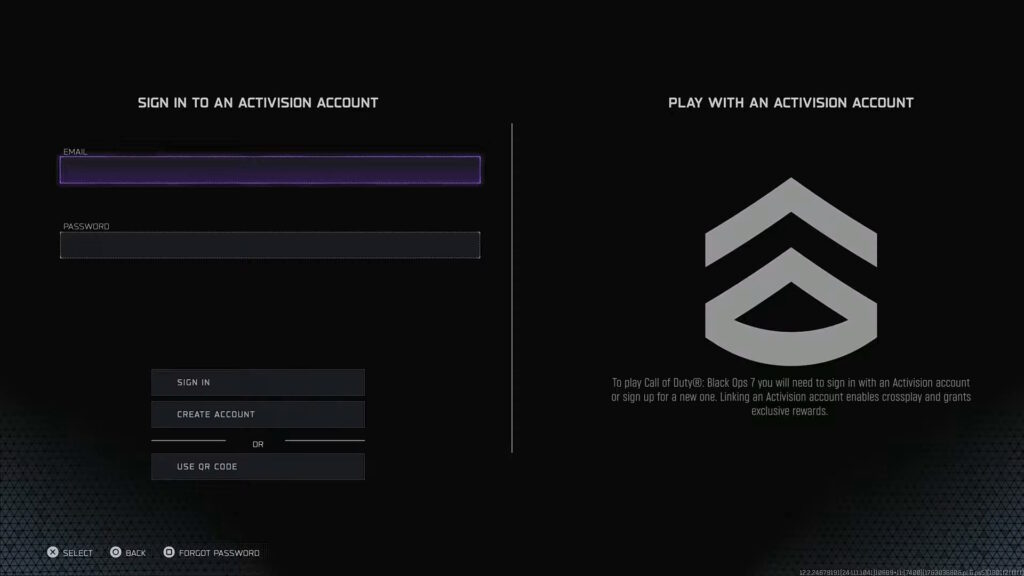
This will also take you through the process of setting up an Activision account if you don’t have one yet. An Activision account is required for online, so just follow the instructions on-screen to make one as needed.
Once you’ve done that, log back into your main account on your first controller and log into the player 2 account on the second controller. At this point, split screen should hopefully work again!
Log Both Players in on the Main Menu
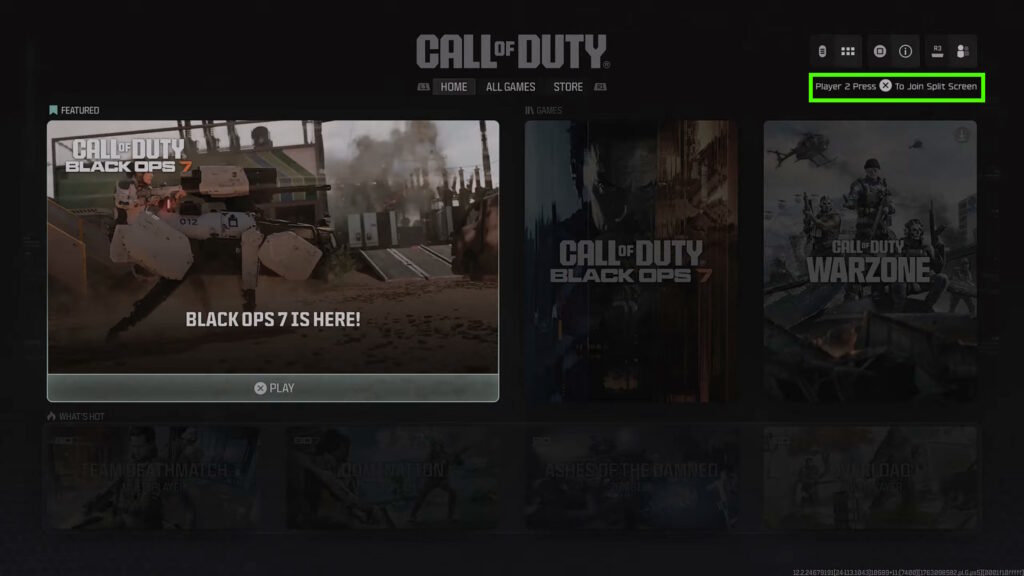
Another option is to make sure that both players are logged in from the main Call of Duty menu before launching Black Ops 7 proper.
To do this, close Black Ops 7 fully and then make sure that both controllers are turned on and logged into their respective accounts.
Then, launch the Call of Duty app. Once it loads into the main menu, it should show you a prompt to press X (PS5) or A (Xbox) to allow the second player to join. Press the button shown on the second controller.
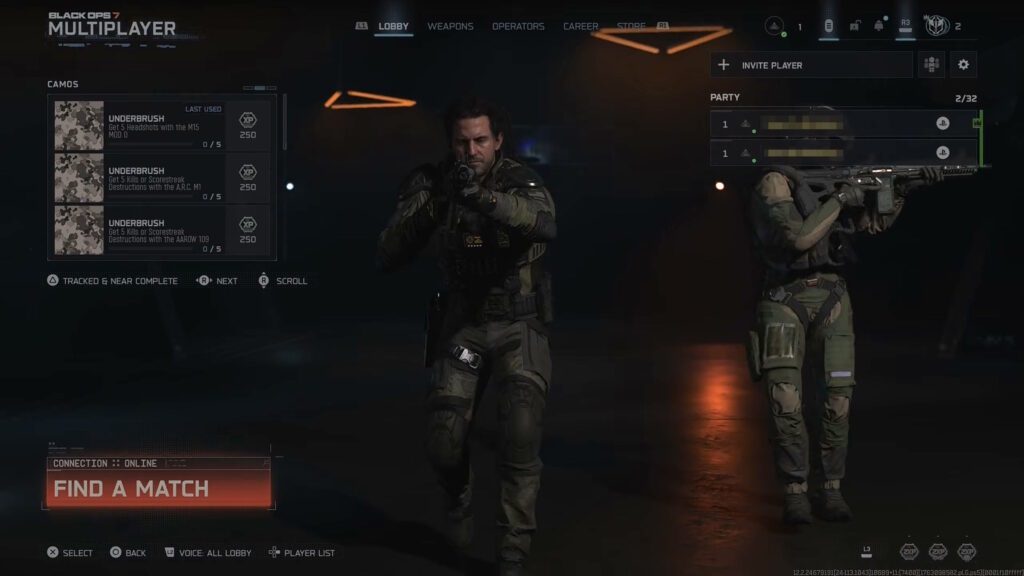
After that, you just need to launch Black Ops 7 itself and go into either the Multiplayer or Zombies mode. Both players should now be in the same party and ready to play!
That’s all of the potential ways to fix split screen not working in Black Ops 7 that we know of. If you don’t know how to start split screen yet, check out our split screen starter guide!

Found another tip?
Share your extra strategy, correction, or question below. Helpful comments can make this guide better for everyone.