 13 articles
Ready or Not has officially established itself on consoles, allowing a whole new wave of players who have not played it on PC or do not even own one to try it out.
With the surge of new people comes a lot of questions about its mechanics and features. Also, as teamwork is a massive part of the experience, understanding how voice chat works and how to use it can make a difference between a clean operation and a complete disaster during missions.
If you’re confused about how to talk to your teammates on console, here’s a quick guide to help you out!
Ready or Not Console Voice Chat Guide (2025)
Voice chat sounds simple as hell, right? Well, in Ready or Not, you don’t automatically start talking the moment you enter the match.
 Ready Or Not – All Gods Burn (Bank), Soft Objective LocationsMar 17, 2026
 How To Unlock SECRET Ending & Handcuff Cosmetic in Ready or NotMar 16, 2026
 How To Open Bank Vault in Ready Or Not | Secret Achievement Trophy GuideMar 16, 2026
In most cases, your microphone begins muted by default, which is why so many players think that voice chat is broken at first.
To start using voice chat, first hold the left bumper button on Xbox or the L1 on PS5. You’ll then see a wheel menu pop up. Pay attention to the bottom left corner of your screen.
While you are holding the left bumper or L1 button on your controller, the D-pad inputs also change into communication options. Press the Up button on your D-pad while holding the button. This should let you mute or unmute your microphone.
An indicator confirming your mic’s status should also pop up once the setting changes.
Meanwhile, you can switch communication channels while holding the same button to go from proximity chat to radio chat, and vice-versa.
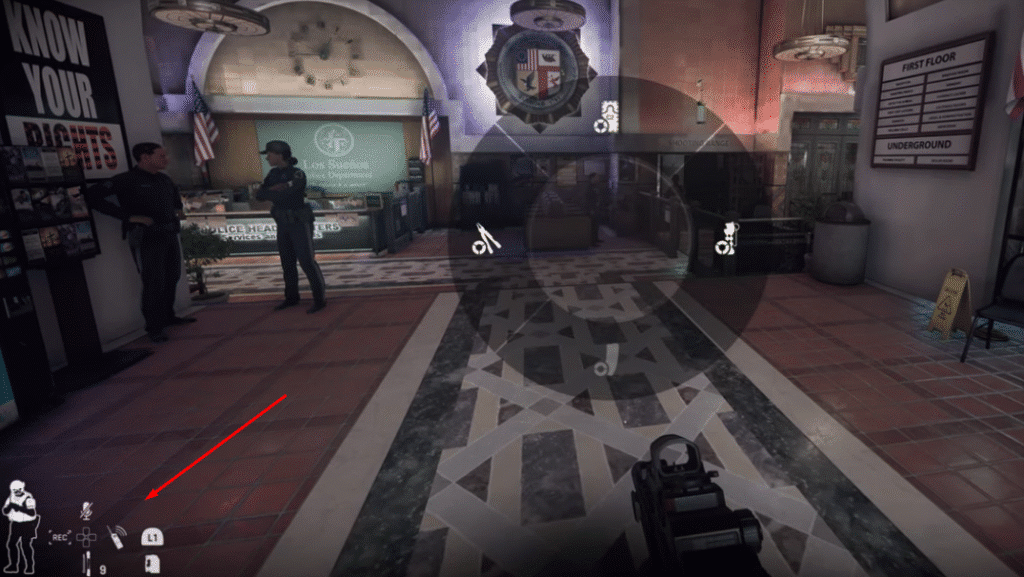
These two options are pretty self-explanatory, but in case you are confused, proximity chat simply means only people nearby can hear you, while radio chat will let you communicate with teammates far away.
Why Voice Chat Sometimes Won’t Work
Even after several updates, there are still times when Ready or Not’s voice chat is inconsistent for some players, especially during crossplay sessions.
Fortunately, there are a few workarounds to fix the issue.
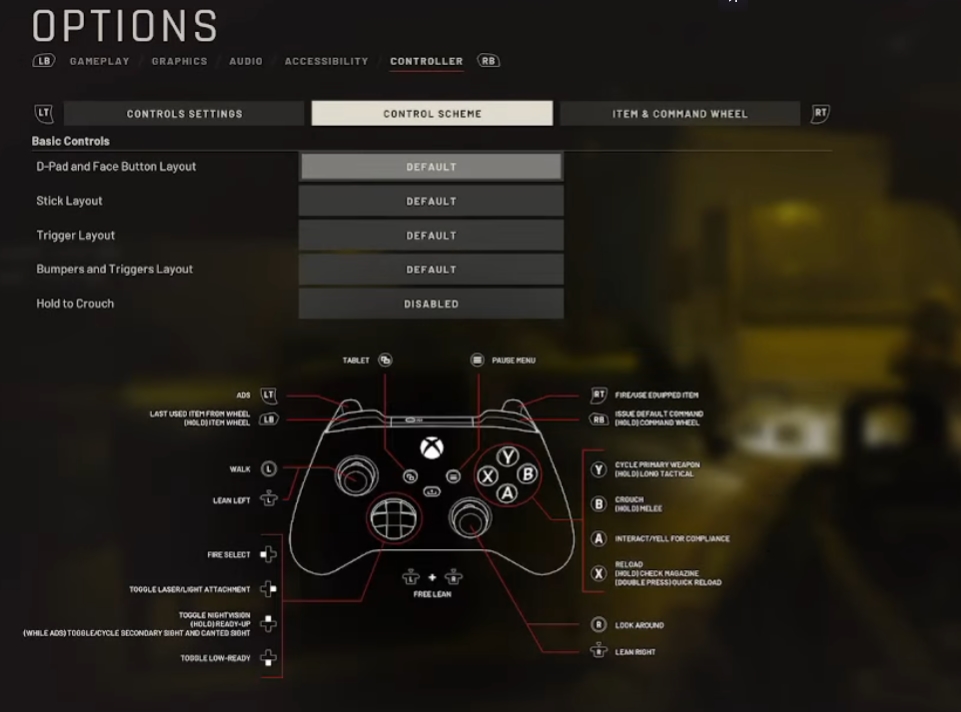
First, make sure you’re not in a console party chat or a Discord call. Many players find out that being connected to external voice channels can cause issues with the game’s in-game VoIP.
If the issue persists, try the following:
- Restart the game itself
- Toggle mute on and off again
- Reset custom controller layouts, if any
- Reconnect your account for crossplay sessions
- Double-check your mic’s permissions
While voice chat in Ready or Not isn’t perfect yet, once you understand the controls, it will be a lot easier to communicate with your teammates during missions. That is pretty much everything you need to know when it comes to this feature of this game’s console edition.
While you are here, make sure to check out our guide on how to add and invite friends in Ready or Not so that you can start firing up missions with the squad, if you have one!