 13 articles
Ready or Not is finally ready for its 1.0 release to come to consoles in 2025, so a beginner’s guide is in order to get new SWAT members up to speed! This game, despite being an FPS, is pretty unique. It has a much slower and more tactical pace compared to most other shooters out there, so it requires a different set of skills and knowledge. With this guide, we’ll give you the rundown of key points that will help you get started.
Beginner’s Guide | Ready or Not 1.0 (2025)
Starting the Game
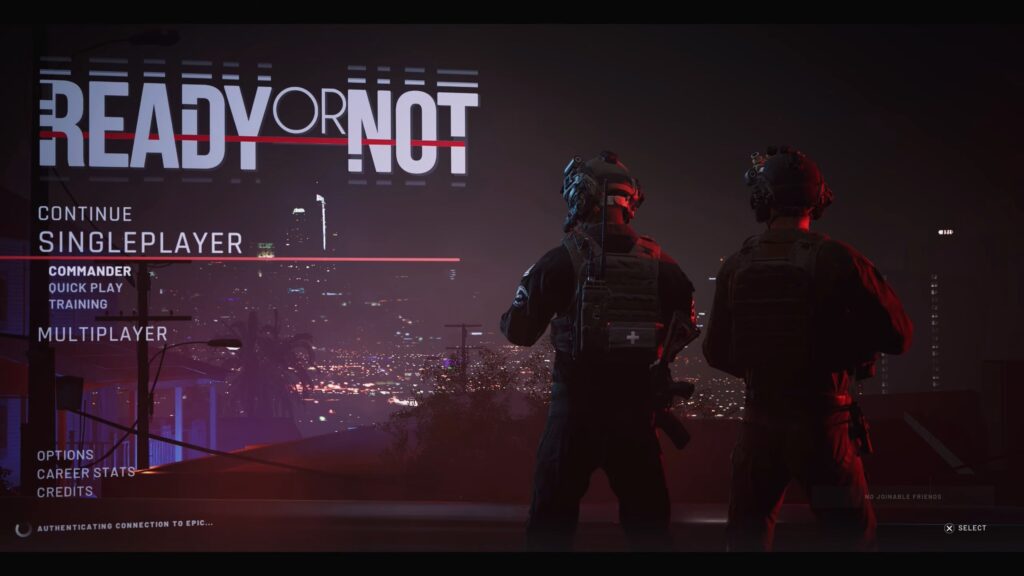
First things first, it’s all about starting to actually play the game. If you’re a complete beginner and you aren’t planning to play with your friends, we recommend just selecting the Commander mode in Single Player. This is essentially the game’s solo campaign mode, where you command a squad of AI-controlled SWAT members for missions. Difficulty-wise, we recommend sticking to Standard or maybe Casual.
As soon as you start this mode, you’ll be given a tutorial on the basics of the game. It mostly teaches you the controls, but also how to use certain techniques, such as breaching methods. We recommend paying attention to it so that you can get a grasp on the game’s feel!
After you’re done with the tutorial, you’ll appear in the Los Sueños Police Department. This is your headquarters, and it has many features you can use to prepare for missions. Explore it and get used to it, as you’ll spend a lot of your downtime in it. Especially make sure to visit the Shooting Range so that you can get used to the feel of your equipment.
 Ready Or Not – All Gods Burn (Bank), Soft Objective LocationsMar 17, 2026
 How To Unlock SECRET Ending & Handcuff Cosmetic in Ready or NotMar 16, 2026
 How To Open Bank Vault in Ready Or Not | Secret Achievement Trophy GuideMar 16, 2026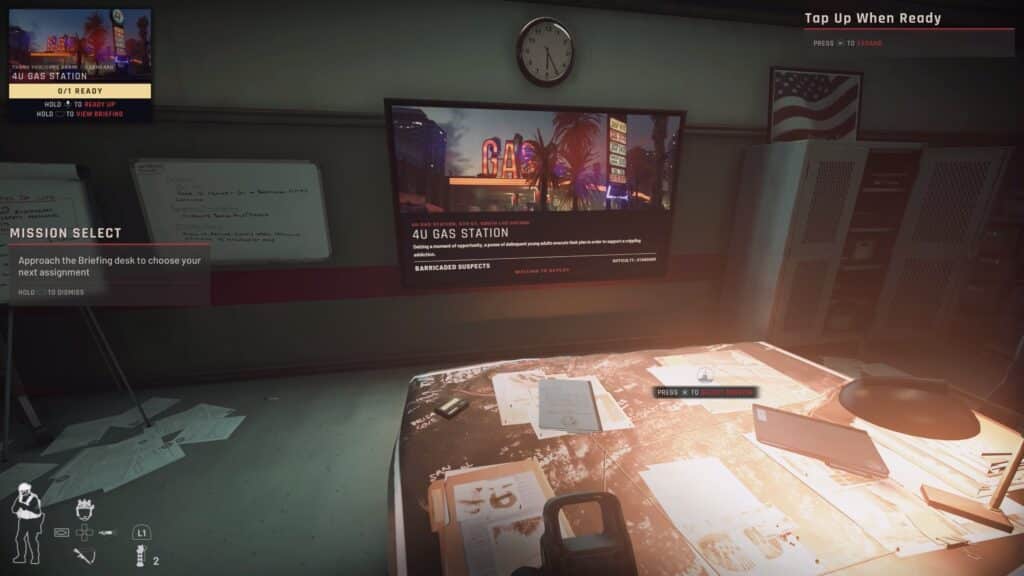
When you’re ready to start a mission, just go to the Briefing Mission to your right. Use the desk there to select and start missions, though there will only be one available at the start. Either way, that’s the gist of how to get started in your career!
Mission Briefing and Meeting your Squad
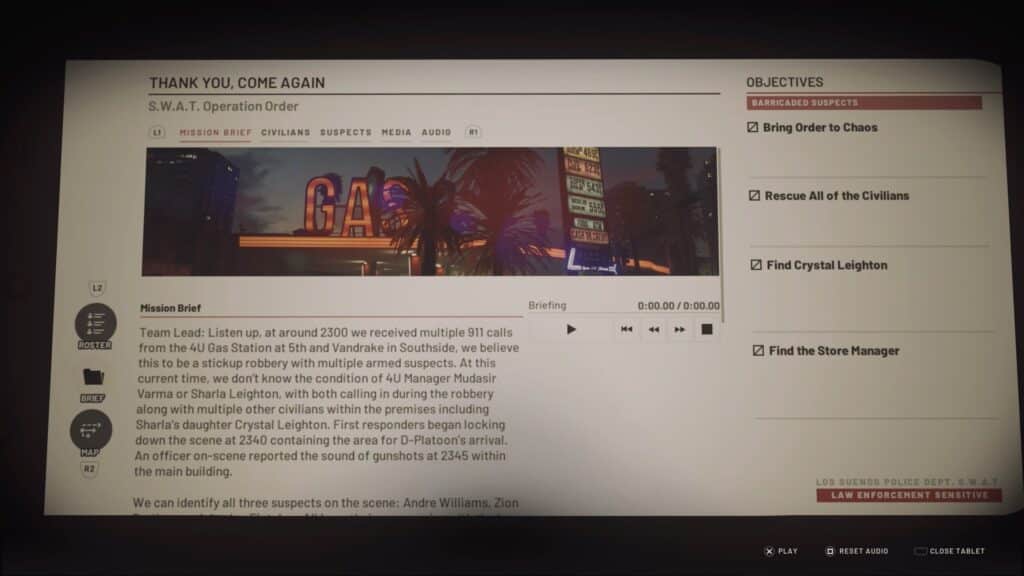
Once you’ve selected a mission, you can open up your personal device in-game for more details. You just need to press the Tab key (PC), Touchpad (PlayStation), or the View button (Xbox).
On this handy device, you can get some extra details on whatever mission you’ve selected. This includes things like the mission’s story and things such as potential suspects and civilians you’ll encounter. On top of that, it also gives you the list of all the basic objectives you’ll need to complete. You can even see a map of the area so that you can plan your entrance!
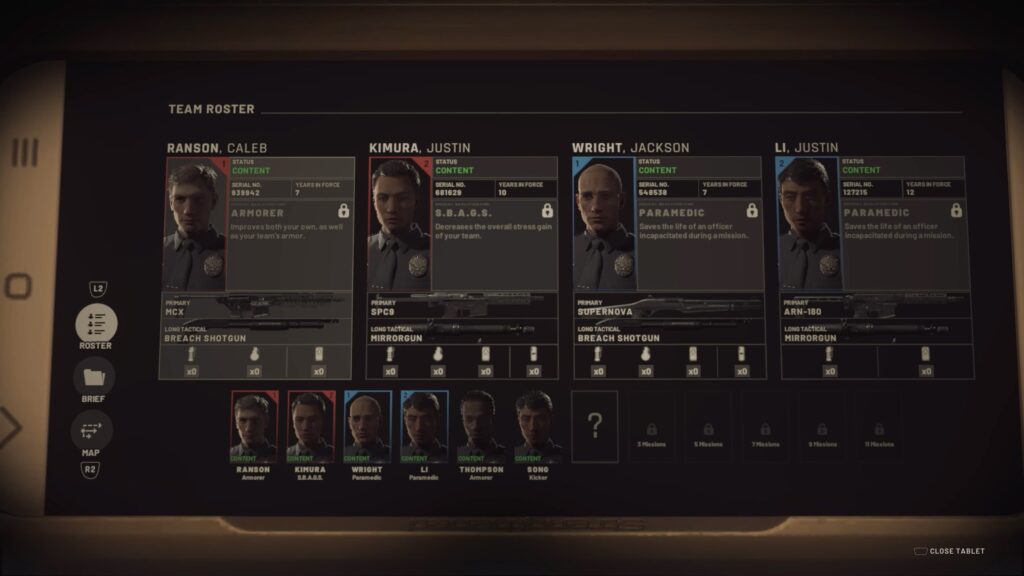
Additionally, you can check your Roster, as well. In Commander mode, this shows you all of the AI-controlled SWAT members you can take with you on the mission. Each officer has a different loadout, as well as special traits that can benefit your squad. For more details on those traits, check out our full Officer Traits guide.
Managing your officers will be a crucial part of the Commander campaign, as you can imagine. Make sure to keep them healthy, both physically and mentally! They will grow and learn new traits as you take them on missions, which will result in making things easier for you in the long run.
Remember, Keep Your Cool

Our next beginner’s tip for Ready or Not is a fairly simple but very important one: remember that this is a tactical game. Your movement in Ready or Not is very slow, as you’re meant to carefully and slowly move through each area. Plan your route and don’t rush in blindly, as that can make a mission get real bad real fast.
This extends to pretty much everything in the game. Guns have a “heavier” handling than most FPS games, for example, and you can easily die in one or two shots. What’s more, your squadmates can also get stressed when things go wrong, which can lead to them resigning from your squad permanently.
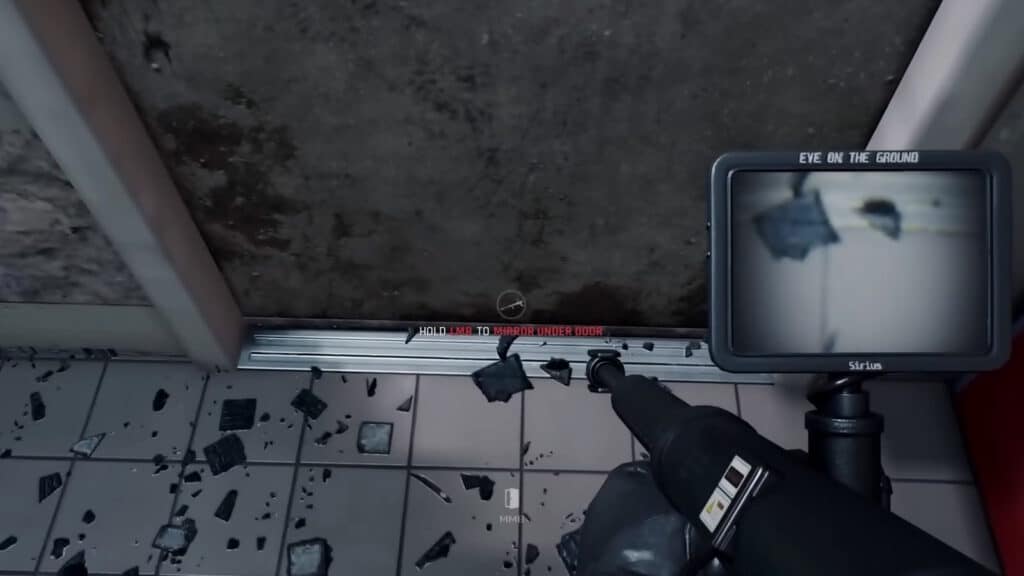
If you’re just starting out, it’s a good idea to use the Mirrorgun. This is your basic starting piece of tactical equipment, and it’s mainly used to recon around corners. More importantly, though, you can also use it to look under doors and get a look inside rooms before breaching! This is a massive advantage, as it can help avoid traps and ambushes.
Similarly, it’s a good idea to keep in mind the in-game grading system. You’ll get a grade evaluation at the end of each mission depending on how it played out, with S being the best. To obtain the highest grade possible, keep casualties to a minimum and use non-lethal methods to subdue both suspects and civilians.
In summary, remember this is a slow-paced tactical FPS where you ideally want to restrain suspects, not kill them. Always be careful when entering new areas, as you never know what you’ll find…
Command Your Squad
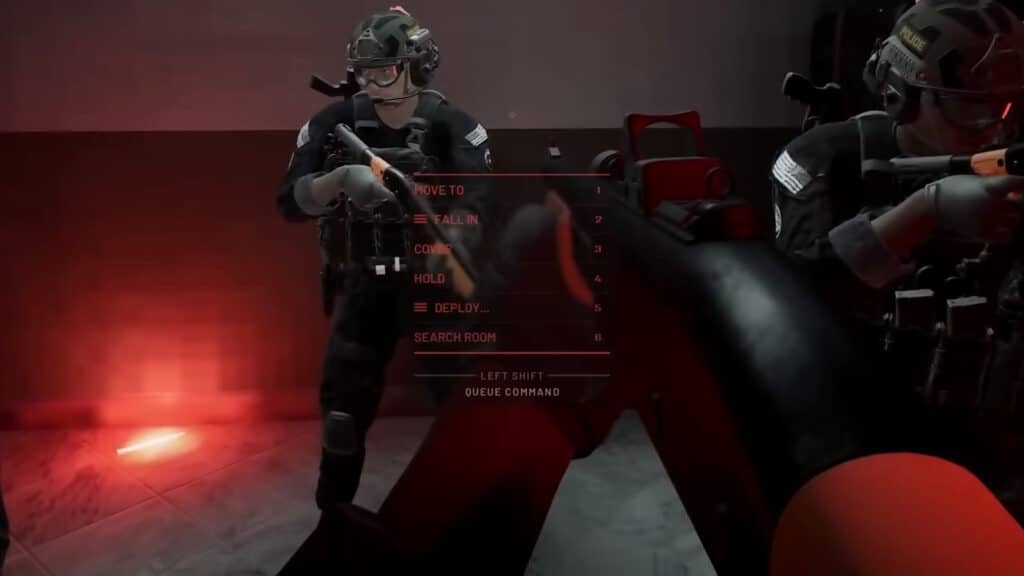
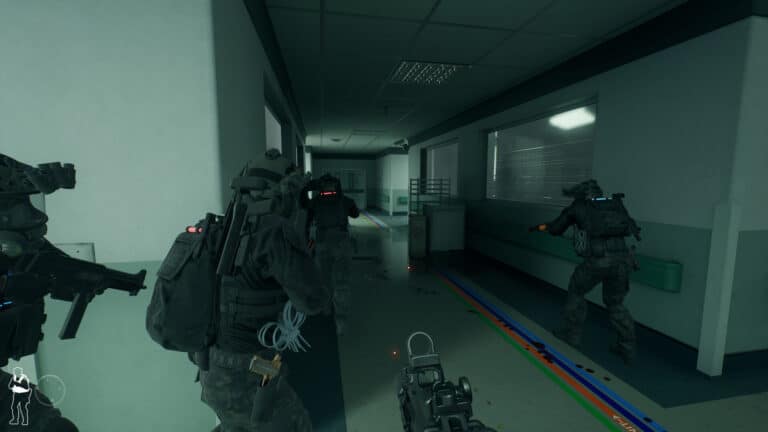
To help with the aforementioned point, you can also give commands to your squad members to better control their actions. To do that, you just need to press and hold middle click (PC), R1 (PlayStation), or LB (Xbox). This will bring up the Command Wheel, which lets you select any command you wish for your team.
Worth noting that commands are divided into three categories, depending on the color. Yellow is for all squad mates, while blue and red will assign the command only to the officers that match that color. You can see each officer’s color via the little light at the top of their helmet and backpack. To change which color you’re commanding, just move the mouse scroll wheel (PC) or press left or right on the d-pad (Controllers).
That’s our last tip for this guide! Use these commands properly to direct your AI-controlled allies in Commander mode and to communicate with your real teammates in multiplayer. It’ll make a huge difference out in the field.
So, there you have it, that’s our beginner’s guide for Ready or Not based on the 2025 console release version of the game. There’s still a lot more to discover, as this is a very deep game that takes a lot of practice to get used to. Nonetheless, these tips should help ease you into the action!