11 articles
To survive and progress in the world of Pacific Drive, you will need to craft many different items. All items in the game will require different resources for you to be able to craft them.
Checklists in this game help you keep track of all the items you need to craft and the resources you need to craft them. The game allows you to create and use Checklists, and in this guide, we will be looking at how you can use Checklists in Pacific Drive.
How to Use a Checklist
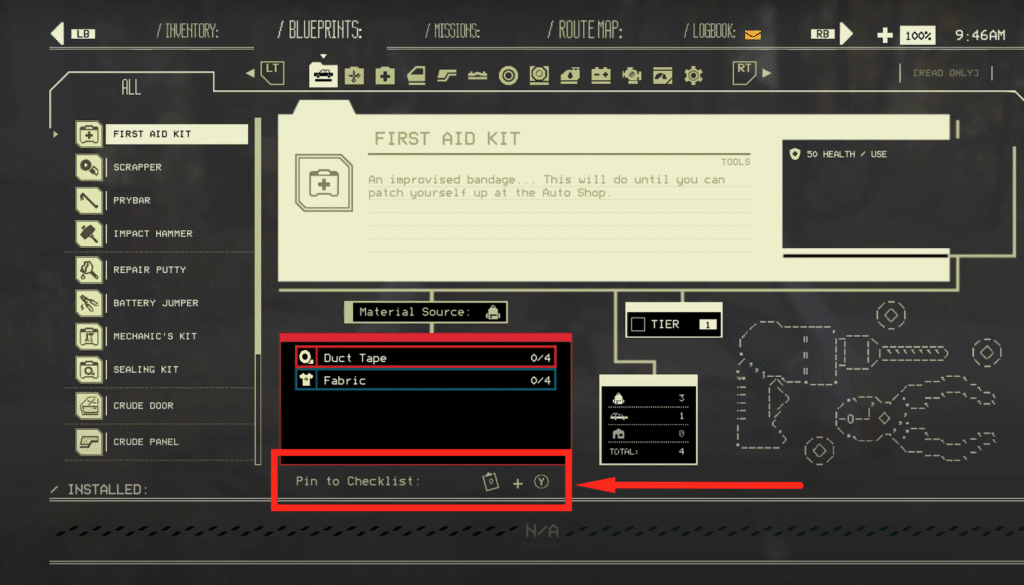
You can create your checklist in Pacific Drive by pinning items from the Blueprint menu. Open up any item that you want to craft in the Blueprint menu and click on it. Once the item is selected, you will be able to see “Pin to Checklist” at the bottom of your screen.
On PC you can do this by pressing C on your keyboard, and on console using either Y for Xbox or Triangle for Playstation. Right next to the “Pin to Checklist”, you can also find a small clipboard icon. This icon allows you to change the quantity of the items you want to craft.
 Pacific Drive: How to Get ThermoSap CrystalsFeb 28, 2024
 Pacific Drive: How Resistances WorkFeb 27, 2024
 Where to Find 9V Battery in Pacific DriveFeb 25, 2024
Utilizing Checklists is very important because to craft multiple items, you will need a lot of different resources. Checklists keep track of every resource that you collect and add to your backpack.
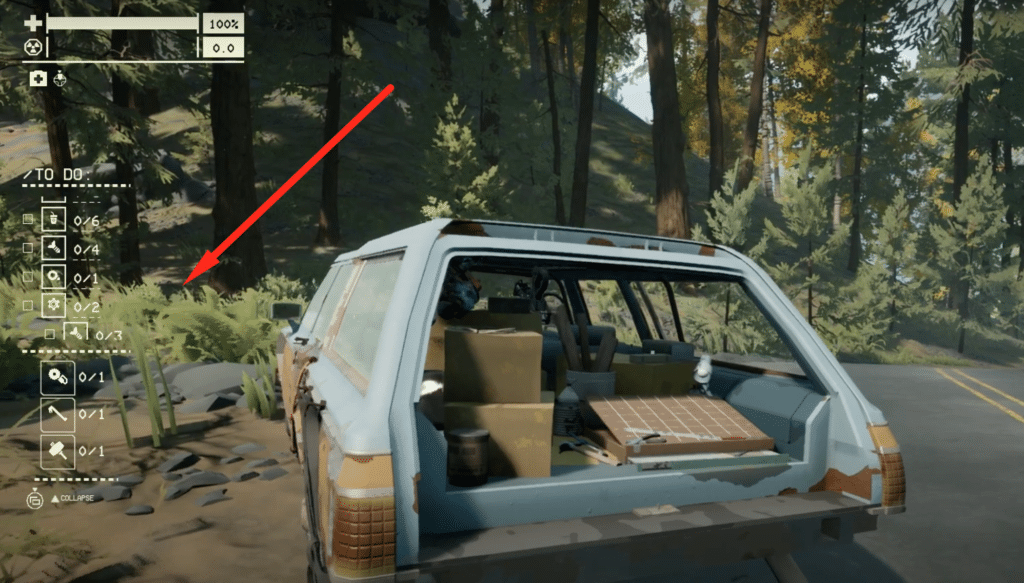
All the items that you pin to your Checklist will appear on the left side of your HUD as “To Do“. Over here you are tracking the resources you need to craft the items. Below the resources, you will also be able to see how many items you still need to craft.
ALSO READ: Pacific Drive: How to Turn Your Car Back Over After Crash