 18 articles
In Myth of Empires the protection timer plays a pivotal role in protecting your base from intruders when you go offline.
That said, setting one up is rather tricky. Especially when other players come after your guild base. In this guide, we’ll show you how to set up a protection timer in Myth of Empires.
How to Set Up Protection Timer
If you’re planning on playing PvP mode in Myth of Empires, you’re going to need to use the protection timer to make your base impenetrable while you are offline.
To set up a protection timer there are a few things you need to do.
 Myth of Empires: Where to Find and How to Collect Sand Feb 29, 2024
 Myth of Empires: How to Make Vegetable OilFeb 28, 2024
 Myth of Empires: How to Set up Your Own Server with G-PortalFeb 26, 2024
Range of Boundary Marker
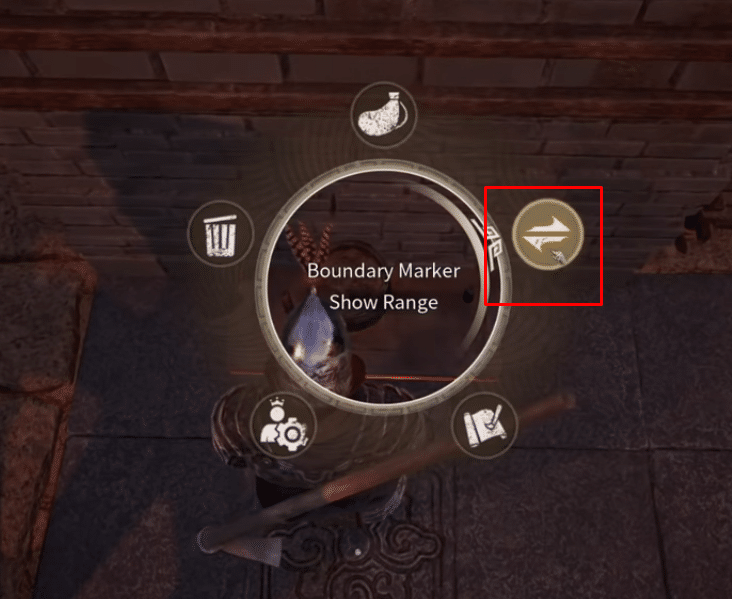
Before we jump into how to set up your protection timer, you’ll need to understand how to check the boundary range in the protection timer.
If you want to see the range of your boundary marker, interact and click on the option called “Boundary Marker Show Range.”
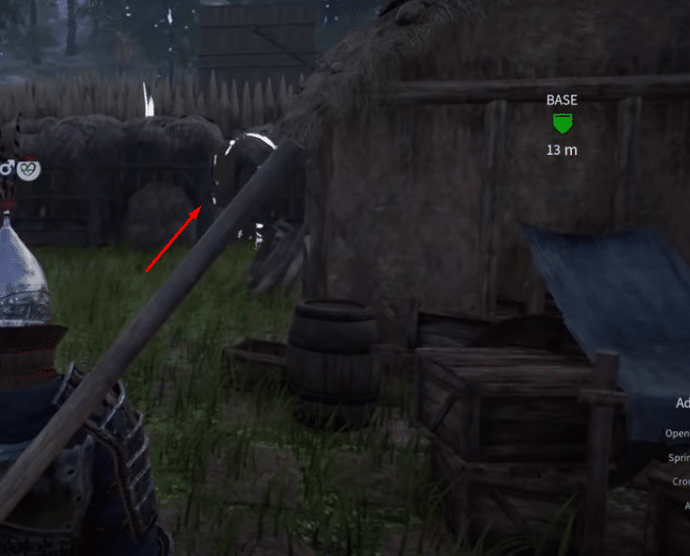
The white boundary marker, as seen in the image above, covers everything inside of this boundary marker for the entire week.
Pay for Protection
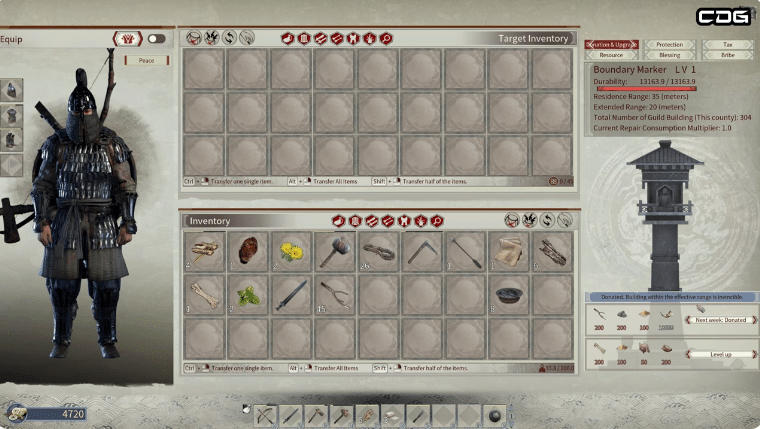
In order to maintain the protection of your guild base, you’ll need to pay taxes. To pay your taxes, go into the inventory and select the boundary marker located at the bottom-right corner.
Check the resources you need to pay for weekly protection and select “Donate” to pay for your protection.
How to Set Protection Timer
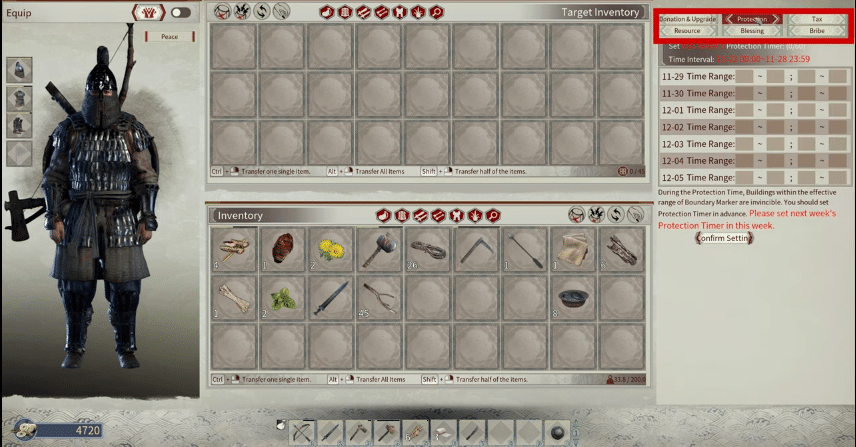
To set the time on your protection timer, go into the inventory and click on the Protection tab at the top right corner. The time and date that you can see are set by the time of the server that you use.
If you wish to change the times you’ll need to swap servers. Thankfully, there’s a way to swap servers without losing any of your gear.
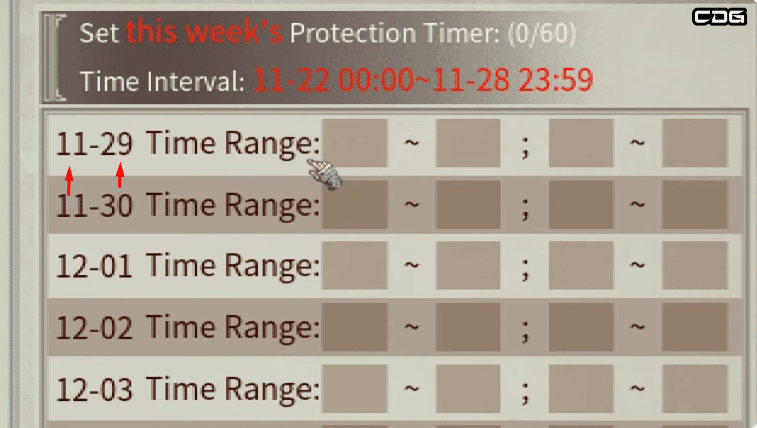
Open the timer in the protection tab and it will open up two windows. The top window is for the current week and the bottom window is set for the next week.
You need to alter the first window. The first number on the left-hand side of the window is the month followed by the day.
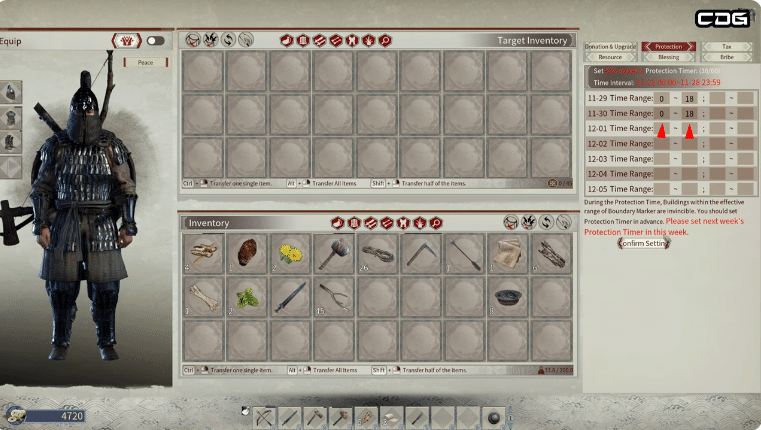
To set the time you’ll need to use the numbers 0 to 24. To briefly explain how the timer works, you must fill in the amount of time you intend on being away in the time intervals.
24 hours gives you protection until midnight the next day, 12 stands for midday the following day, and 0 stands for midnight on the same day.
Once you’ve filled in your allocated times for the week, click on confirm settings at the bottom of the screen.
Remember to set the times on your protection timer and protect your base!
READMORE: Myth of Empires: Best Base Locations