 51 articles
Setting up your AIC factory in Arknights: Endfield can be a bit of a headache, but you can get and use blueprints to greatly simplify the process.
These blueprints are premade layouts of facilities. You can just use them and plop them in your base, instantly copying the layout and placing all relevant facilities. It saves you a lot of time!
In this guide, I’ll tell you how to make, get, and use blueprints.
How to Make and Use Blueprints
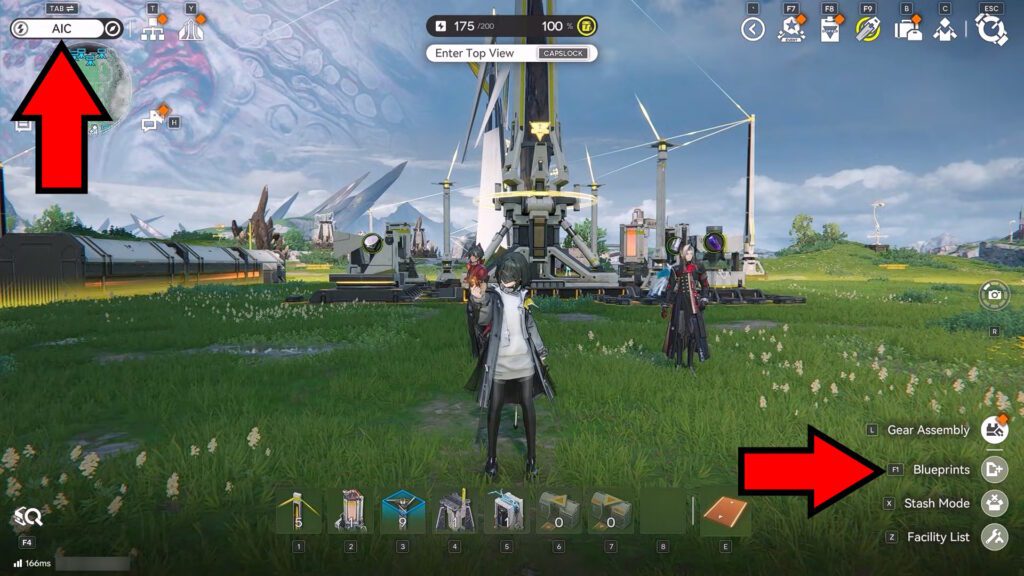
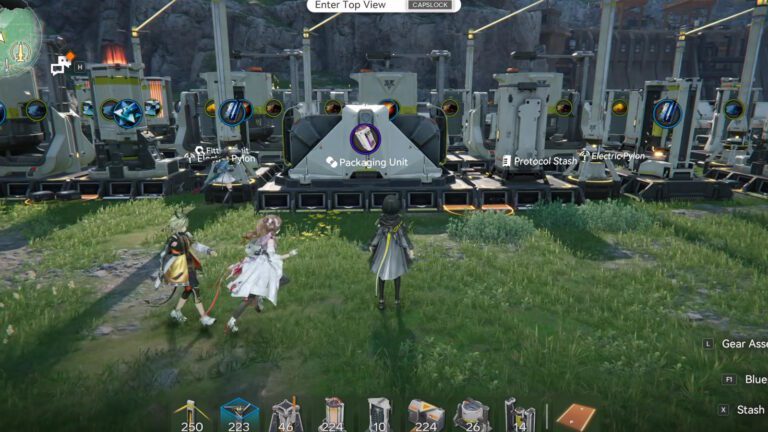
First of all, you’ll want to access the Blueprint menu. For that, make sure you’re in AIC building mode (top left corner of the screen) and then select Blueprints in the bottom right corner.
 How to Build and Play Camille in Arknights EndfieldJul 2, 2026
 Arknights Endfield: The Three Swords of Mastery Quest GuideJan 31, 2026
 Ruby Bolete Location in Arknights: EndfieldMay 14, 2026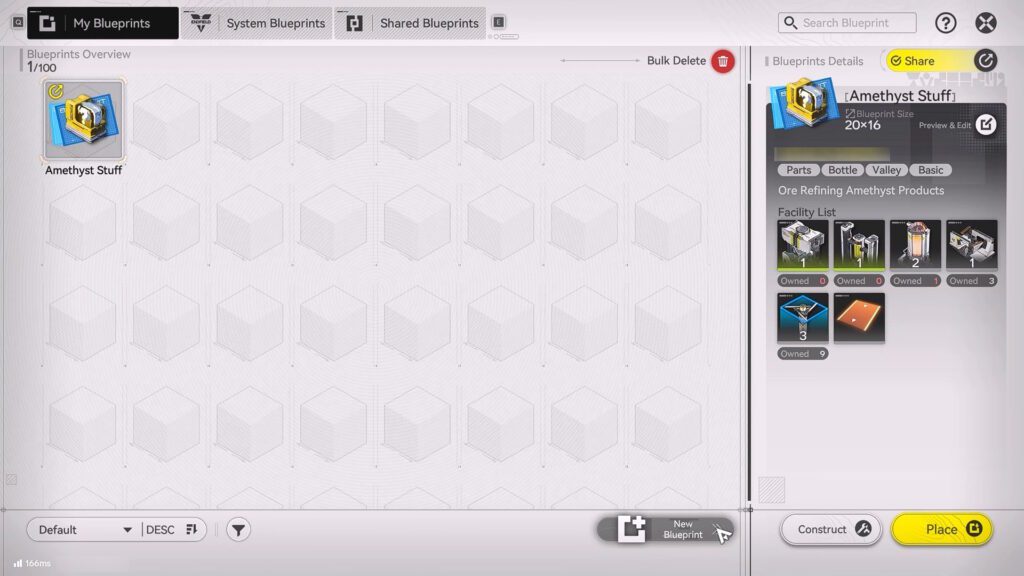
In the Blueprints menu, you have a few options. The first is to just create a new Blueprint of your own by selecting New Blueprint.
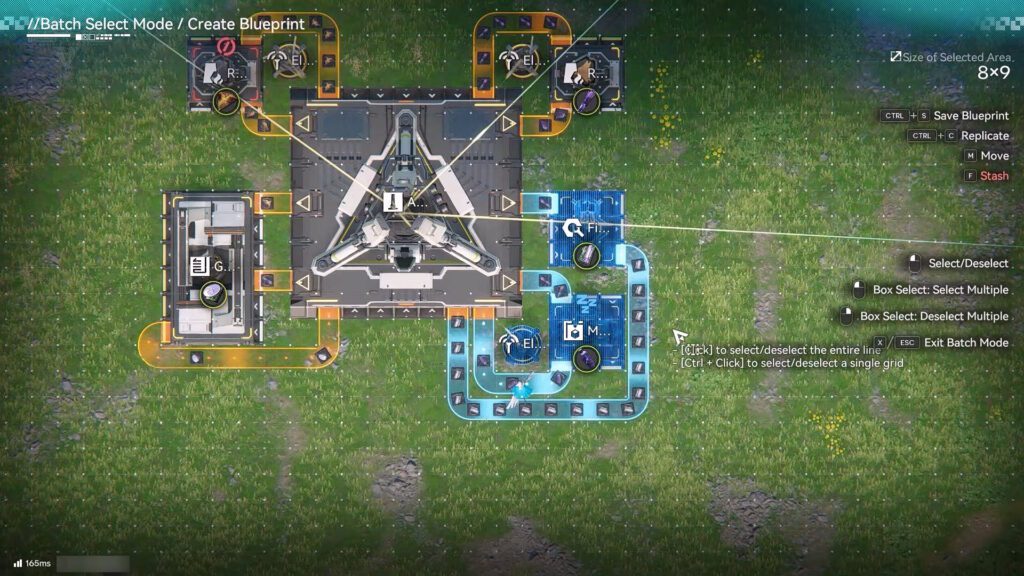
This allows you to select a section of your factory to save as a Blueprint. You could even select all of it, if you wish! The controls for this are on the right side of the screen, just in case. Give it a good name to remember what it’s for, too.
Once you’ve made and saved a Blueprint, you can use it yourself by selecting it and clicking on either Place or Construct.
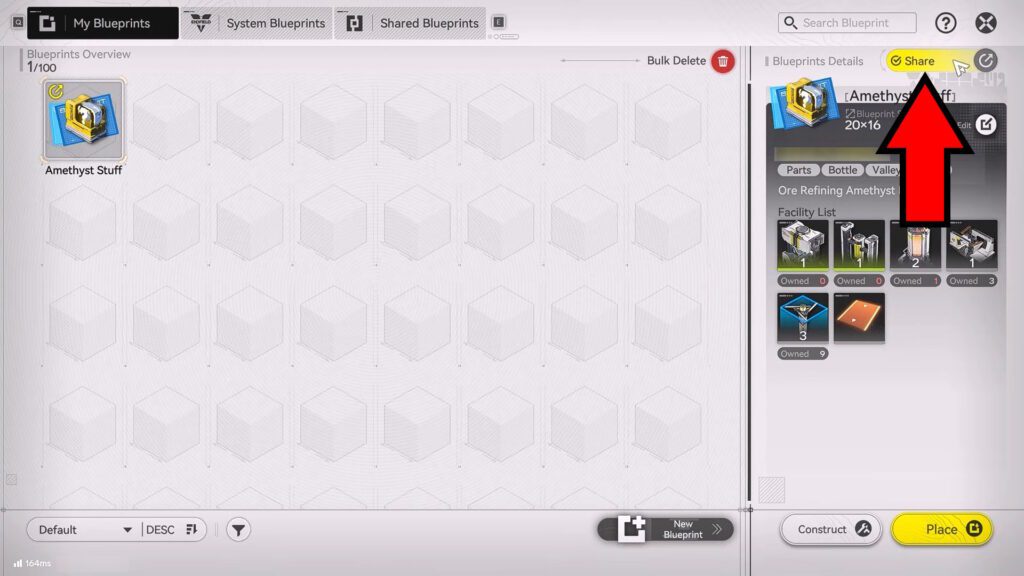
Additionally, you can also click on the Share button. This allows other players to see and copy your Blueprint. You can share either with just your in-game friends or with others.
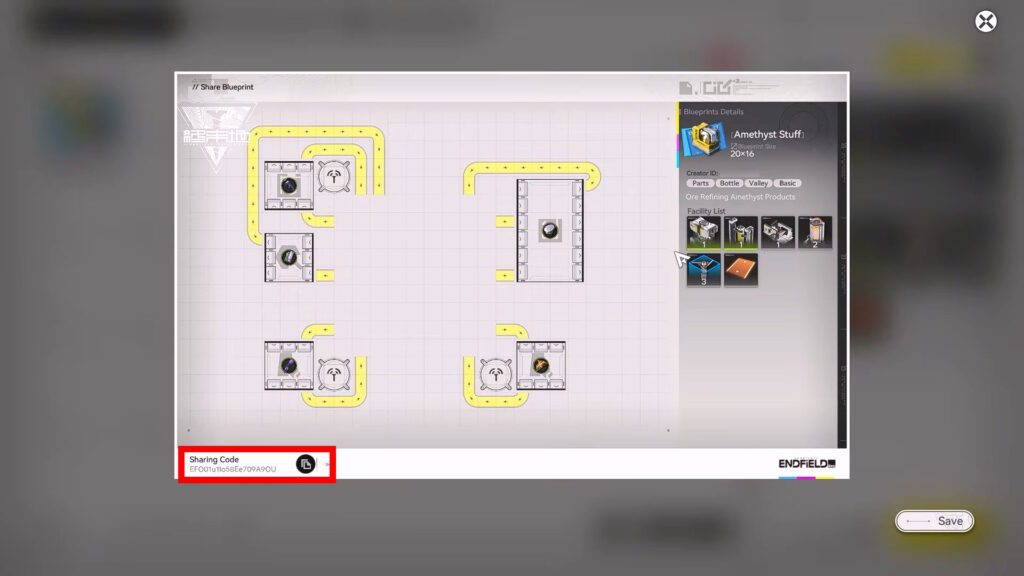
If you select to Share with Others, you’ll get a Sharing Code. It’s on the bottom left of your blueprint’s preview. Make sure to copy this code and give it to other players so they can use your setups!
How to Get Blueprints
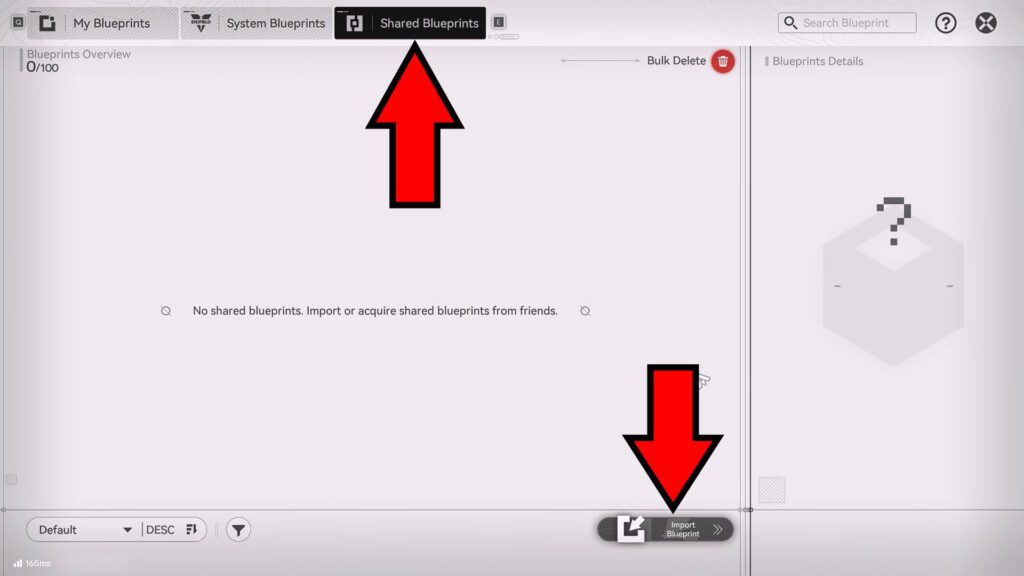
There are two ways to get more Blueprints, besides just making your own. The first is to get the Sharing Codes from other players. This allows you to use others’ setups, just as you would when making your own blueprint.
To use a Sharing Code, go into the Shared Blueprints tab and then select Import Blueprint. You can input any Sharing Code you’ve received to copy a blueprint into your database. You can store up to 100 blueprints like this.
If you want to get more Sharing Codes, I’d recommend checking the fan-made AIC Factory Blueprints website. It’s pretty new, but it already has a lot to offer!
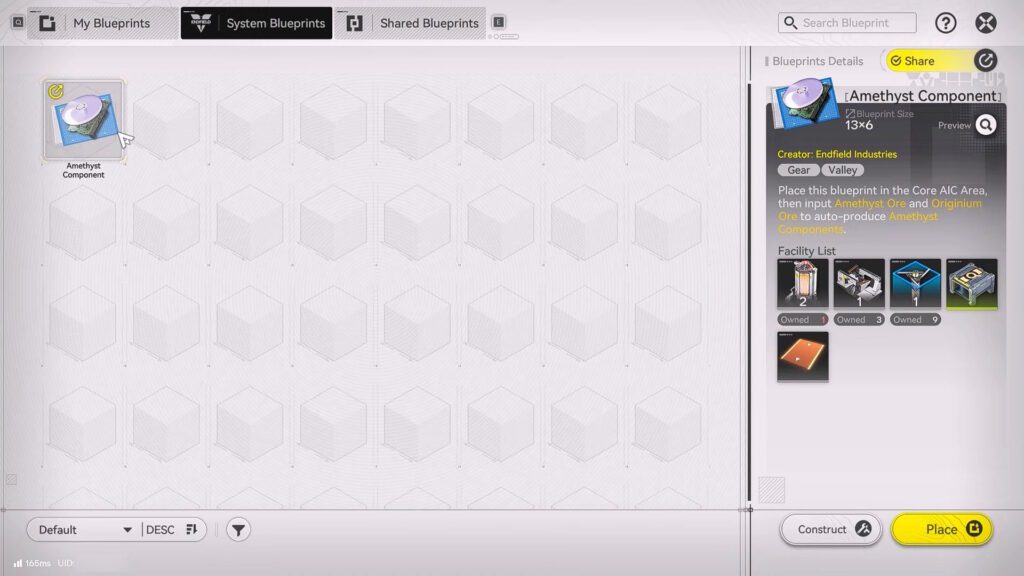
For the second way, you can get and use premade blueprints in the System Blueprints tab. These are made by the game’s developers and are pretty basic, but can be a good head start if you have nothing else to go on.
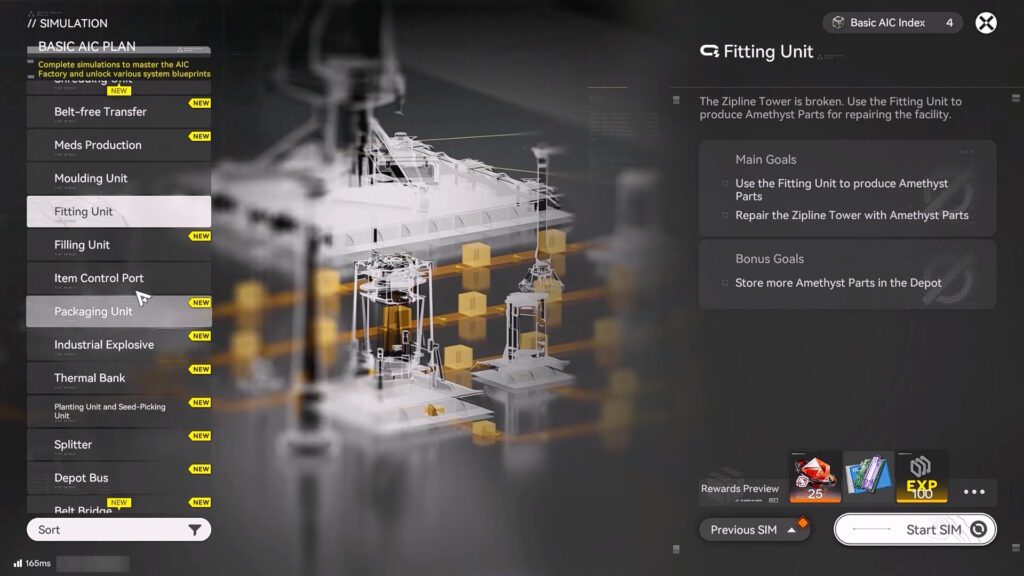
To get System Blueprints, you’ll need to complete the AIC factory simulations. These act as tutorials to each of the AIC’s facilities, and they’re worth doing for their other rewards, such as EXP.
That’s really all there is to know about how to get and use Blueprints in Arknights: Endfield! This is a great way to simplify your factory’s setup, as you can even just use other players’ optimized setups if you wish.
Speaking of setting up your factory, do you need help automating the ore mining and crafting process? We have a guide on how to do just that!