 46 articles
Like in past games in the series, Monster Hunter Wilds allows you to change your Title as part of your Hunter Profile.
You earn more Titles as you progress through the game, so they can be used to somewhat show off your achievements. Plus, you get some decent freedom when mixing words together, letting you create unique Titles. Use them to give other players a quick message whenever they peek at your profile!
In this short guide, we’ll tell you how to change your Title with ease.
How to Change Title | Monster Hunter Wilds
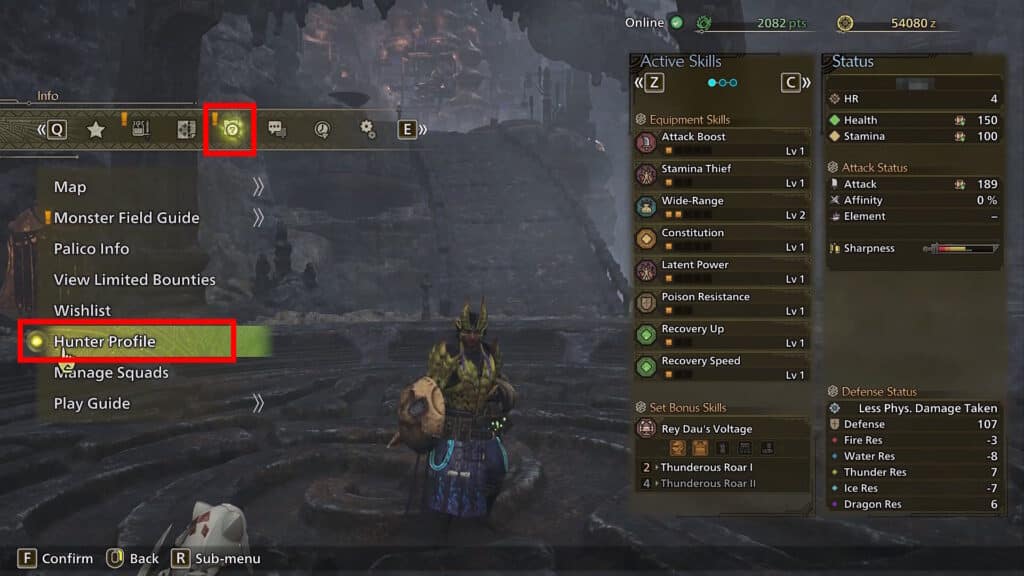
You can change your title in Monster Hunter Wilds under the “Hunter Profile” customization interface.
 Monster Hunter Wilds: Omega Savage Boss Guide | Planetes ProtocolSep 30, 2025
 Monster Hunter Wilds – How to Unlock AkumaMay 29, 2025
 Monster Hunter Wilds: Monster Carcass LocationMay 29, 2025
First open up the Pause Menu. You can do so by pressing the Options Button (PS5), Menu Button (Xbox) or Esc Key (PC). Then, switch over to the Info tab. It’s the one near the middle, represented by a paper sheet with a magnifying glass. Press L1/R1 (PS5), LB/RB (Xbox) or Q/E keys (PC) to change tabs. Select “Hunter Profile” under this tab.
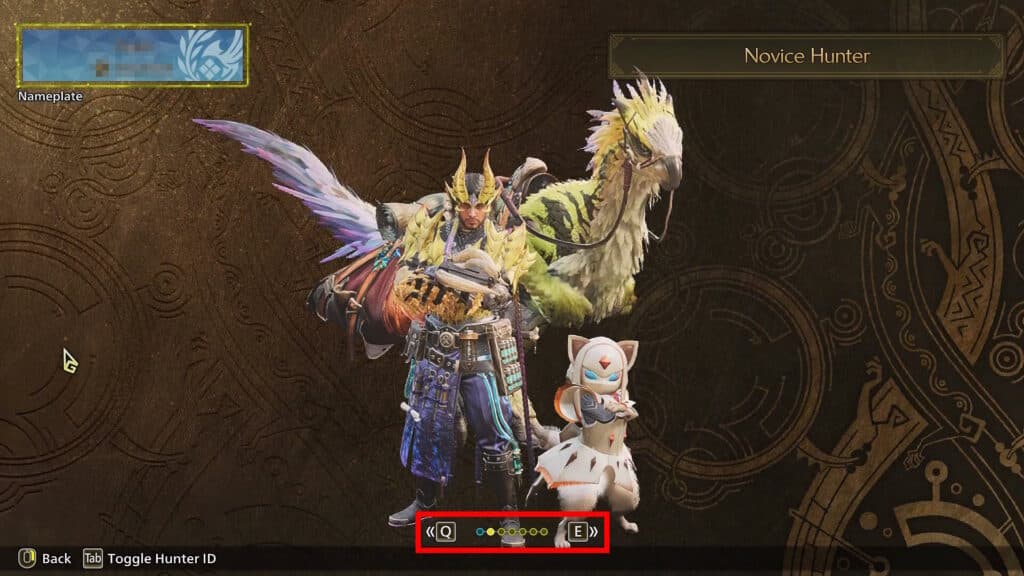
Now that you’re in the Hunter Profile interface, look at the tabs on the middle bottom of the screen. Change tabs just like before until you reach the leftmost one, which is also the only blue one. Convenient!
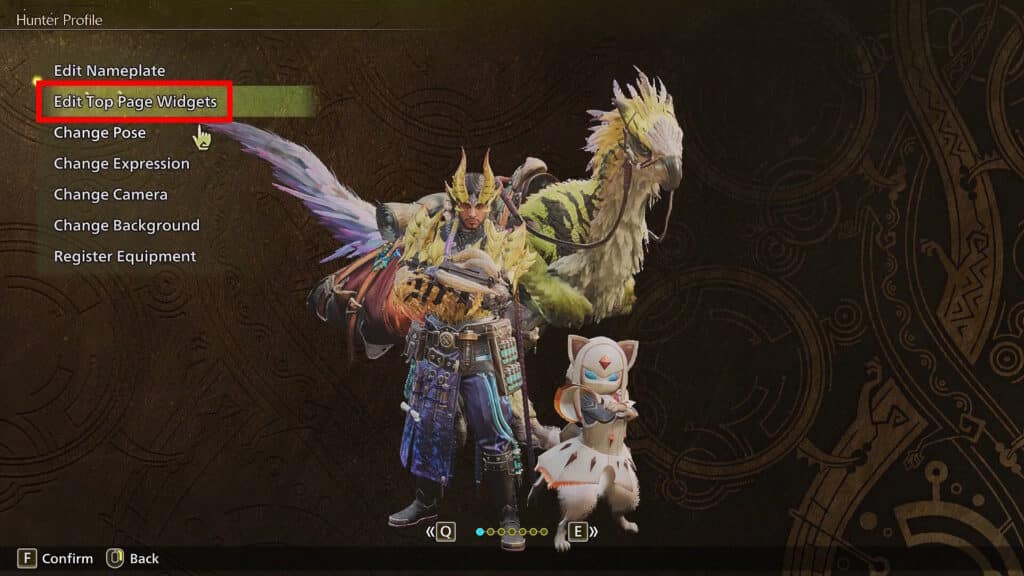
Next up, select “Top Page Widgets”.
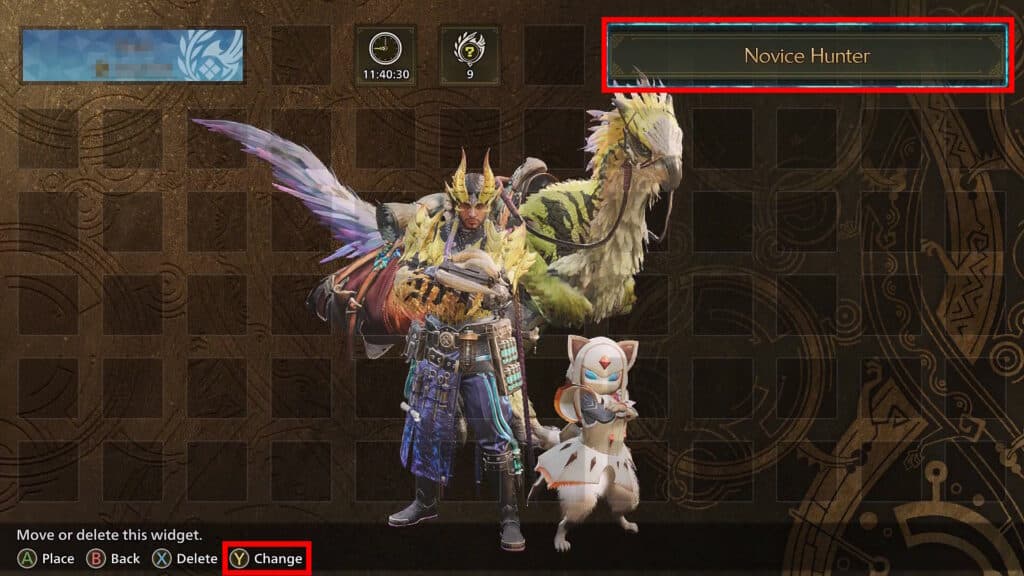
Then select your Title widget. By default, it’s the one in the top right. With the Title widget selected, press Triangle (PS5), Y (Xbox) or the R key (PC) to change it. You can see the prompt on the bottom part of the screen.
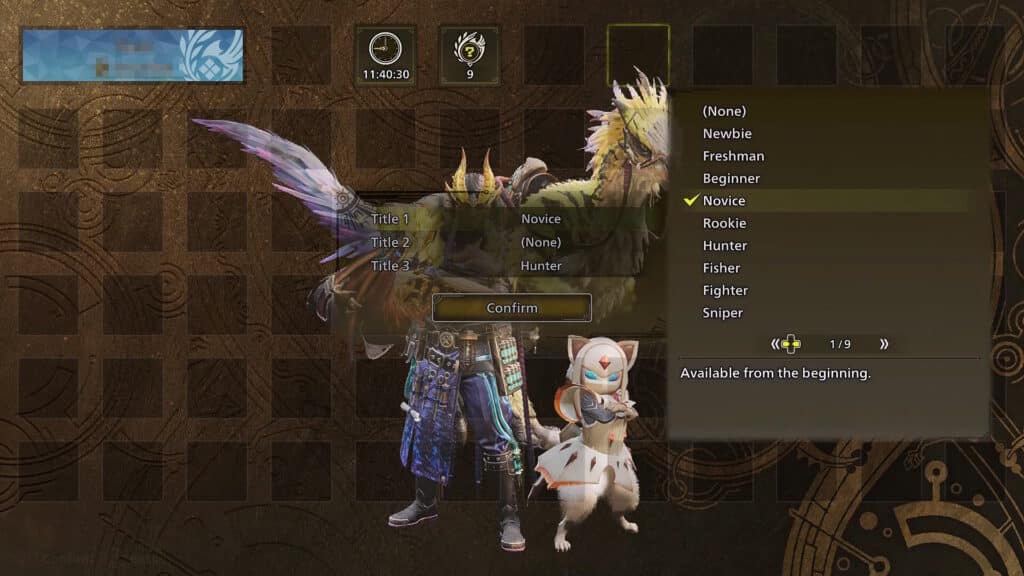
You can now select to modify any of the Title’s 3 words. Select whichever one you wish to modify and you’ll be able to replace it with any other Title words you’ve unlocked. You’ll get more Title words as you progress through the game and reach certain milestones. You can modify all 3 words to change your Title to whatever you wish. Just select Confirm when you’re all done.
That’s all you need to do to change and customize your Title whenever you wish in Monster Hunter Wilds. Use it along with other Hunter Profile customizations to let other players see what kind of hunter you are!