 12 articles
You can get a fancy golden Conqueror skin for the Slayer, Atlans, and Dragons in DOOM: The Dark Ages.
However, earning this skin is no easy feat! You will need to tackle one of the toughest challenges in the game. There are ways to make it easier, though, of course… which we will tell you all about!
Read on to know how to get the golden Conqueror skin and tips to make the process easier.
How to the Conqueror Outfit in DOOM: The Dark Ages | Golden Skin
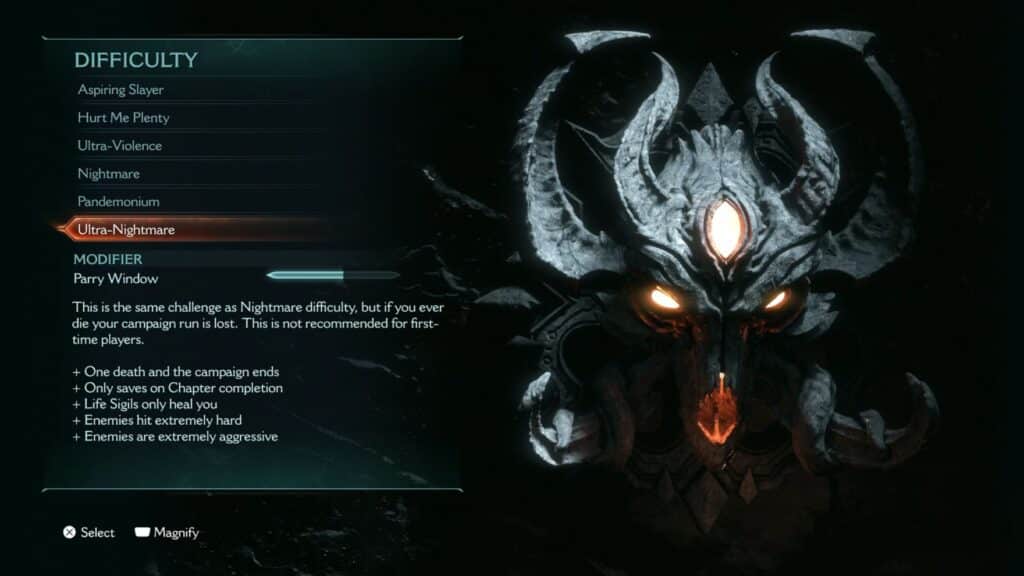
The Conqueror skin in this game is unlocked by completing the campaign on Ultra-Nightmare difficulty. This difficulty is the same as Nightmare, but with two main quirks:
 Doom: The Dark Ages – How To Use Glory KillMay 18, 2025
 Doom: The Dark Ages: How to Get All Downloadable SkinsMay 18, 2025
 DOOM The Dark Ages: Best Early Weapons & UpgradesMay 17, 2025
- If you die or quit the game during a chapter, your Ultra-Nightmare save is deleted.
- The game only saves between chapters, there are no mid-chapter checkpoints.
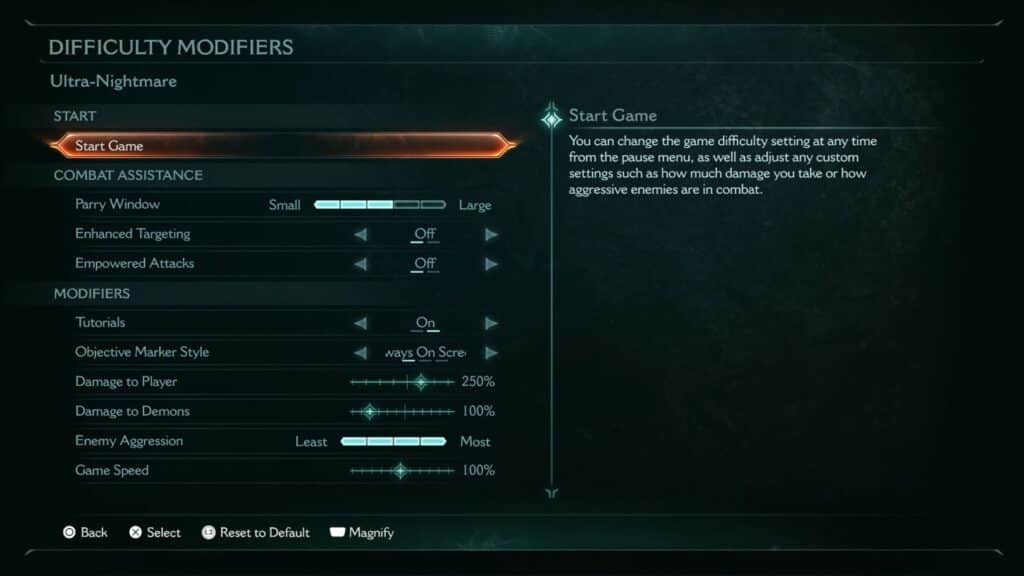
Despite these major quirks, you can still use the Difficulty Modifiers for Ultra-Nightmare difficulty after selecting it. So, if you wish, you can make things easier on yourself by lowering Damage to Player, lowering Enemy Aggression, and increasing the Damage to Demons.
If you want to do this legit, we recommend playing on the standard Nightmare difficulty first to get used to the challenge. After all, you only get one life in Ultra-Nightmare!
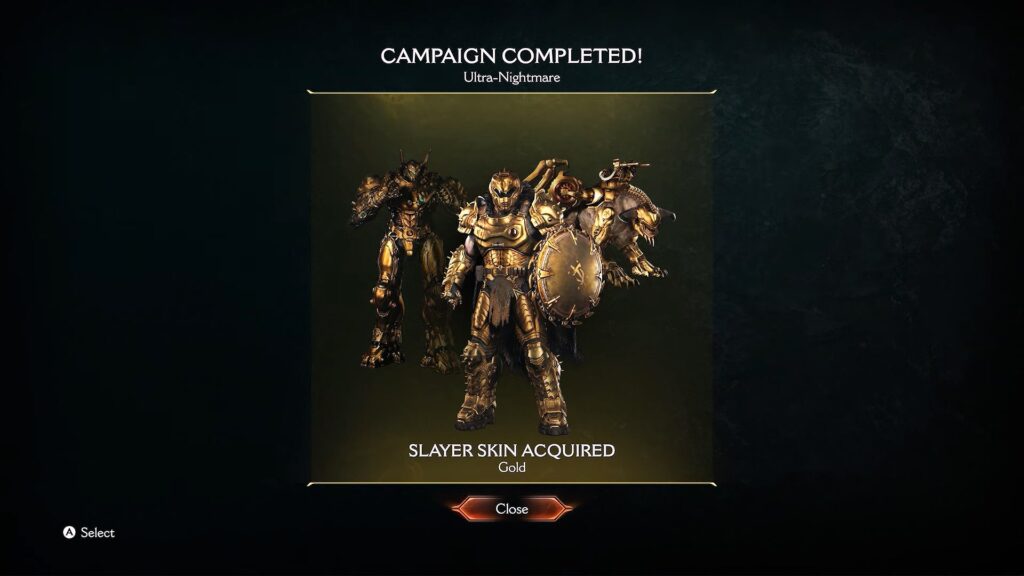
Alternatively, you can manually back up your save after each chapter to work around having just a single life. This is savescumming and basically cheating… but it’s still an option if you simply want to get the skin and don’t care much for Ultra-Nightmare difficulty.
- For PC players, you can find your saves in the following folders:
- Steam (Windows): C:\Program Files (x86)\Steam\userdata\<your steam id>\3017860\remote
- Steam Play (Linux): ~/.steam/steam/steamapps/compatdata/3017860/pfx/
- The exact directory will be different if you installed Steam to a folder other than the default.
- Windows Store and Battle.Net: C:\Users\<your Windows username>\Saved Games\id Software\DOOMTheDarkAges\base\savegame
- For console players, you’ll need to use Cloud Saves on your platform of choice. Save and quit during chapter summaries to upload your save to the Cloud, then just redownload the Cloud Save if you end up dying.
So, there you have it, that’s how to get the golden Conqueror skin for the Slayer, Atlans, and Dragon in DOOM: The Dark Ages. This is quite a challenge when done legit, so be sure you’re ready to take it on.