 1 articles
Counter-Strike 2 is currently one of the most popular games on the market, however, it is not without issues. Many players (including yourself) complained about having experienced fps lags and so-called “stuttering” while gaming.
Today, we’re bringing you a quick guide on how to fix this issue completely! So, without further ado, let’s get started.
What is Stuttering?
Stuttering is a term used in gaming quite often. However, not that many people know what it means. So before we delve any further into how to fix this issue, let’s quickly go over what it is in the first place.
Namely, stuttering refers to lags and delays on your screen. According to Hewlett Packard, “screen stuttering is an issue caused by irregular delays between the graphics processing unit (GPU) and the image on your display “[1]
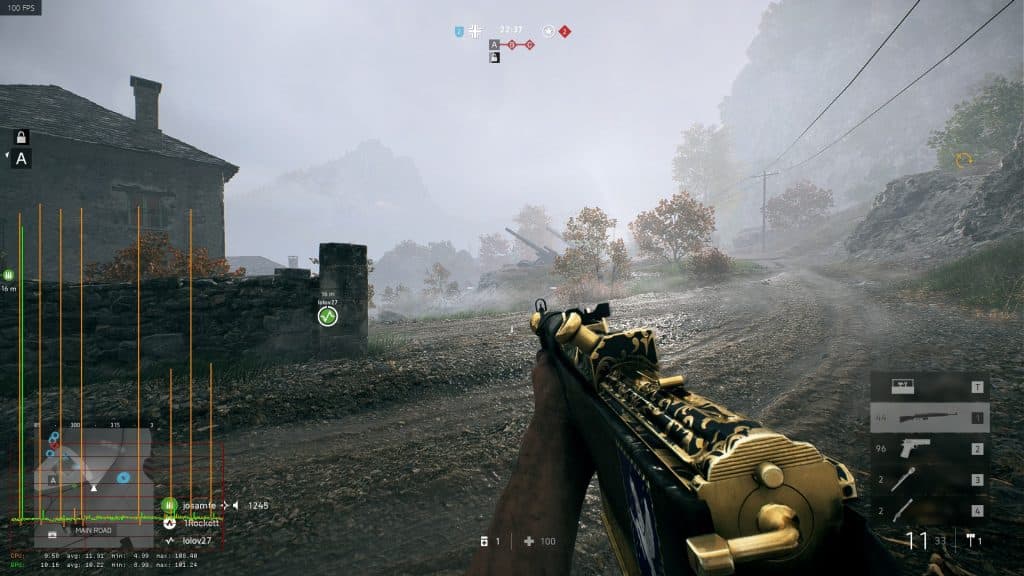
What this means in practice, is that you will most likely experience lags and delays as well as the game feeling sluggish overall. Not something you want during your precious gaming hours. The reasons for “stuttering” are many, among which the most notable are:
- Insufficient GPU,
- RAM issues,
- Overheating,
- CPU bottleneck.
Luckily, there’s an easy solution to this issue.
The fix
The solution to this problem is fairly simple. Follow these steps exactly as they are written to avoid any confusion.
Go to the search bar on your PC or laptop and search for “Delete Temporary Files” in the System Settings.
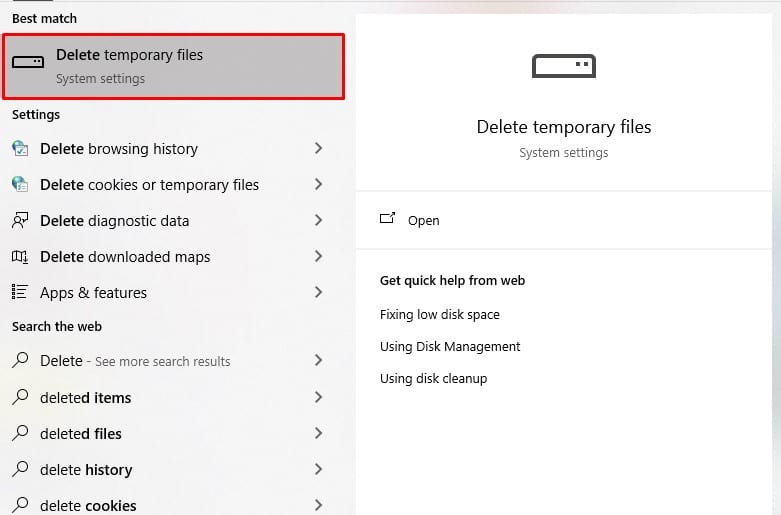
Once you click on the indicated option, you will be taken to the page “Storage” menu on your PC. Look for the “Temporary Files” folder and open it.
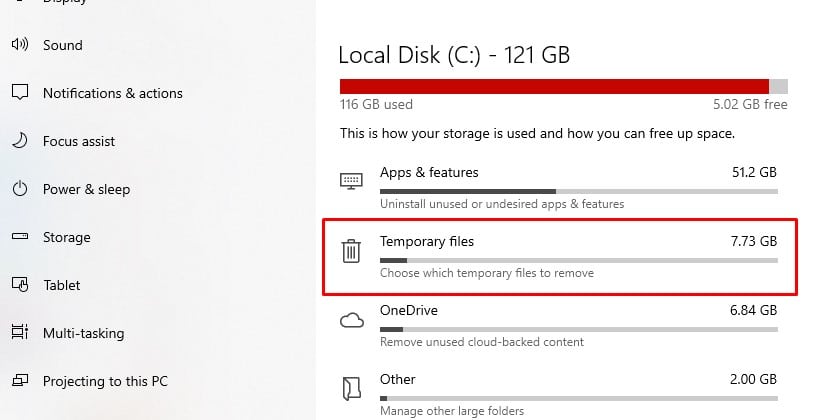
Wait for the files to load and search for “DirectX Shader Cache”
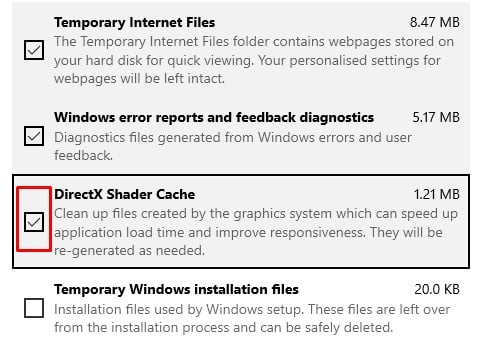
Delete it and reload your game.
Hopefully, this will eliminate the stuttering issue on CS2.
Note: Games use DirectX Shader cache in the background to save data and to preload maps, loadouts, etc. Deleting it from the temporary files storage will not do you any harm.
Note: Double-check all of the selected options in the temporary files section as some are ticked by default. Be sure not to delete something you need!
ALSO READ: Granblue Fantasy Versus – Rising: How to Improve Visuals
[1] Horowitz, Daniel. “Fix Stuttering in Games: HP® Tech Takes.” Fix Stuttering in Games | HP® Tech Takes, HP, 4 May 2023, www.hp.com/gb-en/shop/tech-takes/fix-stuttering-in-games#:~:text=Screen%20stuttering%20is%20an%20issue,detrimental%20impact%20on%20your%20experience.