7 articles
Counter-Strike 2, or CS2, has a host of workshop tools available for modders to use. Much like Valve’s other games, this suite of tools is aimed towards helping you develop any kind of mod you want for CS2.
Eager to get deep into the game’s files and start making your own skins or maps? Well, you’ll definitely want to download these tools!
In this short guide, we’ll tell you everything you need to know to download CS2’s Workshop Tools.
How to Download Workshop Tools for CS2
The Workshop Tools are considered an add-on or DLC for Counter-Strike 2. Don’t worry though, they’re free just like the game itself!
 Ultimate Beginner’s Guide to Counter-Strike 2Oct 9, 2023
 Counter-Strike 2: When to Buy or Save Money | Economy GuideOct 9, 2023
 How to Increase FPS in Counter-Strike 2 | Optimization GuideOct 8, 2023
But, that does mean that you should first add the game to your Steam library from the official Steam store page. Similarly, you’ll need to download the game itself as well.
Can’t mod the game without having the game, after all!

Once you’ve got CS2 ready to go, locate it in your library. Right-click on CS2 to open the drop-down menu and then click on Properties.
Now that you’re in CS2’s properties, locate the DLC tab on the left side of the window and click on it.
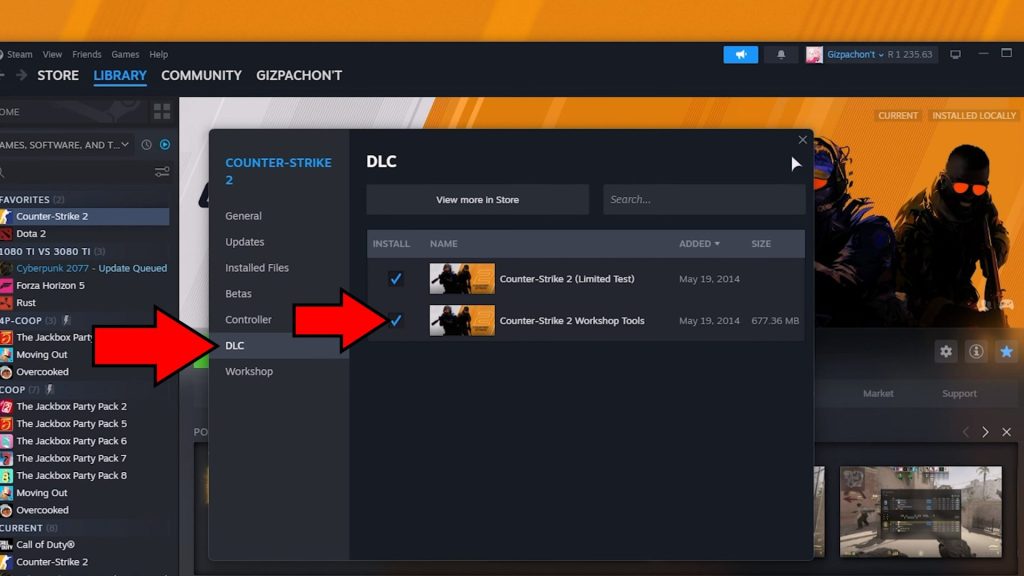
Find the Workshop Tools in the DLC list and tick the box next to it to activate them. It’s as simple as that!
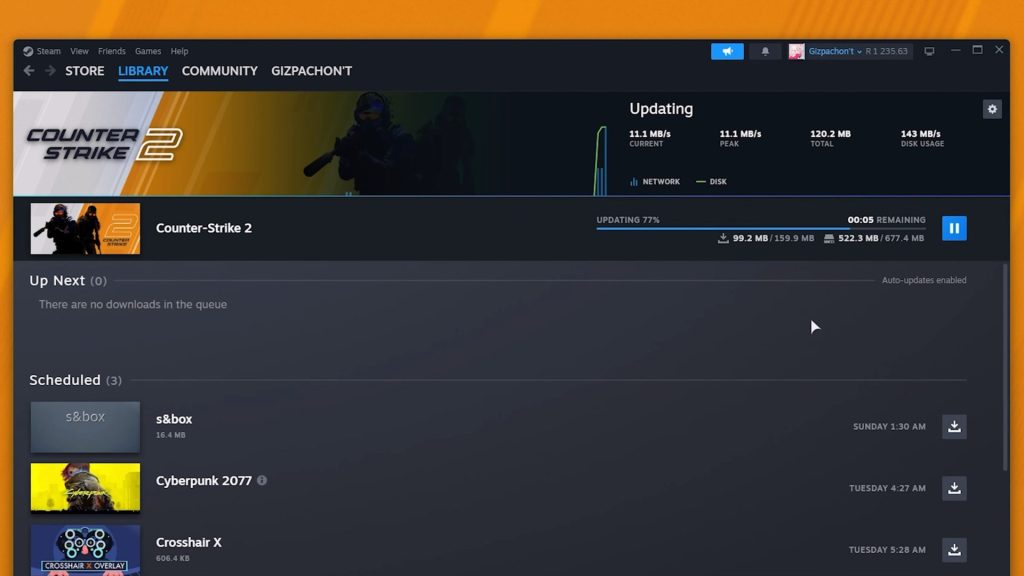
The Workshop Tools will now automatically start downloading through Steam. It will appear as CS2 on your downloads list since it’s not different from downloading a regular update or anything like that.
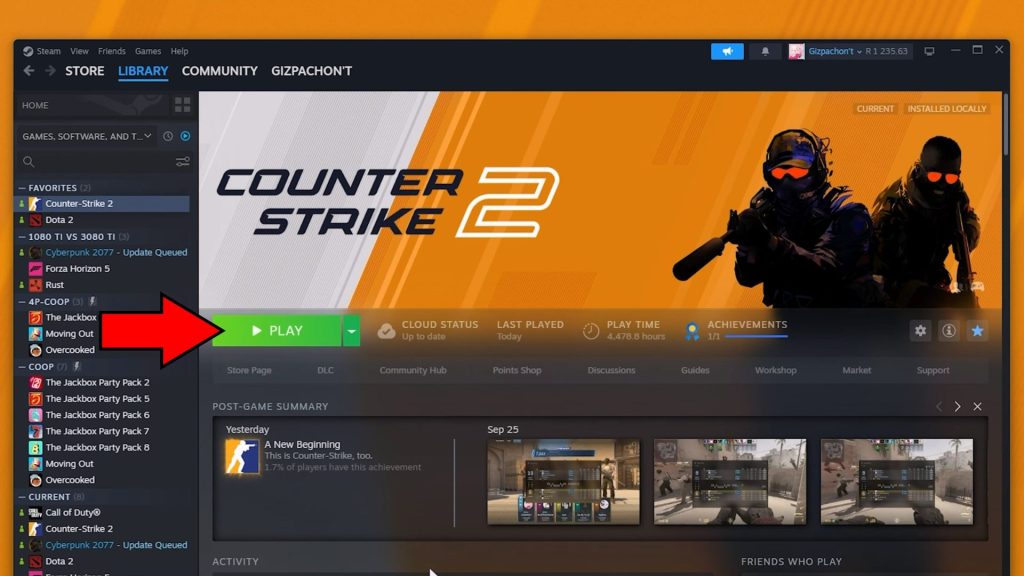
Once the download is finished, you’re all set! All that’s left to do is to click Play on CS2. Now, instead of just launching the game as normal, Steam will give you a prompt.
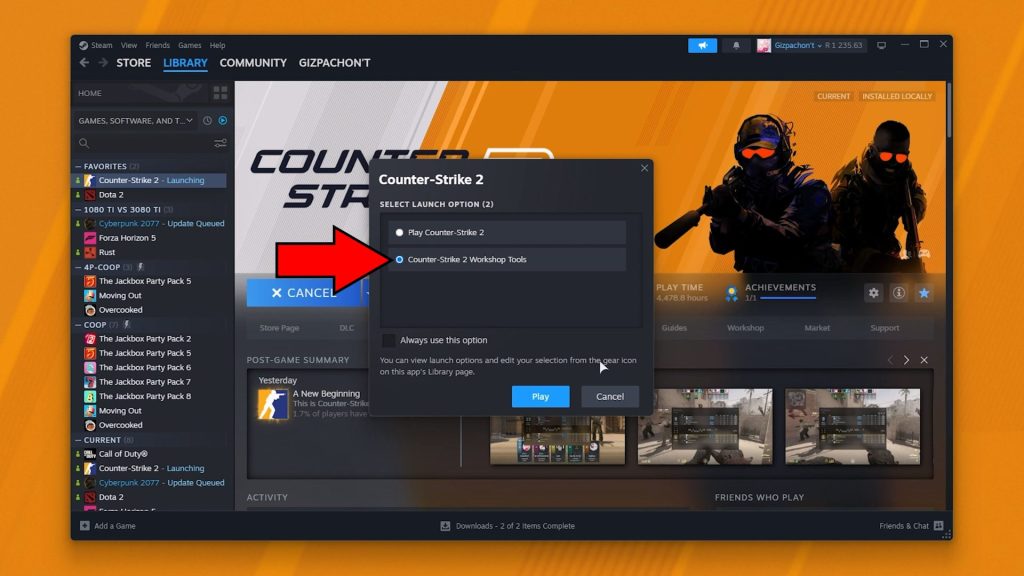
You can either launch CS2 normally or select the Workshop Tools, which will start the game in test mode along with the workshop.
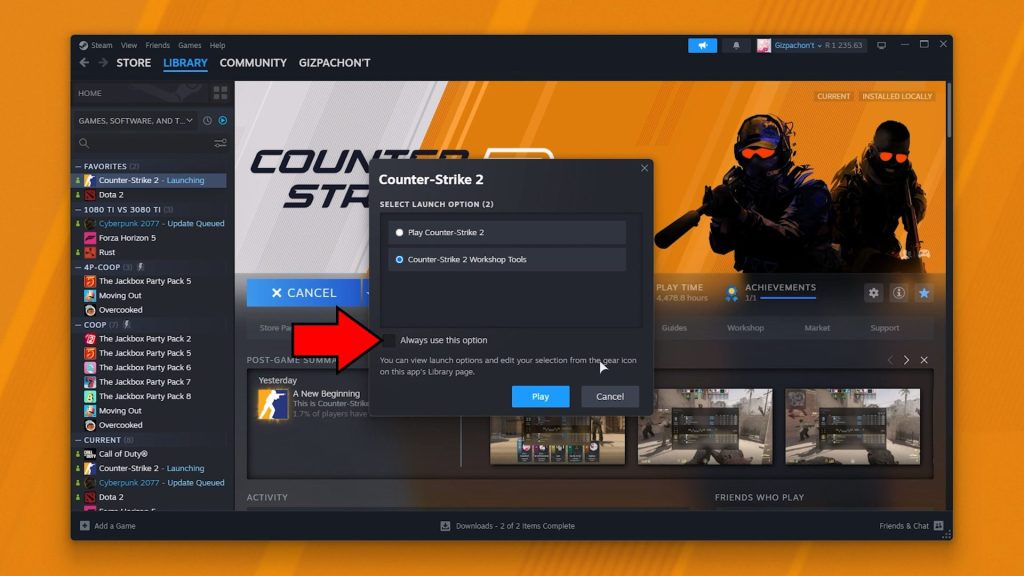
Additionally, you can tick “Always use this option” to set your choice as the default.
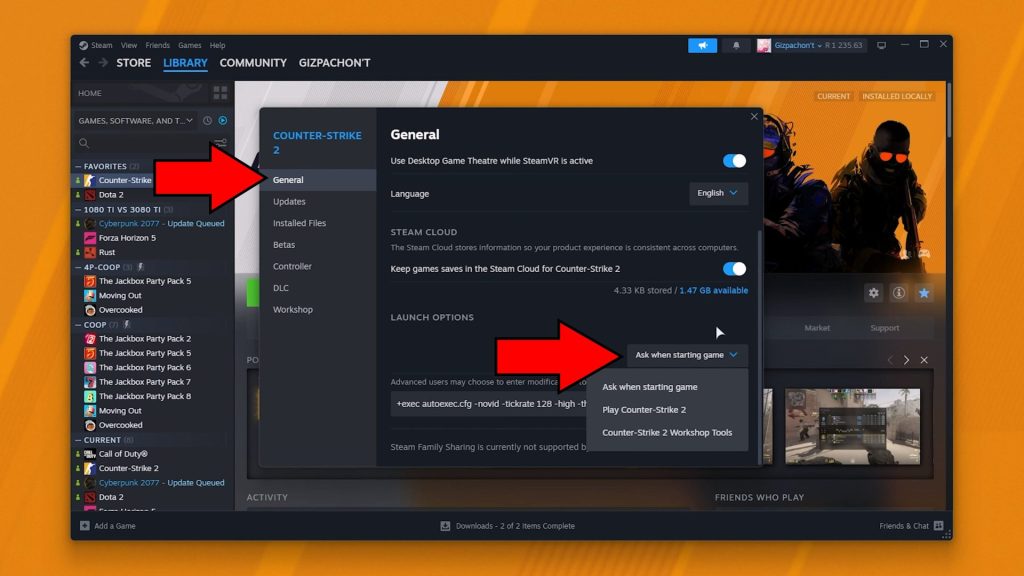
This can then be changed again in CS2’s Properties, just like how we activated the DLC before. Just look in the General tab instead of DLC!
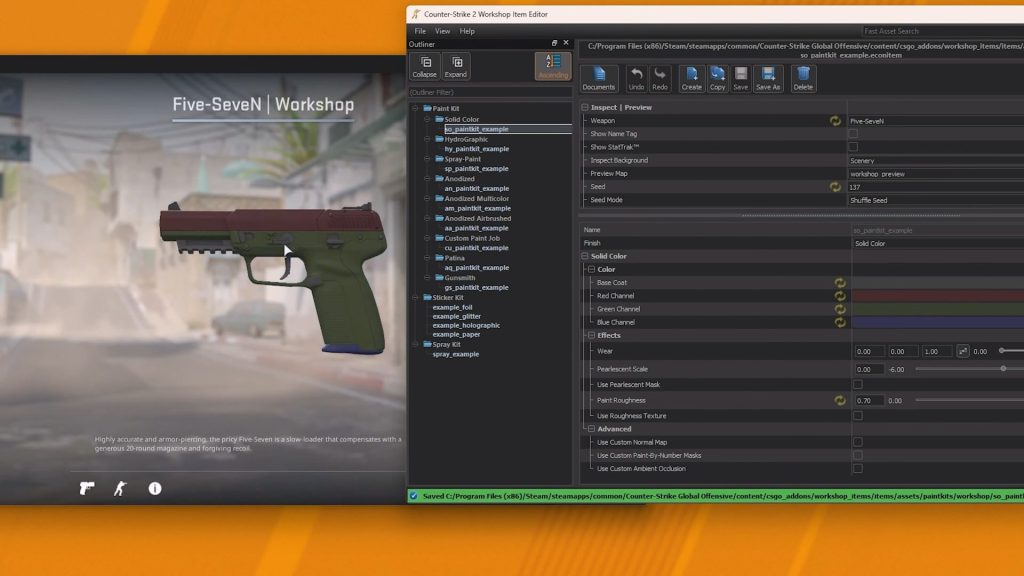
We look forward to seeing what mods you make with these Workshop Tools! Or even what videos you create with Source Filmmaker, which is also included.
ALSO READ: Bang-On Balls Chronicles: All Arcade Codes to Unlock Bonus Items