
 60 articles
If you’re having trouble with storage space in Schedule 1, then the biggest upgrade you can get is to unlock and use the Brick Press for creating bricks.
This handy little press allows you to compact full stacks of product into one neat brick. Not only does this save up a lot of space, but it’s also ideal for giving to your dealers so they can sell more of your product!
That said, there are definitely a few quirks in the system, which we’ll help you deal with. Without further ado, here’s everything you need to know about unlocking the Brick Press, and more.
How to Unlock and Use the Brick Press and Product Bricks in Schedule 1
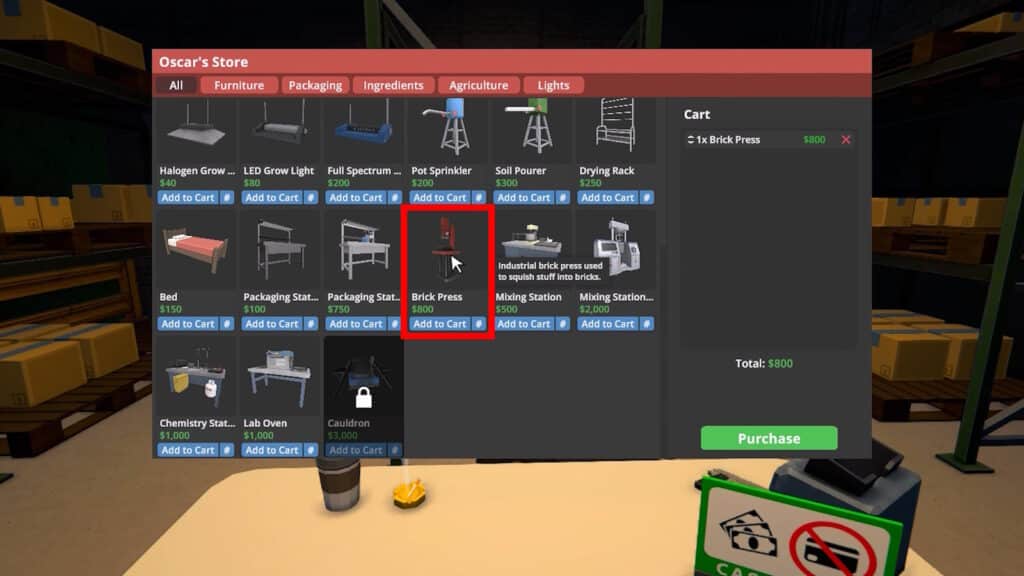
You unlock the Brick Press equipment once you reach the Bagman V Rank. The Brick Press will then be available from Oscar’s Store at the Warehouse for $800 per station.
 Fully Automated Coca Docks Warehouse Build – Schedule 1Mar 20, 2026
 How to Get Watch & Chains in Schedule 1 | Jewelry Shop LocationMay 13, 2026
 West Bridge Location in Schedule 1 – Under the West BridgeApr 8, 2025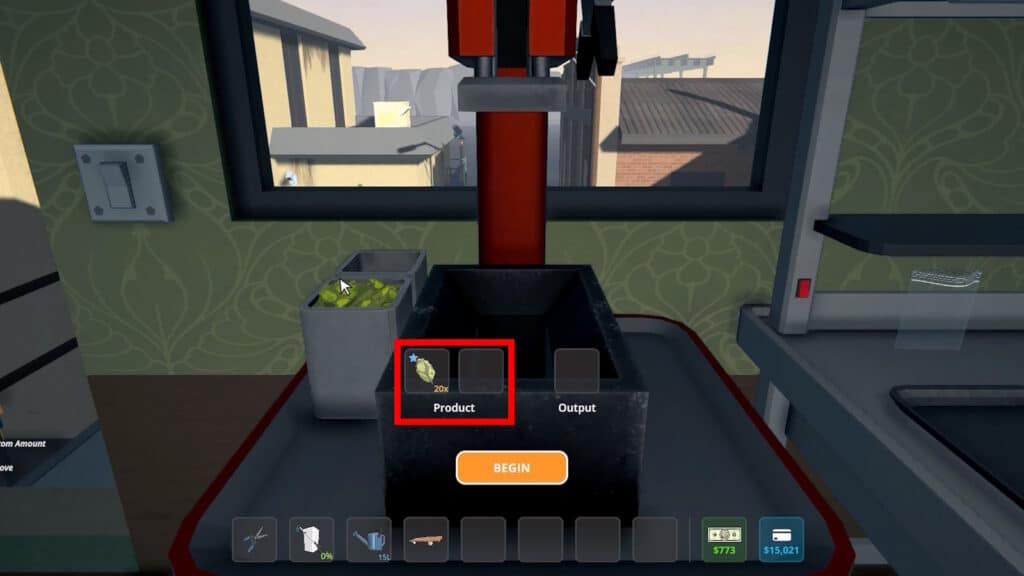
Once you have a Brick Press, place it somewhere in one of your workplaces and interact with it. You can add up to x20 pieces of a Product as your input here. Then, do the little minigame to pour the product into the mold and use the valve at the top to press the product.
As a result, you will get 1 Brick!
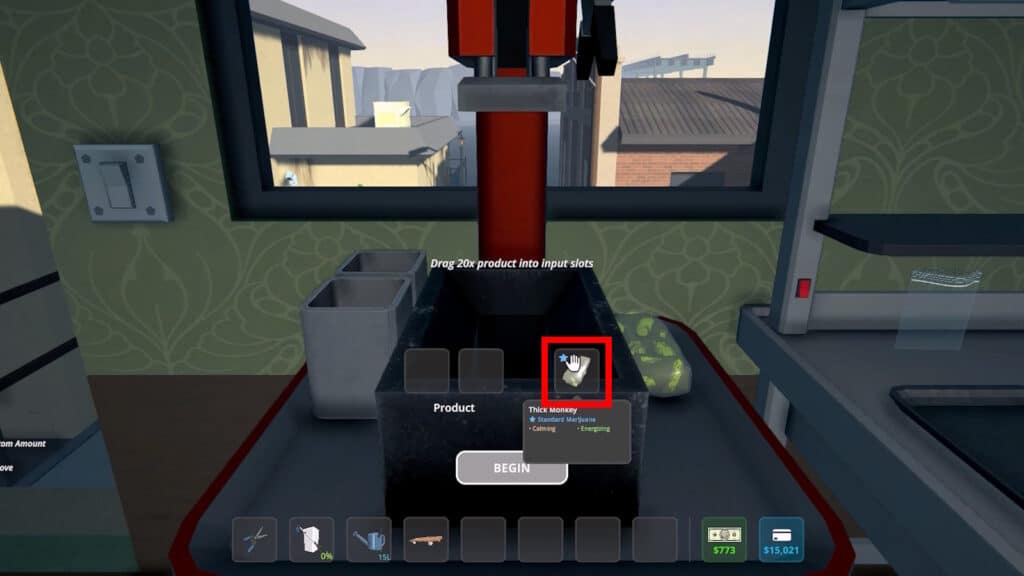
Basically, 1 Brick is equal to a stack of x20 products. This mainly makes it ideal for saving up on storage, as the bricks take up much less space. It’s even more efficient than using jars, too, since you don’t need to buy the jars themselves.
It’s also worth noting that Bricks themselves stack in your inventory up to 20, as long as they’re all of the same product.

Back then, you couldn’t sell bricks directly. However, later updates have made it possible. Now, you can sometimes sell them depending on the buyer’s spending limit.
Still, dealers remain the most reliable and profitable way to use them. We have a guide on how to use dealers already, and the process is the same as described there.
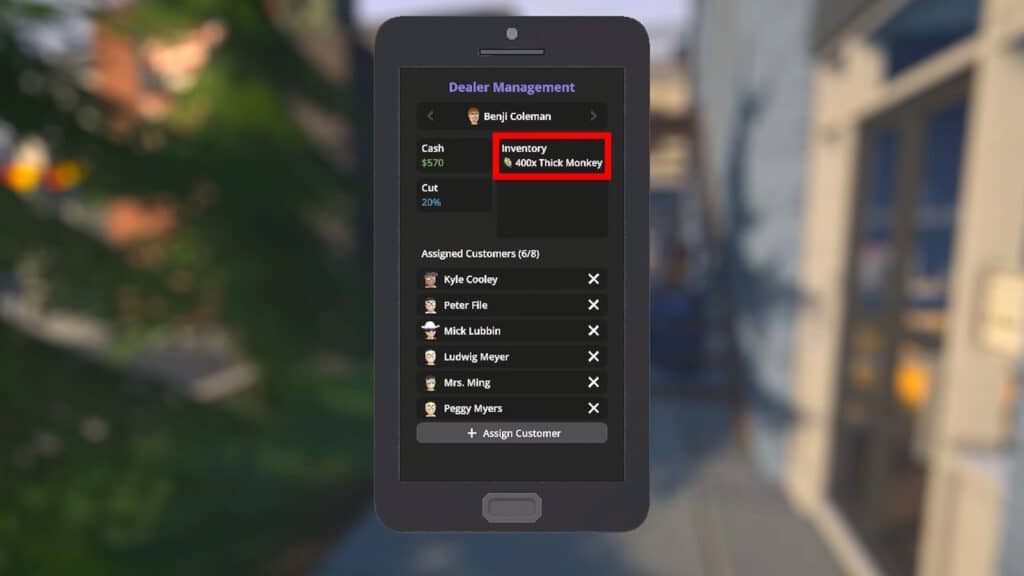
Most importantly, dealers can take full stacks of x20 Bricks. As a result, they will break those down into a total of x400 products. This is ideal for selling en masse!
So, the best way to use bricks is to make full stacks and give them to dealers. Let them handle breaking and selling the bricks.
How to Break Bricks Yourself
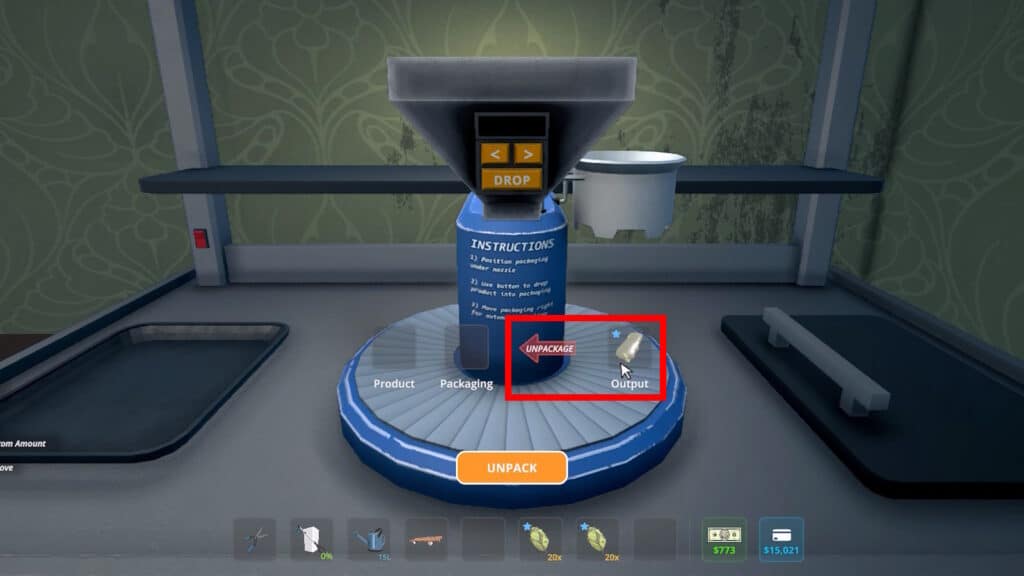
If you wish to break the bricks on your own, you can do so at any Packaging Station. Just place the brick on the output side and click on the “Package” arrow so that it turns around to “Unpackage.”
It should look like the example above.
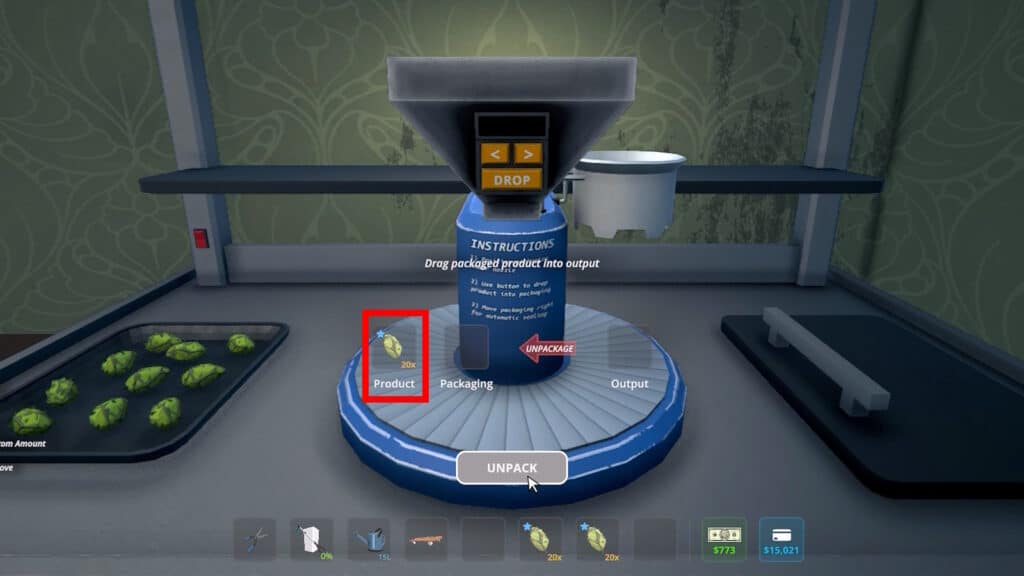
Then, just click the Unpack button and voila! You’ll automatically break the brick and get x20 of the product you used to make the brick. In essence, it’s the exact same process you would do to open jars. It’s surprisingly simple, all things considered!
This is especially useful if you want to remix ingredients, sell your products again, or move products into bags or jars. Overall, the Brick Press is one of the most valuable upgrades in Schedule 1.
It won’t directly increase your profits, but it significantly improves logistics and storage management in return.
That’s everything you need to know to unlock and use the Brick Press in Schedule 1, including the best ways to use and break bricks. Take advantage of this handy tool to compress your Products and save a lot of storage space.