

 4 articles
This ambitious American football simulator called Madden 25 is also jam-packed with various game modes to jump into. Among these game modes, you’ll be able to find the Superstar mode. In this player-driven mode, you create your very own NFL player. You can customize your player’s physical appearance and decide on their archetype, which will determine the abilities they will be able to possess.
If you don’t like the player you create here, you can also delete it or remove it to create a new one. In this guide, we will be looking at what you need to do in order to delete your player from the game.
Deleting your Player or Avatar in Superstar Mode
Getting rid of an unwanted player is pretty easy and can be done in no time at all.
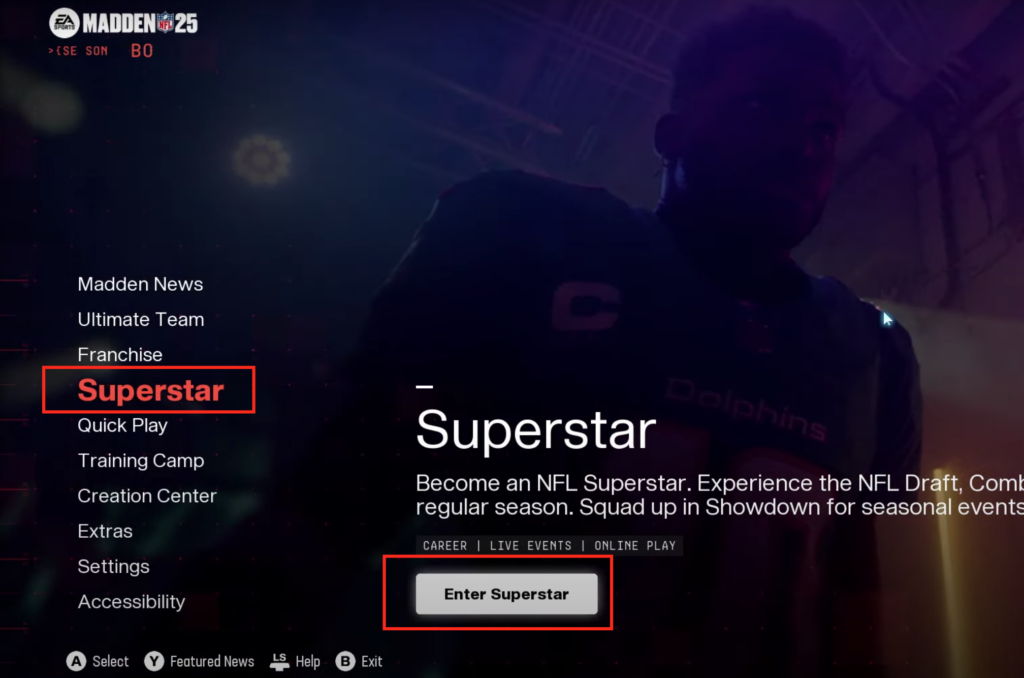
To delete your player in the Superstar mode, you will need to enter the mode through the Superstar option found in the main menu.
 Is IShowSpeed in Madden NFL 25?Aug 21, 2024
 Madden 25: How to Change Animations in Superstar Mode | New Celebration & Interception AnimationsAug 21, 2024
 Madden 25: How to Download Custom Draft ClassesAug 21, 2024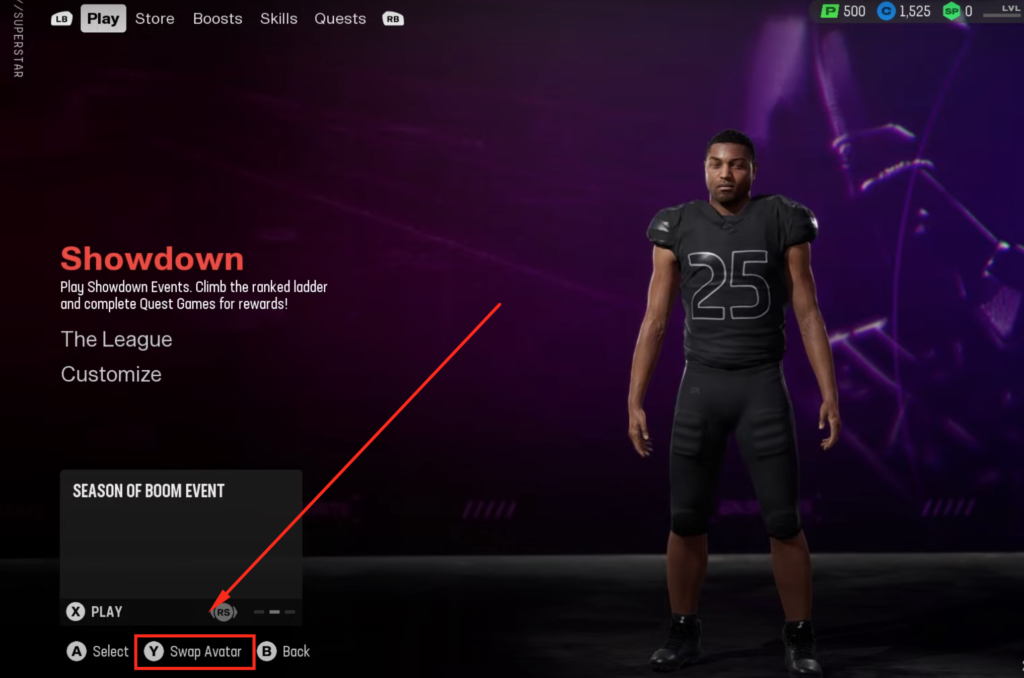
Once you are inside, look at the bottom left of your screen to see the swap avatar option. Press the input button depicted on the left of the swap avatar option (This will vary depending on your platform) to open the player or avatar settings.
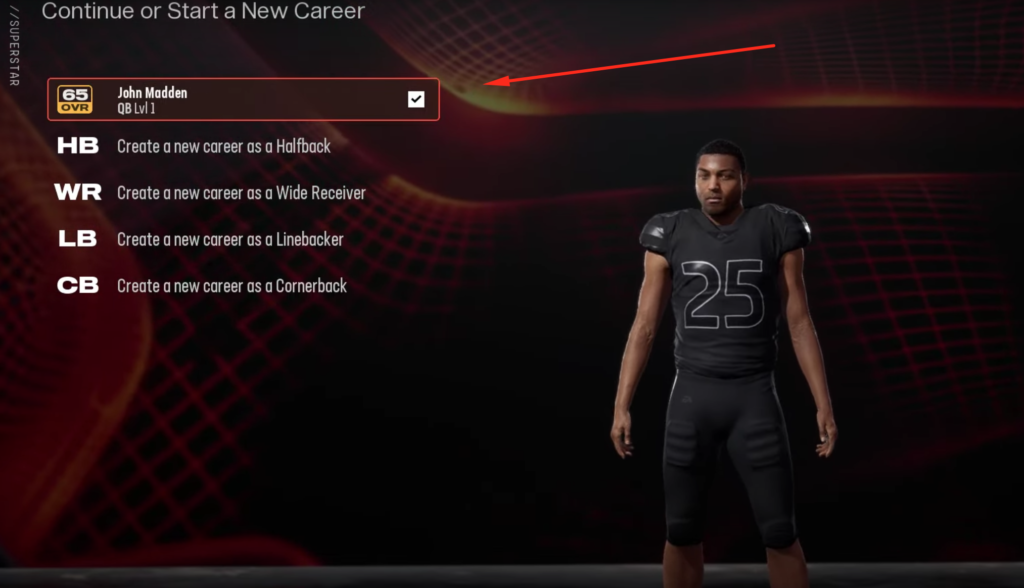
Lastly, select the player or avatar file you would wish to delete and press the input button for delete shown once again at the bottom left of your screen. Once you do that, you will be given a warning that asks you if you’re sure you want to delete this file. Select yes to delete the file.
If the player you deleted was a quarterback, then you will be able to create a new quarterback in their place.
So there you have it, a quick and easy guide on how to delete/remove your player in the Superstar mode. For more related to Madden 25, You can check out our guide on how to download Custom Draft Classes.